Need help with EA based on indicator
-
Hi !
I'm trying to create an EA based on the JagzFX_PIN_Ichimoku_MTF indicator in order to make a backtest but I can't get it to work. The log says:"cannot open file 'C:\Users...\Experts\EAname.ex4'"
and
" Tester: cannot load ExpertsEAname "I think it's because I can't get the indicator into EA even though I imported it into My Indicators from fxdreema.
What I want to do is to enter the position when the conditions chosen in input are met, so I need to run many of this same indicator with different option in input.
Here is my project :
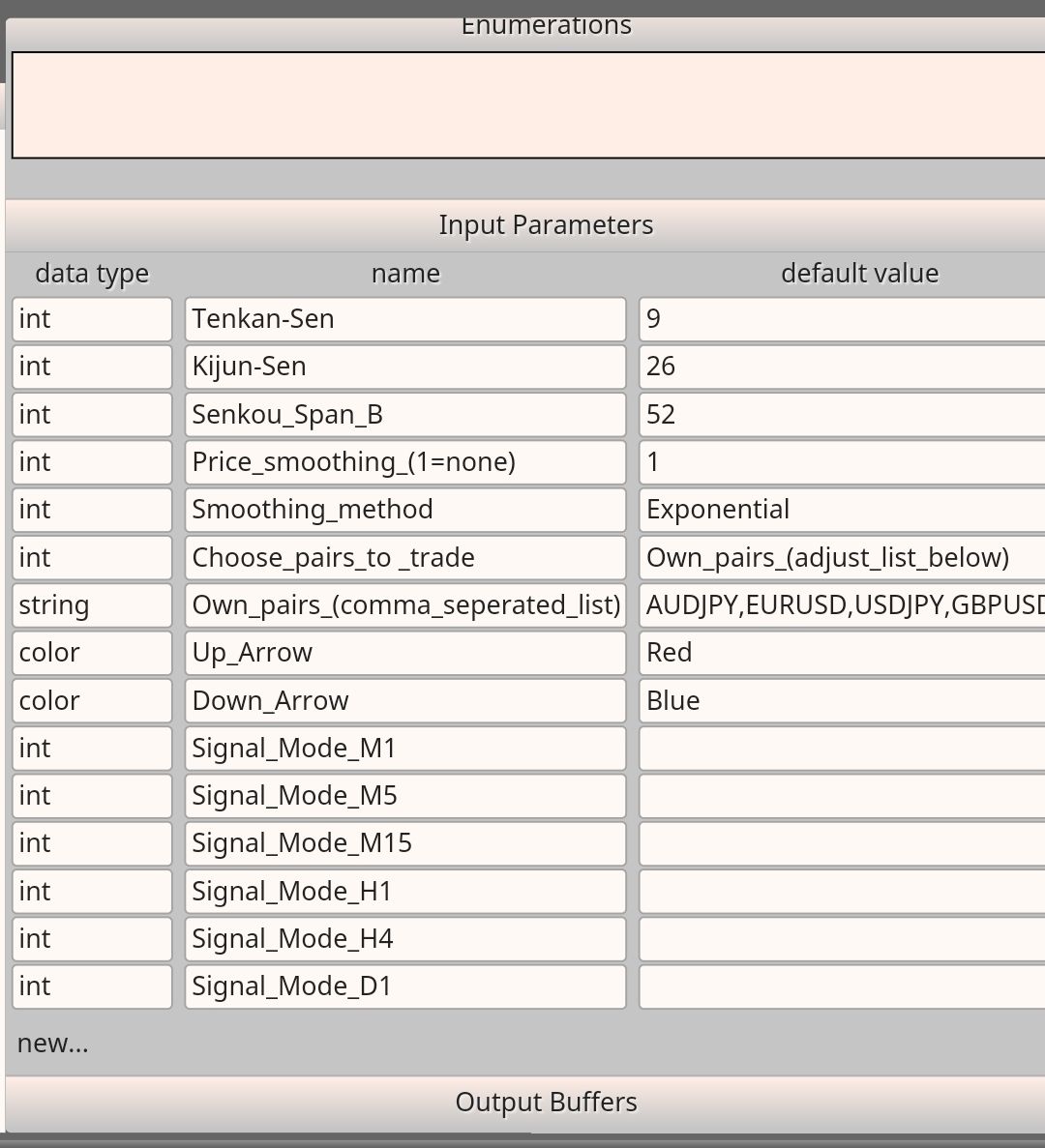
https://fxdreema.com/shared/VAUEm35vcPlease note that since I only have the ex4 file I didn't have fun entering all the data you see in the inputs of the basic indicator since I don't use them, I just added the ones I thought were useful.
Here is the indicator:
JagzFX_PIN_Ichimoku_MTF 1.ex4Thanks in advance for your help.
-
Importing indicator into the fxdreema doesn't mean that the indicator code is included in your EA.
You need to put the indicator into the indicator folder of MT4/5 as that the EA can find the indicator -
Yes the basic indicator is into the indicator folder but name is different (1, 2 3) for every "condition" of my project because I use the same indicator with different event so I need to upload it many times.
Is there an other solution to get it work please ?
Thanks -
Are you sure you correctly emulated all input parameters and buffers as explained in this tutorial?:
https://fxdreema.com/forum/topic/4208/tutorial-06-my-indicators-in-fxdreema
-
Hello l'andorrà, as you can see on the project I followed the tutorial, I just didn't put the _ signs to translate the spaces, but is it necessary ?
How to add many times the same indicator imported in my project? I imported many times since the settings of conditions to be filled are different.
Thanks in advance.
-
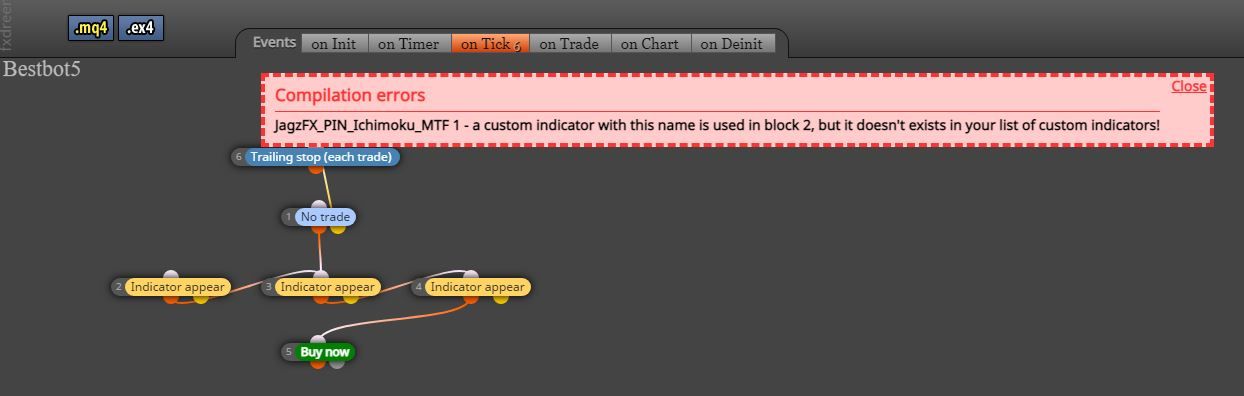
@facto please, look at this error
-
Hello ambrogio, in fact in the meantime I've been testing things but I'm not familiar with the coding of expert advisors. I had seen the errors but I don't know how to fix them so I'm testing things and I also shared the .ex4 file, if someone who knows about it can help me I would be grateful.
-
@facto it seems that the error is clear : you don't have an indicator with that name in dreema's "my indicators" list. Writing the exact name of the indicator is also crucial.
-
Of course yes it was the good name before but I test some things and even if the indicator name is the right one (same as MT4 Indicators folder) I can't get the expert advisor to work. There are other concerns than simply the name that is not the right one.
In the meantime I changed the name and I still have mistakes when trying to compile.
-
@facto
Are you sure the setup of import indicator in fxdreema are correct? -
@sktsec I'm not sure that's why I share the indicator. Do you think that's incorrect? Do I need variables, constants? I don't understand everything yet, thank for your help.
-
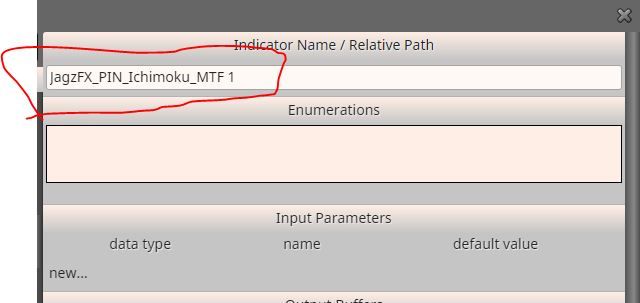
@facto no problem for me to compile
-
@facto if you for some reason rename the indicator in MT4, you have to upload it with the new name in "my indicator" of fxdreema
-
Yes I know it but I think the problem isn't about the name, it is exactly the same. And I imported the ex4 file and I entered the inputs myself so there may be mistakes or things that are missing. I do not know much about it.
If you compare with the basic indicator launched in MT4 you will see that I have not added all the inputs lines but I do not know if it has an impact.
Try downloading as .ex4 instead of .mq4 and you will see that there are mistakes.
-
i see now, there weren't these errors in your initial project.
It seems they are due to some variable, constant type........ i don't know, i'm sorry -
Yes, it is what I think and that's why I asked for help. I just know what I want to do but I don't know how to exactly do it.
I know there are people who know how to use fxdreema very well here so I tried to ask.
-
Some help please?
Thanks in advance
-
Did you try to use the same indicator on a completely different project? Maybe the problem is somewhere within this specific one.
-
@l-andorrà yes I tried but I think it's me who can't enter the right data in the right place and the right format. There may be something missing to make the EA work, but I don't know enough about how an EA is created...
-
I didn't notice blocks 2 and 4 are exactly the same. Why are they duplicated?