Distance from last open and only buy/sell above/below last open trade
-
Hello, i wonder if someone can help.
I'm stuck trying to find a block/s that will only allow the next trade to open after x pips above the last sell open trade or x pips below the last buy open trade?
i've trade check distance and no trade nearby but doesn't seem to match my logic..
many thanks
-
Dark pink for each closed trade to get the open value - light pink pips away to get the distance - buy/sell
-
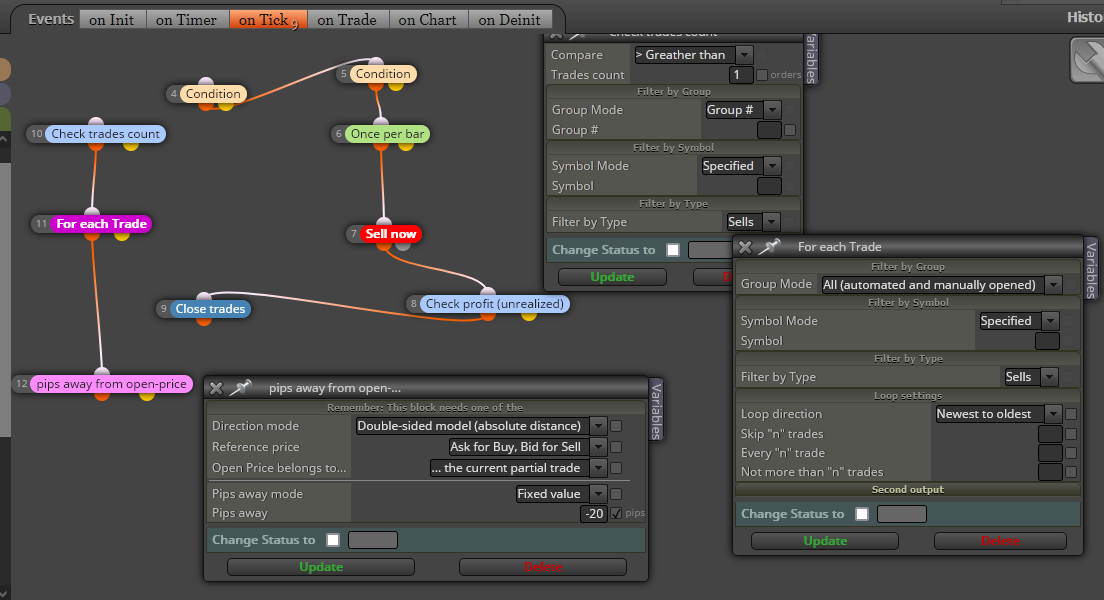
Thank You. This is where I'm at but its still opening trades without the minimum distance, feel like I'm missing something obvious?
-
Add a shared link rather than a picture. The sell needs to go under pink blocks
-
Thank you, I'm still missing something and tried a new block whilst moving the sell under the pink blocks?
-
That's the builder not your project page
-
Sorry, still finding my way around!
-
The pink blocks are looking for an existing trade which you don't have. For testing strip out the once per bar, test 1 condition at a time, as you get them working add others back in
-
Think I've figured it out, direction mode = chart model and then once per bar under pink block and before sell block. Thanks for your help

-
-
Phew.. I thought this would be simple. At least I'm learning I think?
I've tried removing once per bar which should work as the logic of don't trade until n pips awy fromlast trade eliminates the need for it. However when I use Pips away from open price (-n pips for sell) it stops the trades from opening, if I use for each trade this also doesn't work out?
Is there a tutorial on using last open blocks, I can't seem to find one?
https://fxdreema.com/shared/jqQC2JOBd and
https://fxdreema.com/shared/oDjtOTsle -
I think my problem is using last open price?
Is this correct when what i want to achieve is for Sell - only open new orders x pips from the order most in current loss (i.e. averaging into the trade)?
-
A mix of both, you have to have an open price to have pips away. There is instruction pages, but what is in there you would have to look
-
Thanks just working through the add to volume example on the how to pages to see if i can figure it out.
-
OK 1 step forward 2 back...
This should work but it's still not spacing the trades n pips away from last trade? At a loss now
-
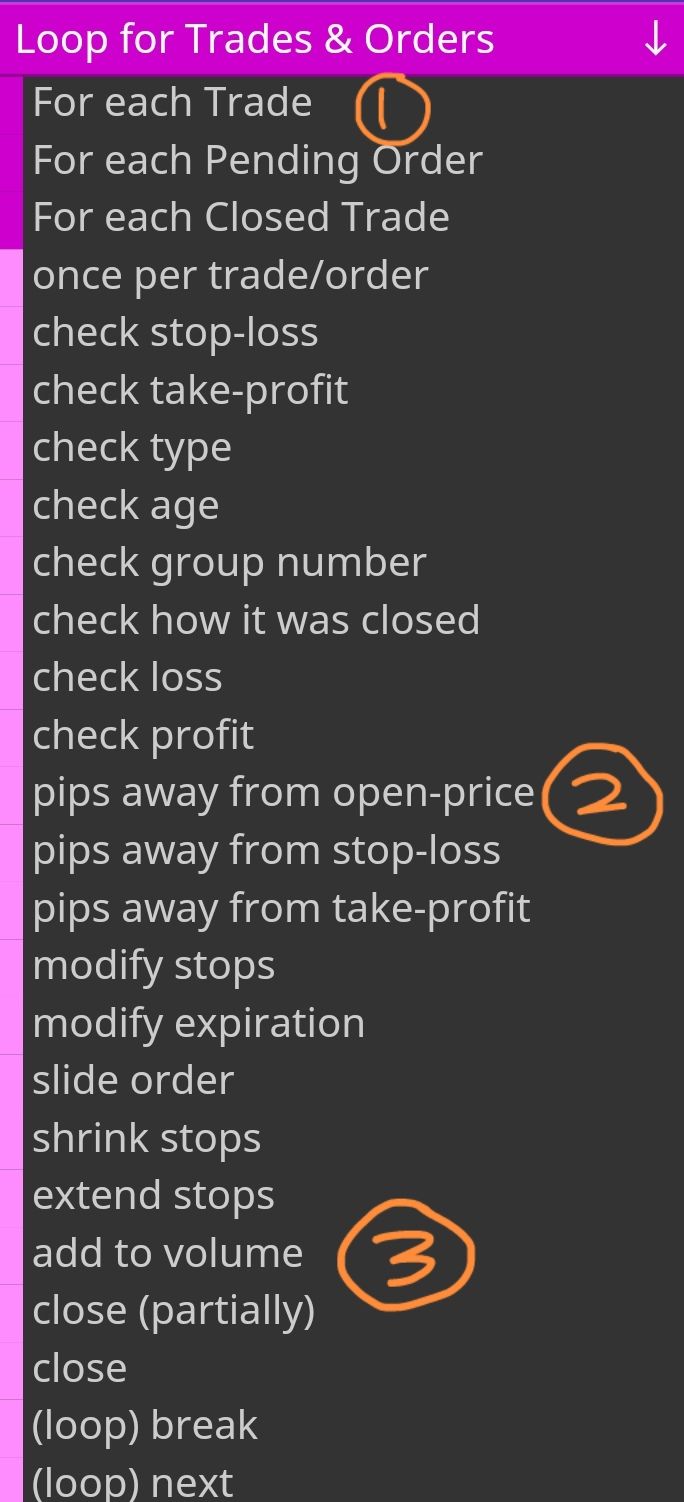
@bigfoot, i understand you're trying to do martingale. Simply connect these 3 blocks and look for the settings.
-
Hi thanks, just want to add in extra trades above the previous open sell level. I've tried what you suggested but still adding trades beneath the set "gap"?
-
So it will only send an order if the price is n pips above or greater than the last open sell order.
-
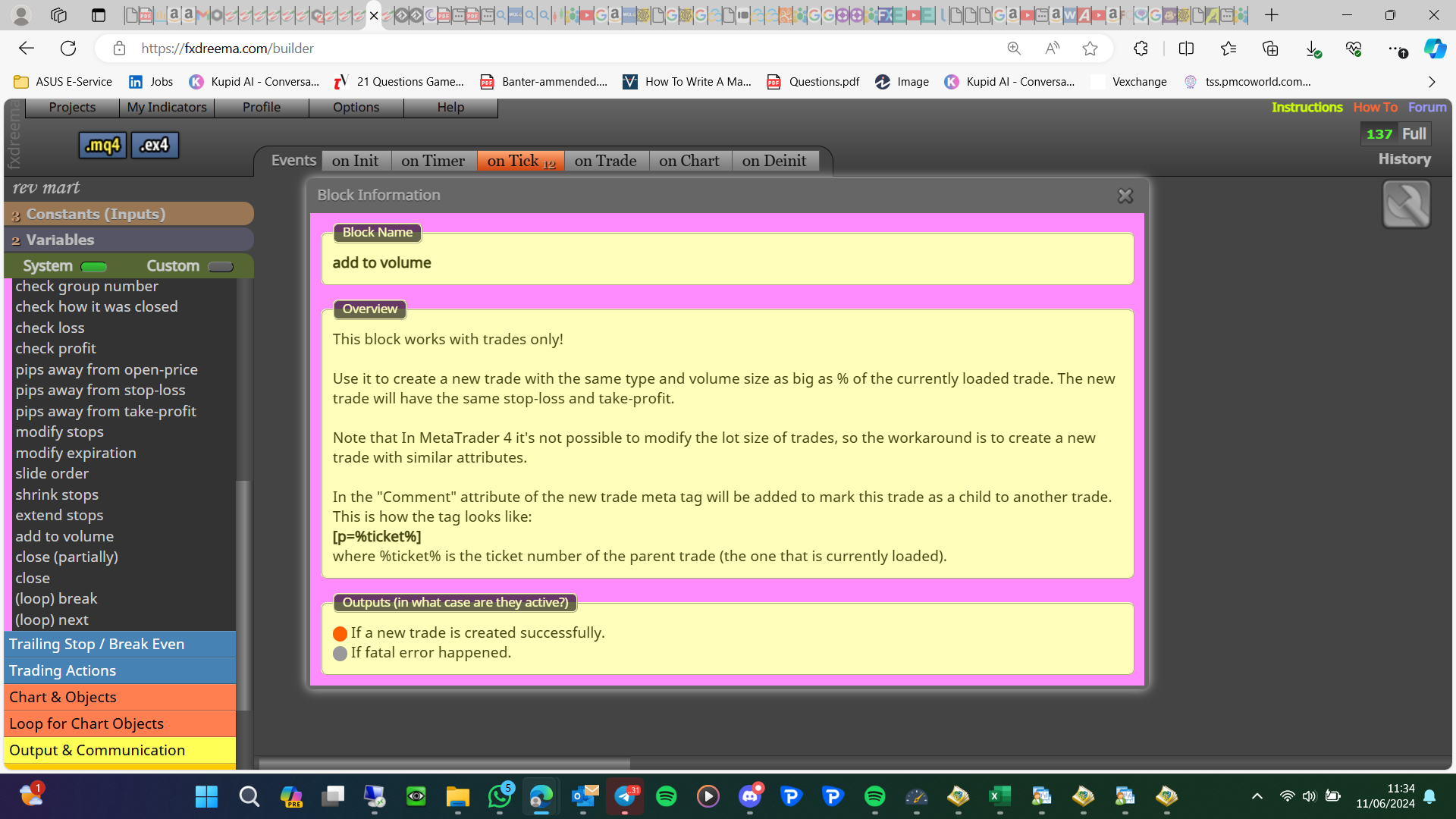
Add to volume creates a new trade, so you need a sell block or an add block. One creates a parent trade and the other a child trade:
-
This is the code from my original mql file. I'll try and figure it out with with the blocks but I'm a bit confused now!
bool CheckDistance(int type){
GetLastOpenPrice();bool result = false;
int dis =0;if(type==0){
if(LastOpenPrice_Buy>0){
dis = (int)(( LastOpenPrice_Buy - Ask)/myPoint) ;
if(dis > Pip_Distance_Buy) return true;
else return false;
}
else return true;
}
else if(type==1){
if(LastOpenPrice_Sell>0){
dis = (int)((Bid - LastOpenPrice_Sell)/myPoint) ;
if(dis > Pip_Distance_Sell) return true;
else return false;
}
else return true;
}return false;
}void GetLastOpenPrice( )
{
LastOpenPrice_Sell=0;
LastOpenPrice_Buy =0;
int total = OrdersTotal();
if(total==0) return;int opentime_buy=0,opentime_sell=0;
double openprice_buy=0.0,openprice_sell=0;
for(int i = 0; i < total; i++)
{
if(OrderSelect(i, SELECT_BY_POS, MODE_TRADES) == false) continue;
if(OrderMagicNumber() != MagicNumber || OrderSymbol() != Symbol() ) continue;
if(OrderType() == 0){
if(OrderOpenTime()>opentime_buy){
opentime_buy = (int)OrderOpenTime();
openprice_buy=OrderOpenPrice();
}
}
else if(OrderType() == 1){
if(OrderOpenTime()>opentime_sell){
opentime_sell = (int)OrderOpenTime();
openprice_sell=OrderOpenPrice();
}
}
}
LastOpenPrice_Buy = openprice_buy;
LastOpenPrice_Sell = openprice_sell;