Quicker way to edit and preview
-
Just a thought, is there a quicker way to preview edits made to my fxDreema canvas? Other than mq5>download>copyPaste to MetaEditor Data Folder>Refresh>Test...?
It's just that first bit that gets a bit 'clicky'.
Not whinging, just asking

-
@martymoon120 well you can download the ex5 directly to your Experts folder, skip the copypaste and metaeditor
-
Ah right, I'll give that a try, thx.
-
Sorry for basic question, but how do I get it to download the the ex4 directly to my Experts folder? After I hit that button in fxdreema it always goes to my downloads folder, then I have to copy paste.
But don't you have to compile it first?
-
@martymoon120 maybe its browser dependent, on Chrome it seems to remember the last download location. There's also a chrome extension available but I dont use that.
-
@martymoon120
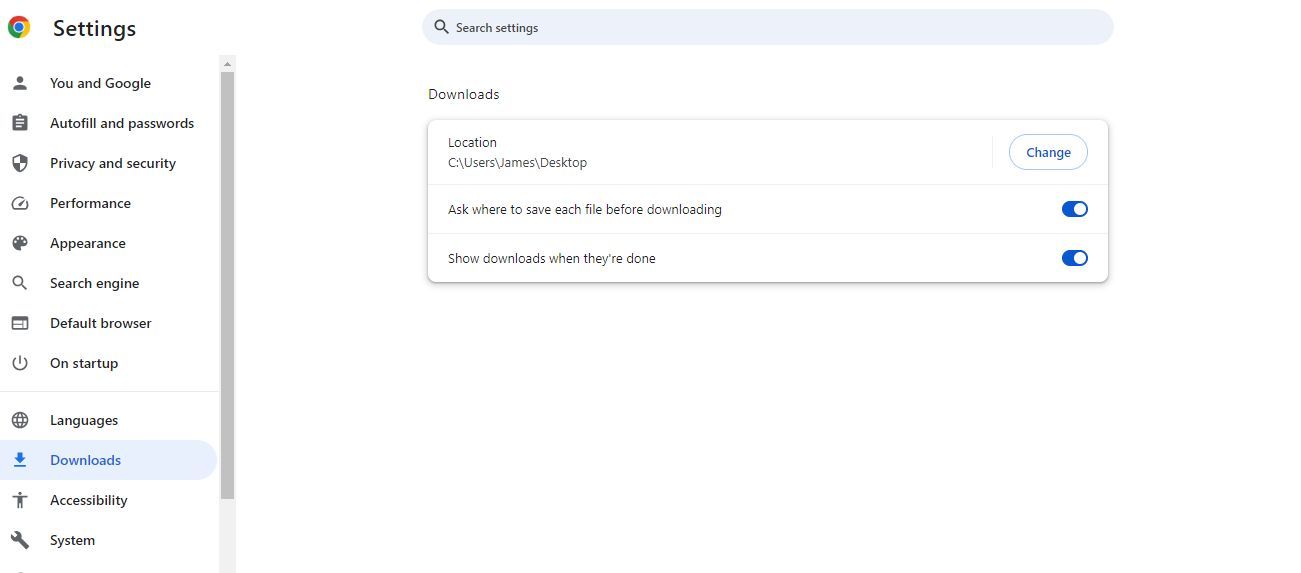
There is an option in Chrome that let you select the folder before each download. That is what you need -
@roar Never been able to get that feature to work for me sadly.
-
ctrl x in your download folder, ctrl v in your MT4/MT5 folder, this will move the file to where you want it.
-
-
Tick for the first option
It will ask you every time where to download