How to include a mqh file
-
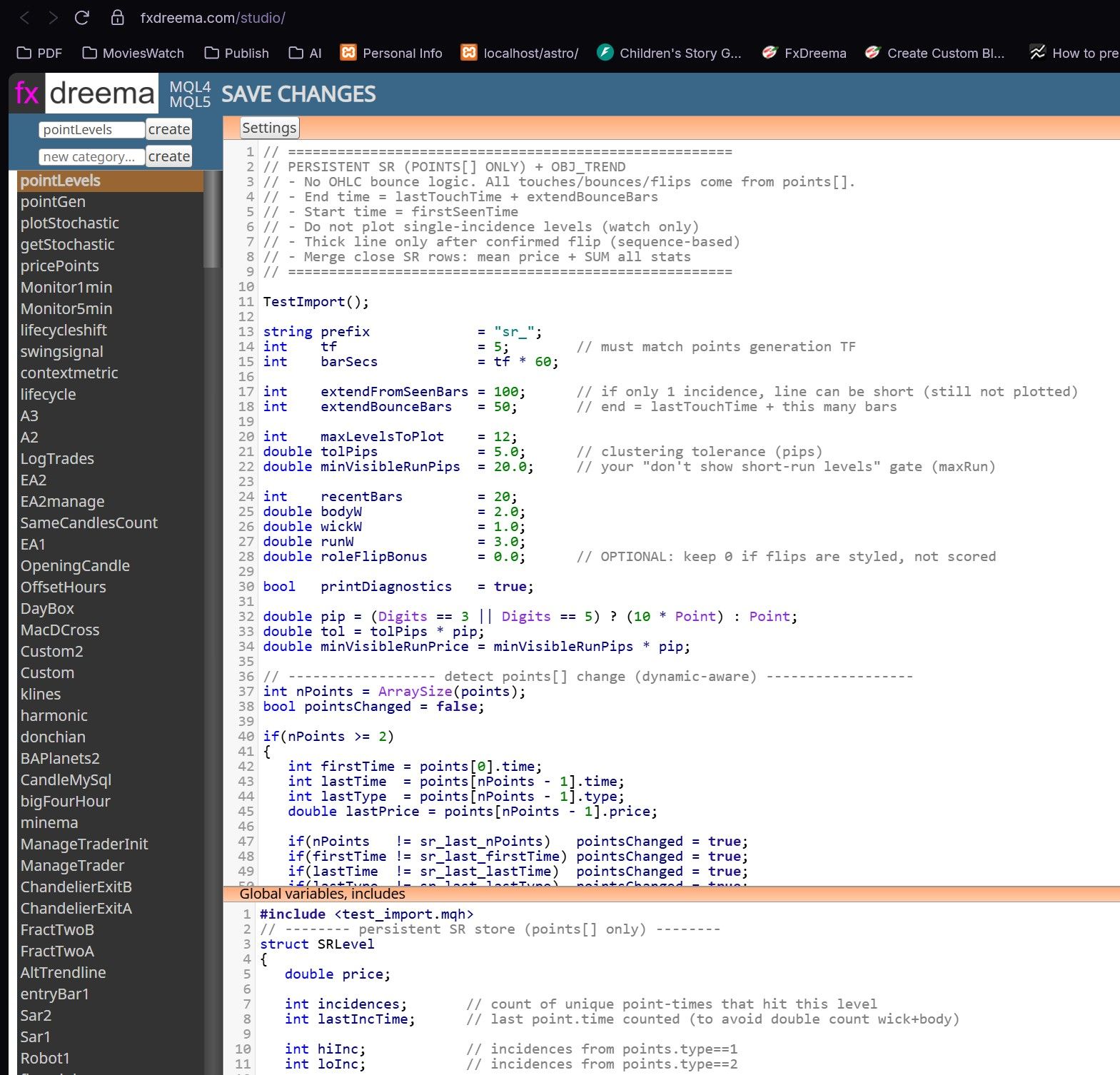
When you export your EA, only export as .mq4 .Exporting .exe will throw error.
put the include command in globals box at bottom in Studio (see the url)
In the main code you see TestImport(); This function is in my include file which is directory MQL4/includes/ -
I need to use some userdefined functions and it would be great to have a block or any other way to include a mqh file
Is that possible or do i have to edit the generated mql4 code?
Maybe a field for userdefined includes could go to project options
-
This is currently not possible. The small problem is that I have the compiler (metaeditor.exe) in one folder and the folder where user files are located is different. Well, I can probably find a way to make such thing possible, but you are the first one (as long as I remember) asking for this thing, so in general people don't care about such feature

There is some workaround probably. When you make a custom block, you have this smaller field on the bottom where you can define global variables, imports and such things. I'm not sure that this will work, but try to put your includes there. Then when the block is used in a project, those includes should appear somewhere on the top of the file. You will get error if you try to compile it, because files are missing, but you can always export .mq4 file and compile it with MetaEditor locally
-
I found your screenshots where to put the #include <...>
But please could you show a screenshot of a pretty simple custom block?
A simple sample dummy block, to put somewhere, just to have the includes.The Studio is not realy selfexplaining and it would be helpful not only for me
-
This is true
Check this post - post/10298