fxDreema

    • Register
    • Login
    • Search
    • Back to the main page
    • Categories
    • Recent
    • Tags
    • Popular
    • Search

    Working with MT5 Donchian Channel

    Questions & Answers
    4
    11
    266
    Loading More Posts
    • Oldest to Newest
    • Newest to Oldest
    • Most Votes
    Reply
    • Reply as topic
    Log in to reply
    This topic has been deleted. Only users with topic management privileges can see it.
    • U
      uchiha last edited by uchiha

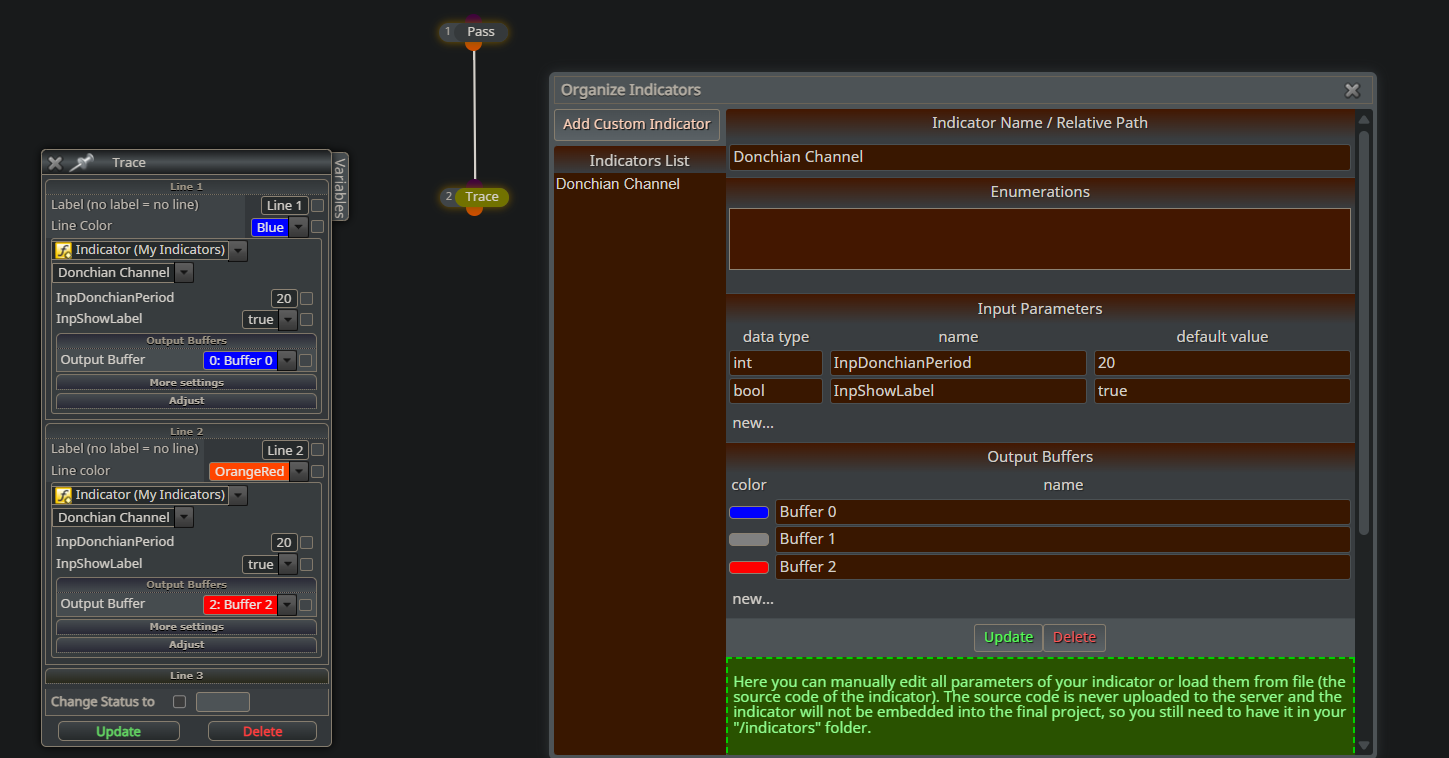
      Screenshot 2026-01-13 203016.png Hello all,

      I hope someone can help me here, I've tried to use the inbuilt custom mt5 version of the Donchian channel, but there is no output at all. Followed all the instructions for loading custom indicators; i.e got indicator path from "data folder" made sure the name is consistent.

      Here is the a tracer EA which shows no output.

      https://fxdreema.com/shared/pQxtDTuEc

      Can anyone help resolve this? Thank you.

      1 Reply Last reply Reply Quote 0
      • A
        ambrogio last edited by

        Try to put candle ID1 in "more settings", indicators normally works on that candle

        1 Reply Last reply Reply Quote 0
        • U
          uchiha last edited by uchiha

          Yes, I've used a value of 1 and even 2, nothing shows up in the tester. I'm confused.

          Please if you have MT5 can you try and replicate?

          1 Reply Last reply Reply Quote 0
          • A
            ambrogio last edited by

            Yes, upload the indicator

            U 1 Reply Last reply Reply Quote 0
            • U
              uchiha @ambrogio last edited by

              @ambrogio here it is, Donchian Channel.mq5

              You can also find it in the customs indicator part in your own mt5 terminal.
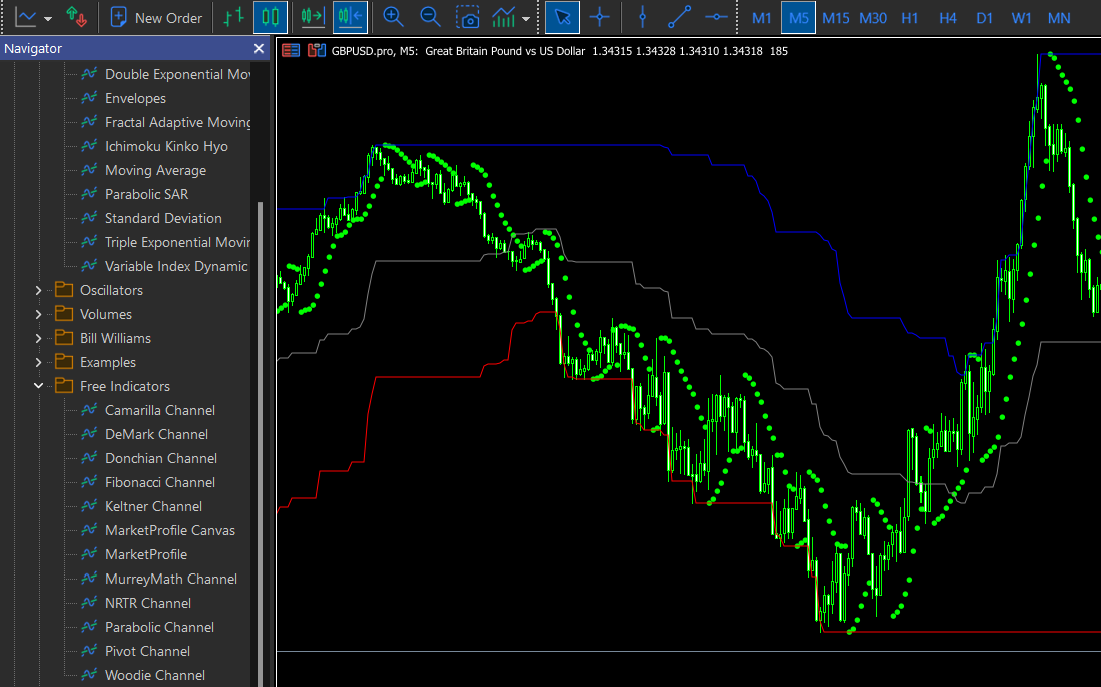
              donch.png

              A S 2 Replies Last reply Reply Quote 0
              • A
                ambrogio @uchiha last edited by

                @uchiha i think it is not compatible with fxdreema, error in the journal

                Immagine 2026-01-13 210421.png

                1 Reply Last reply Reply Quote 0
                • U
                  uchiha last edited by

                  AHA! Thank you so much!!

                  A 1 Reply Last reply Reply Quote 0
                  • A
                    ambrogio @uchiha last edited by

                    @uchiha 👍

                    1 Reply Last reply Reply Quote 0
                    • S
                      sktsec @uchiha last edited by sktsec

                      @uchiha
                      The indicator is not found probably because it has been put in a folder ("Free Indicators") under the indicator folder. Try copying the indicator to the indicator folder (i.e. 1 level of above the original folder)

                      1 Reply Last reply Reply Quote 0
                      • A
                        Alves last edited by

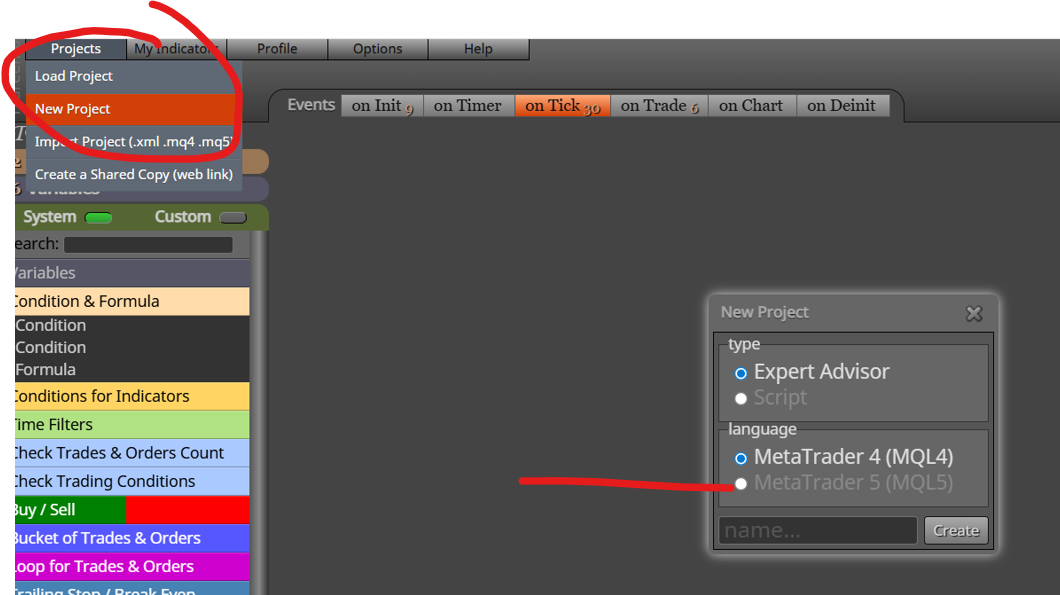
                        Comment faire pour changer mq4 pour passer en mq5?

                        A 1 Reply Last reply Reply Quote 0
                        • A
                          ambrogio @Alves last edited by

                          @Alves

                          Screenshot (34).png

                          1 Reply Last reply Reply Quote 0
                          • 1 / 1
                          • First post
                            Last post

                          Online Users

                          M
                          G
                          C
                          F
                          G
                          T
                          E
                          E
                          A
                          K
                          M

                          19
                          Online

                          146.7k
                          Users

                          22.4k
                          Topics

                          122.6k
                          Posts

                          Powered by NodeBB Forums | Contributors