enter a text line in the EA properties input window
-
I noticed that the Block Title ...as seen in the Builder window in the browser, is NOT always repeated in the finished EA, when opened in the tester. We can of course add the string later in Meta Editor, but I often make 10 or more versions before I get (even close to) what I want. So it is not workable to edit every version in the metatrader editor before testing .
Is there a way to add a 'blank block" that will just add a text string in the properties input window. See picture.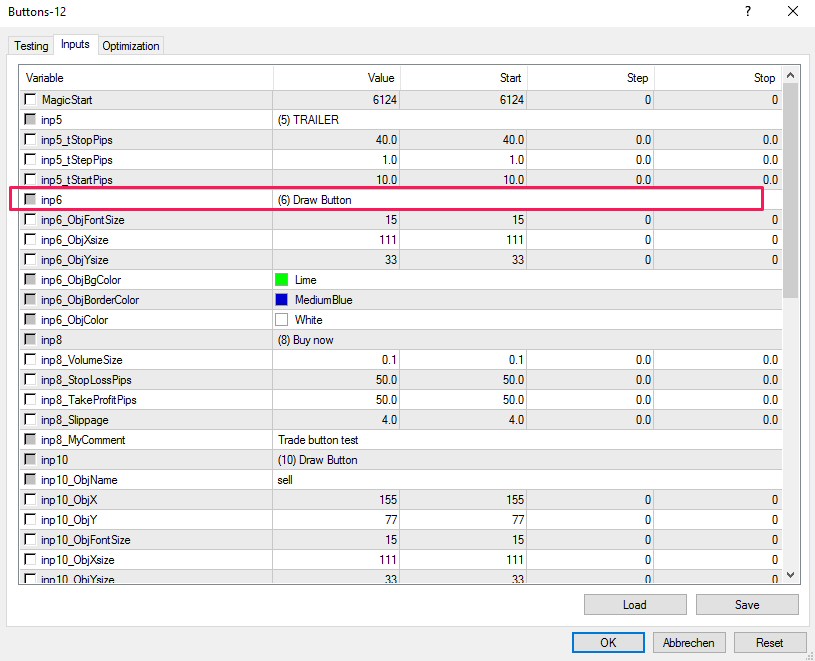
-
Am I the only one ? It is messy to search what setting belongs to what indicator. Or am I missing an obvious solution ?
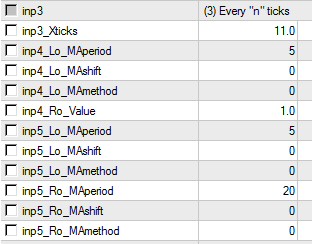
In this picture you see the input settings for Standard Deviation and an MA cross under each other without the headers ...as the fxdreema webtool generate the resulting EA.
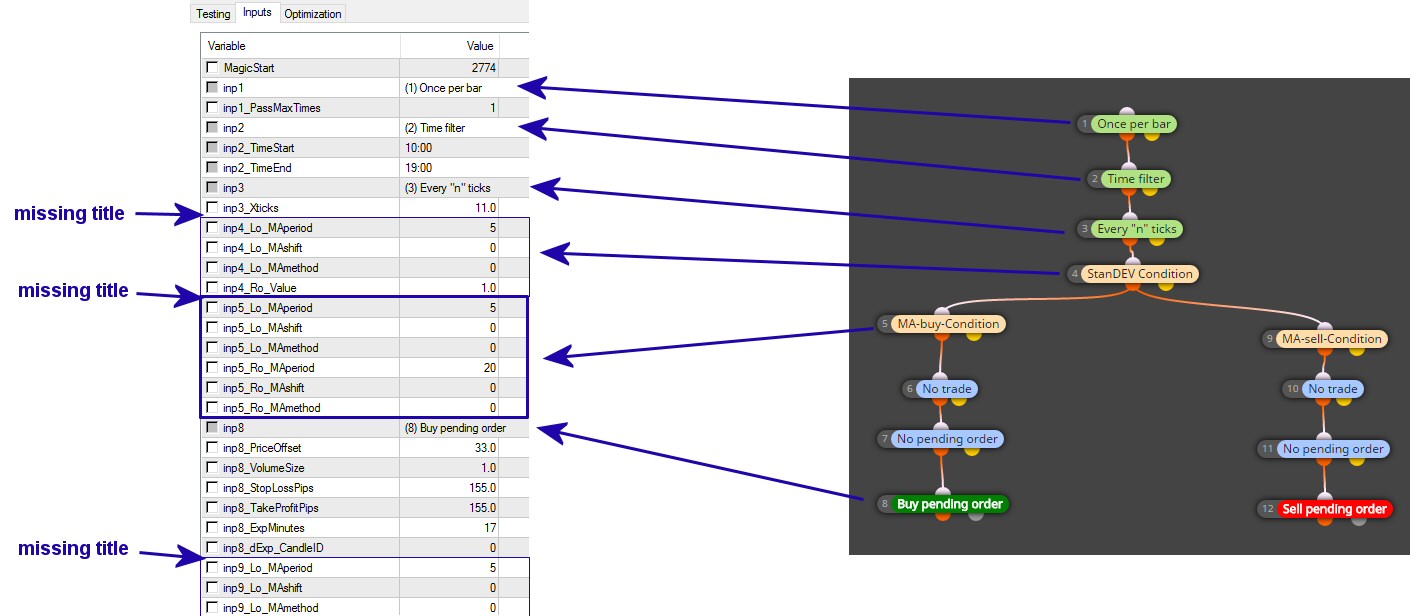
The admin could cure this bug. Or could we have a text string block to force a title ? -
-
Sorry for not understanding...
Are you suggesting to use 1 constant SL for my EA? Do I have to understand SL (as you explain:) "Don't try to modify the Constant. The word "Constant" here should be read literally." ??? But I have to access the SL in the Tester Settings and optimize it. Please explain more ...because I don't get it.
And what is the relation with the missing Headers and my question if we could have a block that add a text string only ? -
Not sure what the relation is to my question but since you suggested CONSTANTS as the solution .... I did a test .
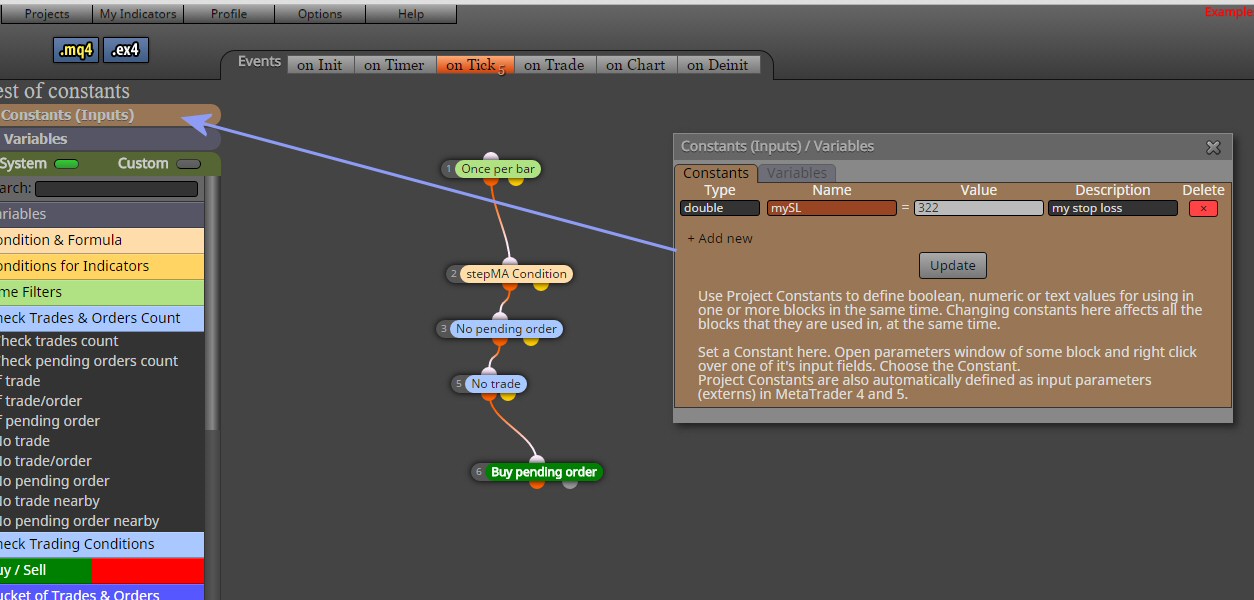
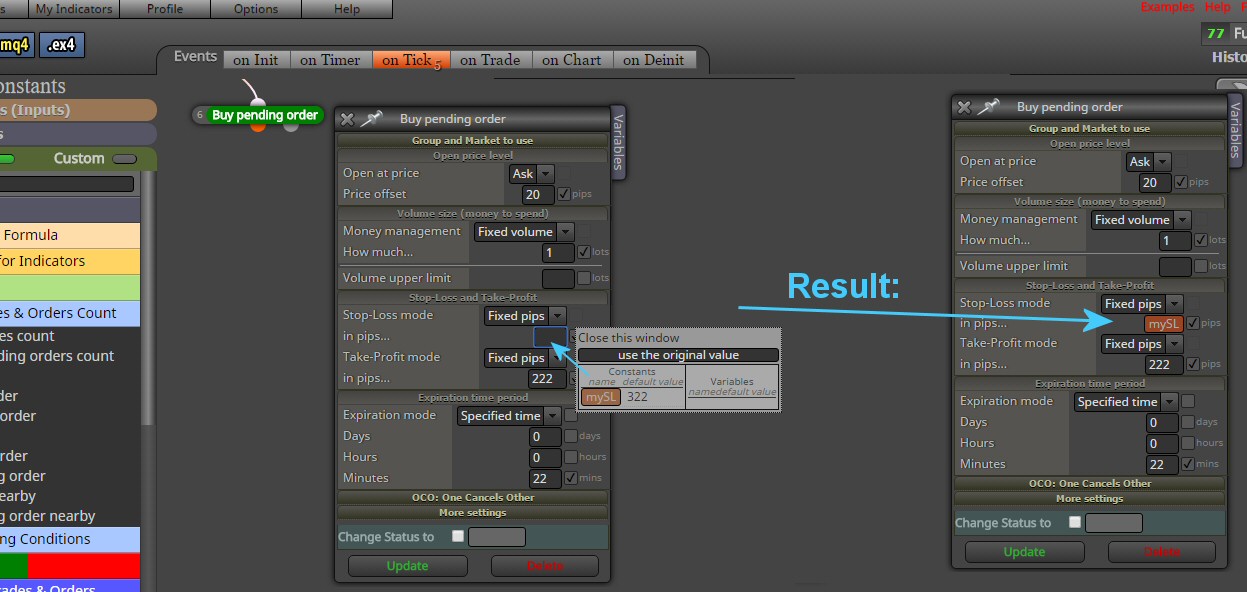
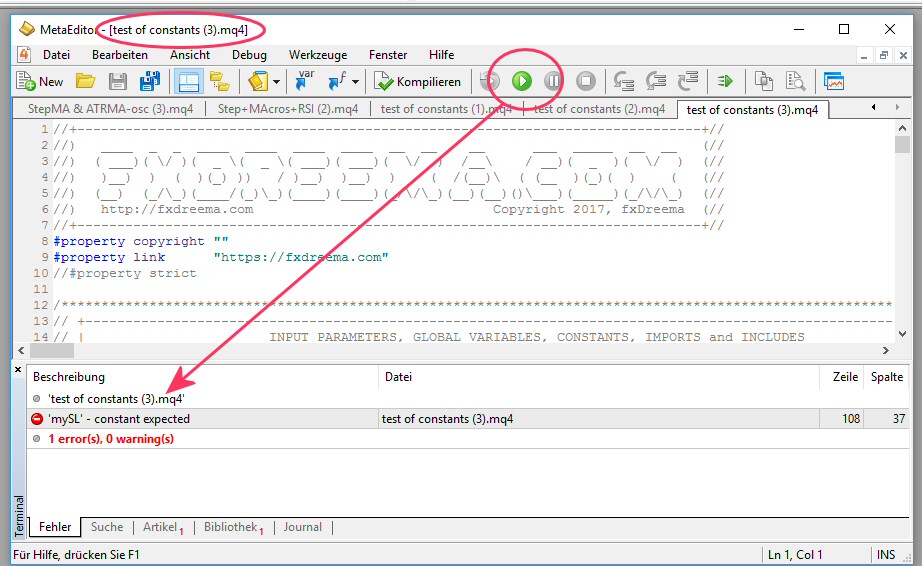
What have I done wrong ?
Hey Rado, I am NOT a coder ... I have no idea when you start about constants and double ... But I just tried to follow your suggestion.
Also ...just filling in a number in the SL field and checking the box beside it, is a lot quicker than first filling that value in the Constants dialog window. All these Constants we need any way only in there respective fields in the box where they are used. So making a constant first is from the perspective of user friendliness a big step back. -
Sometimes you must take some time to polish things. I agree, it's a lot quicker to check bunch of checkboxes... but then you get bunch of input parameters with stupid names (decided by the EA builder), which is ugly.
When you use a Constant in some input field, uncheck that checkbox. Don't use both at the same time.
-
@fxDreema
So I have to choose: fast and able to optimize in the tester ....against a logic header ? A no-brainer. -
Well, it's not so slow to manually create input parameters. You can probably make few of them for 1 minute. Yes, this is slower compared to just checking few checkboxes with the mouse, but the difference is seconds