fxDreema

    • Register
    • Login
    • Search
    • Back to the main page
    • Categories
    • Recent
    • Tags
    • Popular
    • Search

    Hello,help please.....

    Questions & Answers
    4
    11
    1422
    Loading More Posts
    • Oldest to Newest
    • Newest to Oldest
    • Most Votes
    Reply
    • Reply as topic
    Log in to reply
    This topic has been deleted. Only users with topic management privileges can see it.
    • E
      Eray Dursun last edited by

      for example I see a trend up.how can I buy orders for every candle?

      1 Reply Last reply Reply Quote 0
      • ekanters
        ekanters last edited by

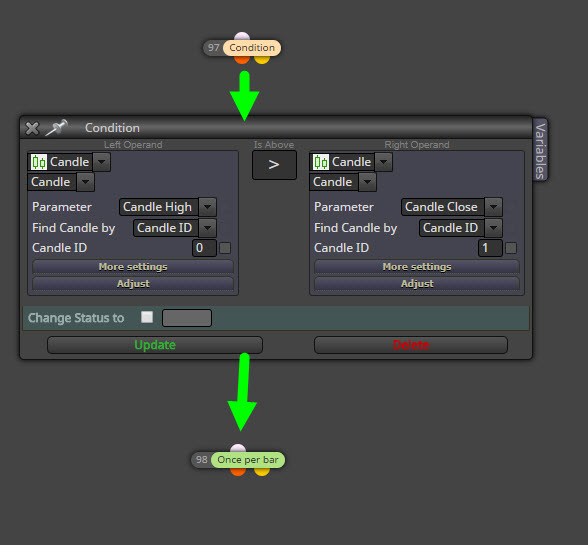
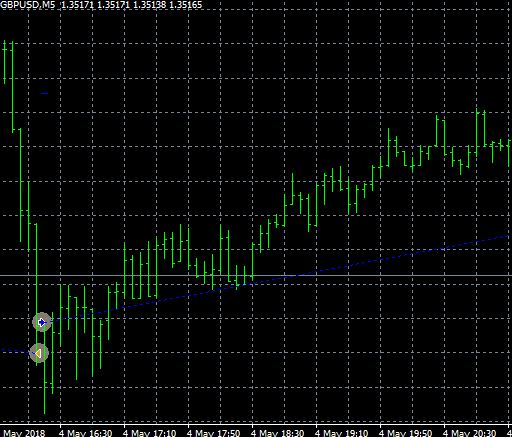
        An example
        0_1526323450260_2018-05-14_20-42-15.jpg

        1 Reply Last reply Reply Quote 0
        • E
          Eray Dursun last edited by

          ekanters thanks, but it's just buying a candle

          1 Reply Last reply Reply Quote 0
          • E
            Eray Dursun last edited by

            drayzen do you have an idea?
            for example I see a trend up.how can I buy orders for every candle?

            drayzen 1 Reply Last reply Reply Quote 0
            • ekanters
              ekanters last edited by

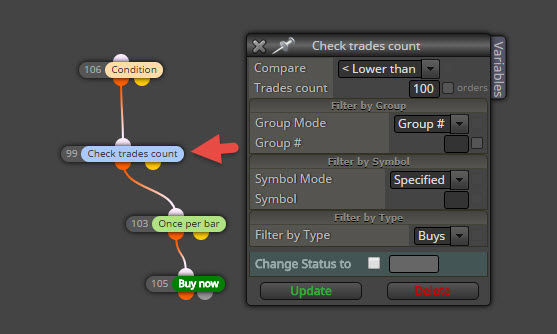
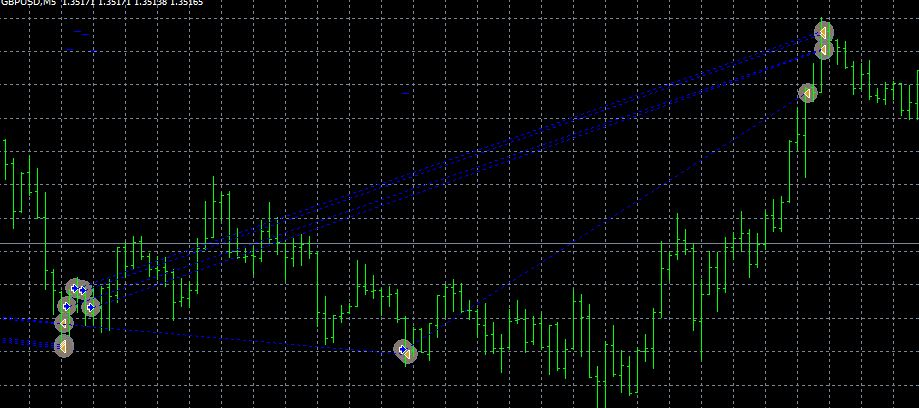
              Maybe not sure what you mean but this is the result of above conditions. Btw to limit the action see below.
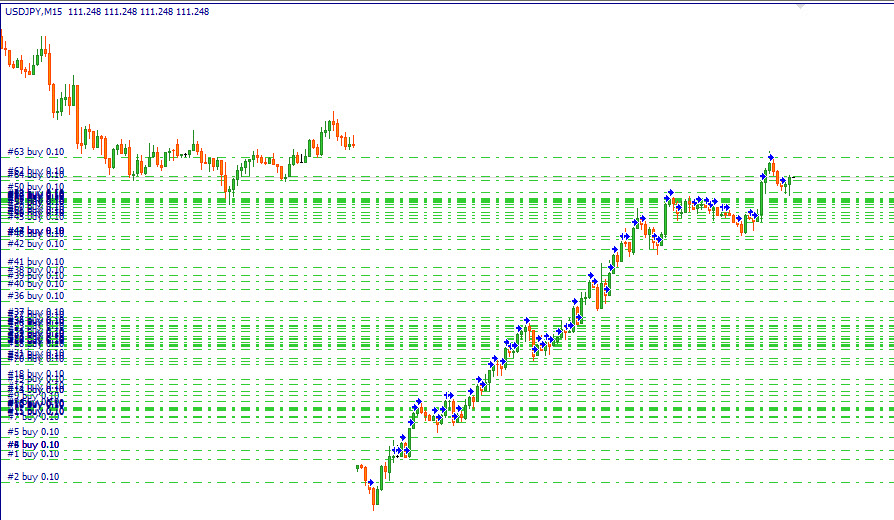
              0_1526461415639_2018-05-16_11-00-51.jpg
              0_1526461482088_2018-05-16_10-34-18.jpg

              1 Reply Last reply Reply Quote 0
              • drayzen
                drayzen @Eray Dursun last edited by drayzen

                Hi @eray-dursun ,
                What @ekanters showed you is correct, Condition > Once per bar > Buy/Sell.
                This is basically limiting your Condition result so that it can only complete once for each candle.
                Without this it would perform the assigned trade action on every tick.

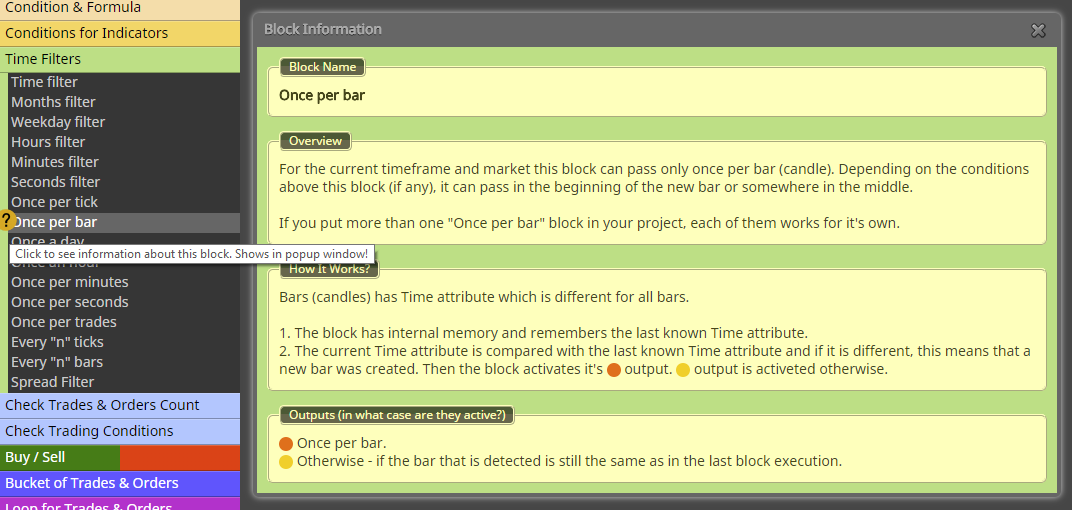
                Note that if you click on the '?' next to each block title in the menu it will open a detailed description of it's function, and there's often useful tips in there. 😉

                0_1526460983507_fxDreema - 'Once per bar' Block Information.png

                There are some examples of it here: https://fxdreema.com/examples#Tips-and Tricks
                Be sure to take note of what happens if you put it before your Condition(s), it gets activated on the first tick after Open of each candle and if your condition doesn't pass with that first tick then nothing can happen until the first tick within the next candle.
                This caught me out initially, generally it's best to put it just before your trade action to have it behave in a sensible and useful way.

                tip: Use an @ to tag people, I only found this by chance... 😉

                ..the alien does not concern itself with the opinions of humans..

                1 Reply Last reply Reply Quote 0
                • E
                  Eray Dursun last edited by

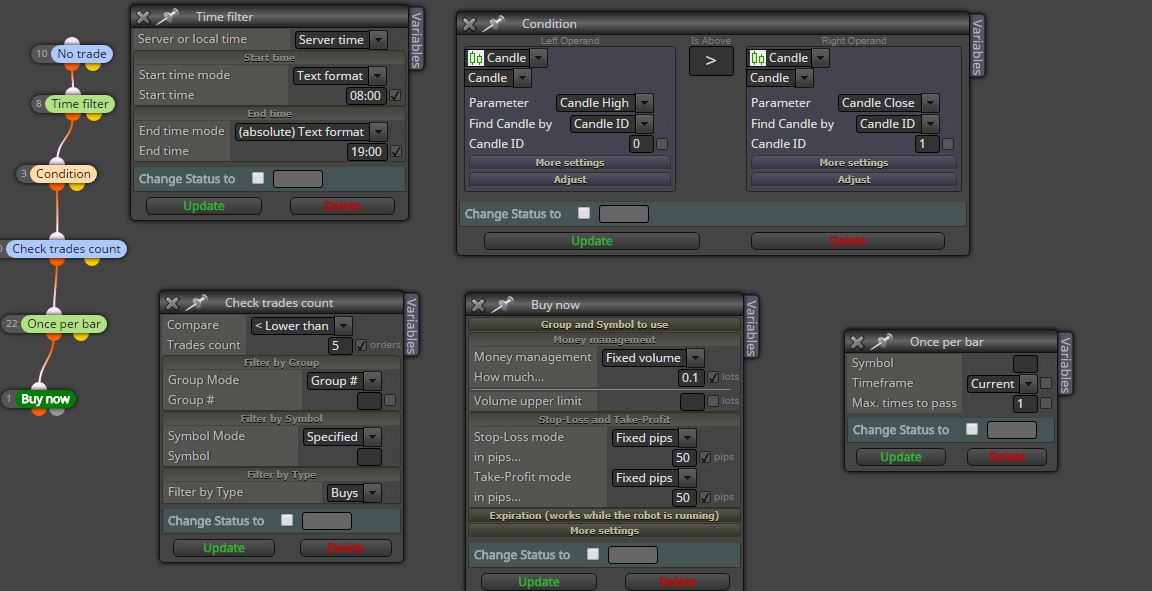
                  hi @ekanters hi @drayzen where am i making mistakes?1_1526469973618_Ekran Alıntısım.JPG 0_1526469973618_Ekran Alıntısı.JPG

                  drayzen ekanters 2 Replies Last reply Reply Quote 0
                  • drayzen
                    drayzen @Eray Dursun last edited by drayzen

                    Hi @eray-dursun ,
                    You need to click on the numbers on the left of each block and make them in sequence.
                    https://fxdreema.com/tutorial/builder/builder-basic-rules

                    You currently have: 10 > 8 > 3 > ? > 22 > 1

                    Update: Incorrect, see fxDreema post below.

                    ..the alien does not concern itself with the opinions of humans..

                    fxDreema 1 Reply Last reply Reply Quote 0
                    • ekanters
                      ekanters @Eray Dursun last edited by ekanters

                      @eray-dursun @drayzen Can't see all the timeframes. Try removing the first two blocks and run it in strategy-tester. Take it step by step to figure out where it goes wrong.

                      1 Reply Last reply Reply Quote 0
                      • E
                        Eray Dursun last edited by

                        @ekanters @drayzen works without (no trade).thank you very much for your help.0_1526472070697_Ekran Alıntısı.JPG

                        1 Reply Last reply Reply Quote 0
                        • fxDreema
                          fxDreema @drayzen last edited by

                          @drayzen If the blocks are connected one after another, these numbers mean nothing. In this case if a block passes, the one after that is executed and so on... but the numbers are meaningless in this case. Numbers are only important if after a block there are 2 or more paths to take.


                          1 Reply Last reply Reply Quote 0
                          • 1 / 1
                          • First post
                            Last post

                          Online Users

                          H
                          R
                          A

                          17
                          Online

                          146.7k
                          Users

                          22.4k
                          Topics

                          122.6k
                          Posts

                          Powered by NodeBB Forums | Contributors