I Want To Create A EA With Custom Indicator
-
@jstap oh it means i should use > instead of x> in both blocks 114 & 118?
-
@talalkhan Yes but this goes to how you want the condition to work, you can use x> to turn a bool condition true/false but you cannot use the yellow output to switch it back. Unless you want condition to be true/false for only a small amount of time.
-
@jstap Bro Please Check Buy Area Variables Now, is it ok now?
https://fxdreema.com/shared/flbreJbcd -
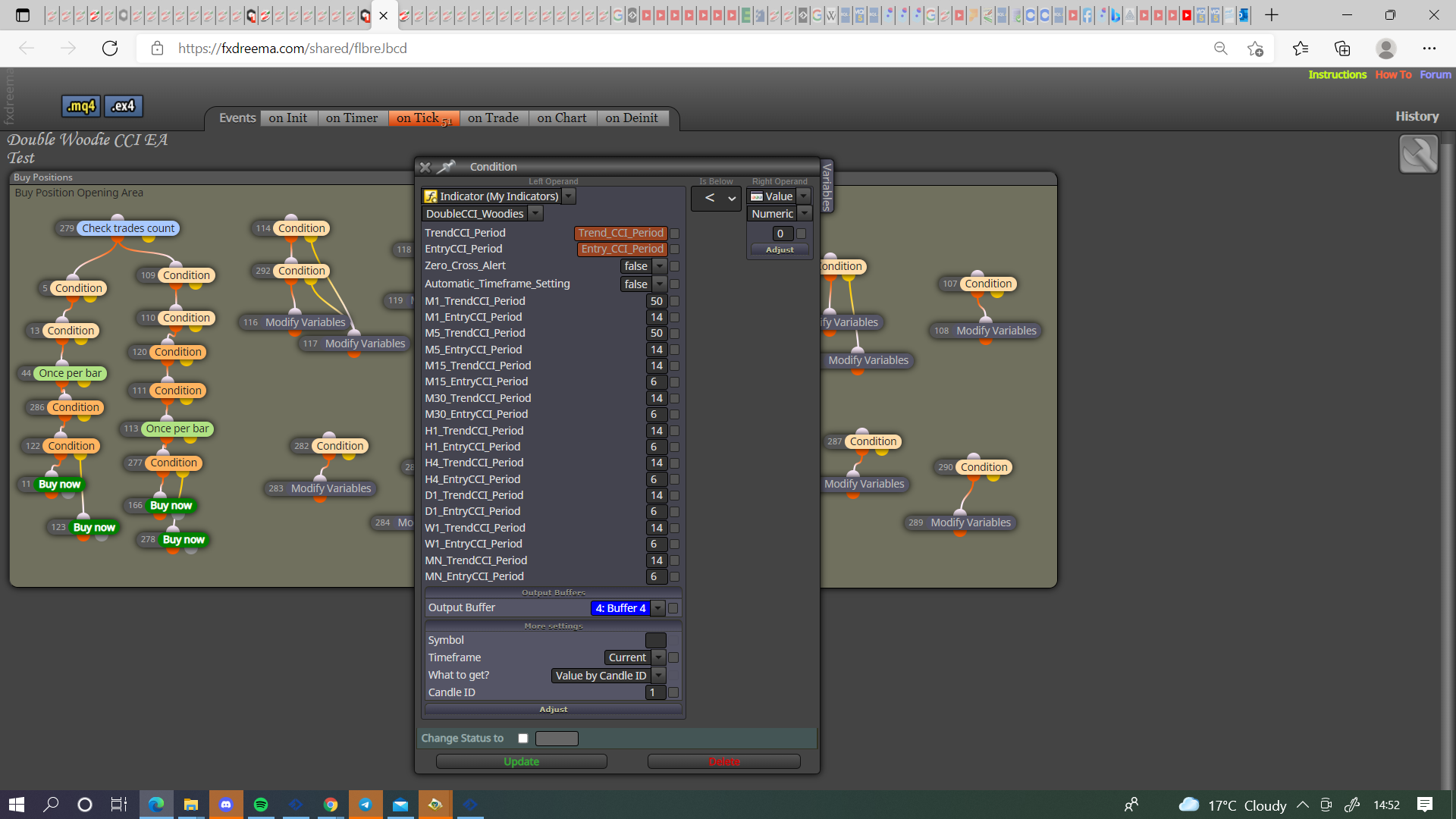
@talalkhan You probably need to do something like this:
-
@jstap Please check all buy side variables and condition blocks, I think it's all ok according to your logics
https://fxdreema.com/shared/qQwugLmee -
@talalkhan All looks good.
-
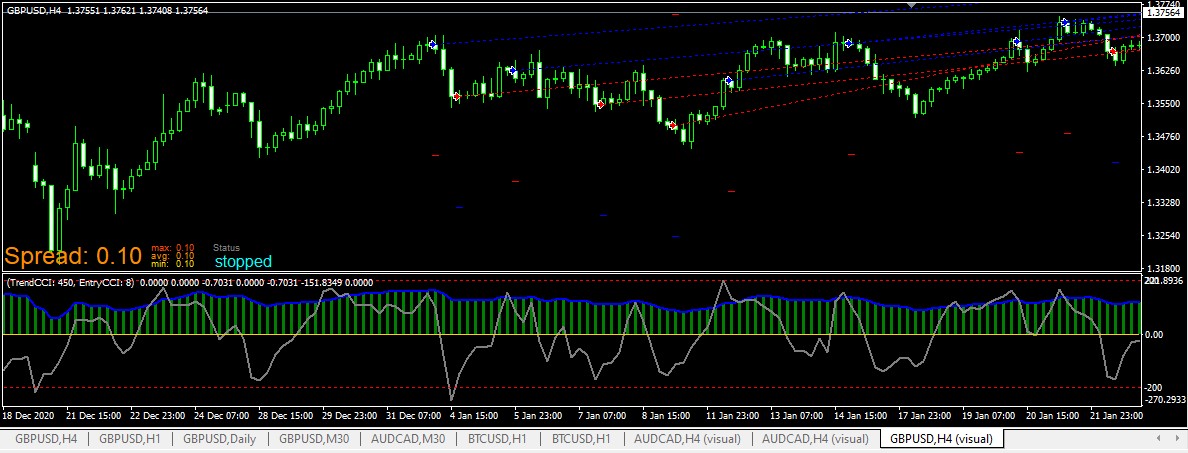
@jstap Still Same Problem,
Indicator is above 0, comes from - value to 0 but EA is finds short setups with longs,
I want to long trades only there, Check screenshot
Project: https://fxdreema.com/shared/qQwugLmee (Cleared by you)
-
This is your logic, buffer 4 is above oversold value and below 0 value set above variable to true, if either is is different to value set variable to false.
In your next set of blocks you have if buffer 4 is below 0 value set above to false. These do equal the same result but I would only have 1 set of conditions doing this.
I would remove things or try singularly until I find what does/doesn't work.
-
@jstap Frankly speaking i am still confused with variable true false setups, that's why i am not trying different things, I am applying what you are suggesting because i know if i try new things i will mess up. I PM you strategy (can explain in details too), Read and suggest what should i do
-
@talalkhan My suggestion is that you start a fresh project and use different bool conditions to put the result into a comment, use and change until you get a good working knowledge, this will give you the working foundations of how to use logic in FX, all EA's are built around this.
-
@jstap sir i will do this after this project because i am almost done in thia project just need some changes like indicator is crossing below 200 buy tree 1 stops, sell tree 2 start
-
@talalkhan We have covered more than enough to achieve this, once group 1 is doing all that's needed, add in group 2.
-
@jstap It means we both don't know where is the problem

If we don't know where is the problem then how to solve?
I renamed all the blocks, check again hope you find where is mistake
https://fxdreema.com/shared/I6GTU4iTb -
@talalkhan As I said before separate and check each situation until you find what's not working.
-
@jstap I closely checked and i am pretty sure it's an issue of crosses which i talked about 2-3 days back. We should use crosses with cross width instead of simple above/below
Is there any way to valid a cross till indicator is not touching X value? -
@talalkhan A cross can switch a bool variable true/false, you can then switch it back with another condition. When a cross happens it nearly instantly becomes <or>.
-
@jstap If i used like this, will my above bool switch to false when indicator is 0 and ignore block no 295 because I am using cross width is 1000
https://fxdreema.com/shared/tnC1hUsMd -
@talalkhan I think the width is candles, will never reach 1000, you do not need x> and >, just 1 or the other.

