Send screenshot to Telegram
-
I wonder if we can send a screenshot to Telegram with the library provided here using fxdreema: https://www.mql5.com/en/articles/2355
Some discussion on this library: https://www.mql5.com/en/forum/89826/page4I guess we can create a custom block that links to Telegram.mqh (As I learned when we include a file then we can download mql file only)
-
For this to work, you must have all of the telegrams include files in the include folder
Custom Function:
int SendScreenShot(const long _chat_id,
			const string _symbol,
			const ENUM_TIMEFRAMES _period,
				int x_axis,
				int y_axis,
				bool current_chart,
				string token)
{
CCustomBot bot;
bot.Token(token);

int result=0;
long chart_id;
if(!current_chart)
chart_id=ChartOpen(_symbol,_period);
else
chart_id=ChartID();

if(chart_id==0)
return(ERR_CHART_NOT_FOUND);

if(!current_chart)
ChartSetInteger(ChartID(),CHART_BRING_TO_TOP,true);

//--- updates chart
int wait=60;
while(--wait>0)
{
if(SeriesInfoInteger(_symbol,_period,SERIES_SYNCHRONIZED))
	break;
Sleep(500);
}
string filename;
if(!current_chart)
{
ChartRedraw(chart_id);
Sleep(500);
ChartSetInteger(chart_id,CHART_SHOW_GRID,false);
ChartSetInteger(chart_id,CHART_SHOW_PERIOD_SEP,false);
filename=StringFormat("%s%d.gif",_symbol,_period);
}
else
{
	filename=StringFormat("%s%d.gif",Symbol(),Period());
}

if(FileIsExist(filename))
FileDelete(filename);

if(!current_chart)
ChartRedraw(chart_id);

Sleep(100);

if(ChartScreenShot(chart_id,filename,x_axis,y_axis,ALIGN_RIGHT))
{
Sleep(100);

bot.SendChatAction(_chat_id,ACTION_UPLOAD_PHOTO);

//--- waitng 30 sec for save screenshot
wait=60;
while(!FileIsExist(filename) && --wait>0)
	Sleep(500);

//---
if(FileIsExist(filename))
	{
	string screen_id;
	result=bot.SendPhoto(screen_id,_chat_id,filename,_symbol+"_"+StringSubstr(EnumToString(_period),7));
	}

}

if(!current_chart)
ChartClose(chart_id);

return(result);
}
Block Code:
if(current_chart)
{
	_symbol = Symbol();
	_period = Period();
}
SendScreenShot(_chat_id,_symbol, _period,x_axis,y_axis,current_chart,token);
Block Include:
#include <Telegram.mqh>use the following images to make your parameters
this is color code for telegram blue if you wanna get extra fancy

#0088CCif current chart is chosen then it will take a screenshot of the current chart together with all objects/indicators on the chart and your coloring of bars/background and such
if you choose a symbol and timeframe it will open a new default looking chart for that symbol,timeframe and take a screenshot and close it afterwards.
changing width changes how much of it is screenshotted
to anyone knowledgable in coding don't laugh at how sloppy it is. it works ok.
-
I am getting these errors (MT4): http://prntscr.com/nn7g66
http://prntscr.com/nn7gf8Can you please help?
-
Here is how to achieve this as @spuzy showed me (fully credit to @spuzy).
First download telegram.zip file given at the bottom of this page: https://www.mql5.com/en/articles/2355
Then place the .mqh files within the zipped folder into Include folder of your MT4 data folder.
Then you need to make a custom block of code as follows:
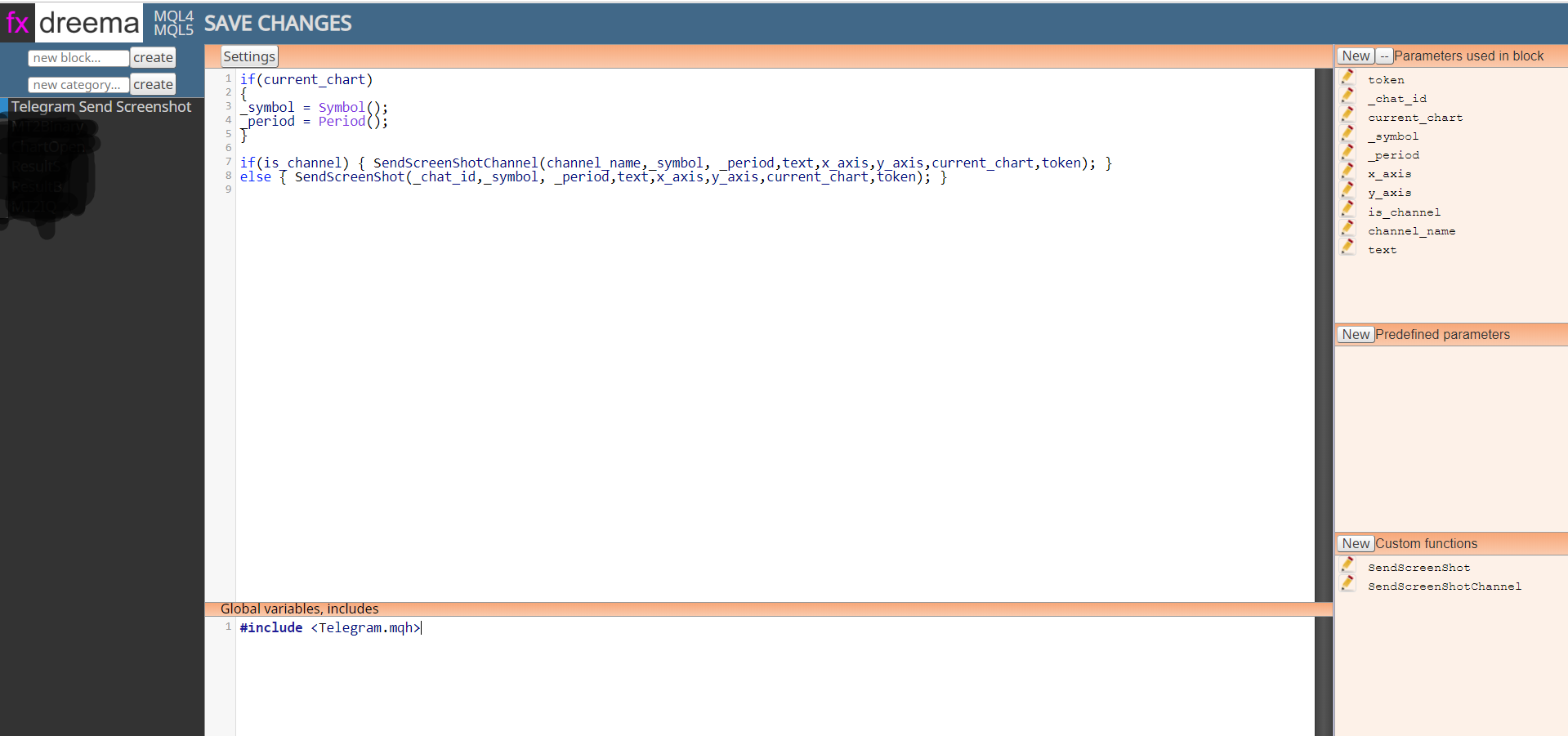
This is the code of the big white area:
if(current_chart)
{
_symbol = Symbol();
_period = Period();
}if(is_channel) { SendScreenShotChannel(channel_name,_symbol, _period,text,x_axis,y_axis,current_chart,token); }
else { SendScreenShot(_chat_id,_symbol, _period,text,x_axis,y_axis,current_chart,token); }And include following line in the global variable area:
#include <Telegram.mqh>Here are the two custom functions codes:
1.SendScreenshot:int SendScreenShot(const long _chat_id,
const string _symbol,
const ENUM_TIMEFRAMES _period,
string text,
int x_axis,
int y_axis,
bool current_chart,
string token)
{
CCustomBot bot;
bot.Token(token);int result=0;
long chart_id;
if(!current_chart)
chart_id=ChartOpen(_symbol,_period);
else
chart_id=ChartID();if(chart_id==0)
return(ERR_CHART_NOT_FOUND);if(!current_chart) ChartSetInteger(ChartID(),CHART_BRING_TO_TOP,true);//--- updates chart
int wait=60;
while(--wait>0)
{
if(SeriesInfoInteger(_symbol,_period,SERIES_SYNCHRONIZED))
break;
Sleep(500);
}
string filename;
if(!current_chart)
{
ChartRedraw(chart_id);
Sleep(500);
ChartSetInteger(chart_id,CHART_SHOW_GRID,false);
ChartSetInteger(chart_id,CHART_SHOW_PERIOD_SEP,false);
filename=StringFormat("%s%d.gif",_symbol,_period);
}
else
{
filename=StringFormat("%s%d.gif",Symbol(),Period());
}if(FileIsExist(filename))
FileDelete(filename);if(!current_chart) ChartRedraw(chart_id);Sleep(100);
if(ChartScreenShot(chart_id,filename,x_axis,y_axis,ALIGN_RIGHT))
{
Sleep(100);bot.SendChatAction(_chat_id,ACTION_UPLOAD_PHOTO); //--- waitng 30 sec for save screenshot wait=60; while(!FileIsExist(filename) && --wait>0) Sleep(500); //--- if(FileIsExist(filename)) { string screen_id; result=bot.SendPhoto(screen_id,_chat_id,filename,text); } } if(!current_chart) ChartClose(chart_id);return(result);
}- SendScreenShotChannel
int SendScreenShotChannel(const string _chat_id,
const string _symbol,
const ENUM_TIMEFRAMES _period,
string text,
int x_axis,
int y_axis,
bool current_chart,
string token)
{
CCustomBot bot;
bot.Token(token);int result=0;
long chart_id;
if(!current_chart)
chart_id=ChartOpen(_symbol,_period);
else
chart_id=ChartID();if(chart_id==0)
return(ERR_CHART_NOT_FOUND);if(!current_chart) ChartSetInteger(ChartID(),CHART_BRING_TO_TOP,true);//--- updates chart
int wait=60;
while(--wait>0)
{
if(SeriesInfoInteger(_symbol,_period,SERIES_SYNCHRONIZED))
break;
Sleep(500);
}
string filename;
if(!current_chart)
{
ChartRedraw(chart_id);
Sleep(500);
ChartSetInteger(chart_id,CHART_SHOW_GRID,false);
ChartSetInteger(chart_id,CHART_SHOW_PERIOD_SEP,false);
filename=StringFormat("%s%d.gif",_symbol,_period);
}
else
{
filename=StringFormat("%s%d.gif",Symbol(),Period());
}
ChartSetInteger(chart_id,CHART_SHOW_GRID,true);
ChartSetInteger(chart_id,CHART_SHOW_PERIOD_SEP,false);if(FileIsExist(filename))
FileDelete(filename);if(!current_chart) ChartRedraw(chart_id);Sleep(100);
if(ChartScreenShot(chart_id,filename,x_axis,y_axis,ALIGN_RIGHT))
{
Sleep(100);bot.SendChatAction(_chat_id,ACTION_UPLOAD_PHOTO); //--- waitng 30 sec for save screenshot wait=60; while(!FileIsExist(filename) && --wait>0) Sleep(500); //--- if(FileIsExist(filename)) { string screen_id; result=bot.SendPhoto(screen_id,_chat_id,filename,text); } } if(!current_chart) ChartClose(chart_id);return(result);
}And given below are each of the parameters:
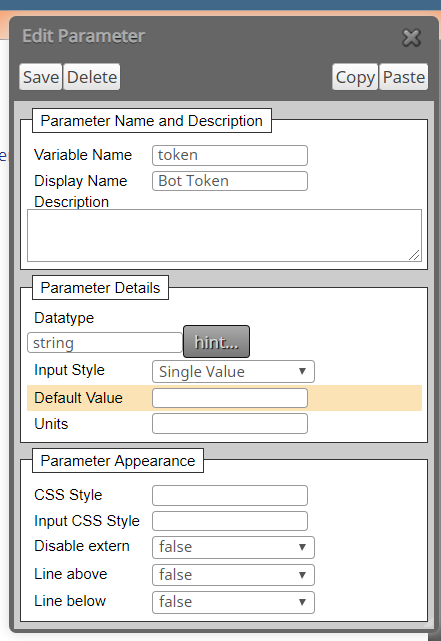
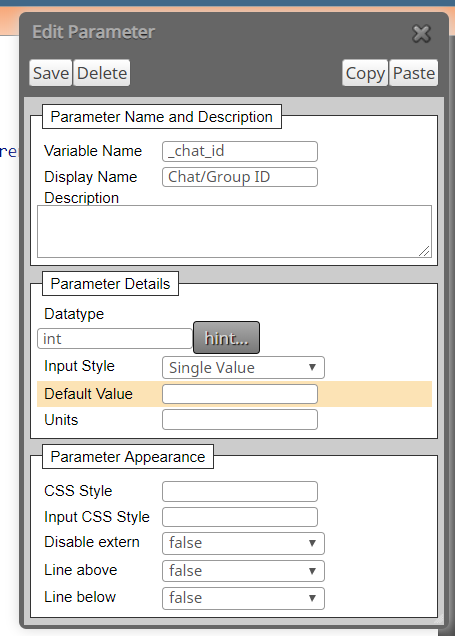
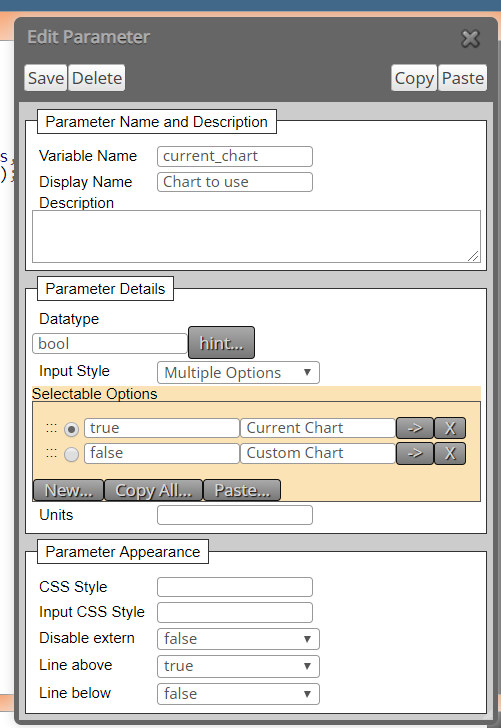
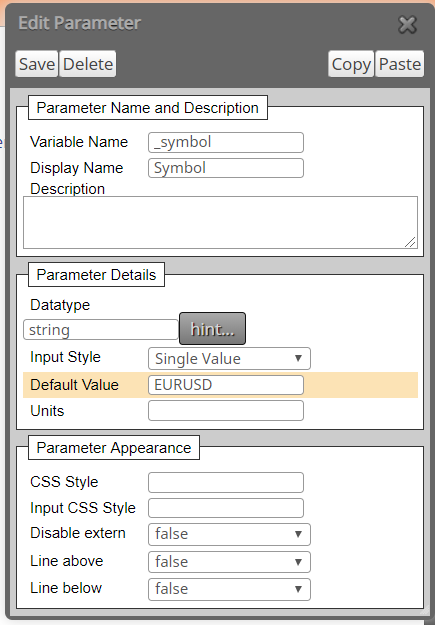
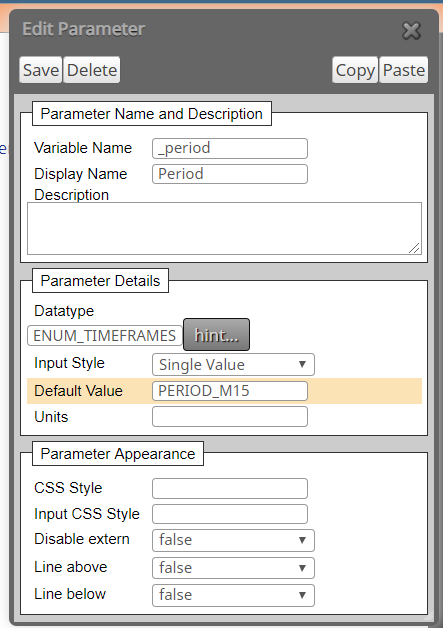
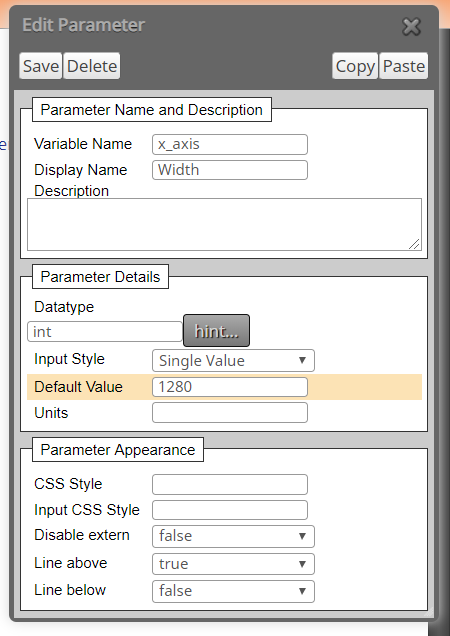
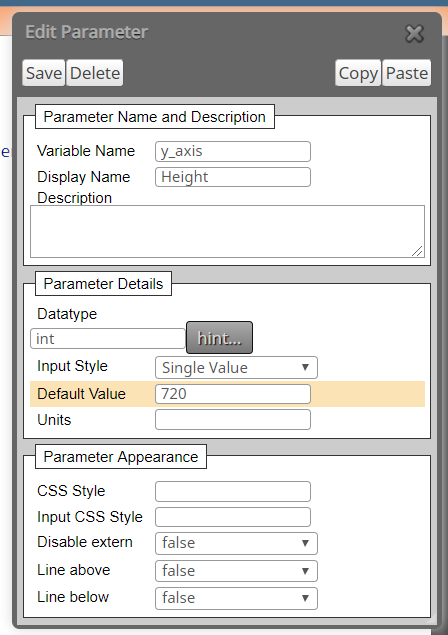
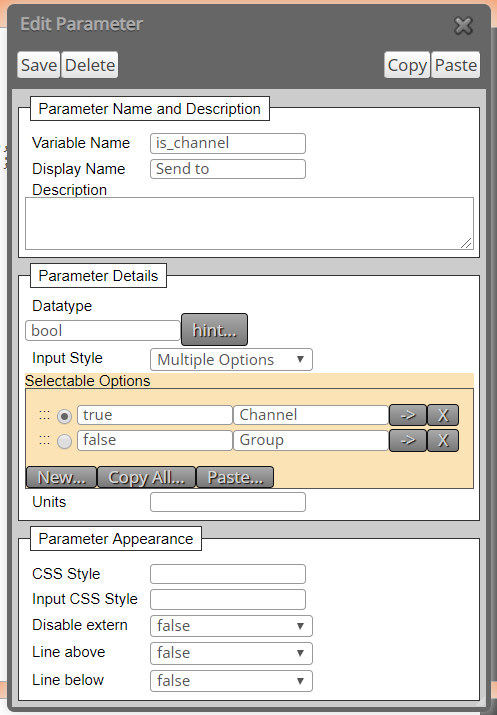
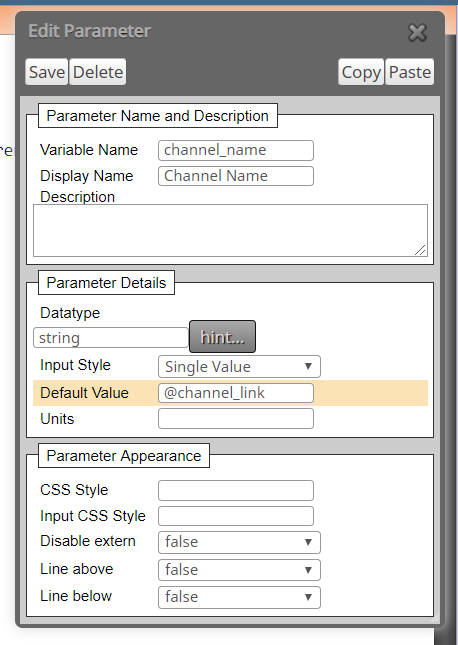
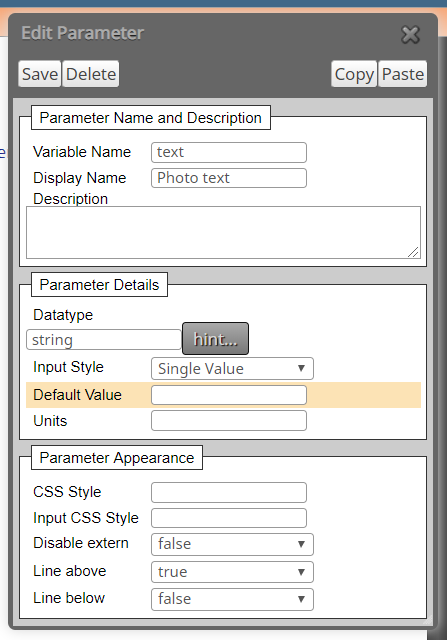
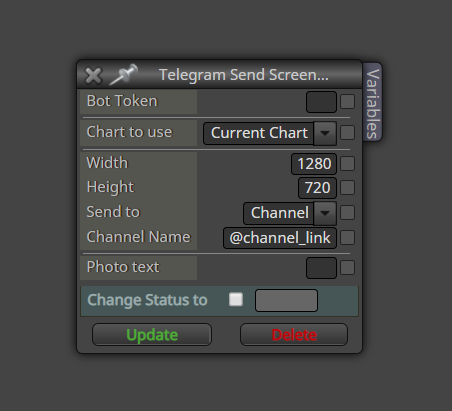
Then make the settings as follows:
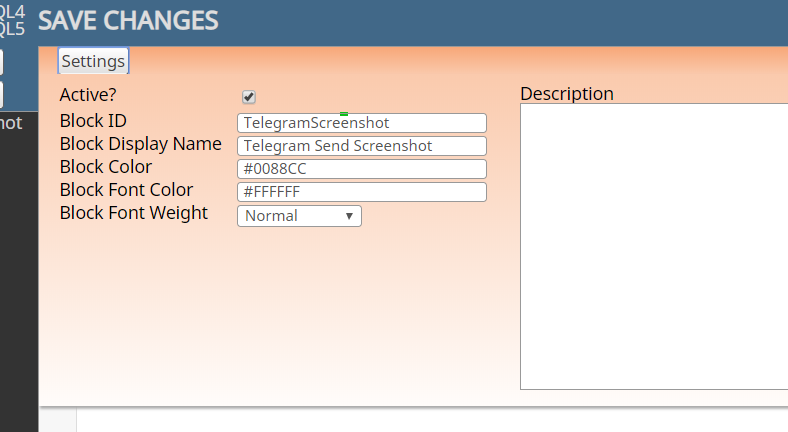
Now you have got the custom block in fxdreema, which you can use in your EAs.
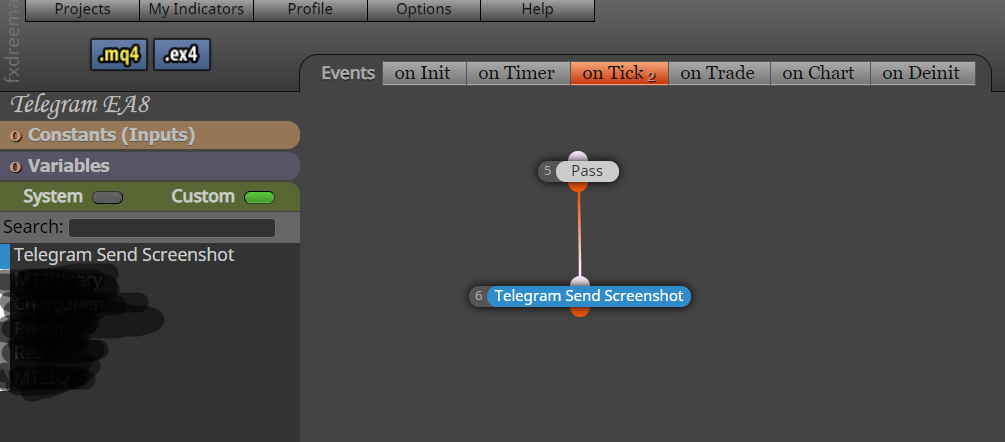
Here are the options which are self explanatory. You can post screenshots with custom text to Telegram channels and groups automatically.
-
Impresive
-
I've made a full easier tutorial on how to do this as some stuff was missing here. I've also modified the blocks a bit.
check out this thread https://fxdreema.com/forum/topic/7483/custom-block-release-send-a-message-or-screenshot-to-telegram-blocks -
Only i can tell IMPRESIVE ¡
-
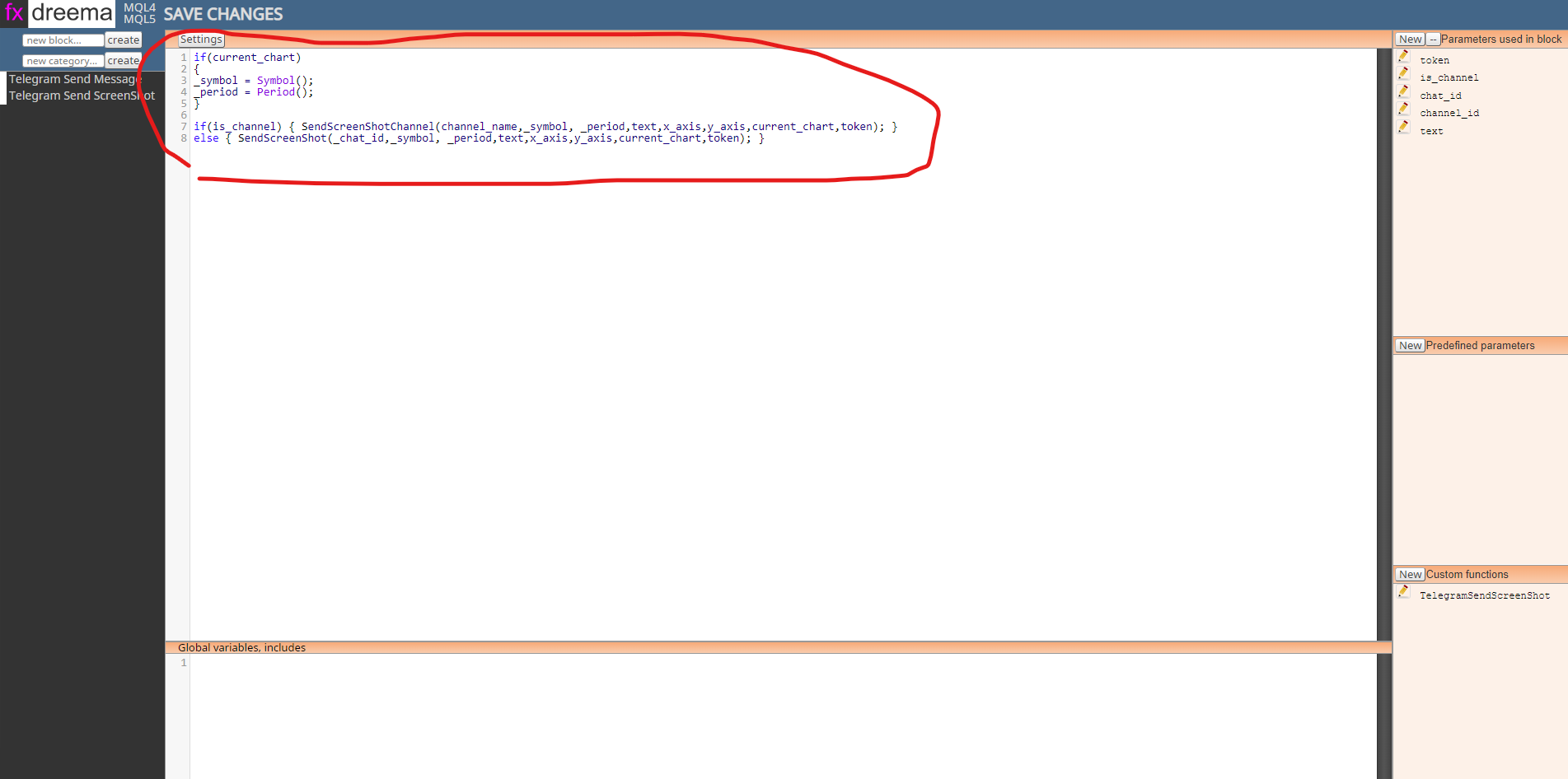
i write down this code, and i refresh the tab and the code disappears. so how to save this code?