fxDreema

    • Register
    • Login
    • Search
    • Back to the main page
    • Categories
    • Recent
    • Tags
    • Popular
    • Search

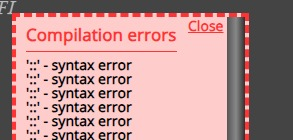
    Compilation errors - '::' - syntax error

    Questions & Answers
    3
    5
    329
    Loading More Posts
    • Oldest to Newest
    • Newest to Oldest
    • Most Votes
    Reply
    • Reply as topic
    Log in to reply
    This topic has been deleted. Only users with topic management privileges can see it.
    • S
      Shaktale last edited by

      Hi all,

      I am getting this error.

      d6f7b4fa-8805-4f4c-87a1-54d447684c56-image.png

      https://fxdreema.com/shared/x97hgQsCc

      The strange thing is even if I try to compile older EAs that were working before just fine, I'm getting this same error.
      This only happens on EAs that run this particular custom indicator.
      Neither the EAs or indicator have been modified, and were working fine before.
      If I take the .mq4 of the indicator and compile it, it does not give any errors.

      Not sure how to trace back this syntax error, as it does not mention any details.

      Any help or ideas are more than welcome 🙂

      Thank you.

      Kind regards

      1 Reply Last reply Reply Quote 0
      • S
        sktsec last edited by

        Custom indicator inputs error. You may have use a variable as input

        1 Reply Last reply Reply Quote 0
        • S
          Shaktale last edited by

          Thanks for having a look.
          I did use a variable as input (which was working before), but even after removing it, I keep getting the same error

          1 Reply Last reply Reply Quote 0
          • roar
            roar last edited by

            Its a bug in the custom indicators model. You can try to workaround by setting datatype int for the trend method setting.
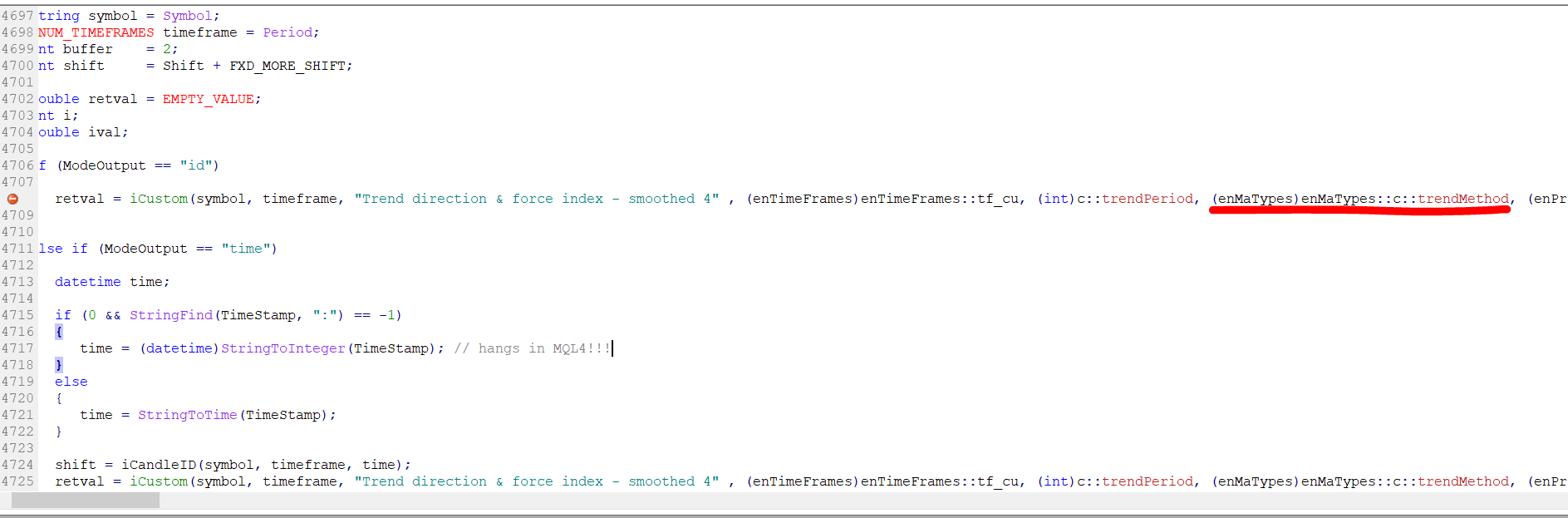
            image.png

            Need small help? Tag me in your post
            Need big help? https://www.fiverr.com/big_algo/automate-your-winning-strategy-in-mql4-or-mql5

            1 Reply Last reply Reply Quote 1
            • S
              Shaktale last edited by

              Thanks a lot for the help.
              I tried that but didn't work. Same error.
              I will have to keep trying other indicators, this one doesn't seem worth the hassle.

              Thanks again

              1 Reply Last reply Reply Quote 0
              • 1 / 1
              • First post
                Last post

              Online Users

              M
              R

              7
              Online

              146.7k
              Users

              22.4k
              Topics

              122.6k
              Posts

              Powered by NodeBB Forums | Contributors