Object naming with arrays
-
https://fxdreema.com/shared/dCBq6vAYc
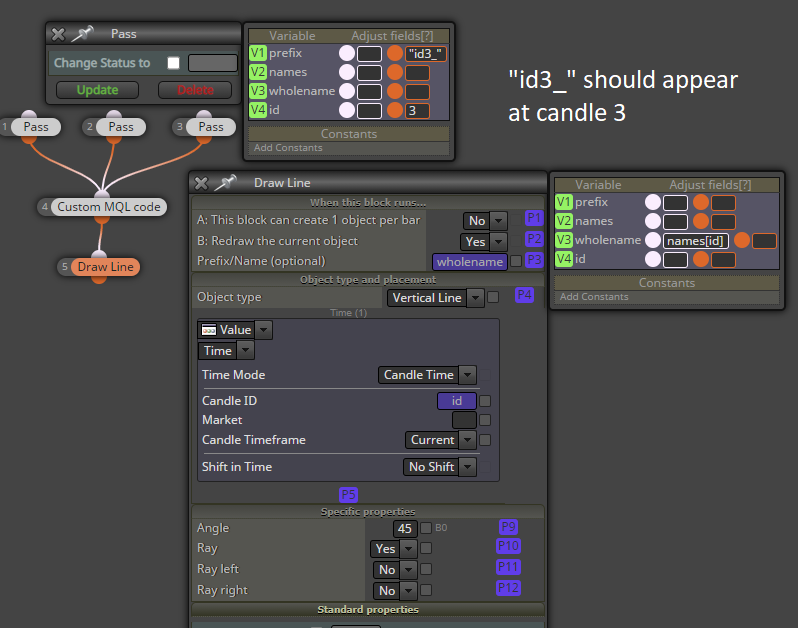
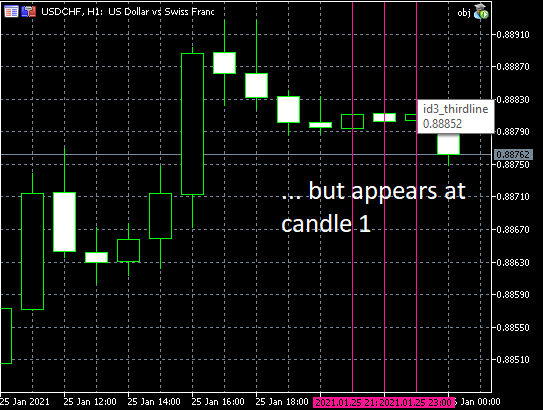
As a test, here's an EA which draws 3 vertical lines to candles 1, 2 and 3.However, due to using an array to name the objects (I think), the lines and names dont match, something goes wrong..
@fxDreema would you please look at this, or explain where I made an error
-
@roar If they pass individually, that's right. Probably conflicts are to occur when passing different data to the same variable at the same time.
-
@miki I think it has something to do with fxdreemas own naming system.
If "Draw line" block is replaced with some ObjectCreate code, everything draws correctly
https://fxdreema.com/shared/SRxnX09TbWell I'll just use the actual function then, not a huge problem
-
@roar error is in the output code. FxDreema code is:
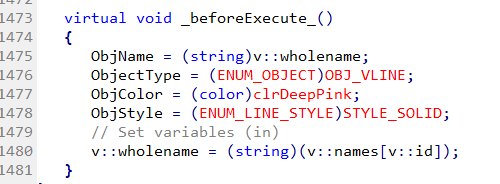
right code is:
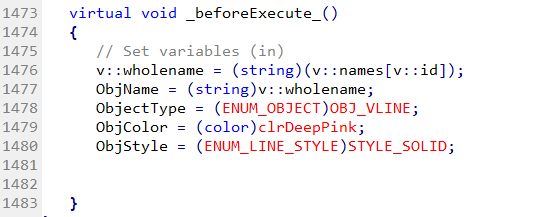
and it work right. -
@miki thats it, youre right!
-
They are in fact 4 lines printed on the chart.
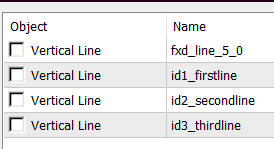
fxd_line_5_0 is the one that appears first on candle 1. Eventually id3_thirdline appers on top of it.Well, as @miki says, there is right and wrong code in this particular situation. But the thing is that there could be a reason for "// Set variables (in)" to be at the bottom, and this is because in that Variables window you could use those P1, P2, P3 things, which are shortcuts for ObjName, ObjectType, ObjColor and the others. It's like the chicken and egg problem.
It looks that my assumption was that in the Variables window we should be able to use the Px values after they are modified. And there could be an use case where we want this, for example:
https://fxdreema.com/shared/5zi3oorD
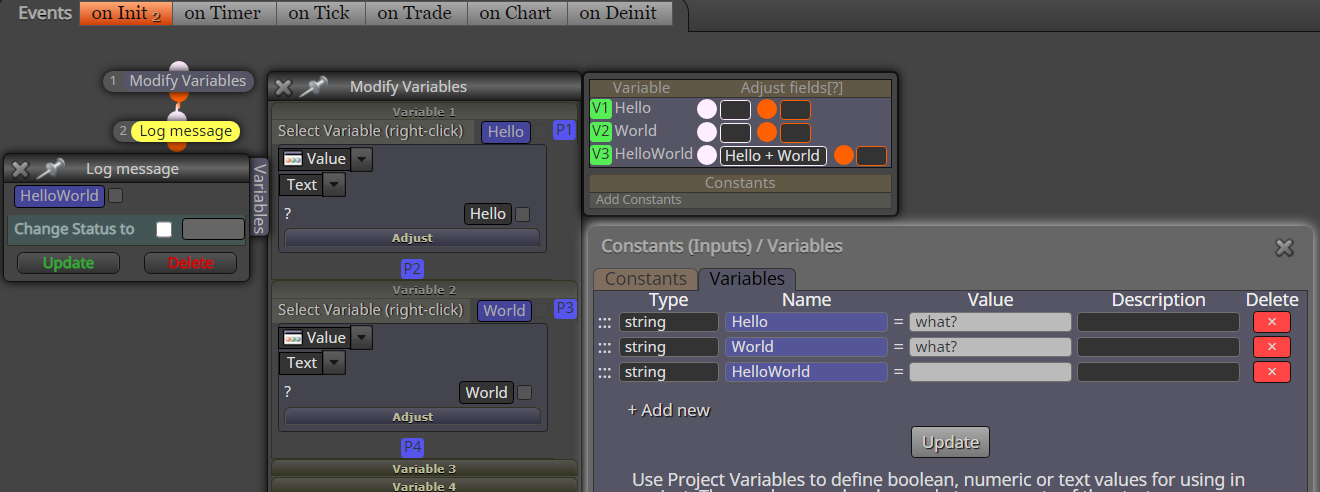
But when I'm thinking about it, this use case is less intuitive and less possible from the one @roar stumbled upon, so I decided to fix the problem by moving "Set variables (in)" at the top. This means that the example that I'm giving above will be wrong.
I hope that this update doesn't change anyone's project, because it is always possible that someone is doing the things in the way my example works.


