News Indicator
-
I'm using the FXSSI News Feed indicator. It draws vertical lines on the screen. I'm trying to have FXDreema detect the vertical line and if the candle and the vertical line are on the same CANDLE ID (0), to not take any trades during that time by disabling the main trading block.
This is what I got so far but it's not working.
-
Here is the FXSSI News Indicator: https://fxssi.com/forex-news-indicator-mt4
-
I had a talking point on this just earlier today, for you, would a spread filter solve most problems in regards to trading during less than ideal times?
-
Are you on MT4 or MT5?
-
@TipsyWisdom MT4. Unfortunately, a spread filter won't work. The prop-firm I'll be working with has a strict rule on trading minutes before and after any news events.
-
I dont use news avoidance in my strats but there are tons of solutions already in the forums for Mt4, unless you must use that specific news indicator.
For what its worth as well, especially working for a professional firm, you may want to start converting all yours strats to MT5. Metaquotes is no longer providing support for the software so its up to the brokers.
-
@TipsyWisdom I'm not tied to this specific indicator. Is there one you would recommend? I'm clearly not looking in the right places since this is the best one I could find. As far as moving to MT5, I'll have to look into that. Unfortunately, I use some indicators that are only available for MT4 and I'm not sure how I would even go about converting them if the developer hasn't.
-
@darekl mladenfx@gmail.com is the indi creating guru, if you need anything converted or custom.
https://fxdreema.com/forum/topic/5866/finally-integration-of-news-filter-mt4-only
-
@TipsyWisdom Thanks Man. Really appreciate the help. I'll take a look at that thread.
-
@TipsyWisdom
I tried to implement the same custom strategy as listed in the thread. However, I'm running into the same issue as the other three people on the second page...
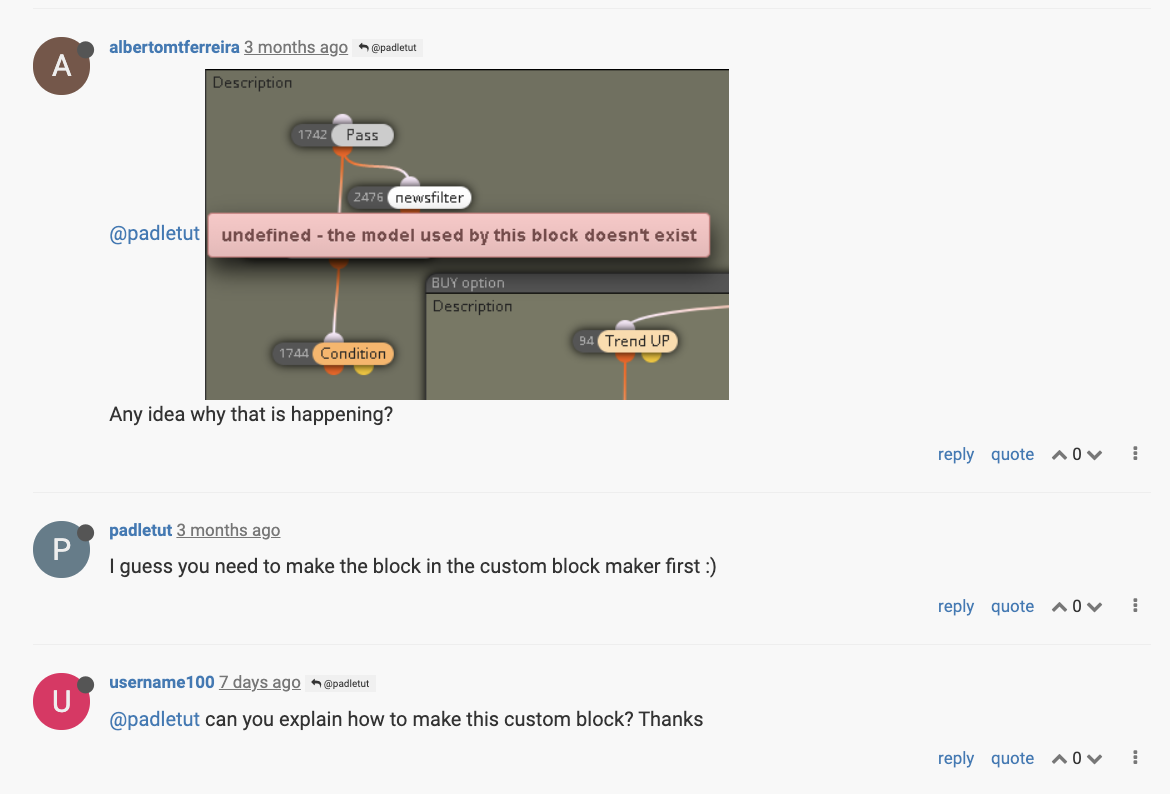
Were you able to successfully implement this? I created the variable that was needed from the original listed project. But, I'm still getting the same result as shown in that picture when you click on the newsfilter block.
-
@darekl Please notice that no matter which news indicator you select. Your EA will never work when backtested. Those indicators are fed from external sources info that are not available for MT4/5 when backtesting.
-
@l-andorrà I completely understand that they won't work during backtesting. I have a way around it for backtesting. But, I really need a news event to be detectable by some object on the chart that I can code around. And I'm having a hell of a time trying to make anyting work. The reason I like the FXSSI News indicator is because it does show vertical lines on the screen exactly as I need it, I just can't get FXdreema blocks to recognize any of the chart objects it draws (vertical lines).
-
@darekl mt5 pushes news to their charts, surely theres a way to use it. MQL5 forums would be the best place to search for that.
-
@darekl Can those objects be detected bt MT4's 'Object' tab? If so they are fully available for any fxDreema EA.
-
Yes, they are available in the Object tab. I tried to detect objects that contain part of the name of the object, and it was not detecting it. Unless I'm doing it wrong.
-
@darekl Hello,
I actually have this working. You may be missing something.
Remember that there are 2 block On Init and another two On Deinit plus the variable that needs to be created.
After that, make sure that all of your starting blocks are connecter to either true or false. They all have to be connected. The ones connected to true will be disabled on news events and the ones connected to false will will work during news events. I sometimes have blocks that are connected to true and false to work all the time.
This will only work on MT4. Investing.com is the only source that will work and you will need to allow the http://ec.forexprostools.com/ in MT4.
I have it working.
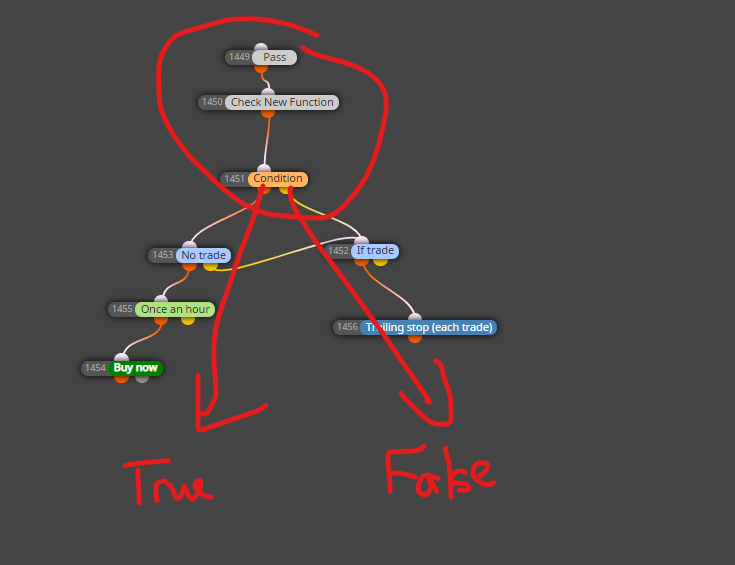
-
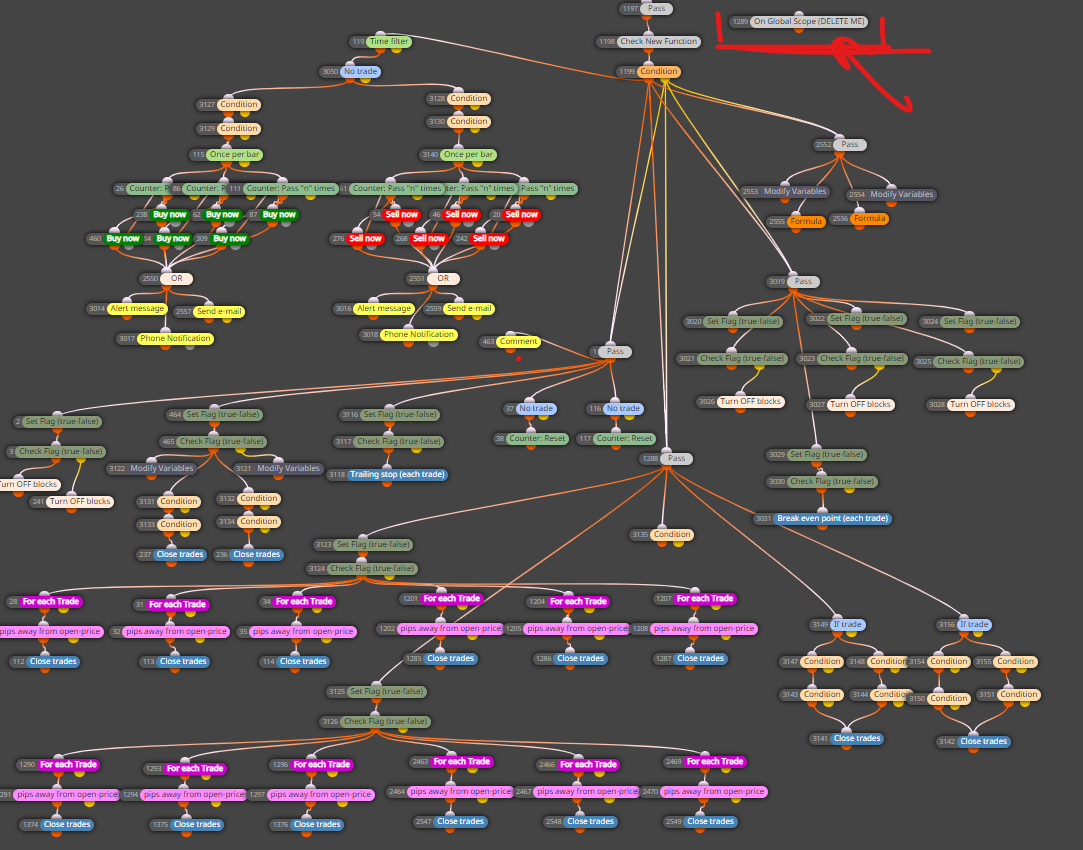
@darekl Oh yes and another thing I forgot to mention is that you will need to copy what on the On Global Scope block to the code of your EA manually in metaeditor.
As you can see here everything is connecter to true OR false OR either.
-
@darekl You can try what q8carpenter suggests.