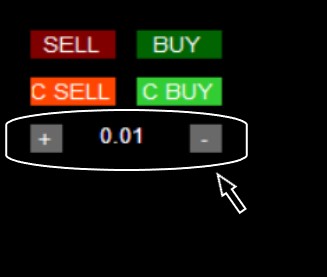
Buttons for quick Lot change on the panel
-
Hello everyone, I am creating a panel for quick opening and closing. Buttons "Buy", "Sell", "C Buy" and "C Sell" work correctly. I have a problem with the "+" "-" buttons and the "Lot_size" display window. How to code blocks so that after pressing the "+" button, it adds Lot value to "Lot_size" (similarly with the "-" button) and displays the current Lot_size for the next Buy or Sell opening on the chart.
https://fxdreema.com/shared/xwJAmeCsd
Either I build blocks 42, 43, 43 incorrectly, or the error is in blocks 49.50, or maybe I should use other blocks?. If you can, please help. -
@nowywest Use a formula block so every time you press - or + it changes the variable. Use a draw text block (probably on on tick) with a code in the text (code input), something like this: "LOT SIZE "+LOT -LOT being the variable you've created.
-
how you put buy and sell button ?
-
Create the button on init, use on tick for backtesting, on chart for live, use if testing on tick, when you click the button do what is needed, and redraw the button off.
