The largest losing position of all open positions
-
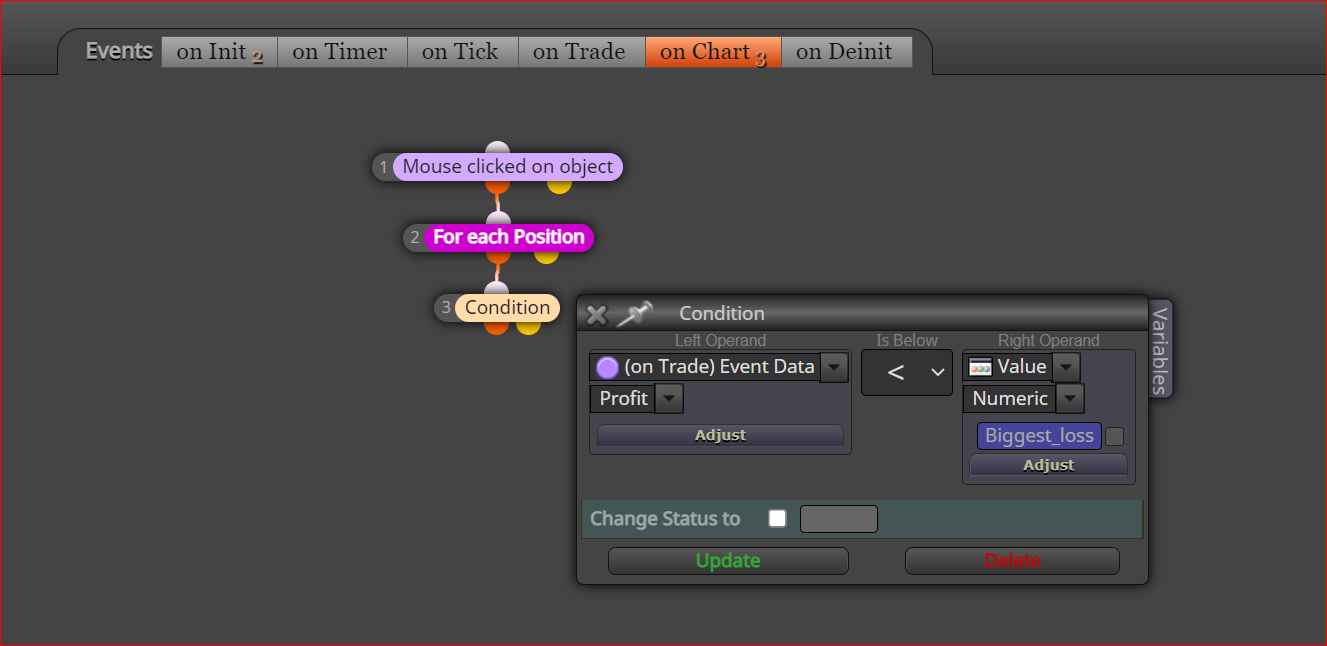
Hello, can you help me with this block, I need to select a position, the most losing of all, I have not been able to, can someone give me some light.
shared/mMuxmaclb
Affectionate Rodrigo
-
@rodrigo-ortuzar Not sure how mouse clicked will help in this, I'm not sure how you would do this you could possibly have multiple blocks each checking a different trade, so as you have it there but in for each position have the trade and in others have it missing trades, put this into a comment so you can check what's happening.
-
I am using a button on the chart that, when I press it, searches all the open losing positions, only finding the one with the greatest loss, that is why I develop it in "on Chart", to later place other conditions or close it or open another against etc
Sorry for the rest of how to find the position with the greatest loss, I only understood that you have to compare each position and see which is the one with the greatest loss, but I did not understand how, can you explain it to me in more detail please.Affectionate Rodrigo
-
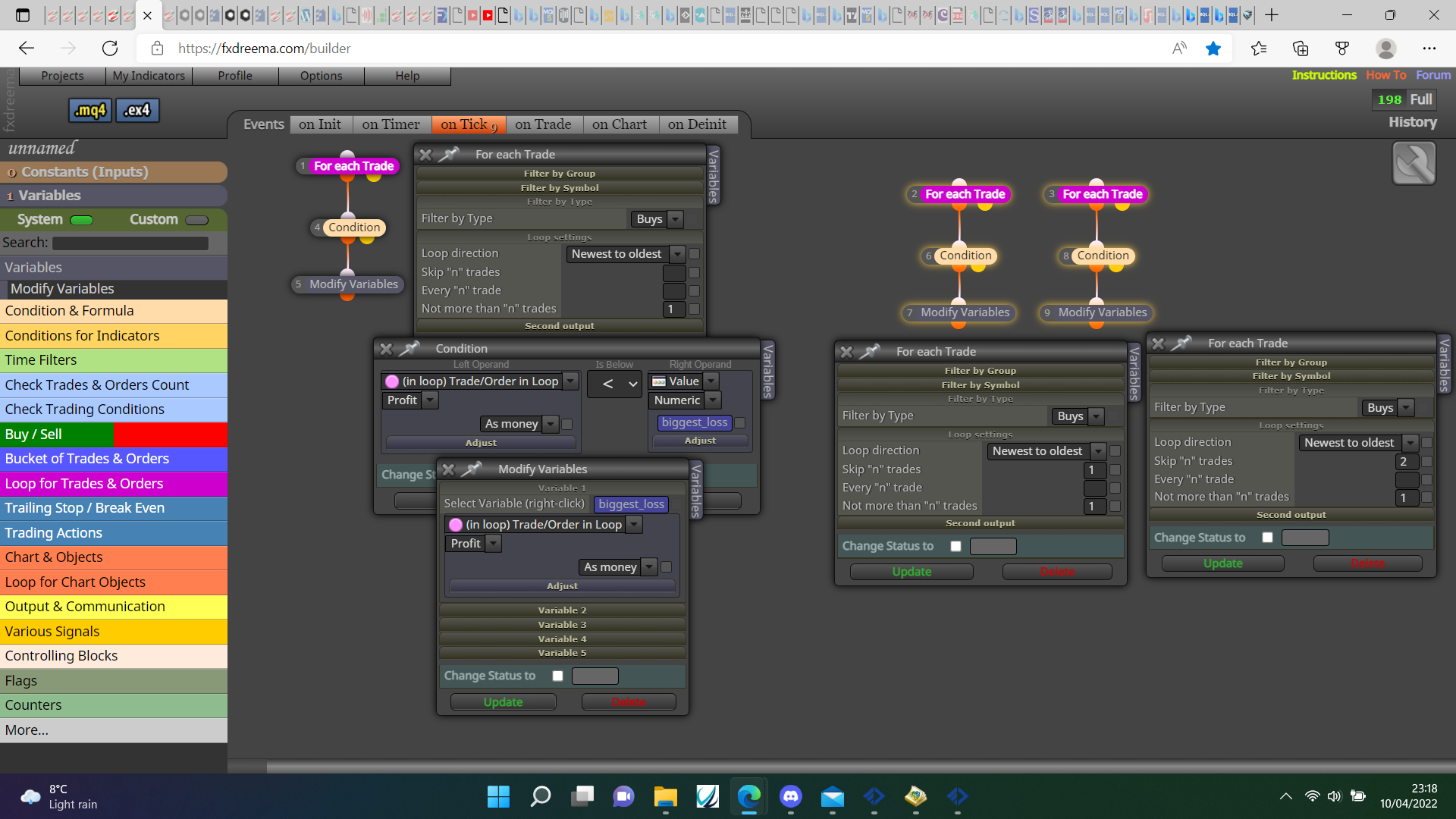
@rodrigo-ortuzar something like this should do it: https://fxdreema.com/shared/qOj5dwNAb
-
Does something like this make logical sense to you ?
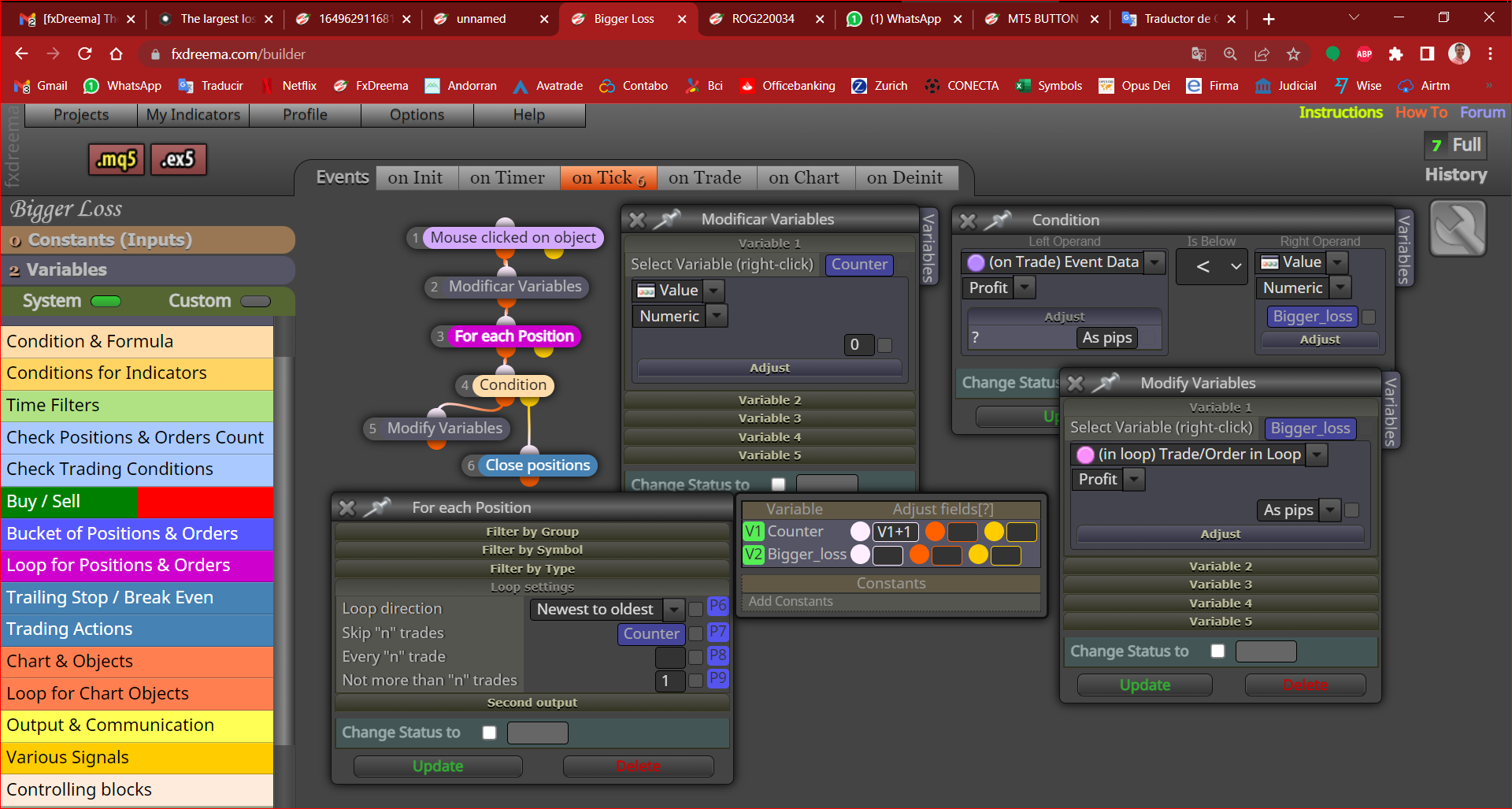
https://fxdreema.com/shared/RlgvwyjGd
Affectionate Rodrigo
-
@rodrigo-ortuzar Purple blocks cannot be used on the 'on tick' tab. Then one you are using can only be fully operational on the 'on chart' tab.
-
If you totally agree with "on Chart", there is also the "on Init" button.
The logic to identify the biggest losing position is that I'm lost, how to get to a losing position, it's like a loop in a loop, how to do it, I need lights.
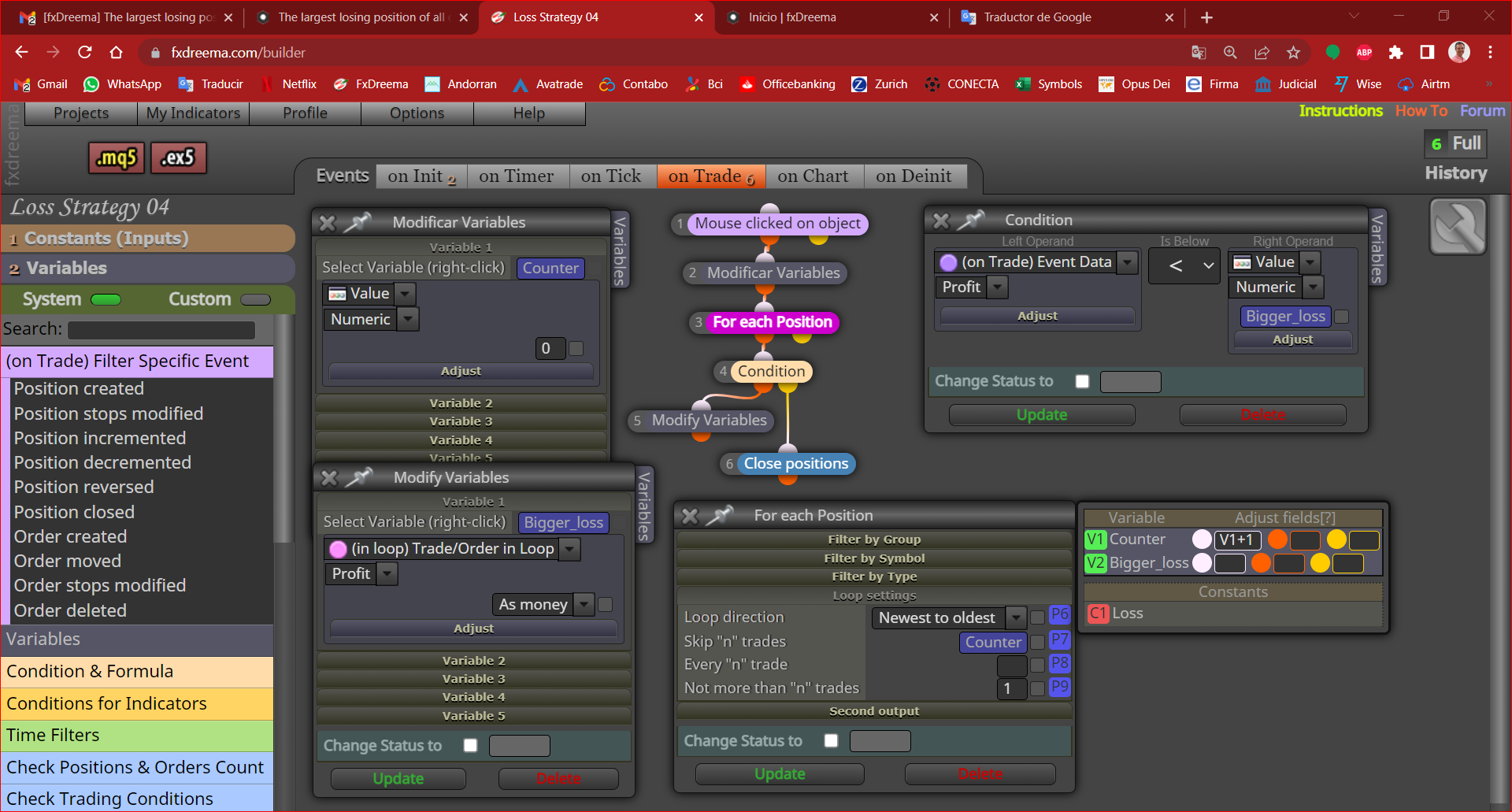
https://fxdreema.com/shared/p8nMSxiXb
-
@rodrigo-ortuzar
Can you not utilize the blue block labeled "close least profitable" ? I would think you can filter it and place a follow up if that is your design -
@majinrex the on init section only works once when EA starts, orange blocks need an orange for each block on top.
-
Hi majinrex, I don't want to close the position, but open another against it with higher volume.
jstap you are right to execute when you press a button on the chart it should go in "on Chart"
https://fxdreema.com/shared/eqydhdYtb
That's the way it is, but blocks 2,3,4,5 don't work to obtain the position with the greatest loss, apparently it can't be done, I don't know ? -
- you need to keep the on chart information where it is currently.
- I think you aren't recieving information on the positions because you have nothing in the tick area or the ontrade area. I don't see how it can perform any calculations if there is nothing from which to pull from.
- Definitely add a pass block to your modifiy variables (copy them, then add pass block) and put that in ontick.
- the mouse click on object states you will click on and object "<losser" which is what block exactly? I did not see a block with that name..
-
Thanks majinrex, I tell you:
https://fxdreema.com/shared/ObgZFYHce
1.- Okay.
2.- I manually open the positions to test this losing strategy, so you don't need anything in "on Tick".
3.- and 4.- In the "on Init" tab, block 13 "> losser" is a button called >losser, when pressing it on the chart it executes in "on Chart" the block "Mouse clicked on object" that It refers to the button called "> losser" and so later the entire sequence of blocks attached to this block is executed.
5.- Blocks 6, 7 and 8 work well, what they do is that once the position with the greatest loss is defined, its volume is obtained and multiplied by a constant to increase its volume, and another position is opened with this higher volume but against, and it was buy, sell opens and if it was sell, buy opens.
6.- The problem is that blocks 3, 4 and 5, which are to define the position of greatest loss, do not work, this is the part that I need help with.
How to get the highest losing position ?