Custom Indicator - Value Inputs Shifted
-
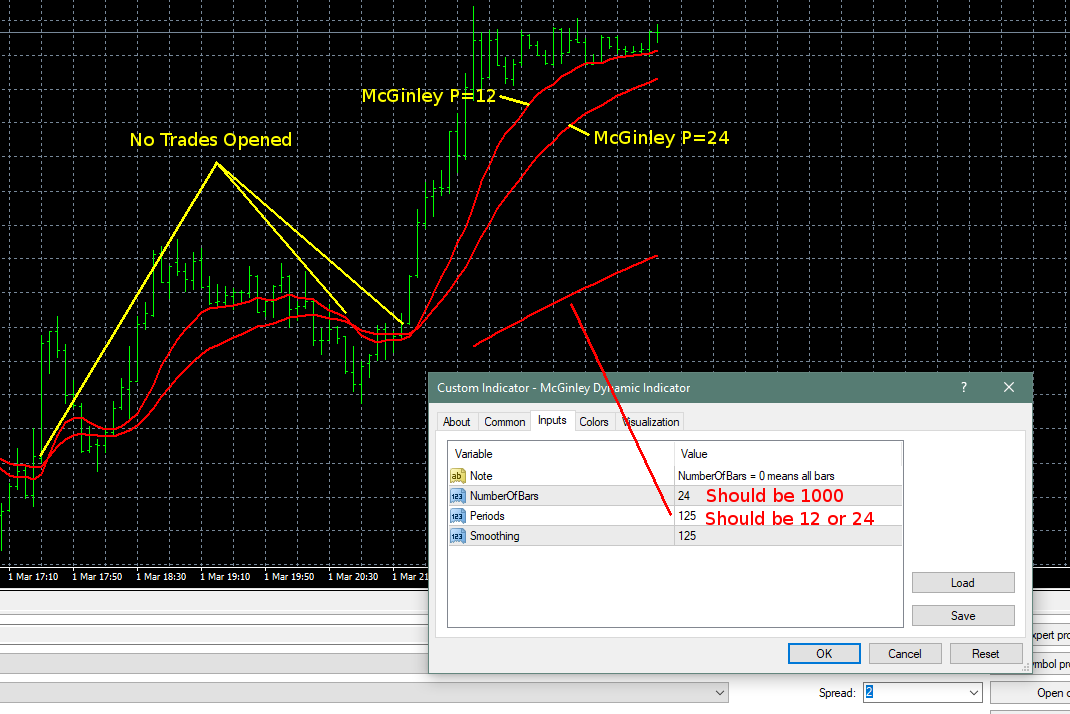
I was pulling my hair out trying to work out why trades weren't opening until I ran this (https://fxdreema.com/shared/PnTkbrvic) in visual mode with my indicators manually added to the chart and noticed once testing completed a small section of indicator out of place. Upon inspection it's input values have been shifted.
MT4 Testing in Visual Mode w/2x Indicators added manually
This is the indicator I'm using: https://www.forexfactory.com/showthread.php?t=204858
Download File: McGinley Dynamic Indicator.ex4
Given the indicator was only drawn once automatically (the one with shifted values) in MT4, I'm wondering if maybe I need to have it loaded twice in fxDreema custom indicators so it can use it twice?
Note that I'm also pulling the Periods values for the two indicators from Constants.
I also noticed that this ran very slow during MT4 testing, even on a Ryzen 1800X, seemed like it was doing a lot of work for some reason...Hoping I can get this working as I'd like to add a 3rd one for trade closes...

Thanks guys!
-
I downloaded the .mq4 file from the first link, I added it to "My Indicators" and I got 4 input parameters, not only 3
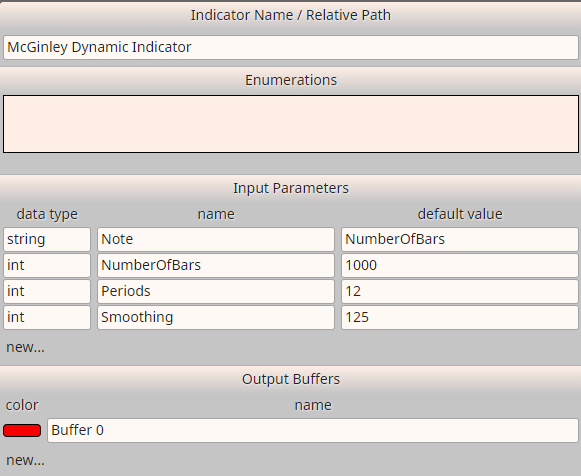
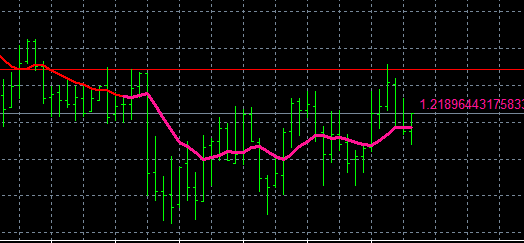
Then I checked the indicator with Trace and I think it works well. It's not the fastest indicator, but the pink line from Trace matches the indicator line exactly:
-
I just tried deleting and reloading the custom indicator again, and now it's loading the same as for you.
I don't know why it was like that, I previously tried re-adding it a few times but it was always the same.
I notice I've also got a colour for the Output Buffer while it was blank before.Just ran in in MT4 and worked perfectly, matching exactly against manually inserted indicators.
While still a bit slow, much faster than before.btw, my optimised backtesting so far gives Periods 16 & 48 as good for EUR/USD H1 (Though 48 was the maximum).
I'm going to add a 3rd McGinley and optimise with wider parameters...- I was thinking some more about the custom indicator issue and it could be that I was using Firefox before and have now switched to Chrome as recommended.