On Trade issue
-
Hello
I am running an EA in a demo account with 2 different brokers. The EA has a condition in "On Trade" section that moves the SL of all the remaining positions to one level (OpenPrice or OpenPrice+ProfitPIPS) when the first position reaches its TP. It worked in backtesting but it seems that it is not working in demo
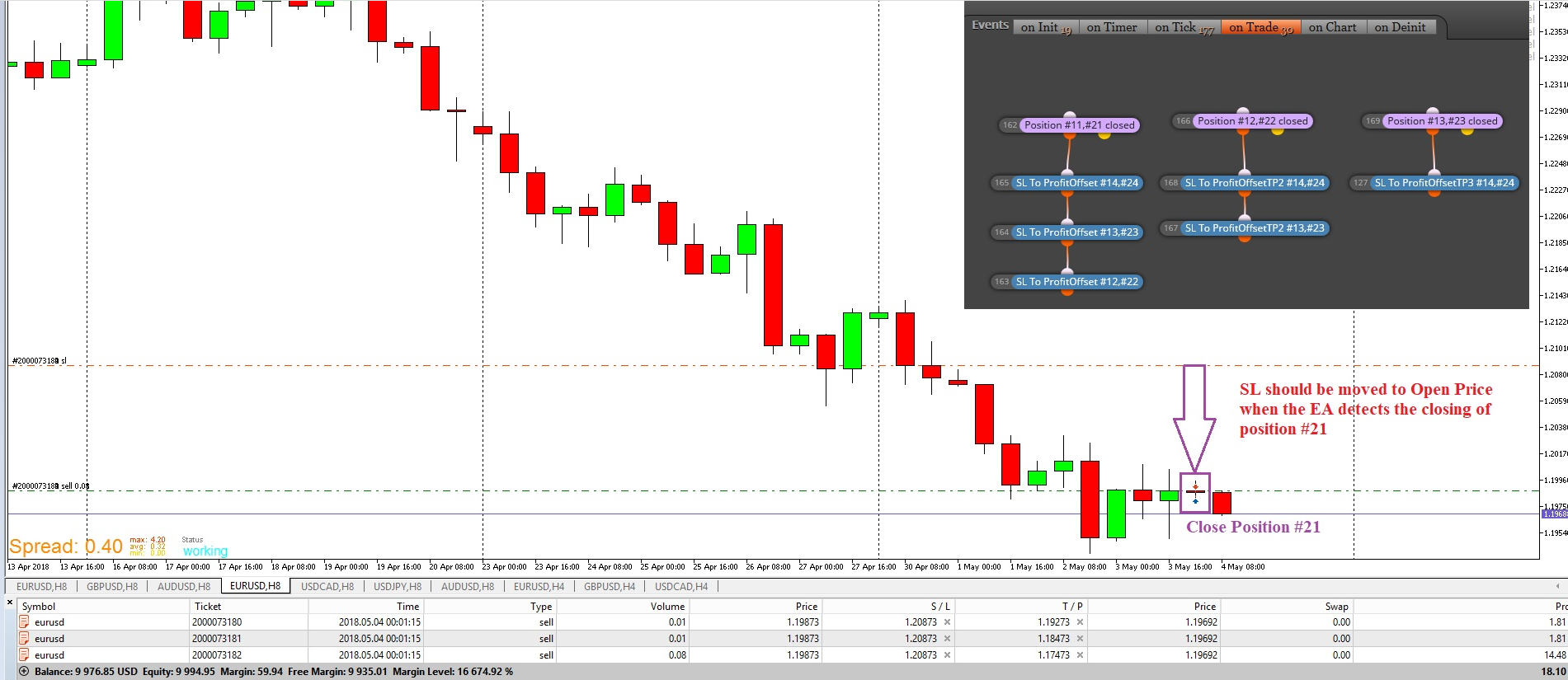
There is not any error logged in the journal. In backtesting, if the final SL level was too close to the current Price, it was logged "Invalid SL request..." But nothing in demo.
To prevent this, I have added a similar condition in "On Tick" section such as:
Once Per bar --> if NO first position (#21) and SL Level is < OP --> SL to OP
So I expect that if the current bar is not reversed, at the open of next bar, the SL will be moved. But what I expected was that the SL was moved when the #21 position was closed if there was no issue with the final SL price.
Has anybody seen this behavior? What do you think?
I will appreciate any help on this issue.
Thanks
-
Hi @fxDreema
Could be there a bug with the "Position Closed" block in the "On Trade" section?
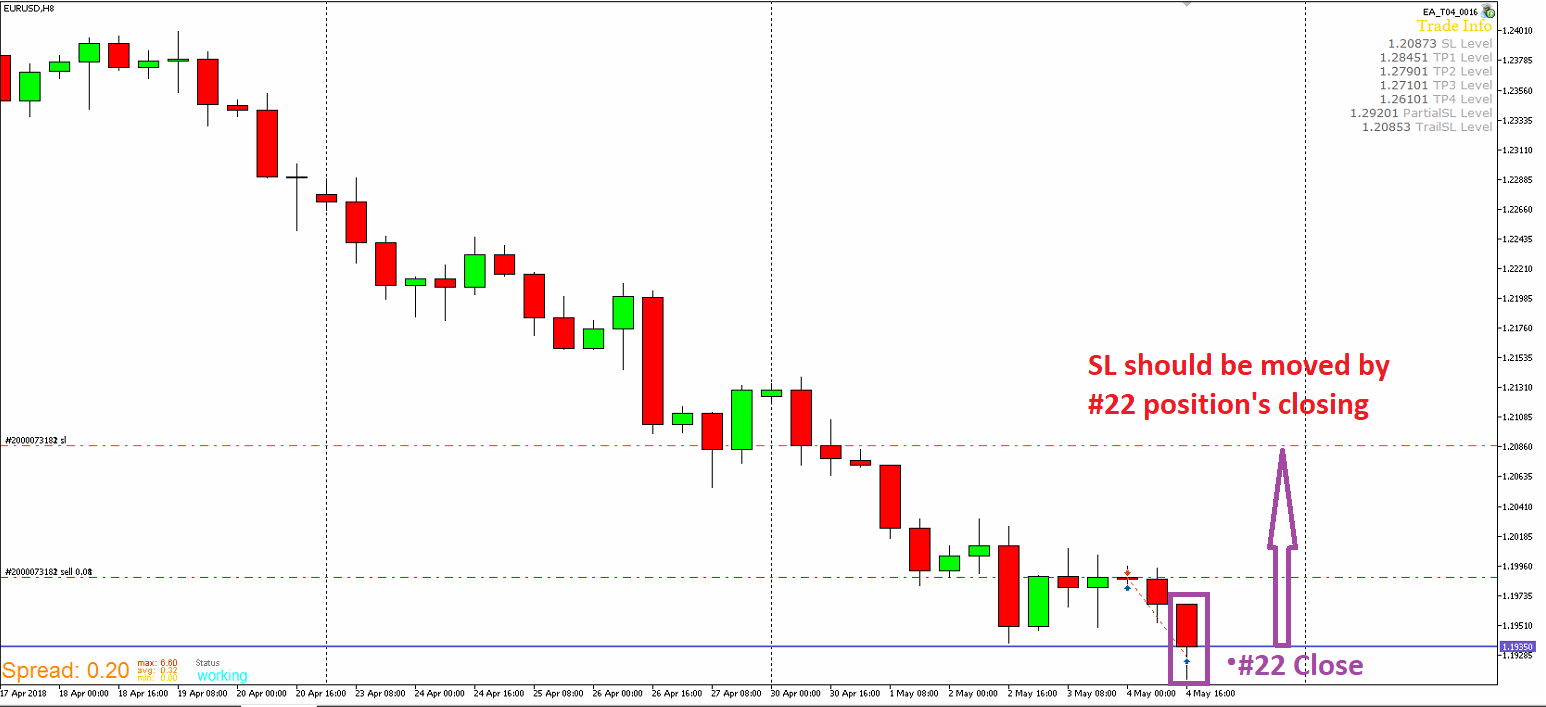
Because the EA is not moving the SL when a trade close is happening.
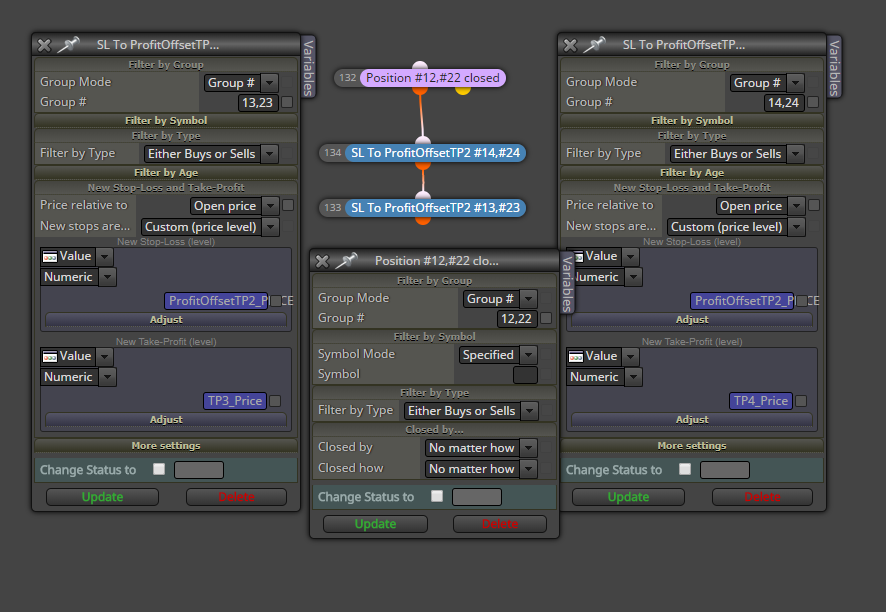
Or maybe I am doing something wrong with the Group #. I expect that if trade #12 (buy) or #22 (sell) is close, the EA moves the SL level for the rest of the positions to a custom price. #12 & #22 will never meet at the same time.
Any help on this issue would be very welcome.
Thanks
-
I have notice that my trailing stop is not working as well. There is a condition in the EA to move some pips the SL at the beginning of a new bar if the position is in profit. But it seems that the order to modify the position is not sent because there is nothing log in the journal.
I am starting to think that the problem might be related to the broker.
Thanks for any help.
Regards
-
Hi @fxDreema
I can say that the issue with the "On Trade" section seems to be broker related. I am testing the same EAs (MQL5) on a MetaQuotes demo account and the conditions in the "On Trade" section work correctly.
FYI
-
Hi @fxDreema
I have been talking with the service desk of my broker's demo account regarding to the problems with the stop loss moves. They said that I have to take into account this
https://www.mql5.com/en/docs/standardlibrary/tradeclasses/ctrade/ctradeordermodify
"Successful completion of the OrderModify(...) method does not always mean successful execution of the trade operation. It is necessary to check the result of trade request (trade server return code) using ResultRetcode()."
https://www.mql5.com/en/docs/standardlibrary/tradeclasses/ctrade/ctraderesultretcode
So I need your help to understand what is going wrong with the code to get what I expect when the EA has to move the SL to the right place.
I have been reviewing the code of the EA and I have seen that you have added some messages if there is any issue with the SL move request. But I have not seen any error logged in the terminal journal to know why the SL are not moved when the OnTrade or OnTick conditions are met.
Please, could you be so kind to help me to figure this issue out? What I can say is that this issue does not seem to be happening on the MetaQuotes demo server but I have to double check it.
Thanks
Best regards
-
Sorry, I was not around lately because of family problems.
You have many blocks I see. In this case I don't know what is going on and what else could be wrong. You know your project much better than me. So I don't know what is the problem exactly, but I can tell you how would I check what is wrong.
To be sure that certain block passes, connect "Draw arrow" after it. Or some other Draw block... it depends. I personally use "Draw arrow" most of the time. Run the EA and look if there are arrows where you know that they must appear. If you expect to see them, but they don't appear => the block in question doesn't pass => you know that something is wrong with that block or another block above it. After few tests you should know where is the problem.
Make simple project only to test the functionality in question. You think that "on Trade" doesn't work, then make a project with few blocks in "on Trade" - only those blocks who are involved with the problem. Another way is to remove all the blocks that are not involved with the problem.
By the way, I don't use that CTrade class. I use only low level functions in MQL4 and MQL5.
-
Hi @fxDreema
Thanks for your reply. No worries. Any help at any time is very welcome.
I will follow your guides and I will place a "Draw arrow" block below the "Modify stops" pink blocks to check if it runs or not.
I have been working to reduce the blocks in the project to get it simplier. But your suggestion is pretty good.
I will let you know how it goes.
-
Hi @fxDreema
I added a "Draw Arrow" block at the end of the "OnTrade" conditions.
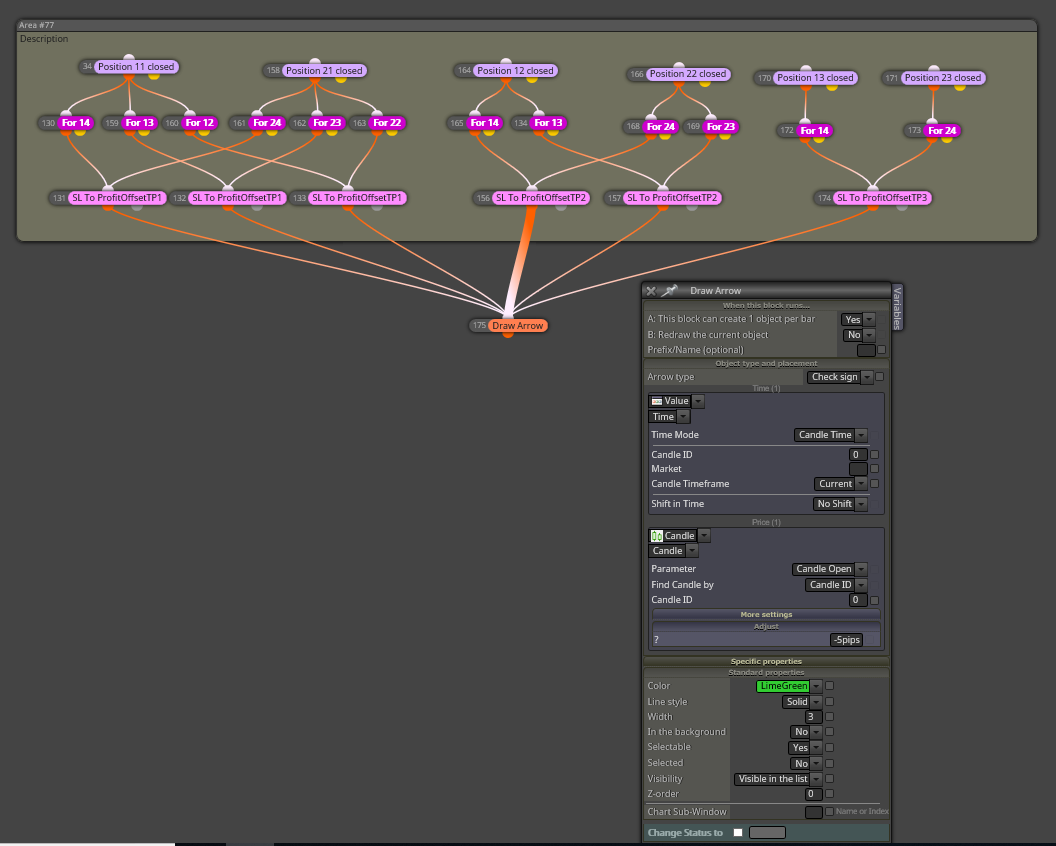
I did a backtest but I don't get any arrow signal even though the conditions over that block run well
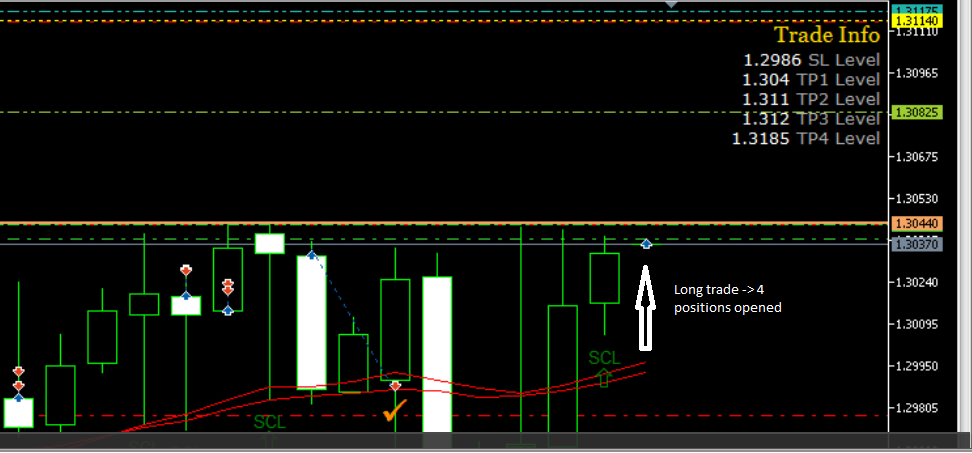
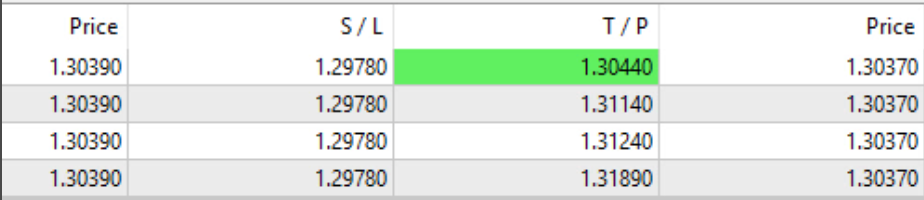
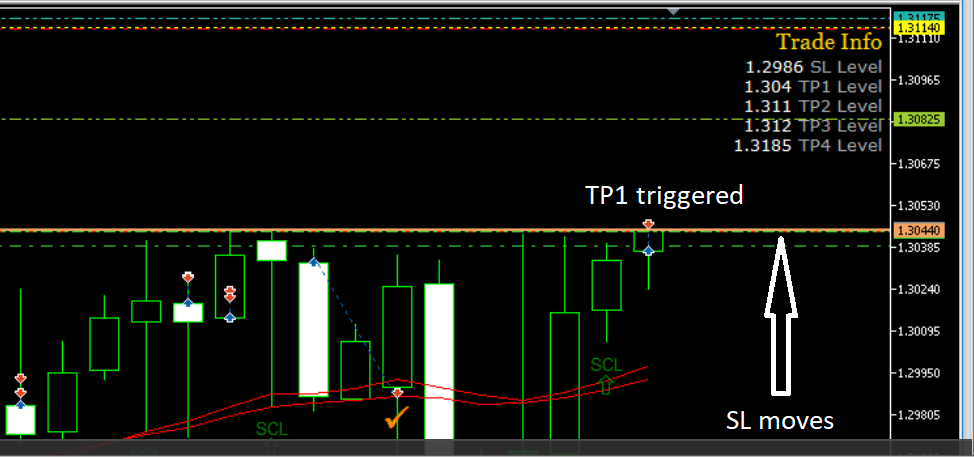
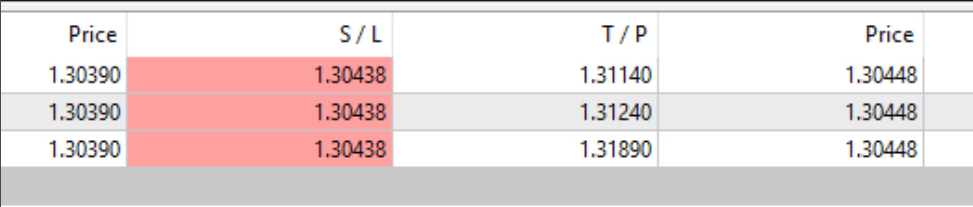
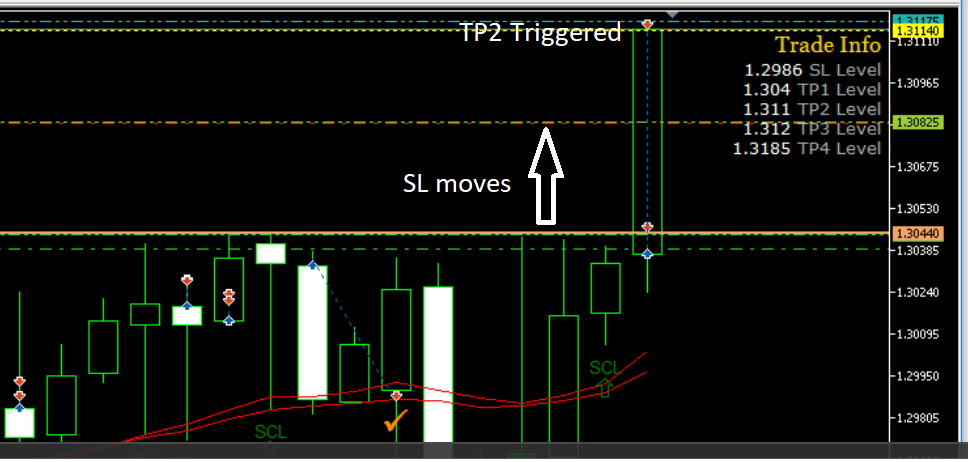

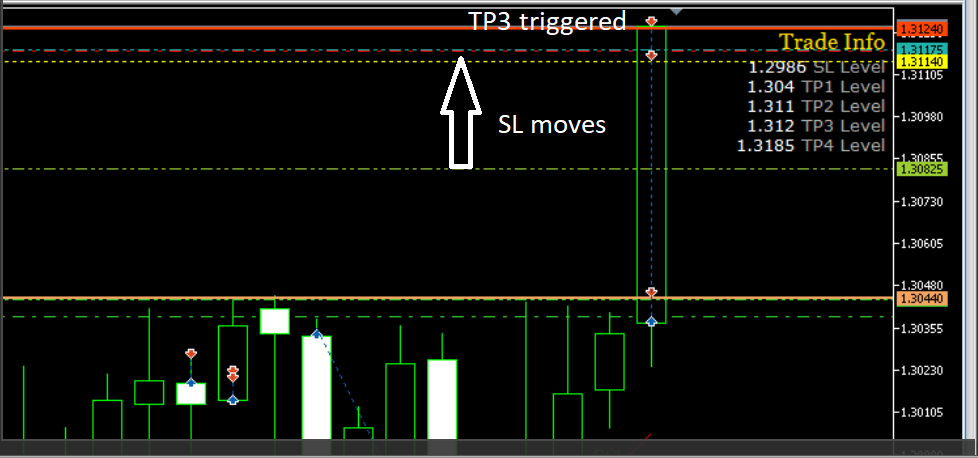

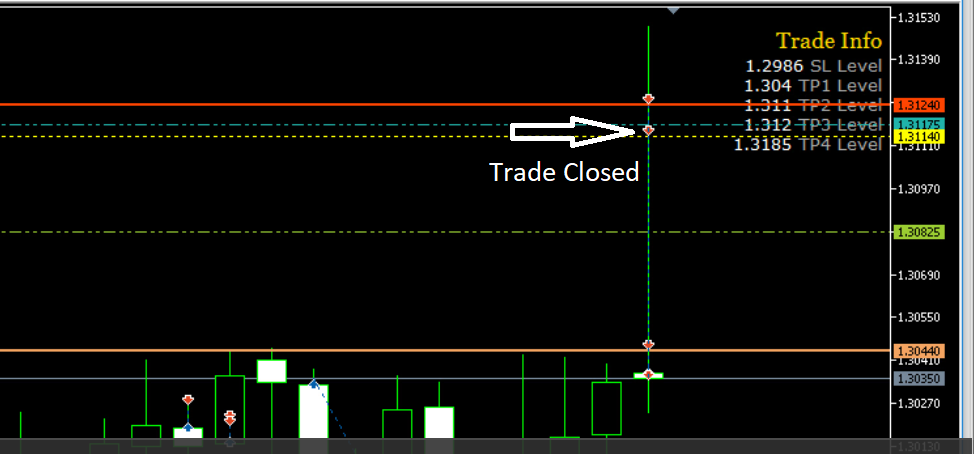
Please, could you be so kind to take a look at this?
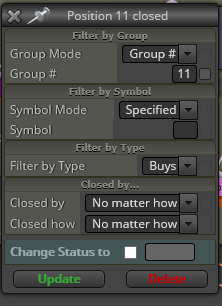
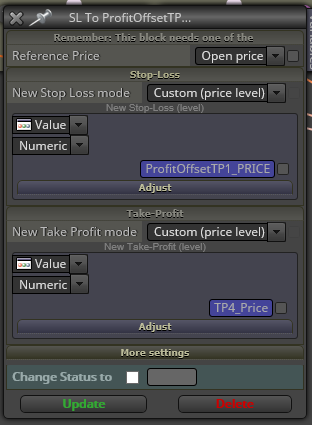
Might be there is anything wrong on those blocks that make the conditions in the "OnTrade" section do not work in a demo account.
Thanks
-
Hi @fxDreema
I am running the EA with the modifications that you suggested but it does not work. SL is not moved by closing position dectection following the rules given at the "OnTrade" section of the EA and I don't get any arrow drawn:
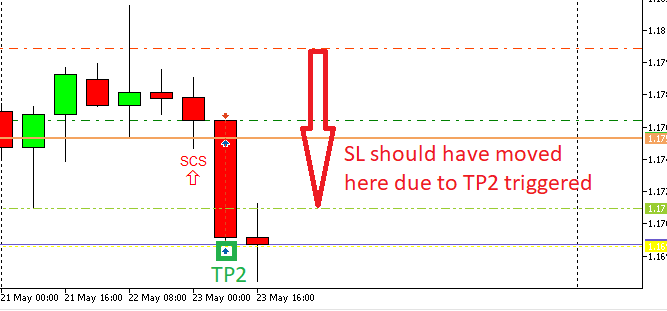
At that point, do you think might be an issue with the "Position Closed" block in the "OnTrade" section? Is there anybody using the "OnTrade" section with the "Position Closed" block having any kind of issue (MT5/Demo account)?
Thanks for helping
-
I wrote this before, but can you make a simple project for me? A separate project that contains only the required minimum of blocks to show the problem immediately. I'm pretty sure that by doing this you will also learn one more way to detect problems, because this is basically what I do when I want to detect a problem - I try to remove all the stuff that is not needed and leave only the problem. By doing this I can find one of 2 things - a bug or something stupid that I did

-
-
Oh man, if this is the simplest example that you can make...
Don't you see how lazy am I And do we really need like 10 different groups of trades. Every bug is something small and simple and the key is to make it happen quickly and easily. I really imagine something like 5-6 blocks at most. Every single time I want to fix a problem, I end up with less blocks as possible, even less than 5.What is the whole idea of this project? I don't really like those different group numbers and so many "For each..." blocks. As a programmer, I can imagine the "for" loop in each of these blocks and if so many "for" loops are written one in another in a single document, I know that something is very wrong and it's better to be reworked.
-
Hi @fxDreema
I will write a simpliest one.
The idea is: 4 positions opened per trade (same SL, each position has its own TPi)
-
when TP1 is reached and Pos1 is closed, move SL (Pos2, Pos3, Pos4) by closing detection in "OnTrade" section. TP2, TP3 and TP4 are kept.
-
when TP2 is reached and Pos2 is closed, move SL (Pos3, Pos4) by closing detection in "OnTrade" section. TP3 and TP4 are kept.
-
when TP3 is reached and Pos3 is closed, move SL (Pos4) by closing detection in "OnTrade" section. TP4 is kept.
That is the main idea about the position management.
Thanks for helping
-
-
Now what is your definition of the words "position" and "trade"?
I'm pretty sure that "position" means the whole exposure to the market => the sum of all opened running orders for the given symbol. In MT5 in their classic "Netting mode" it was only possible to have 1 single position per symbol. And by "trade" I imagine a single running order. So I don't really understand what "4 positions per trade" means. -
I think that you want to start with certain exposure, let's say 0.4 lots, and then to close 0.1 lots at few levels in profit - at 5 pips, at 75 pips, at 85 and finally close all at 85 pips. Do you know that it is possible to open 1 single trade and then close parts of it again and again (until you can)?
-
Hi @fxDreema
For me, a "position" is one order opened and a "trade" is all the exposure to the market. So, you are right and I am wrong with the meaning of those words.
The idea is:
- if the conditions to open orders are met, I am opening 4 orders each time. Let's called 11,12,13,14 and each one has its own lot size (i.e. 0.01, 0.07, 0.01, 0.01, LotSize = 0.1) .
I understand that you are suggesting to use "close (partially)" block and I think I used it but it did not work as I expected. I can work on this idea and see what is happening with this way.
Anyway, what I am trying to figure out is why the SL level are not modified when I am running the EA in a demo account. This is what I would like you be so kind to take a look. Because it works pretty well in the Tester but not in a demo account. I have been testing the EA in 4 different brokers and in none works as in the tester. The logic is: Order closed (OnTrade) -> move SL (% of TP).
Thanks for your help and suggestions
-
Hi @fxDreema
Might be there is another option but I am using so many "For…" blocks because I wanted to use the pink block called "modify stops" for all the trades with No change in TP (i just want to move the SL) but when the modify was sent, the TP of each trade was modified to 0.00000.
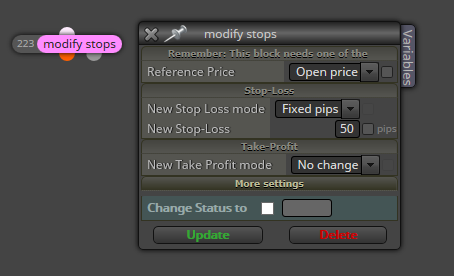
-
Hi @fxDreema
Here you have the simpliest project I can built respecting the logic of the whole Project.
https://fxdreema.com/shared/TmBsxyCze
But I just need that you check if the pink "modify stops" block &/or the blue "Modify stops of the positions" block work when they are placed in the "OnTrade" section of the project when the EA is running in a demo account. In the Tester there is not any issue and both work well.
Thanks
-
Certain people really have hard times simplifying something and you seems to be one of them :))) Why even use Sell blocks when the problem should appear only on the Buy side. This example could be cut in half
Here is my simple test example: https://fxdreema.com/shared/YercJCq3e
I don't see why you are using any Variables, because at any given time we can get OpenPrice, TP, SL and other parameters of any trade. So I'm getting them in "SL to OpenPrice" (aka "modify stops"). I also don't understand why you set TP in this block if TP remains the same, so I set it to "No change".
Ok, so my backtest looks like this:
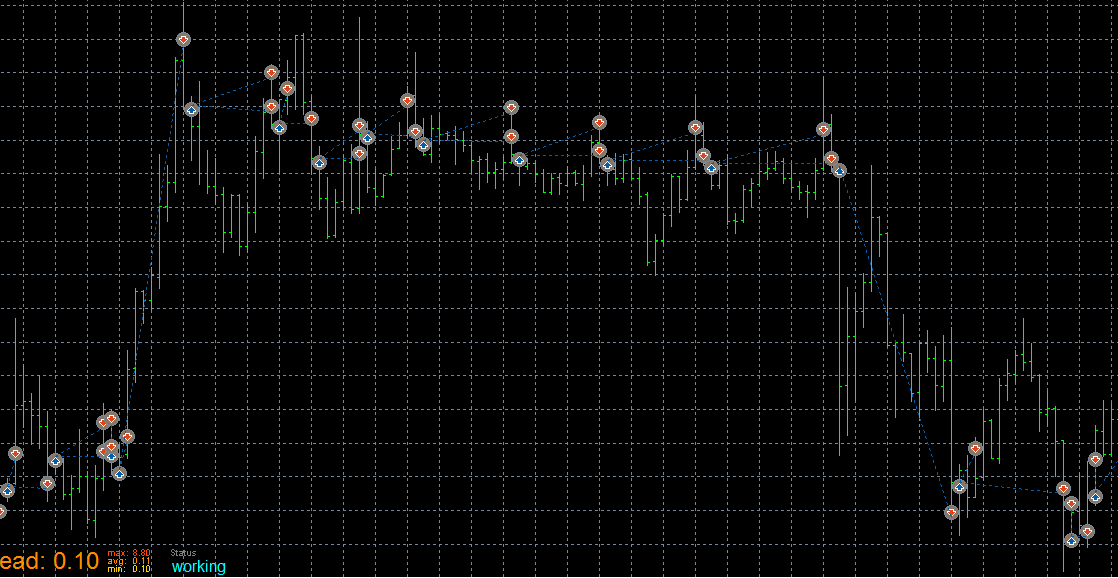
... and this is what I would expect from this project. The only thing is that I don't see any arrow from that "Draw arrow" block, so I suspect that "modify stops" doesn't pass correctly and I will check the code for that. I will also put that EA on a demo to see what happens.
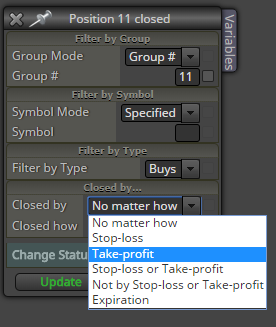
In the first post here you wrote that you see some "Invalid SL request..." messages. I'm not sure, but maybe you can get some of those when SL is triggered. Both trades have the same SL, so it is hit at the same time, but who knows... maybe the EA is somehow tricked into thinking that one trade still exists. So I think that you should set this just in case:
-
Hi @fxDreema
I really appreciate your time to figure this issue out. I am sorry if I am not able to simplify the project as you required but I started using fxDreema builder some months ago and I am always learning from you and from other guys in the forum in order to improve my projects. Believe me. I don't want you waste your time.
When I set the TP to "No change", when the SL is modified the TP level was shifted to 0.00000. But I have checked right now with the original Project and it seems to be fine. Might be I did a mistake.
As I said, I was using variables and some Project complexity because I am learning how to do the same with less blocks thanks to your guides and the help of people like @miro1360. The original project has been meaningfully reduced but it is still happening the issue with the OnTrade position close detection when the EA is ran in a demo account. I hope with your test in a demo account we will get more info. I will take advantage of your simple project and I Will run it in my demo accounts. In the tester, the project works as expected. Like you got with your backtest. But not in a demo account.
I got "Invalid SL request…" messages in the tester when the SL has to be modified to a more profitable level. If the SL is triggered, all the trades (positions in the MT5 builder) are closed. I never got kind of messages in a demo account when the SL level was not shifted from the conditions in OnTrade section and no error or message is logged.
If I set the Closed by Take-profit option, I have a non-expected behavior as I log in the next post:
https://fxdreema.com/forum/topic/5933/ontrade-section-close-detection-by-tp-does-not-work-correctly
Thanks a lot for your support