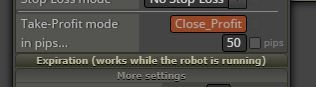
@talshemtov there seems to be some problem with the source code, the icon square is gray. Try clicking on the ex4 button in the builder, you should see some errors
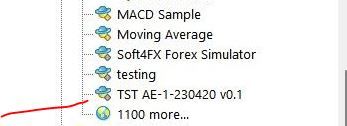
@talshemtov there seems to be some problem with the source code, the icon square is gray. Try clicking on the ex4 button in the builder, you should see some errors
@Eliezalv please, start a new topic for your question.
Anyway there are a lot of topics on what you need
@Saesint you can see better in live/demo
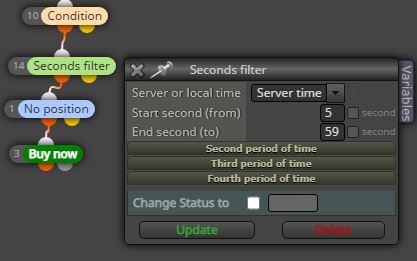
Put start 58 end 59 and you can see
Also in the backtest you can see the difference on the open price of trade changing the seconds filter
@khansari please add a shared link example to look at
@khansari said in price fraction or this value as is ?:
my question is :
1- for candle body size witch one do i use? price fraction or this value as is ?
2- for check distance(for example upper band and lower band) witch one do i use? price fraction or this value as is ?
Depend on what you need:
Price 1.0977 - 1.0955= 0.0022 this is the value in price fraction
Price 1.0977 - 1.0955= 22 this is the value in pips
I ran the indicator in strategy tester just now and it repaints or lags. @Alex81 was right
@clubdio this indicator shows when the CCI is above/below 0 value for each timeframe selected. I think is more simple place 4 condition block in a row, once for each time frame. Much more simple for the same result without indicator.
@aakash-waghule please, check it better. Inside all worksheets
@aakash-waghule It's not a bug.
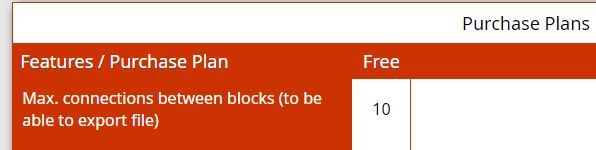
Free version allows 10 connection between blocks, not 10 blocks
@tec-nacks now it's clear, I think you placed some useless blocks, that's why I sent you my project to increase lots against trend.
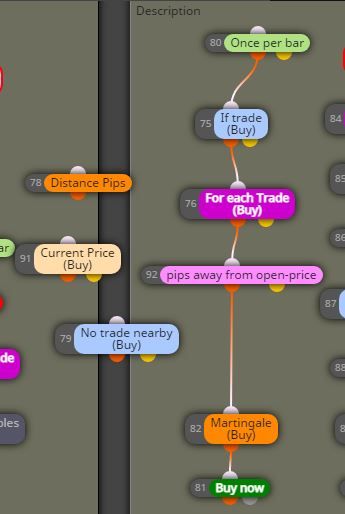
Move the "once per bar" at the top
Remove your blocks #91 #78 #79
Put a "pips away from open price" with your desired pips distance
This is your project as should be:
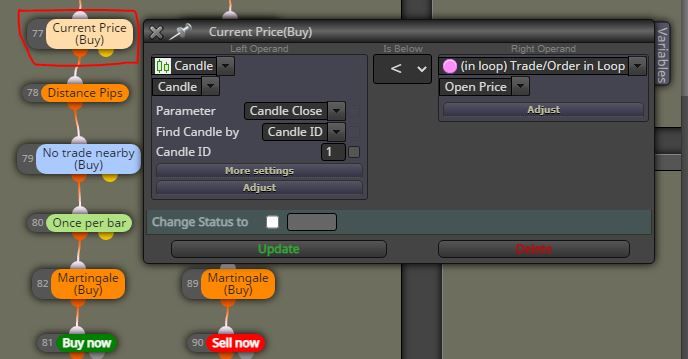
@tec-nacks you are requesting candle close ID1 to be below the open price in loop, so can happens that it places a buy above the last trade if the price goes up.
Try to put ask below open price in loop and you can see.
@tec-nacks it seems to me that the lot sizes increments are correct, the strange thing I notice is that buy trade #24 occurred above buy trade #23. This depends on the rules you set up.
@tec-nacks said in Need your guide on this:
@bb-2 i don't think so. I tried it, it didn't work
You are comparing the wick size with body size, it's not right. The suggestion of @bb-2 is right. Only change the value in numeric to value in pips as price fraction