@trader-philipps Yes, that's exactly what I want, thank you very much, always creative

@trader-philipps Yes, that's exactly what I want, thank you very much, always creative
How can I work on a candle (H1) & make the expert through one per bar pass , How do I make it pass three deals between each one twenty minutes.
@trader-philipps said in One volumes constant in all cases:
In that case just specify a fixed lot size on Buy and Sell blocks. use a constant if you want to make it adjustable from the EA's parameters.
Thank you very much, your solutions and advice are always of my interest
@trader-philipps said in One volumes constant in all cases:
Didn't get what you want to achieve. If start lot is 0.10 lots, all trades should have 0.10 lot size??
@trader-philipps First: Thank you for helping me, I want a fixed size for all deals + Hedge for previously opened positions. Is this possible
In this example you will see that there are large volumes created during trading, even if the EA performs great it will lose.
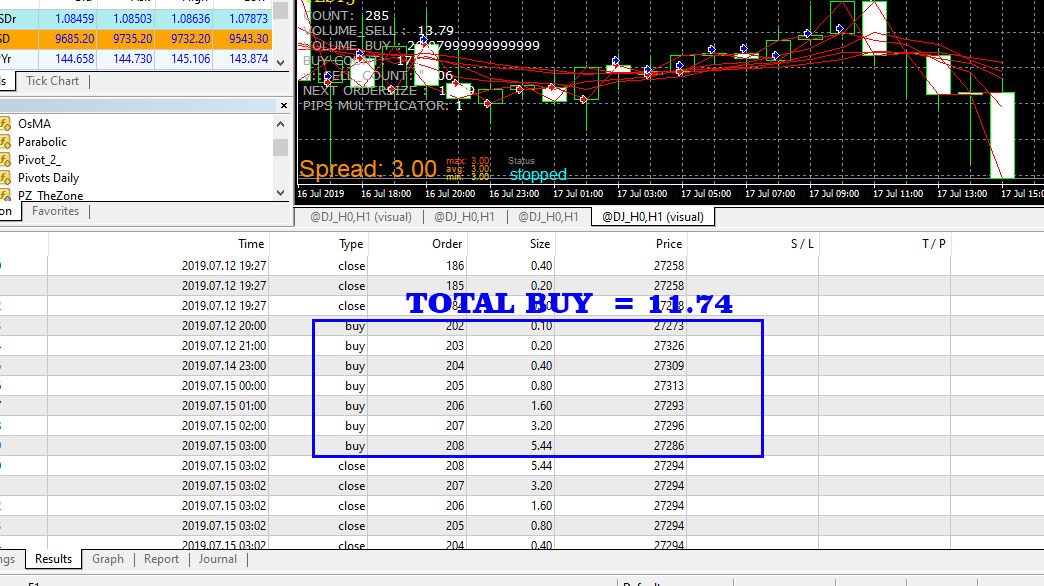
https://fxdreema.com/builder/shared/BgigjYXde
I want to change the sizes so that the difference becomes one for the current direction but it is not calculated according to the current method
An example that currently works according to: (TOTAL SELL - TOTAL BUY +1)
I want to make all deals equal only one
I mean, the BUY starts with only one dollar, and when there is a sale there is one sale for only one dollar with Hedge for the first deal (theBUY) the same size
So that in all cases the volume is not more than one dollar.
How can you help me PLEASE?
@roar
thank you very much
I appreciate your efforts and thank you for helping me
@roar said in How can I add a specific level to the moving average at fxdreema ?:
If you do want to check candle size, dont use cross.
Crossing condition will always compare a candle with the previous candle, it doesn't compare intra-candle values.
But what if you use a double moving average, one greater than the second, such as the average one and the average ten, and use the zero candle at the intersection of the average ten.
Assuming here the intersection really happened?
What is the best option to use the body of the candle or wick. Even if there is an intersection and return.
I appreciate your efforts and thank you for helping me
@roar thank you i will try it ? what is the best option for candle0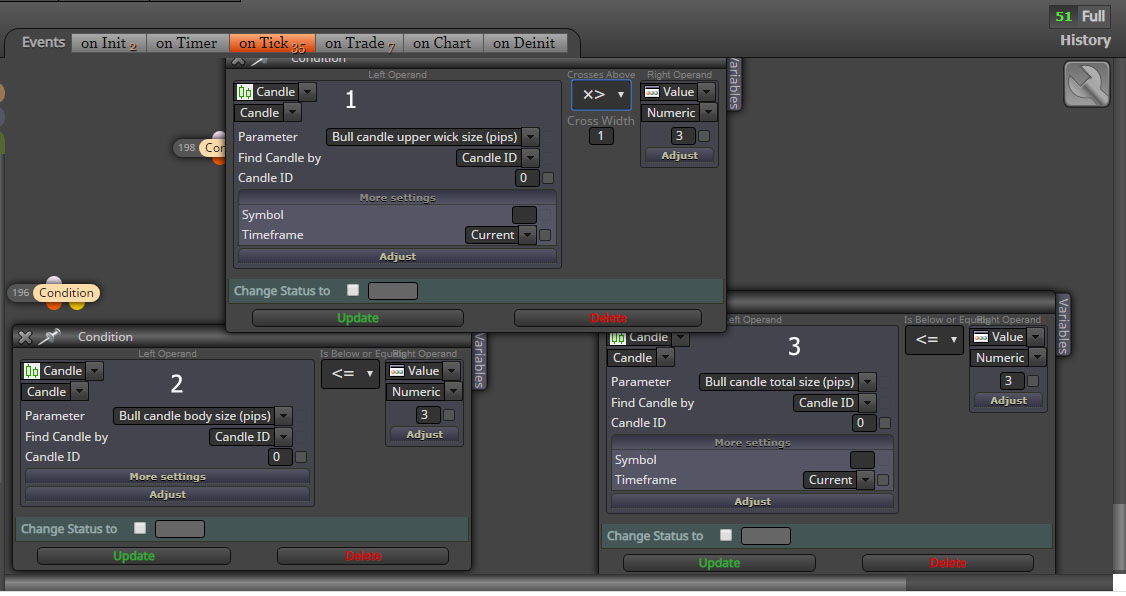
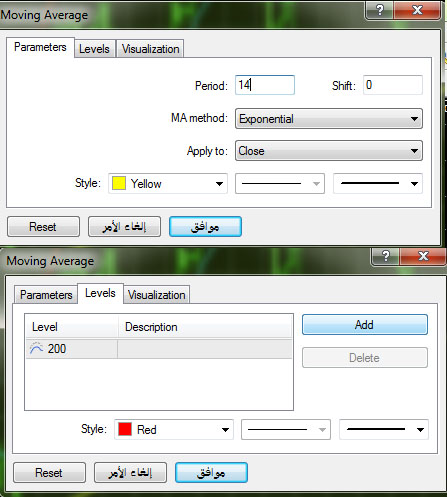
@roar no i mean level 200 for moving averge 14
Anyone help me how to add the levels in Moving average ?
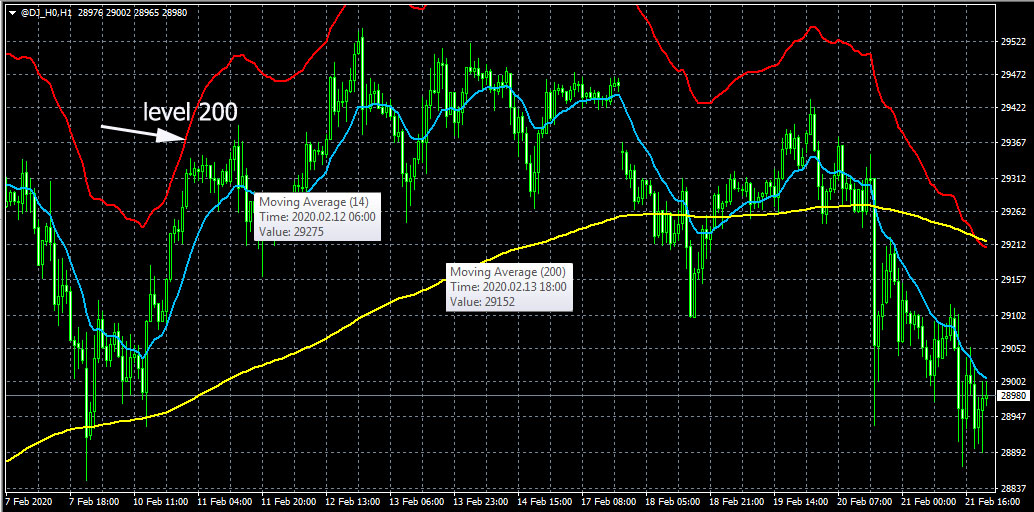
Here the Dow Jones, I want the 14-day moving average and the 200-day level
I want to work on a candle zero, but not on the closure of the candle? What is the best option for dealing with the price? As in the picture؟
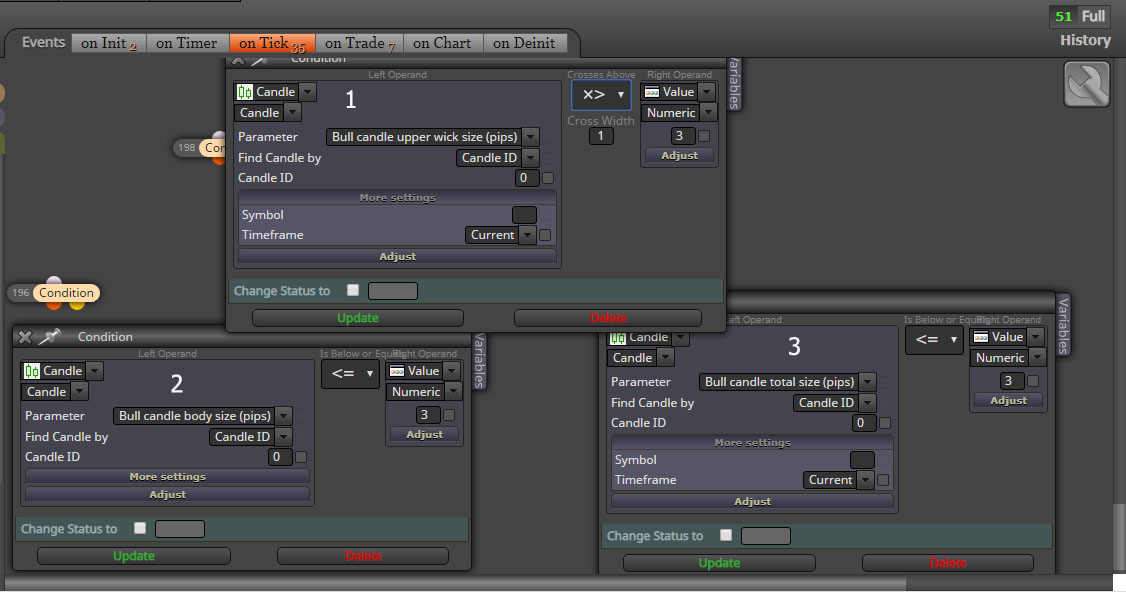
@trader-philipps
Thank you very much for the help. Your solutions are always great
I appreciate you help me
@trader-philipps said in How can I close all positions at the same time on a certain profit, and include pending orders that have opened:
On close trades blocks there are no groups defined. Is the issue that no trades are closed?^
The blocks on the on trade tab don't have any groups defined either!
Can it be modified please?
I did not understand what you mean
@trader-philipps said in How can I close all positions at the same time on a certain profit, and include pending orders that have opened:
If you work with groups, you have to specifiy the related groups per each action! In your screenshot check profit unrealized doesn't take into account any trades that belong to a group!
I only have two groups, and these two groups are pending orders only.
I tried as you say, but did not close
How can I close all positions at the same time on a certain profit, and include pending orders that have opened
?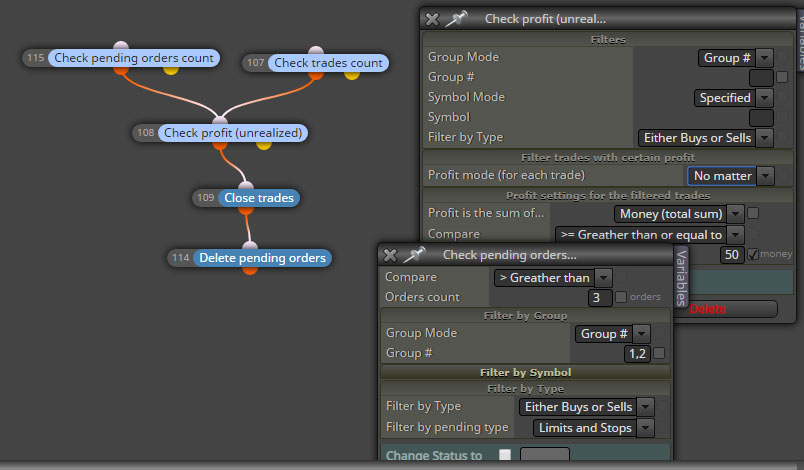
I tried to use this method but it didn't close all trades
@titangeorge
Thank you very much, I will try it.
@l-andorrà
Do not apologize, no problem.
Thank you for your kindness
@trader-philipps said in How do I place a pending order for the last open position while removing the old pending order.:
Is there more than 1 trade per direction possible?
Yes, there is more than one deal for each direction.
Is there a way to just make the pending order tied to the last trade open?
Upon opening a new deal, the previous order is canceled and opened based on a new price. So there is only one pending order.