fxDreema

    • Register
    • Login
    • Search
    • Back to the main page
    • Categories
    • Recent
    • Tags
    • Popular
    • Search
    1. Home
    2. kiwi789
    3. Posts
    K
    • Profile
    • Following 1
    • Followers 2
    • Topics 11
    • Posts 30
    • Best 0
    • Controversial 0
    • Groups 0

    Posts made by kiwi789

    • Do not change filename.

      Hello friends.
      Something has changed.
      When I save a project "TEST" after some changes, I usually just overwrite with the same filename.
      Now it is proposing a new name "TEST (1)" and next time "TEST (2)"
      Does anyone know where to define that the system should not rename. Is it in fxdreema or windows.

      Yours sincerely
      Kim Wiboe.
      posted in Questions & Answers
      K
      kiwi789
    • A block to change Constant value.

      Hey.
      Does anyone know of a method where EA can change a constant value.
      A way in which a block changes the value in Expert / Input / Value.
      (The window that you open by pressing EA-smiley on MT4)

      For example, a block that is placed after a Buy block.

      I can find: "Modify Variables" block, but not "Modify Constants"

      Sincerely. Kim / kiwi789

      posted in Questions & Answers
      K
      kiwi789
    • RE: block ID order

      @trader-philipps
      Thanks.
      It will then say that if I have more block-trees where I want to determine the order in which they are executed, so I ONLY NEED to change the FIRST block.

      The first block of the first block-tree: No. 1

      The first block of the second block-tree: No. 2

      etc.

      posted in Questions & Answers
      K
      kiwi789
    • block ID order

      Does anyone know in what order the blocks are run?

      1,2,3,4,5,6,7,8,9
      or
      1,3,4,8,9 and then 2,5,6,7

      https://fxdreema.com/shared/Ex9iEHAed

      Yours sincerely
      kim Wiboe

      posted in Questions & Answers
      K
      kiwi789
    • RE: Pause a "pending order".

      I have found a solution.
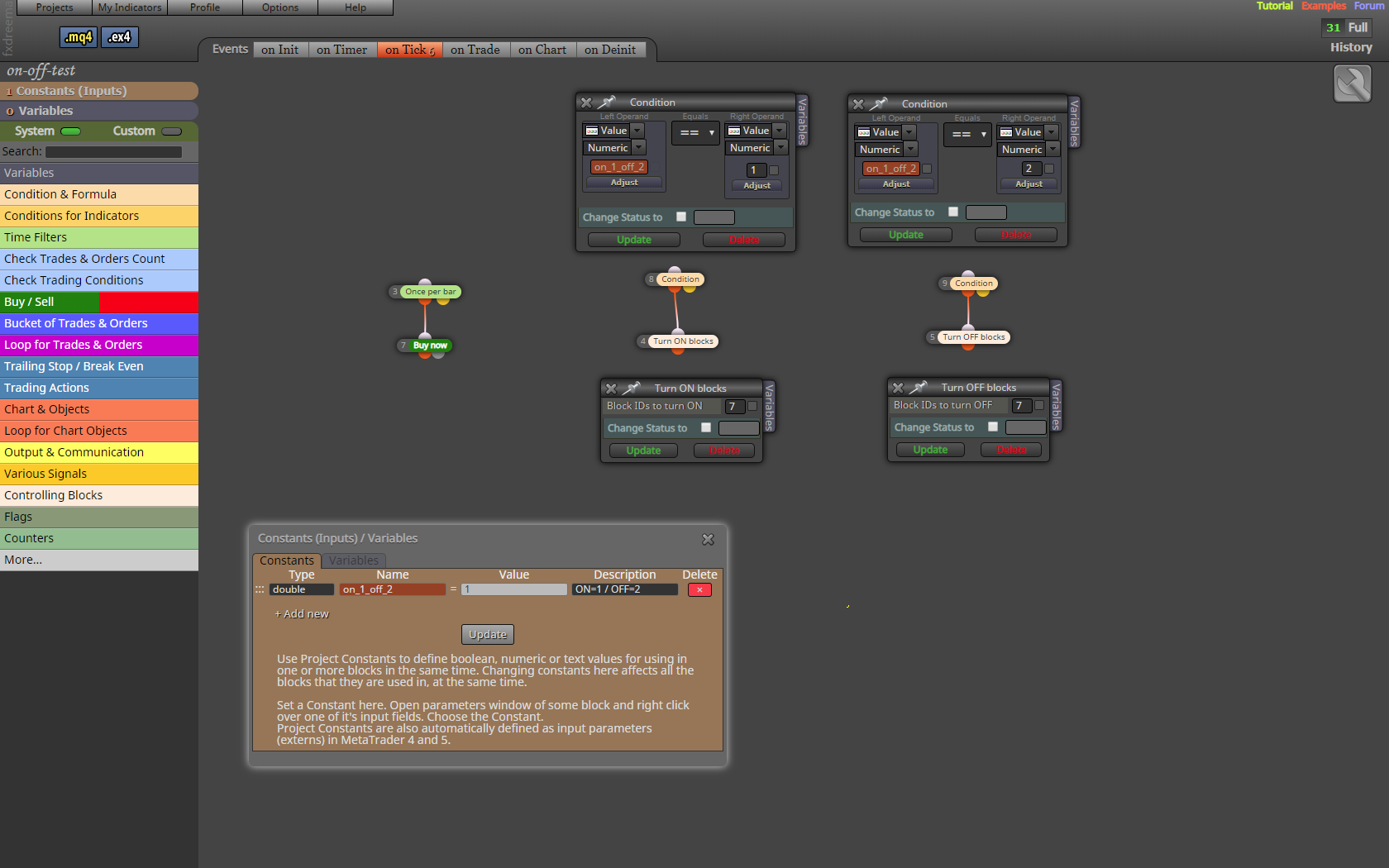
      You can change the value (1 or 2) while the robot is running.

      Still can't understand Variables V1, V2 .... F1, F2 .... the system.
      Just there were some more examples.
      What appears under "Examples" doesn't make me wiser.
      .
      0_1565720731097_Skærmbillede 2019-08-13 20.21.05.png

      posted in Questions & Answers
      K
      kiwi789
    • RE: Pause a "pending order".

      Again.
      I just want to make sure I've explained myself correctly.
      I want to be able to stop and start a trading tree (part of the robot), MANUALLY while trading and robot running.
      As I can see, the only way I can change the robot while it is running is to change a "Constant" value in the "Inputs" schema. I can open and change it without stopping the robot.! It gets registered in the robot.?
      How do I do it best.

      posted in Questions & Answers
      K
      kiwi789
    • RE: Pause a "pending order".

      Pardon.
      I found out about my "Traling pending orders" problem.
      I just have to apply "STOPS" (not limits and stops) and it runs the right way.

      But I still have problems with "Variables"
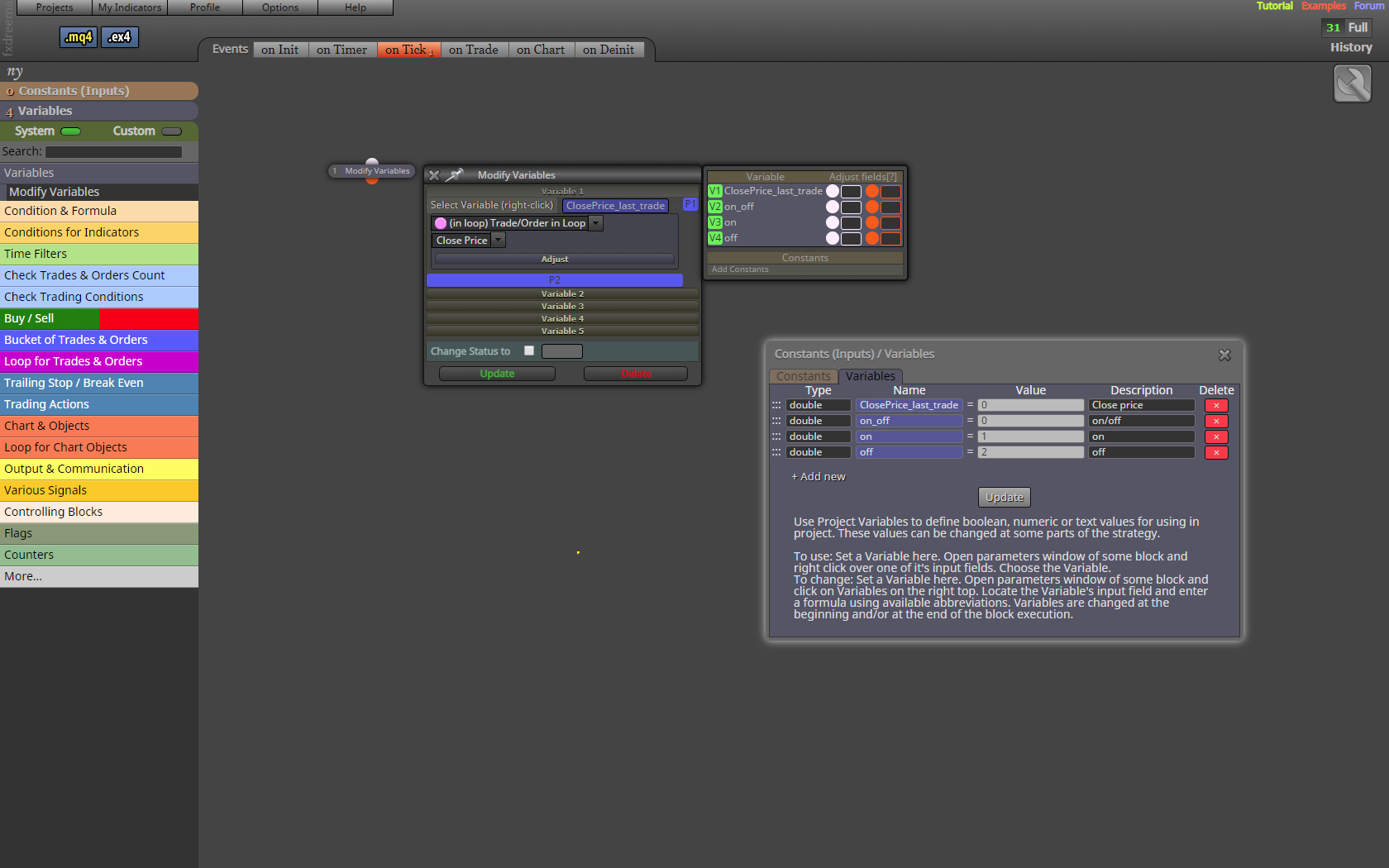
      I have never (many years) been able to figure out the system in V1, V2 ..... (green) and P1, P2 .... (blue)
      Attached print screen.

      Do you have any more guidance than what is shown under "Examples". I found it difficult to understand the context. Probably very simple when you just catch it.
      .
      0_1565705101892_Skærmbillede 2019-08-13 15.53.03.png

      posted in Questions & Answers
      K
      kiwi789
    • RE: Pause a "pending order".

      @l-andorrà
      Thanks for your reply.

      Do you mean a Variable function that can switch on / off blocks !!! or have I misunderstood? I can't solve it.
      Maybe you will make a small screen example.

      Another big problem that I have now encountered.
      "Trailing pending orders"
      That trailer both ways. (up and down)
      Can you define it so that:
      "BUY pending order" only trailing down, and
      "SELL pending order" only trailing up.

      posted in Questions & Answers
      K
      kiwi789
    • Pause a "pending order".

      Hey.
      I'm trying to pause a "pending order".
      If there is a bad signal then I will stop trading until the signal is good again.
      I have tried "Block OFF & ON" but a "pending order" has no block number.
      Does anyone know of a feature that can stop all trading temporarily.
      Yours sincerely
      Kim.

      posted in Questions & Answers
      K
      kiwi789
    • Magic number questions.

      If you only use 1 robot (EA) for each symbol (for example EURUSD) you trade, it is not necessary to make different Magic numbers.

      If you (on the same account) use 2 or 3 robots (on different charts) but on the same symbol (for example EURUSD), you must have different Magic numbers.

      Is that correctly understood ?

      Yours sincerely
      Kim.

      posted in Questions & Answers
      K
      kiwi789
    • 1
    • 2
    • 2 / 2