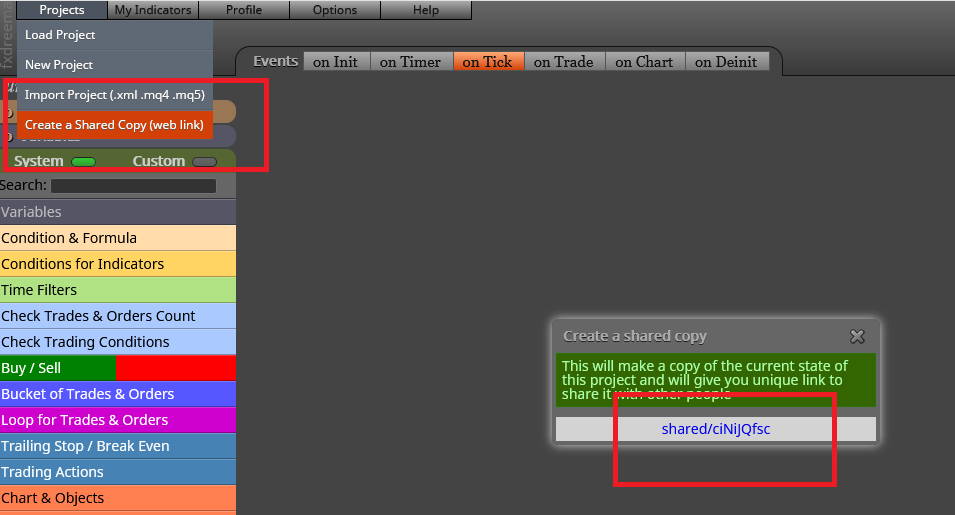
The most efficient way is looking at what you have now. Can you please share your project?

The most efficient way is looking at what you have now. Can you please share your project?
I already did it and I couldn't find anything wrong. However, I didn't test it.
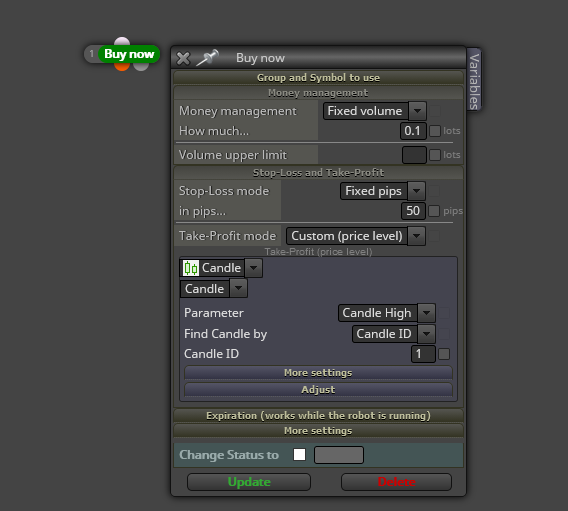
Exactly. You can catch the value of the last closed candle (ID 1) as a way to calculate your TP and SL.
What do you exactly mean by 'work in VPS'? All EAs can work on an MT4 platform in a VPS exactly as in a laptop. What do you exactly need about VPS?
Wow. Toucing the .ini file is a serious thing. Are you sure that is teh way to do it? I'm not a coder, but I can tell you be very careful if doing that.
Why do you say the max number of trades doesn't work? Are you getting up to 5 open trades at the same time? I'm sure you will not get 6, am I right? This is so because 0 is lower or equal to 4 in the same way 1, 2, 3 and 4 are. This is why you get 5 open trades. If you want a maximum of 4 open trades, just put a 3 on that block.
Block nummer 14 is executed before block number 16 when that is simply impossible to achieve. You will never be able to partially close a trade at 30 distance BEFORE having reached 20 pips!!. Same for blocks 16 and 18. They are numbered in the opposite orders they are supposed to happen. You need to reorder them this way:
Now: 18, 16, 14.
Correctly: 14, 16, 18.
Do not modify their settings, just thei ID numbers.
Could you please share the link of the project? Those screenshots are not enough to find the issue.
Ok. If I understand it correctly:
You want a buy when EMA10 crossing up EMA50 and a sell when crossing down. For that you need to use a 'No trade' for buys and another one for sells. If you want more than one buy or more than one sell at the same tiem, simply remove those 'no trade' blocks.
Look at answer 1.
If you need more detail, please share your project. 
If you can easily identify when the change is done, then you just need to create a condition with it and then connect it to a close order block. Immediately after that, you can identify that closed trade on the 'on trade' tab and connect it to a buy/sell block as wished. The problem is if there are more than one buy so sell at the same time. Is that the case?
If I remember correctly, that can be possible by selecting 'All' on the display menu. I remember roar said something about it in another thread, but I couldn't find it. That's interesting, what magic number is applied when that option is selected?
I recommend to create a separate tree of blocks for those defining the active time period. I mean all three time filters and the conditions below them. Then you create a boolean variable that is active only when any of the time filters is true and then changed to false afterwards. That way you can condition your launching tree with that same variable on top.
Some more info would be appreciated. Can you please explain a bit more what you need?
Well, let us be honest. It will depen on the amount of time required to fix what you want. Is it a big project?
You can do both thing. The question is, what do you want exactly to be done and when? I ask this because the answer will be different on a case by case basis.
Firstly, I strongly recommend you to specify candle ID 1 in all condition blocks. Having candle ID 0 as now can create weird results.
Your 'no trade' block is stopping ALL trades once a buy or a sell is opened. This means that if a buy is open, no sell will be opened until the buy is closed. Is that intended? If not, two different 'no trade' blocks should be used, one for buys and another one for sells.