I have figured it out now, I just didn't know that you can put the indicator simply onto the backtesting chart without putting it into the EA itself.
L
Posts made by Lagoon
-
RE: Entering trades based on object on charts (lines drawn by indicator)?posted in Questions & Answers
-
RE: Entering trades based on object on charts (lines drawn by indicator)?posted in Questions & Answers
Honestly you were quite right, I just had to emove the Condition object is not 0 and had to load the indicator onto the visual backtesting chart.
I'm sorry it was my fault.
Best regards´and thanks for your help.
-
RE: Entering trades based on object on charts (lines drawn by indicator)?posted in Questions & Answers
Can nobody help me with this?
-
RE: Entering trades based on object on charts (lines drawn by indicator)?posted in Questions & Answers
Unfortunately thats not what I meant, the lines are drawn by an indicator, when I test your build the indicators doesn't appear.
I've did a new try but still not working, the indicator for exiting isn't even loaden into the EA (I don't know why).
And still no trades.
What have I done wrong?
-
Entering trades based on object on charts (lines drawn by indicator)?posted in Questions & Answers
Hello,
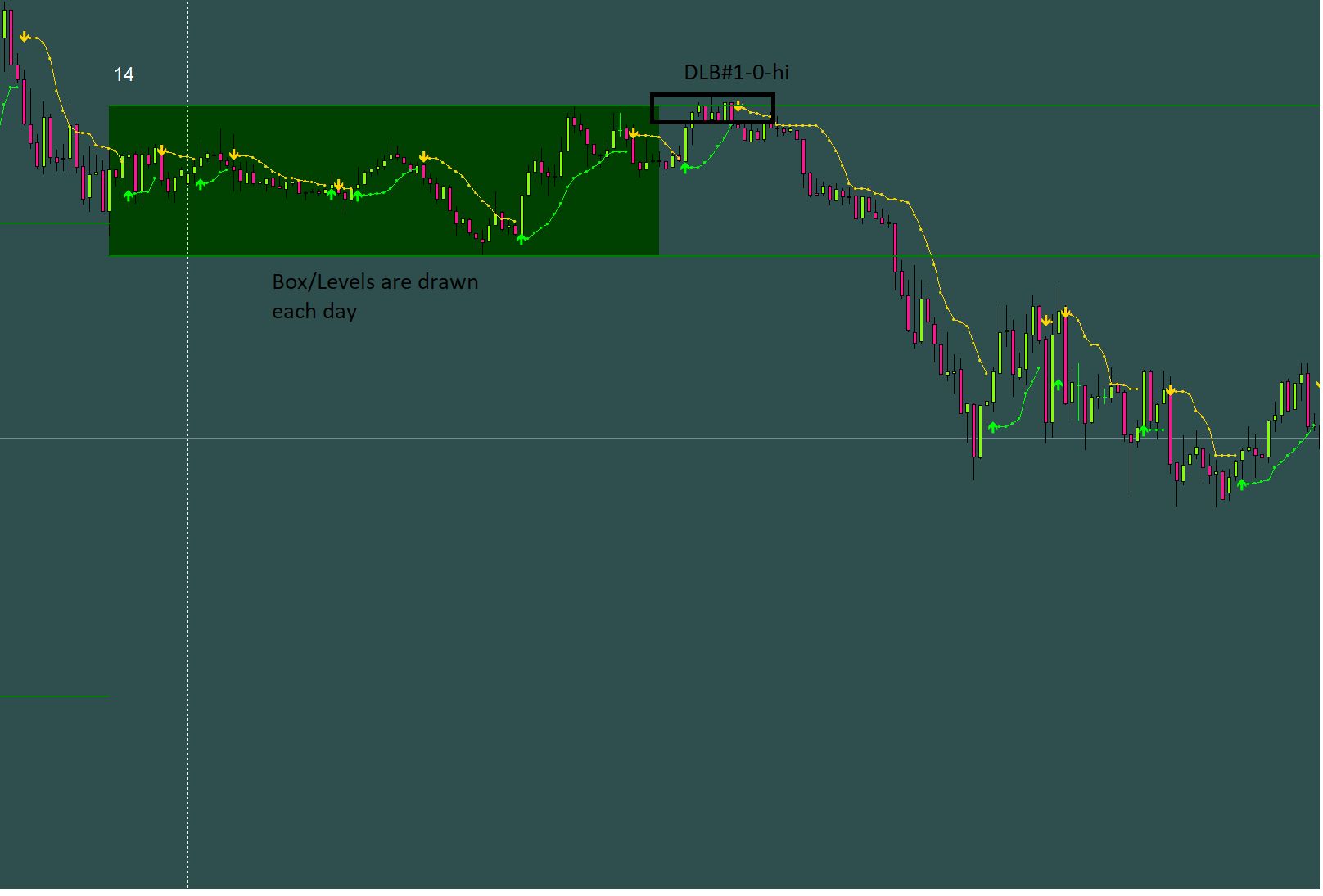
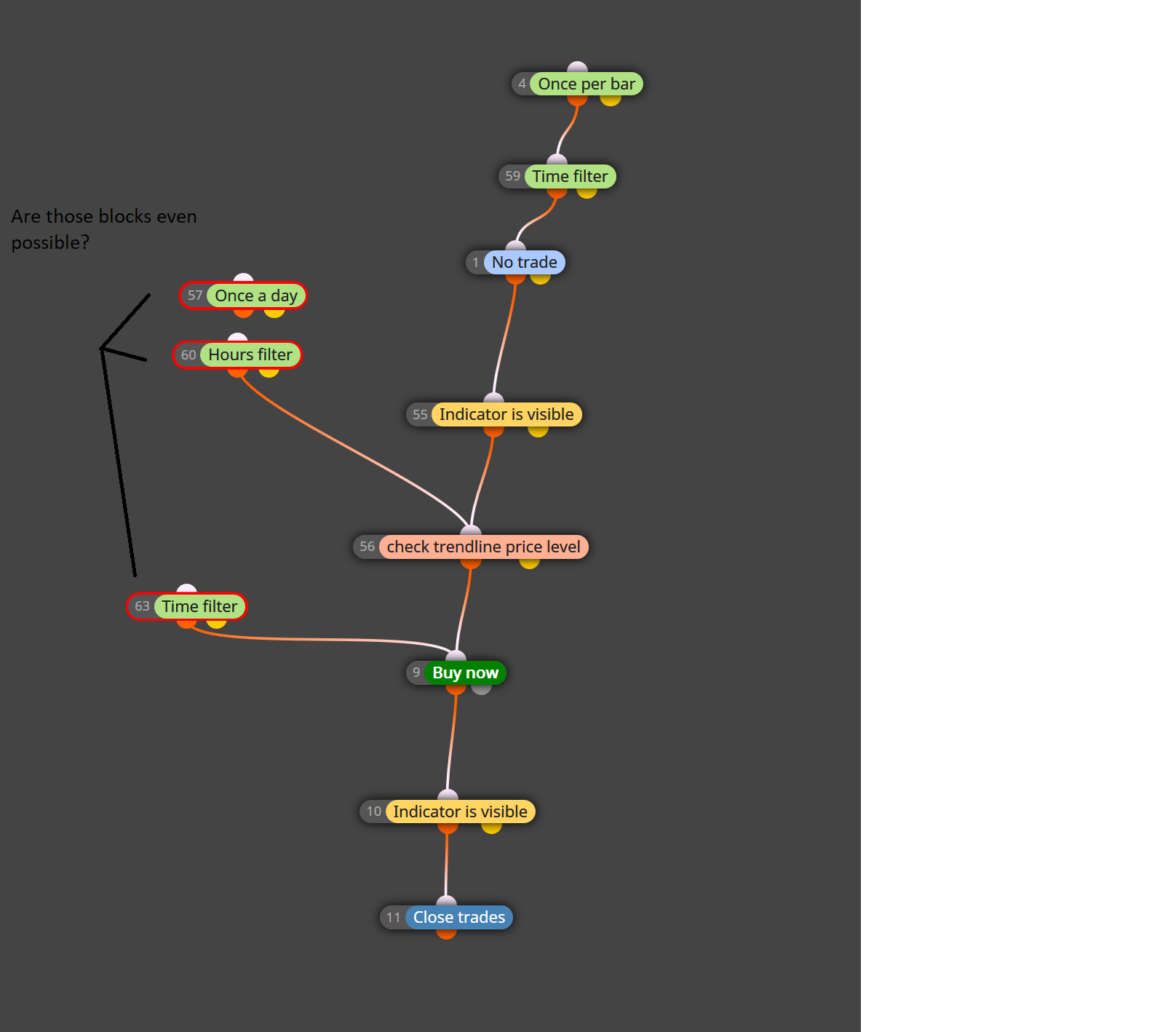
I'm trying to build an EA which enters a trade when it is above the "DLB#1-0-hi" line which is drawn daily (after 6:00h my server time).
The trades should closed by an opposite BB Stop signal.Unfortunately I cannot manage to build it properly it doesn't enter any trade.
It's also imortant to note that it only should trade after 6:00h until 21:00) cause the levels/range box is drawn daily until 6.00h you can see it here.
-So how do I make the EA indentifying the levels correctly?
-And how does the time filter work properly cause, for instance, I don't the exiting (via the BB Stop signal) to stop after 21.00h?Attached are all the files
0_1525607919606_BBand Stop Alert.ex4 0_1525607934770_DailyLinesBoxes.mq4 0_1525608152338_DBoxes test 1.mq4 -
Simple MACD Histrogram EA isn't workingposted in Questions & Answers
Hello,
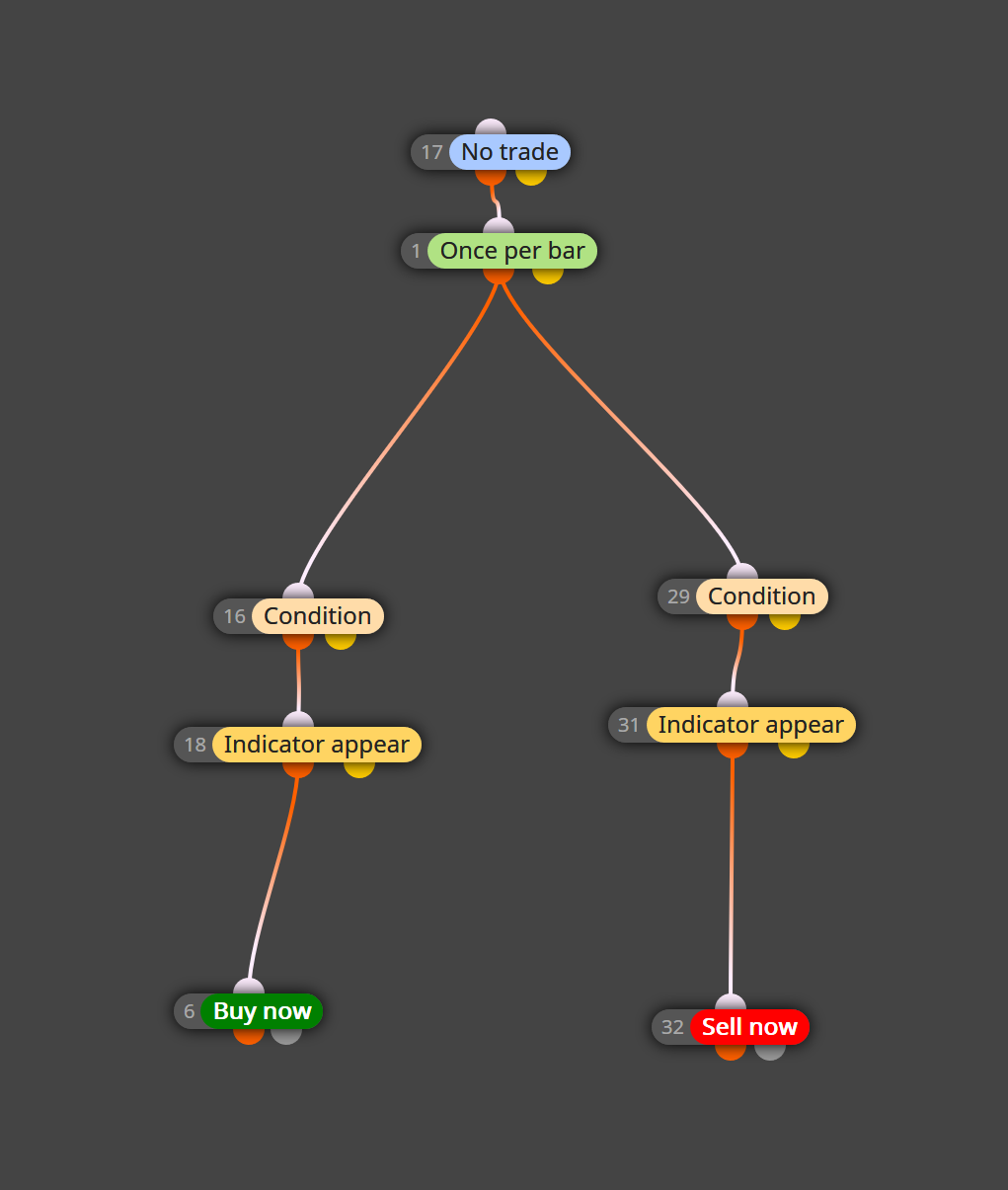
I've built an easy EA basen on a MAC Histogram EA for practice.
But it isn't entering any trades. I'm not sure wether it's because the indicator doesn't work that way or because I'm making something wrong in general.The idea behind is quite simple enter a short trade if the Histogram is below zero and the signal (arrow) appears (long vice versa).
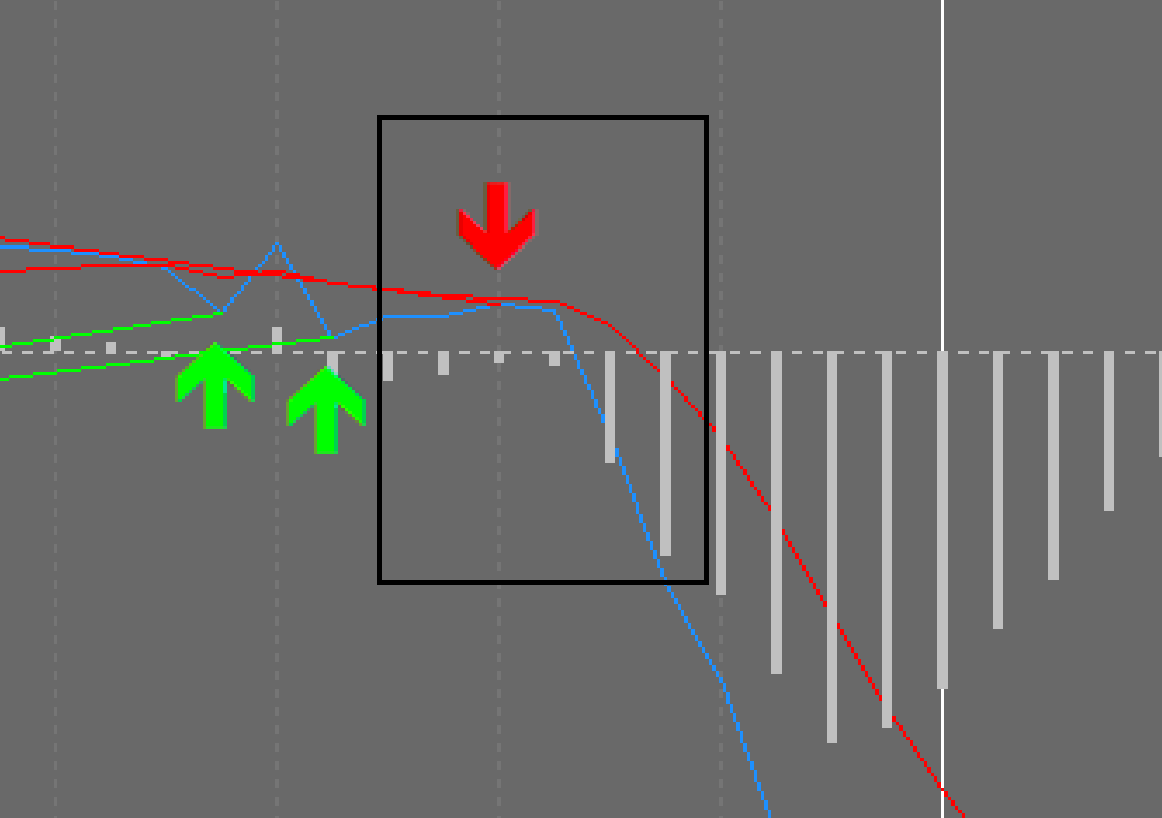
Attached is the indicator and the EA.0_1525512291942_MACD Histo1.mq4 0_1525512321850_MACD_Histogram.mq4
-
RE: Custom EX4 indicator is not working with fxDreemaposted in Questions & Answers
Hello, yes I tried this, at least I can open the EA in MT4, but there are still issues with the color and the activation doesn't work I entered my E-mail and key but it won't work.
I'll contact the developer maybe he can help me out, but I doubt that.
Nevertheless, thanks for your help.
-
RE: Custom EX4 indicator is not working with fxDreemaposted in Questions & Answers
Yes I've read about enum before, but I don't know how to to it.
Attached is the indicator.
Maybe someon can help me?0_1524866086326_Volume_Breakout_Detector_2.51.ex4
-
Trades don't opened precisely (Indicator crosses and Indicator moves within limits)posted in Questions & Answers
Hello,
I've built an simple EA which is based mainly on one indicator (sort of an oscillator).
When it one line crosses the other and if that cross happens at a certain value (from the indicator).But I cannot make it work properly I first created the condition when it crosses (via the buffer) and then I used "Indicator moves within limits".
Since what happens is this: The indicator crosses and after, let's say 7 bars the value of it reaches my limit I set within "Indicator moves within limits" and the trade is opened.
But that is not what I want - it should only enter a trade when at the time when the indicator crosses the value is right, how do I achieve this?
-
Custom EX4 indicator is not working with fxDreemaposted in Questions & Answers
Hello,
I want to use a custom indicator with fxDreema, but I cannot make it work.
This is how I imported it.
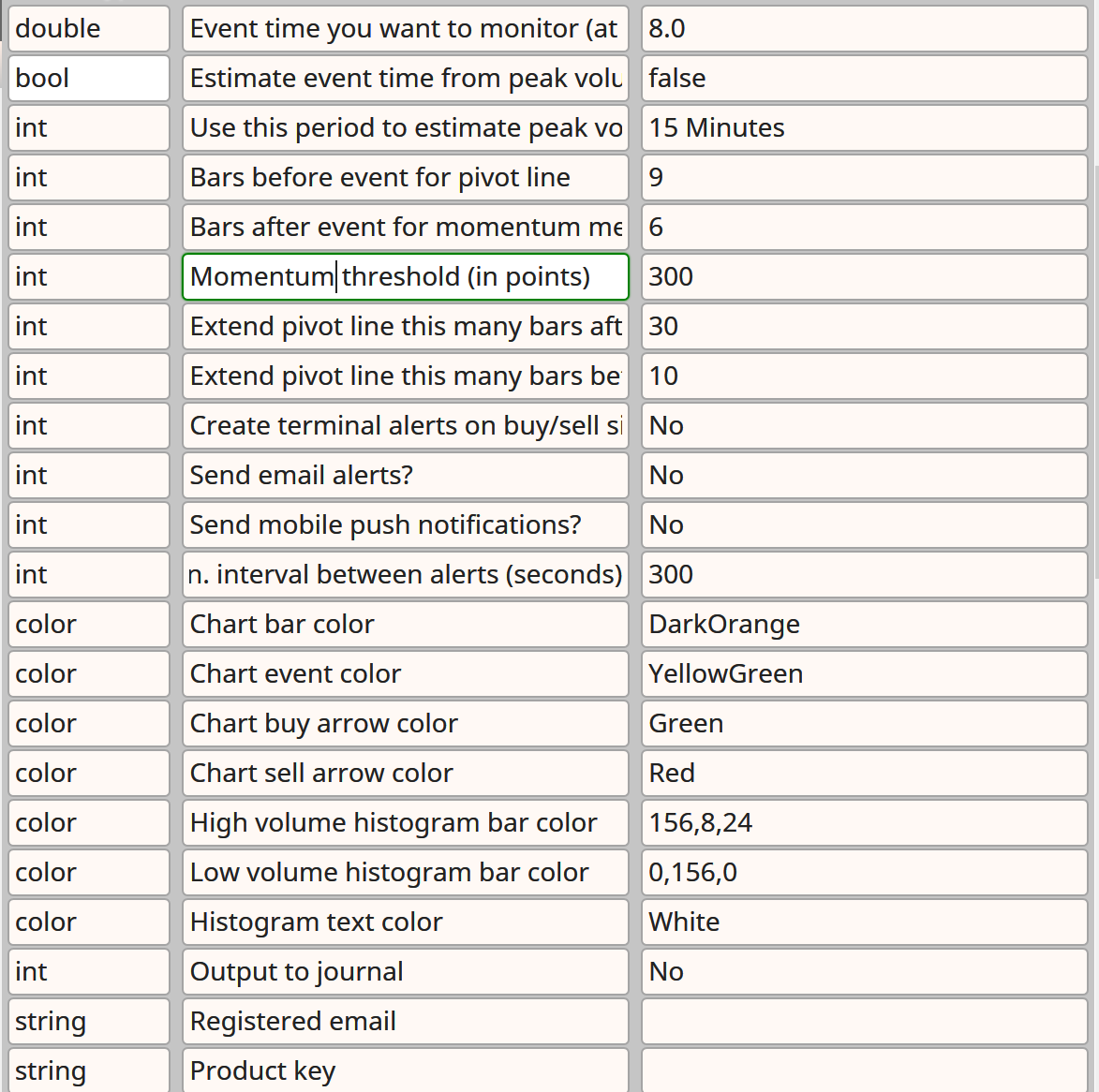
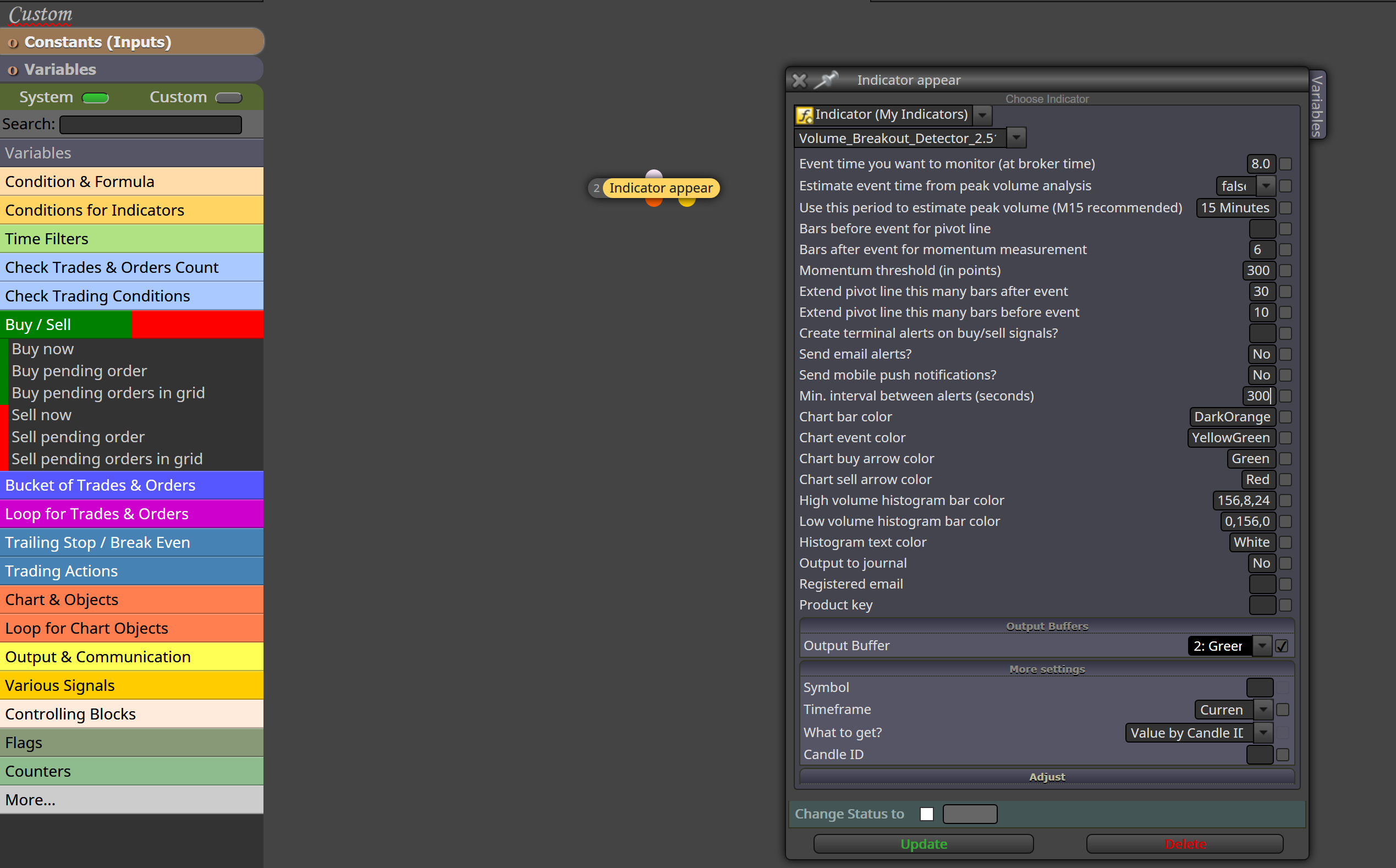
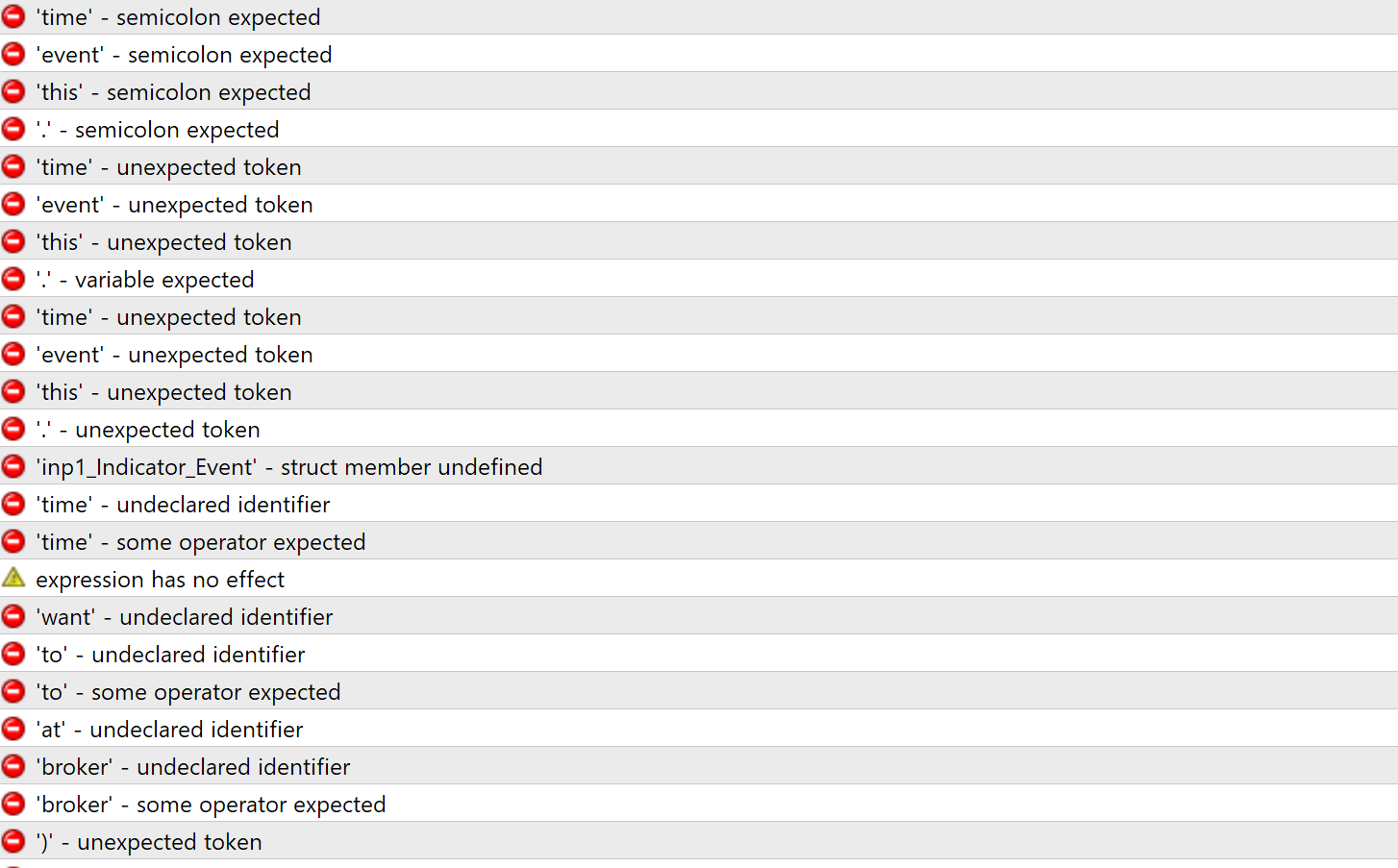
If I want to compile it I get a bunch of errors.
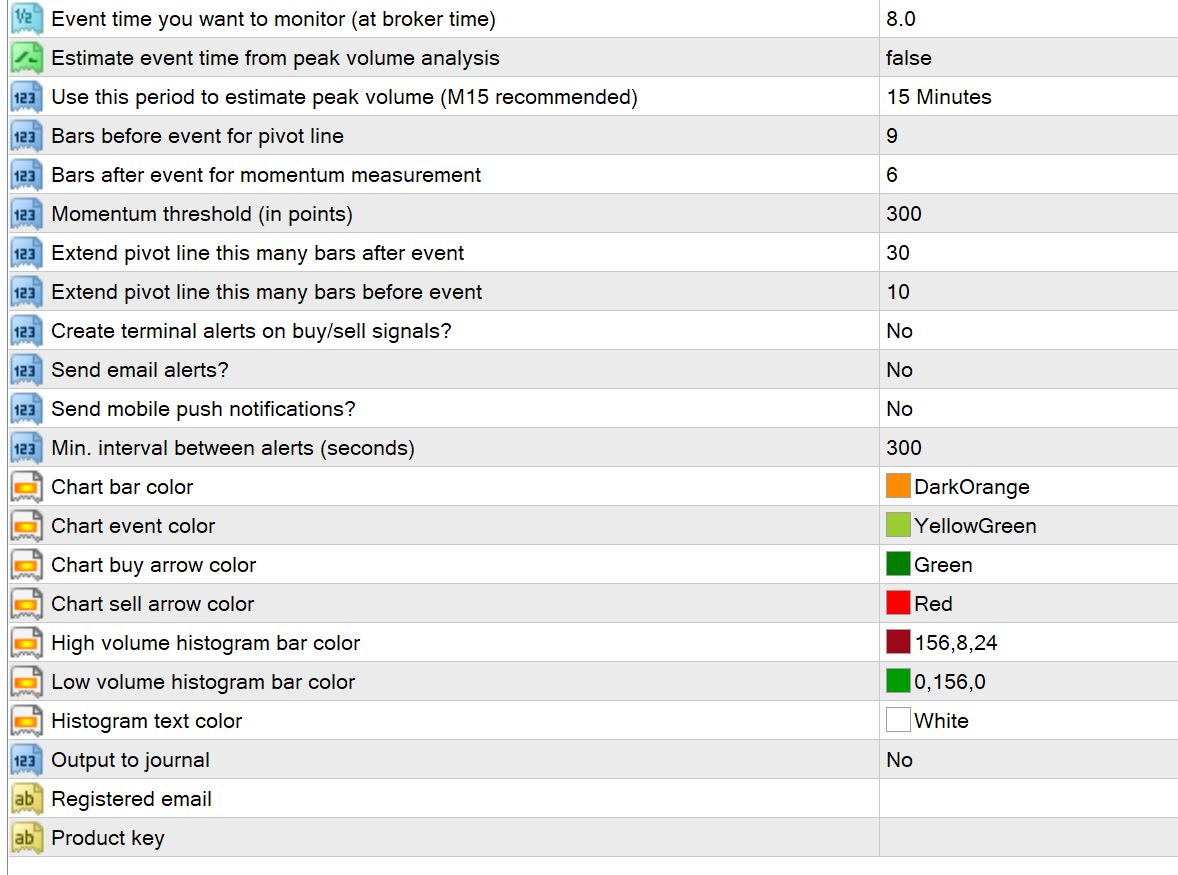
The original settings in MT4
Is there anything I can do to make it work?
-
RE: Multiple strategies in one EA? (Not working)posted in Questions & Answers
I guess you were right. Thanks for your support.
-
RE: Multiple strategies in one EA? (Not working)posted in Questions & Answers
Okay, but I always get just one trade.
I'll check everything again and will be back.
-
Multiple strategies in one EA? (Not working)posted in Questions & Answers
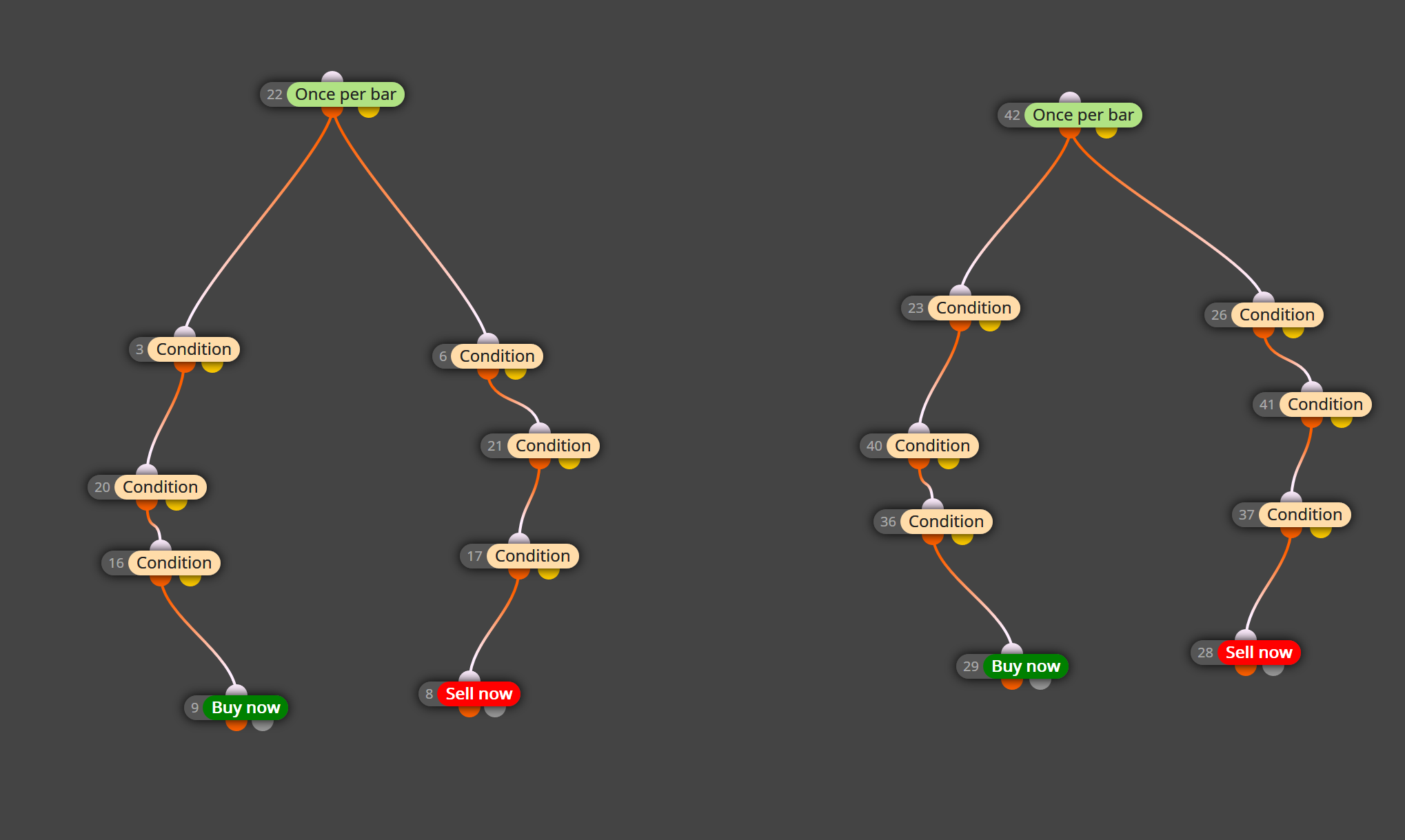
Hello,
I'm trying to create an Expert Advisor which has two strategies implemented.
But it is not working, it always trades one stragety only.
What did I miss?
Best regards
-
Get Profit & Stop Loss Levels from Lines plotted by Indicator (Hidden Objects?) for EAposted in Questions & Answers
Hello,
I've managed to import this indicator into fxreema, and now it shows buy/and sell signals (via arrows) and shows Stop Loss/ Take Profit Levels for each signal.
Since I want to use these levels for the EA but I cannot make it work. The levels aren't just objects on the chart.
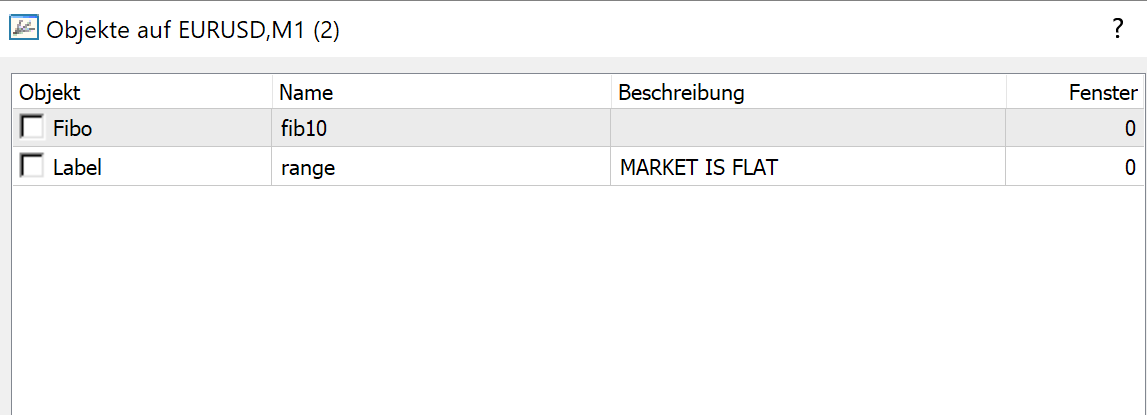
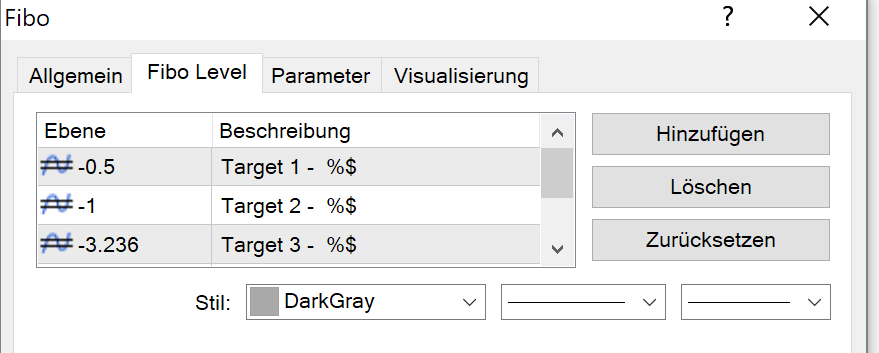
They are "hinding" behind the object "Fibo" and the tab Fibo Level.
Does anyone know how to to achieve this?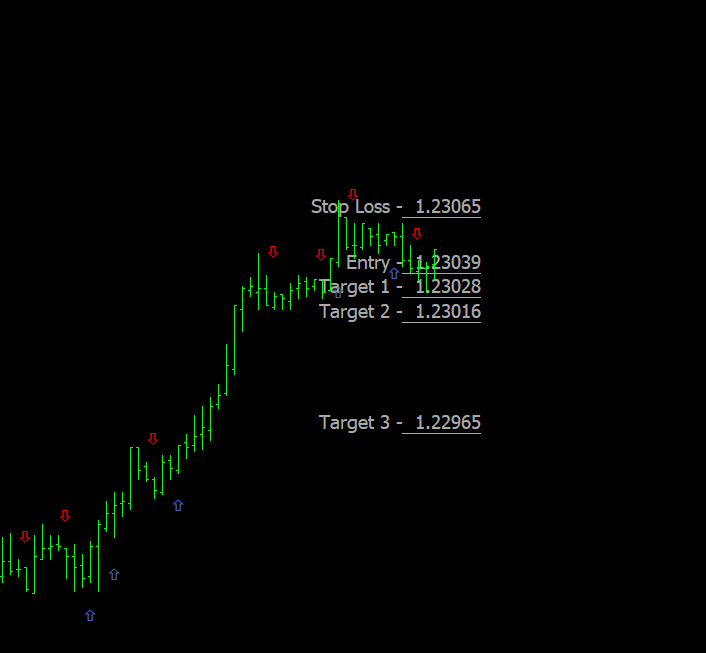
Attached is the indicator and a simple EA so that you don't need to import it yourself.Best regards