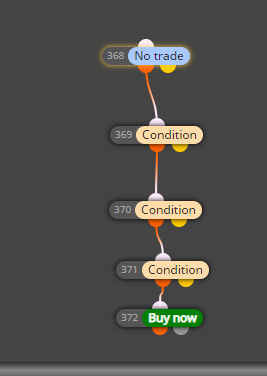
It works, only constructed the things I needed to. You can add the other items later. This image is for buys.
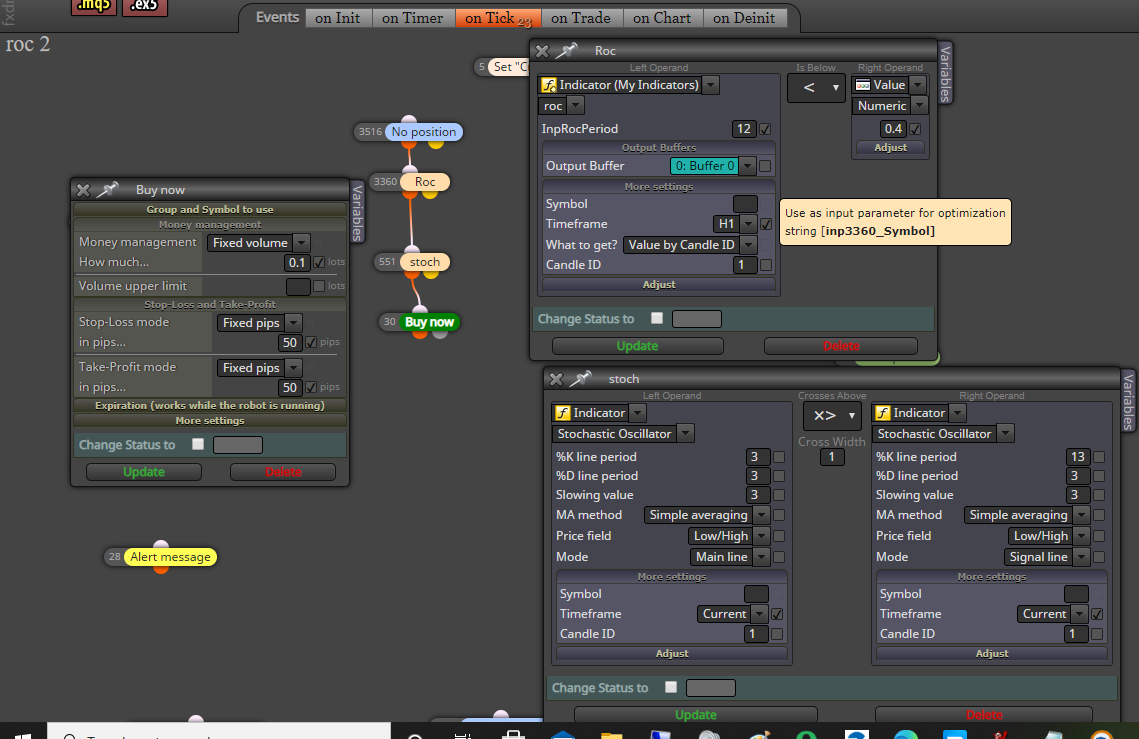
It works, only constructed the things I needed to. You can add the other items later. This image is for buys.
Lots of YouTube videos - I like the ones from TradeGuardian
https://www.youtube.com/results?search_query=fxdreema
Also 
Can you summarize the rules? I will build it for you.
I got it to work but there is a problem. Please add "no trade" to the project (anywhere is fine) then reshare the link (provide a new link).
Now I see that the blocks are not in numerical order. Lowest # block at the top to Highest # at the bottom.
When I build, I always build from the simple to the more complex which allows for better diagnosing. In other words, I put in the most basic things then test and if it passes, then add more. I do not have the indicator, so could not test.
You need to set Candle ID to 1, not 0.
I broke it down to the basics which is this
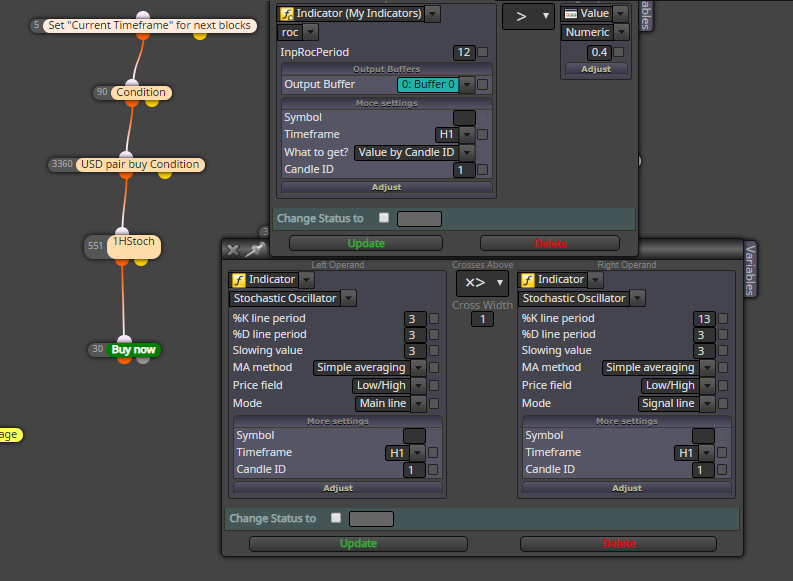
Ok, did you try it on a forex pair to check if the same problems? Provide a share link so we can diagnose it.
It is better to provide the link (share), that way we can run the ea and check for problems - did you check the journal tab for any remarks? The take profit is way out of range as is the stop loss. Did you try with more reasonable values like 200 and 50?
I think there is a glitch in it. I either run separate eas, one for buy the other for sell. The other fix is to set the starting lot size differently. For instance, run the buys at .10 and the sells at .11, that seems to work for me.
Could be a number of problems, best thing to do is share the link so we can see.
I don't want to come across being callous, but if the original poster finds an interesting strategy, I would be happy to help.
@alphaomega Thanks, but I won't build this one, the strategy will not work, I have dozens of these with nothing but failures.
Those are files to be installed in your Data Folder in MT5 under indicators. Go to Builder and add these files to My Indicators. Once those are loaded then you can add those to the condition box. The example shows my custom indicator called DarvasBoxes nmc
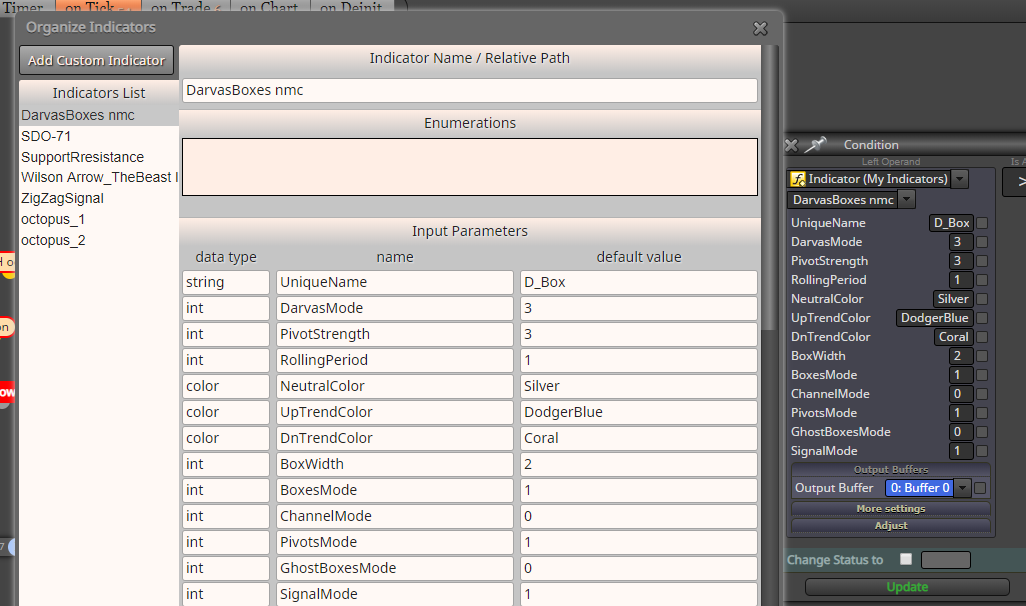
That is out of my level of expertise. There are others who can answer, although, you will need to be more specific on your wants.
5_1598166644996_Awesome_oscillator_-_extended34.9.mq5 4_1598166644996_Awesome_oscillator_-_extended34.9.ex5 3_1598166644996_Awesome_oscillator_-_extended34.7.mq5 2_1598166644996_Awesome_oscillator_-_extended34.7.ex5 1_1598166644995_Awesome_oscillator_-_extended34.5.mq5 0_1598166644994_Awesome_oscillator_-_extended34.5.ex5
5_1598116886751_AO_A9.mq4 4_1598116886751_AO_A9.ex4 3_1598116886750_AO_A7.mq4 2_1598116886750_AO_A7.ex4 1_1598116886748_AO_A5.mq4 0_1598116886747_AO_A5.ex4
Here are the modified indicators, these will be found under "Custom Indicators"
You cannot adjust the AO in the properties box, so you will have to look for a version on MQL5 or elsewhere that provides the code, then it can be adjusted. I did find a MT5 version that I was able to modify. I am not sure if you are trying to use those values you posted, in which case, there seemed to be no advantage to it.
Here is the screenshot in MT5
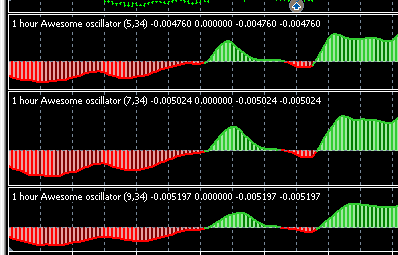
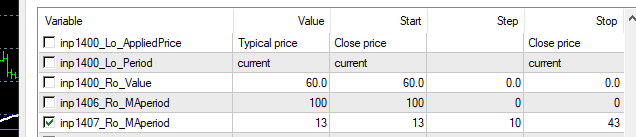
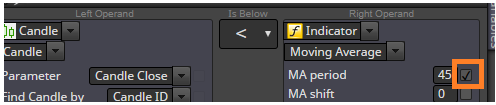
Moving Average box is checked, Value is 13, Start value is also 13, Step is 10 which means the next iteration is 23 then 33 and ends at 43.
Make sure you have the box checked so it shows up in the dialog box.