@roar error is in the output code. FxDreema code is:
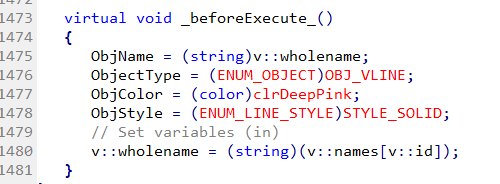
right code is:
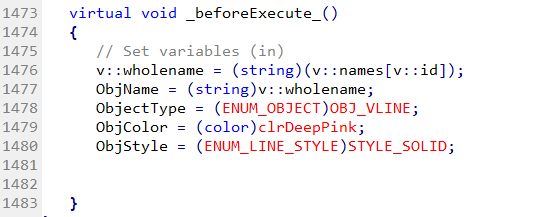
and it work right.
@roar error is in the output code. FxDreema code is:
right code is:
and it work right.
@ambrogio I'm sorry,I can't help you.
@seb-0 sp500 is closely related to EURUSD, usually a strategy that works on EURUSD also works on sp500. The goodness of the strategy is there but for a more credible test it simulates withdrawals at least once a year and, not negligible, the drawdown that is psychologically sustainable for you.
@sm24 you are right, i know this bug for a long time. I solved it changing the code by hand.
@ambrogio as you can see from the example in the comment, the project works with pending orders, as I had already mentioned. Your project does not. Without seeing it, it is difficult to give answers.
@roar If they pass individually, that's right. Probably conflicts are to occur when passing different data to the same variable at the same time.
@qais-3 Use pass once blocks where needed but remember to reset them in the project.
@ambrogio you're right in live mode one position is open every tick
@miro1360 in the tester with a negative number work correctly, it's in live mode that don't work fine
@khacdiepvnc if you use MT5 to add an indicator on the chart in automatic mode, in on init tab open a custom mql block and copy paste this code :
long handle=ChartID();
if(!ChartIndicatorAdd(handle,1,v::atrcurrent))
PrintFormat("Failed to add ATR indicator on %d chart window. Error code %d",
handle,GetLastError());
if(!ChartIndicatorAdd(handle,0,v::imacurrent))
PrintFormat("Failed to add EMA indicator on %d chart window. Error code %d",
handle,GetLastError());
First "if" is for a subwindow indicator like ATR in this case, second "if" is for an indicator in main chart like EMA.
v::atrcurrent and v::imacurrent you have to replace them with the handles of the indicators you want to use.
@fabiobioware as money shows you only the last position loaded because you don't add the old variable with the new one :
As_Money + As_Money and in the end of the loop(yellow exit) As_Money must be reset to 0
https://fxdreema.com/shared/uulRnwj5
Without swap
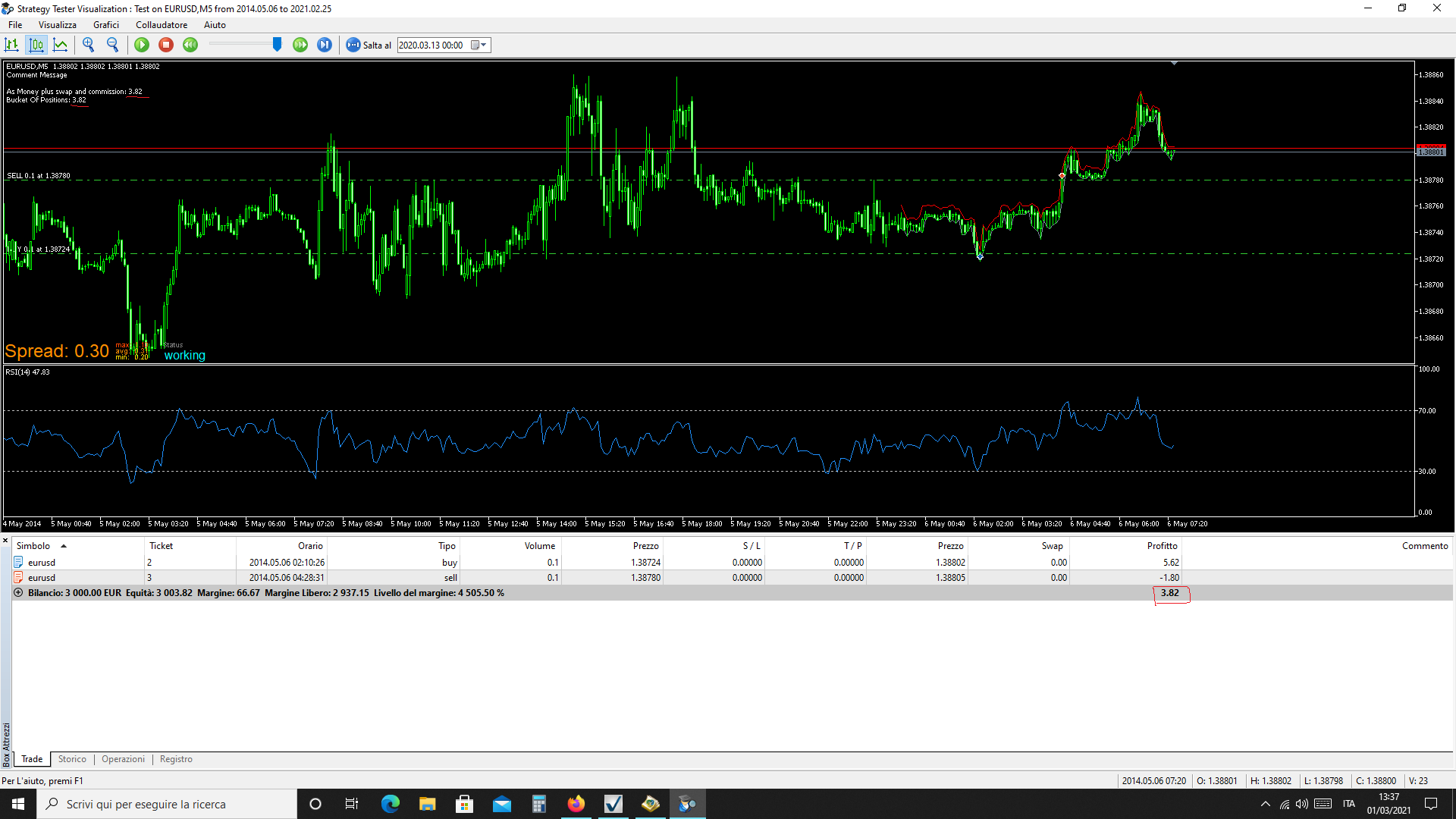
with swap
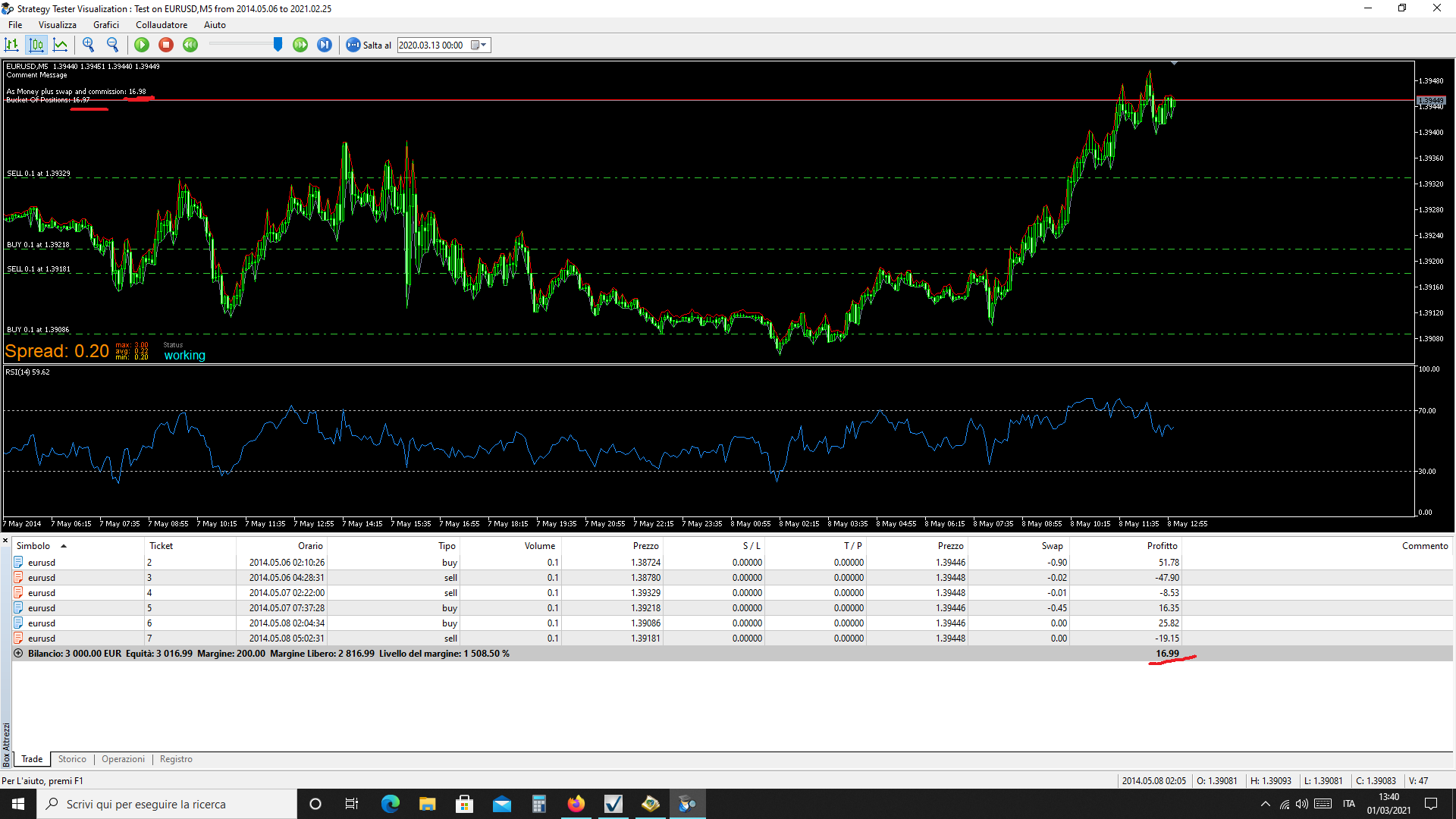
The calculation is correct
@fabiobioware first step is open a custom mql code block, copy past the second part of code and use it in your project when you want copy file. If for example you want copy at start put the block in OnInit tab otherwise in OnTick tab.
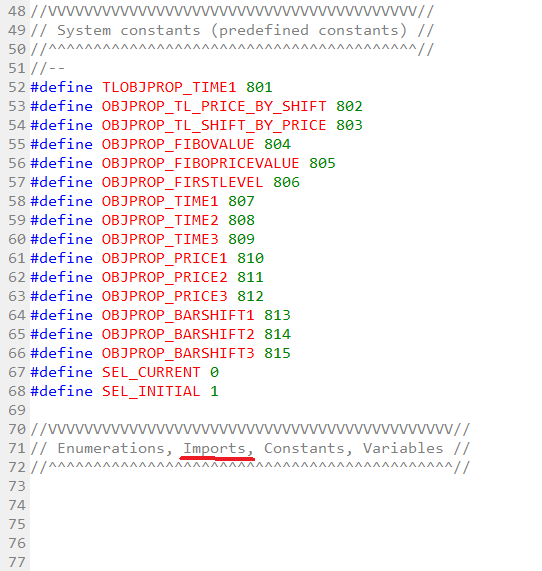
Download source file .mql5 open it and add first part of code on the top after #define section. Stop.
@xfire normally check profit unrealized block does this job without other block
 I follow the discussion.