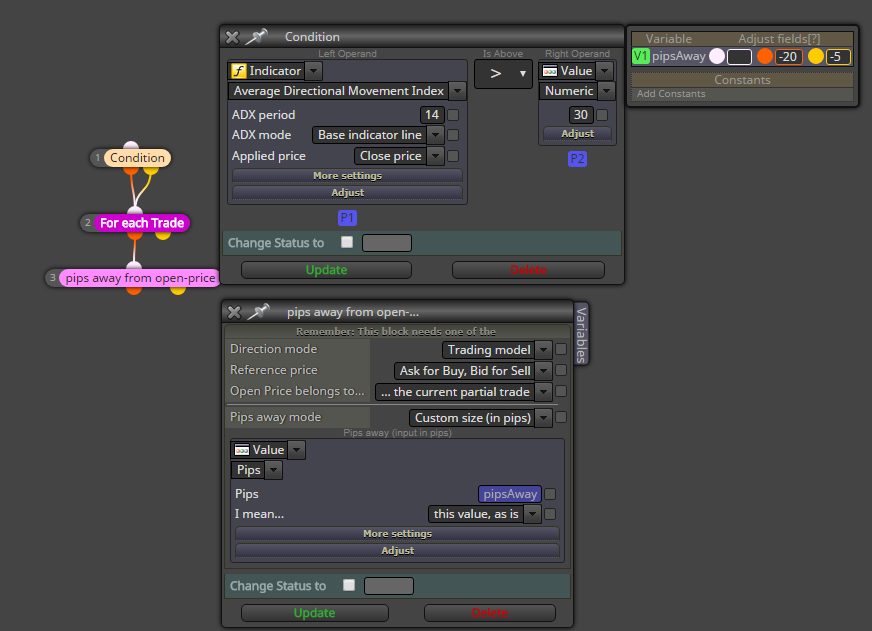
Maybe using the blue blocks is easiest way here:
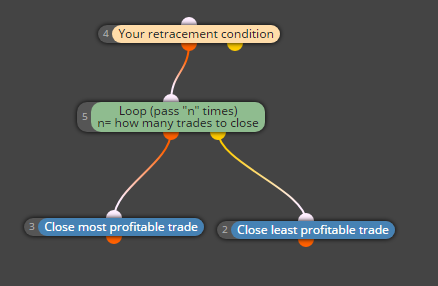
This will close n (set to 3) most profitable trades, and immediately after that, the least profitable.
https://fxdreema.com/shared/2HwUCstX

Maybe using the blue blocks is easiest way here:
This will close n (set to 3) most profitable trades, and immediately after that, the least profitable.
https://fxdreema.com/shared/2HwUCstX
Hi!
What is the "first" losing trade? Is it the oldest, most pips, or most $ ?
https://fxdreema.com/shared/2TwfqkIod
https://fxdreema.com/forum/topic/6019/how-to-select-least-profitable-trade
For finding the least profitable trade, check this post and example. It requires a bit tricky process (maybe there is some simpler one, idk)
@moreirajbn
I like your thinking, I recognized myself there 
Trading with robots is very different than manual trading - robot can never have the human ability to see beyond the price data, consider aspects outside the standard strategy, it just follows its path.
On the other hand, that is also something humans can never do: we can't analyze millions of price points in our heads. That is why robots should not follow the traditional price action rules, but to find some statistical edge, for example buying at 10 and selling at 4 
You can add a group number to each trade from the "buy now" block, and use that to filter trades to groups 1-6
@ronniethetrader said in Add a Position to a Current Winning Position:
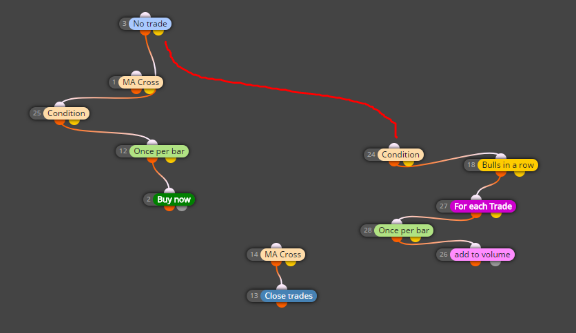
The screenshot is everything I have so far, original entry is pretty much an MA Cross Is there a way to specify to start the count after I am in the original trade and not before?
This connection should do the trick
The .ex4 file is in the correct folder but the 'Start' button won't press, or any of the buttons above it, such as 'Expert Properties.'
This sounds like a problem with your terminal, does it run the other EAs properly?
Check this example, I think this is close to what you want.
https://fxdreema.com/shared/Ossluy54
First it checks if there is no buy
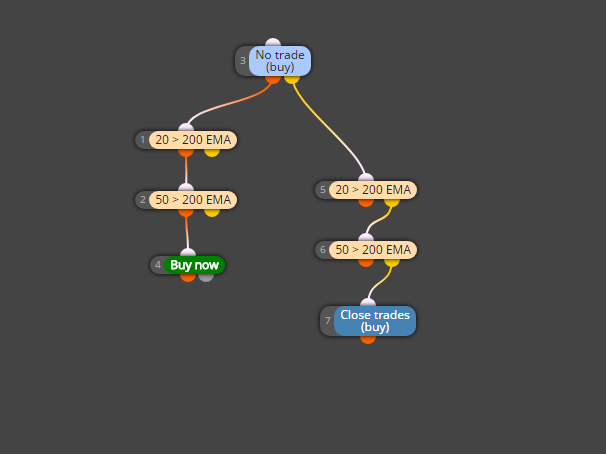
The algorithm runs on every tick, from start (block 1) to finish (block 8).
You probably don't want your trades to be closed on the same tick as you open it 
Try connecting the closing logic to the yellow (false) output of "no trade" block.
Also, be careful with multiple crossing conditions - they rarely happen on the same candle.
Connect the hours filter and once per bar blocks together
@rafaelgrecco said in How to Select "Least profitable trade"?:
What I was missing was:
- Reseting the variable "smallestprofit" on every new loop
We must reset the variables at some point, so the ea don't get "stuck" to some big loss that is already closed. Now it resets the variable on every tick, and also calculates it again so we always have the correct value. It is not the most cpu-optimal way but should work fine.
- Using the second output of "Each Trade" to wait for all trades to be checked
I think this is the correct way, we must first check all trades in order to find the lowest profit.
The looping blocks work a bit different than other blocks, go ahead and test different logic builds
https://fxdreema.com/shared/2TwfqkIod
Well, I have an idea but its not the simplest one
We could use a position loop that goes through all your open trades, it finds the lowest profit and the trade number (loop id) - after that loop we have the amount and trade number identified and so we can select that individual trade, and also use the basic condition block.
If you copypaste the blocks, you will need to create these variables to your project:
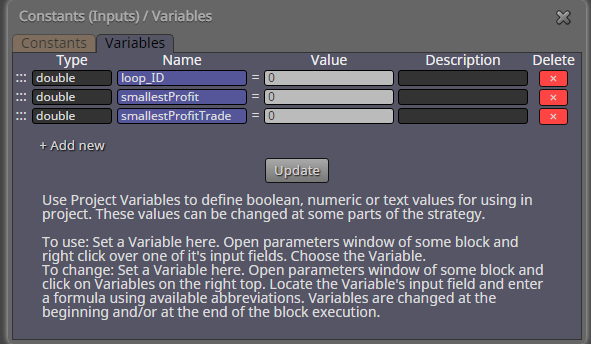
Hope you get the idea
Hi!
Creating another comment block will not work, because then the comments will just overlap.
You need to update the existing comment. This needs a text variable:
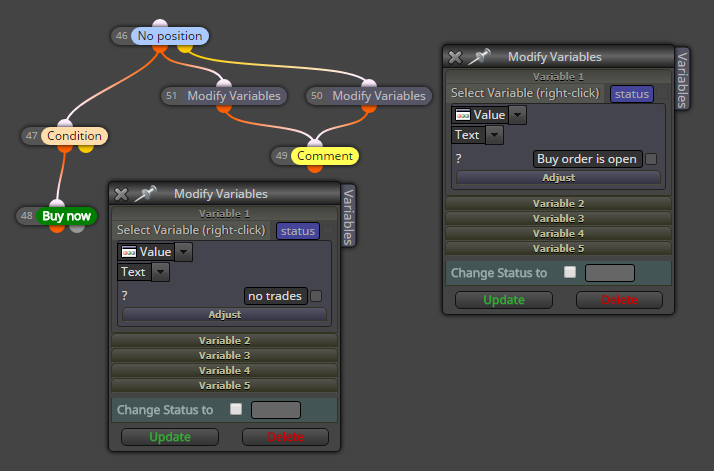
Creating the variable:
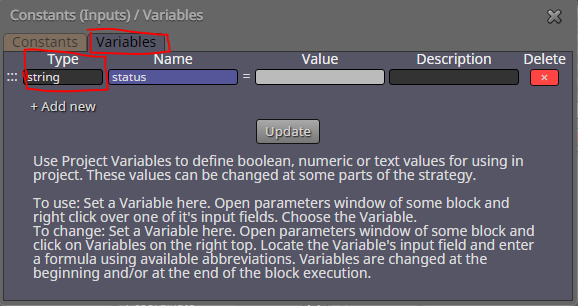
Now you can just comment the "status" variable, and you will see whatever is stored inside it.
https://fxdreema.com/shared/DSbRDedY
You can find the martingale in the "buy now" block with adjustable multiplier
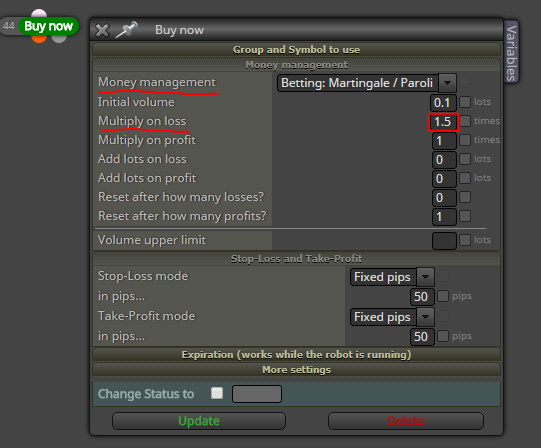
This is easy using a variable.
For instance, a variable called minutes
No need to apologize, that was a very good question actually.
Its great you sorted it out!
No, I don't think so.
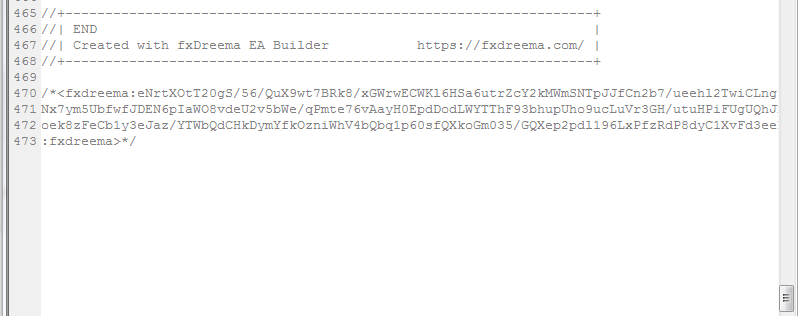
My understanding is the projects are imported to fxdreema via the hash at the bottom of the script, and not using the actual mql code.
You have a fixed pips tp?
Then you don't need those "close position" blocks.
@antonio-0 Offset can surely be 0.
Well, I don't really know what is happening with your testing.
I assume you have a scalping strategy, because they are so sensitive to testing parameters. I recommend live testing, because mt4 backtesting is never good for scalping.
Okay, can you pinpoint any major differencies to other EAs? Market execution vs pending orders?