@fxgjg You have to create the variables before you can use them in the blocks.
There's a tutorial of constants and variables, and also 1000 forum threads about them

@fxgjg You have to create the variables before you can use them in the blocks.
There's a tutorial of constants and variables, and also 1000 forum threads about them
@jzfusion said in Closing out profits based on relative lot size:
@roar
Thanks but where do we go to find all these wonderful math formulas?
School.
Lol just kidding, let me make an example
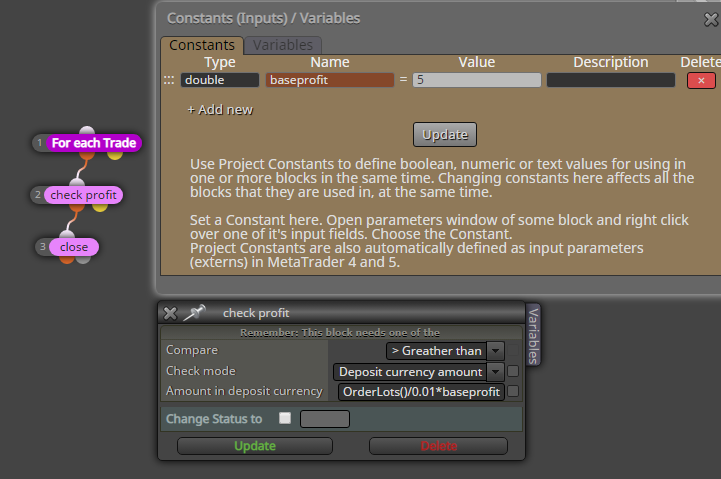
@jzfusion Set up a constant profit target for 0.01 lots, and then just multiply the number according to the size. You don't have to use simple numbers in the fxdreema input fields, you can write all kinds of math formulas there as well.
@fxgjg It did cross when that candle was developing, but the cross disappeared when the candle finally closed so low.
Use candle ID 1 to avoid this.
You can import an .mq4 or .mq5 file to get your project back
@xfire said in Multi positions control:
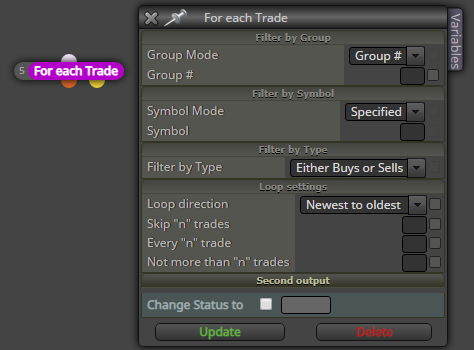
can you say me please, for example, i have 4 buy open positions and i want close 3rd position how should i use this block?
Skip 2 trades and not more than 1 trade
I dont speak elvish, but I think the RSI and stochastics indicators are very close to what is pursued here
@xfire To check positions count, use block "check trades count".
To modify only certain trades, use the pink loop block and set the filter to your liking
@ambrogio lol 
Well, he created the software 10 years ago, its understandable if he doesn't want to be on the forum all day anymore. Especially when most of the questions can be answered with the detailed instructions he has already written long time ago
https://fxdreema.com/instructions
@ambrogio hmh?
What is the celebration here?
@fabiobioware Dont know why this happens, maybe the comment block adds the decimal.. You can try the MathRound function: in your comment field, put
MathRound(comment)
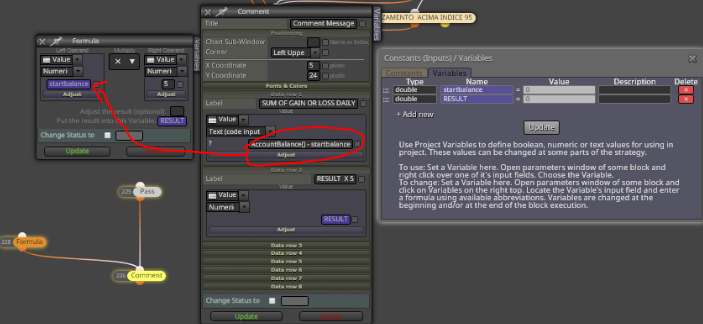
@fabiobioware If you want to multiply the intraday profit, just copy-paste that whole string of code into the formula field.
@trader-philipps hahaha So true, but also very understandable - can't think like a coder without any experience
@fabiobioware it only works with the future trades, it doesn't check the history before the EA.
If you need to check the history, you have to use the OrdersHistoryTotal() functions.
@xfire hi.
There is an ancient version of fxdreema that works locally on your computer: https://fxdreema.com/desktop
I can't really recommend it, though. Its ancient.
@gauss The level is just a visual thing, it is not mentioned in the code:
https://docs.mql4.com/indicators/ima
So you can't recreate it visually (other than with envelopes), you can only do the calculation for the EA.
@fabiobioware Store your balance in a variable once per day, and then compare your current balance to that variable:
https://fxdreema.com/shared/gCCnR5R6d
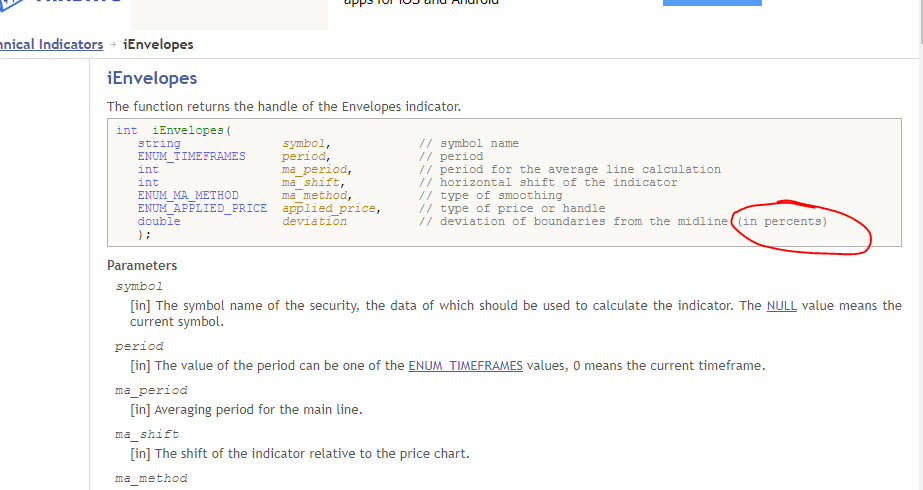
@gauss You mean that same envelopes indicator looks different for EURUSD and BTCUSD, for example? Thats because the deviation is a percent, not pips. Not sure about these MA units, though.