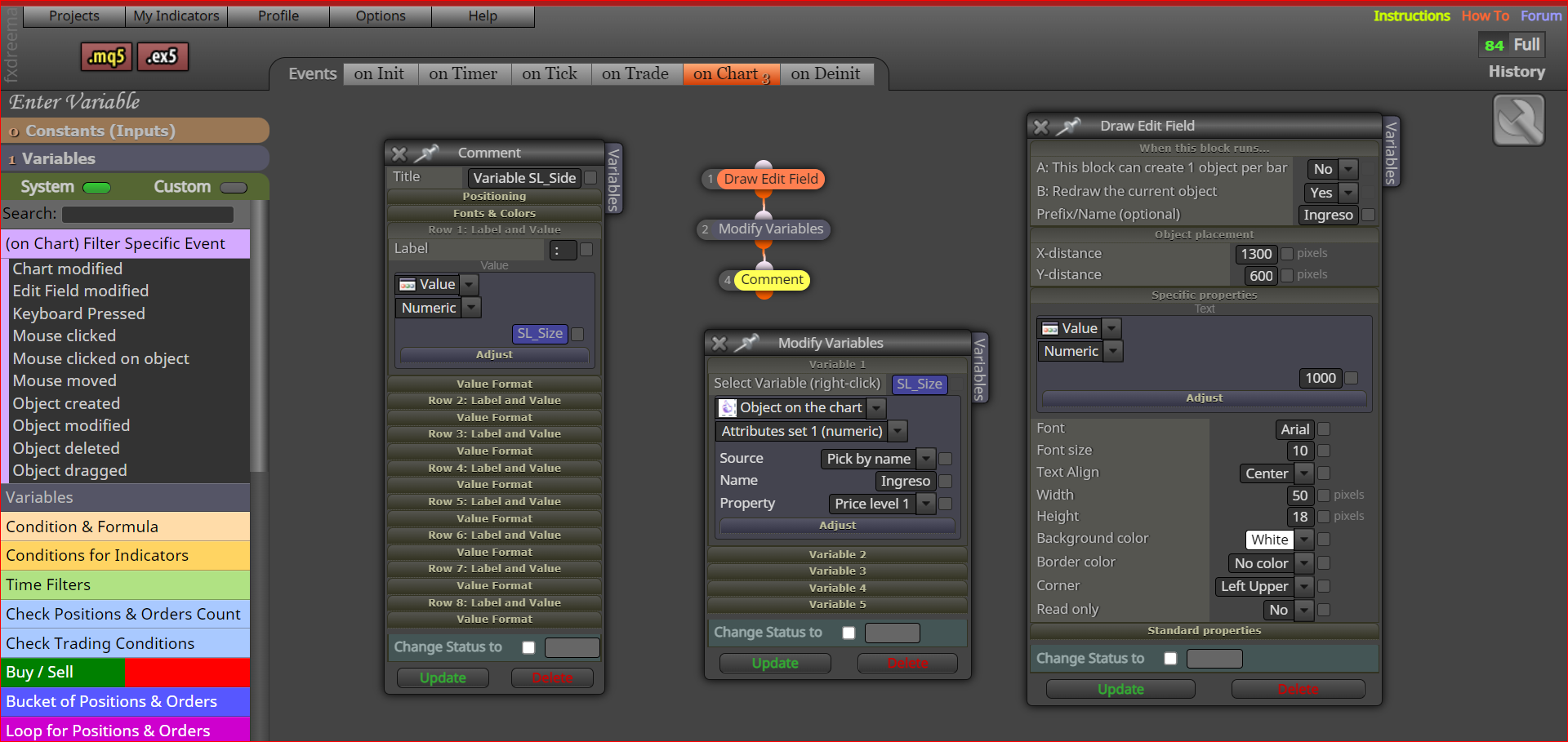
Hi jstap help me to parameterize the configuration of this closing strategy with trailing stop in EURUSD, so that it opens or starts to work with a positive profit and that when the TS starts, place the Stop Loss only when it is greater than 0 profit. Can you help me with the corresponding variables ? I put 2 alternatives, I don't quite understand the logic: https://fxdreema.com/shared/jPPkjXuCb
R
Posts made by Rodrigo Ortuzar
-
RE: Closing strategy for EURUSDposted in Questions & Answers
-
RE: How to do it with many variablesposted in Questions & Answers
Ok l'andorrà, I'm sending you the loss strategy corrected, but this time for 2 buy variables and 2 sell variables. Let me know if you see something weird: https://fxdreema.com/shared/QPhsXYZtd.
I want to parameterize the configuration of this closing strategy with trailing stop in EURUSD so that it opens or starts to work with a positive profit and that when it starts, it places the Stop Loss only when it is greater than 0 profit. Can you help me with the corresponding variables? I put 2 alternatives, I don't quite understand the lagi
ca: https://fxdreema.com/shared/jPPkjXuCb -
RE: How to do it with many variablesposted in Questions & Answers
The mistake was mine, I was working "on chart" with a EA to generate the coverage and I sent it without realizing it. It works but block 12 brings me the wrong volume value and I don't know how to correct it.
I also want to use "Draw Arrow" to detect a bad block directly, see: https://fxdreema.com/shared/JTVSmyBlbYou are right the one I want to do multi variable has to go in "on Tick" But I still can't do it: https://fxdreema.com/shared/chp0EsLje
Can you enlighten me on these problems ?
-
How to do it with many variablesposted in Questions & Answers
I have this strategy for losing positions, which works fine, but it works for a buy position and a sell position (a variable for each one), and they have to be closed to use it again with new positions, because when closed resets the value of the variable, that is, it is unoccupied.
How can I do it to have several variables, at least 3 buy and 3 sell, and ideally save them in memory: https://fxdreema.com/shared/3xtPZESee -
RE: Trailing stopposted in Questions & Answers
A jstap question, shouldn't the trailing start be set to 20 ?
-
Closing strategy for EURUSDposted in Questions & Answers
Can someone confirm for me:
First that this closing strategy does not have any logic problem ?
Second that the values are balanced, specifically for EURUSD ?
Any input is helpful, thanks.
https://fxdreema.com/shared/FuurJHJXd -
RE: It is impossible to capture the value of a "Draw Edit Field" blockposted in Questions & Answers
Great now YES, look at this EA rescue as text and enter the numeric variable. https://fxdreema.com/shared/hUXl505eb
The only thing that doesn't work for me is the effect when pressing the buttons, but the important thing is ok. -
RE: It is impossible to capture the value of a "Draw Edit Field" blockposted in Questions & Answers
Remove the "Draw Edit Field" block in on Tick, but still the "Modify Variables" block does not capture the value entered in the "Draw Edit Field" block.
https://fxdreema.com/shared/7U7fYvl9c
jstap jstap if you have tried it working, it doesn't work for me. But thanks for your patience. -
RE: It is impossible to capture the value of a "Draw Edit Field" blockposted in Questions & Answers
Hi JSTAP, Delete the purple block and move it out of "on Chart" and into "on Tick". The name of the variable is "Variables" and its initial value is 0.0 and what happens in "on Ticks" is that at each tick the value of the variable returns to 0.0 regardless of whether I have changed it to another value, example 10 and enter , at the next tick it returns to 0.0.
https://fxdreema.com/shared/GNVhfkHgd -
It is impossible to capture the value of a "Draw Edit Field" blockposted in Questions & Answers
It seems that it is impossible to capture the value of a "Drow Edit Field" block to modify a variable. https://fxdreema.com/shared/B7BVfIDqc
Someone can confirm it ?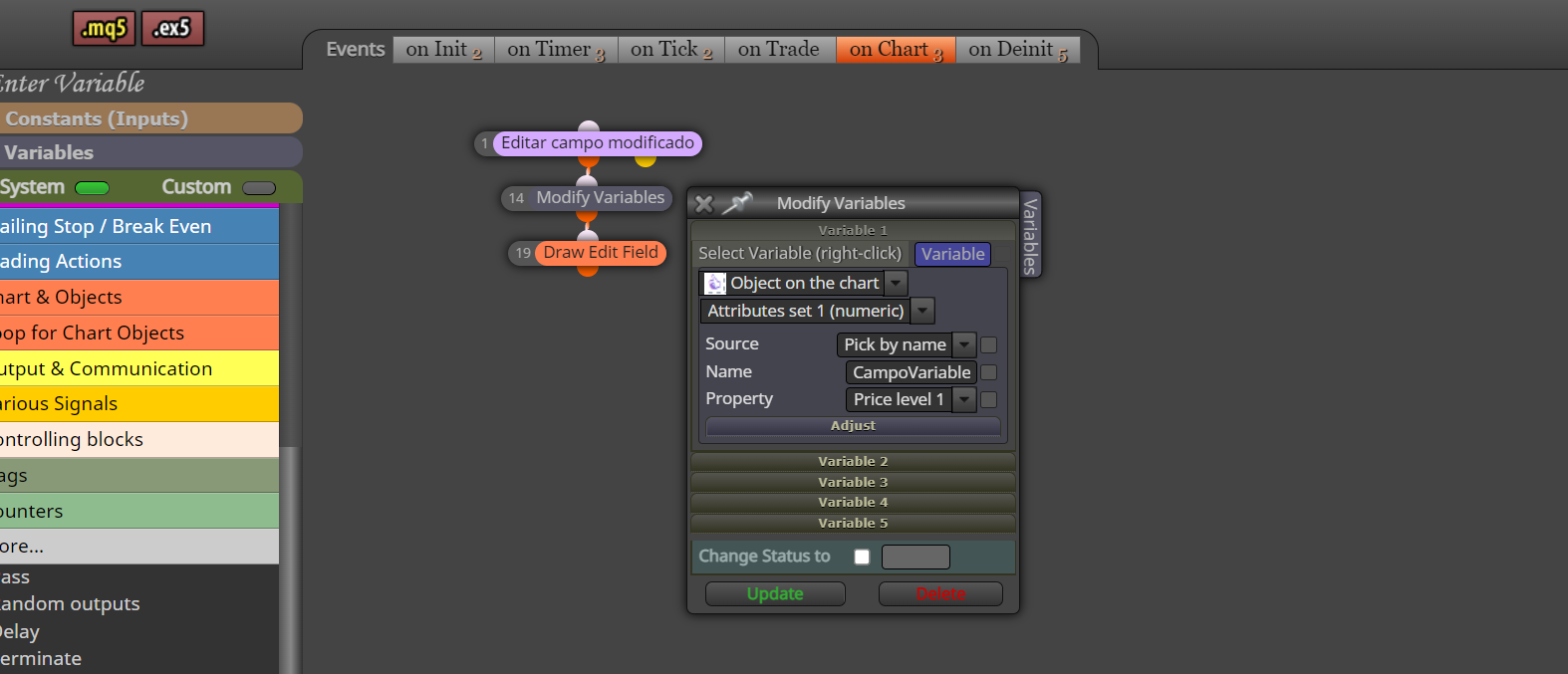
-
RE: Entering a number to a variable during active tradingposted in Questions & Answers
It seems that it complicates it more than necessary, now it doesn't work for me. I added some blocks in "on Deinit", also with what you sent me and when adding to do it for three variables, I don't understand why the value of the variables does not change, what is the error in the logic. https://fxdreema.com/shared/RIFJsMxtd
Help me. -
RE: Entering a number to a variable during active tradingposted in Questions & Answers
You are right always in on chart it should start with a purple block. https://fxdreema.com/shared/u4absnBlb
To make it more complex it would be to be able to choose between several alternative variables, I try and send it. -
RE: Entering a number to a variable during active tradingposted in Questions & Answers
What do you think so in "on Unit" and "on Chart", when installing the EA it will show the value of the variable and then only when it finds a modification of block 1 "Draw Edit Field".
https://fxdreema.com/shared/OTBm0KzN -
RE: Entering a number to a variable during active tradingposted in Questions & Answers
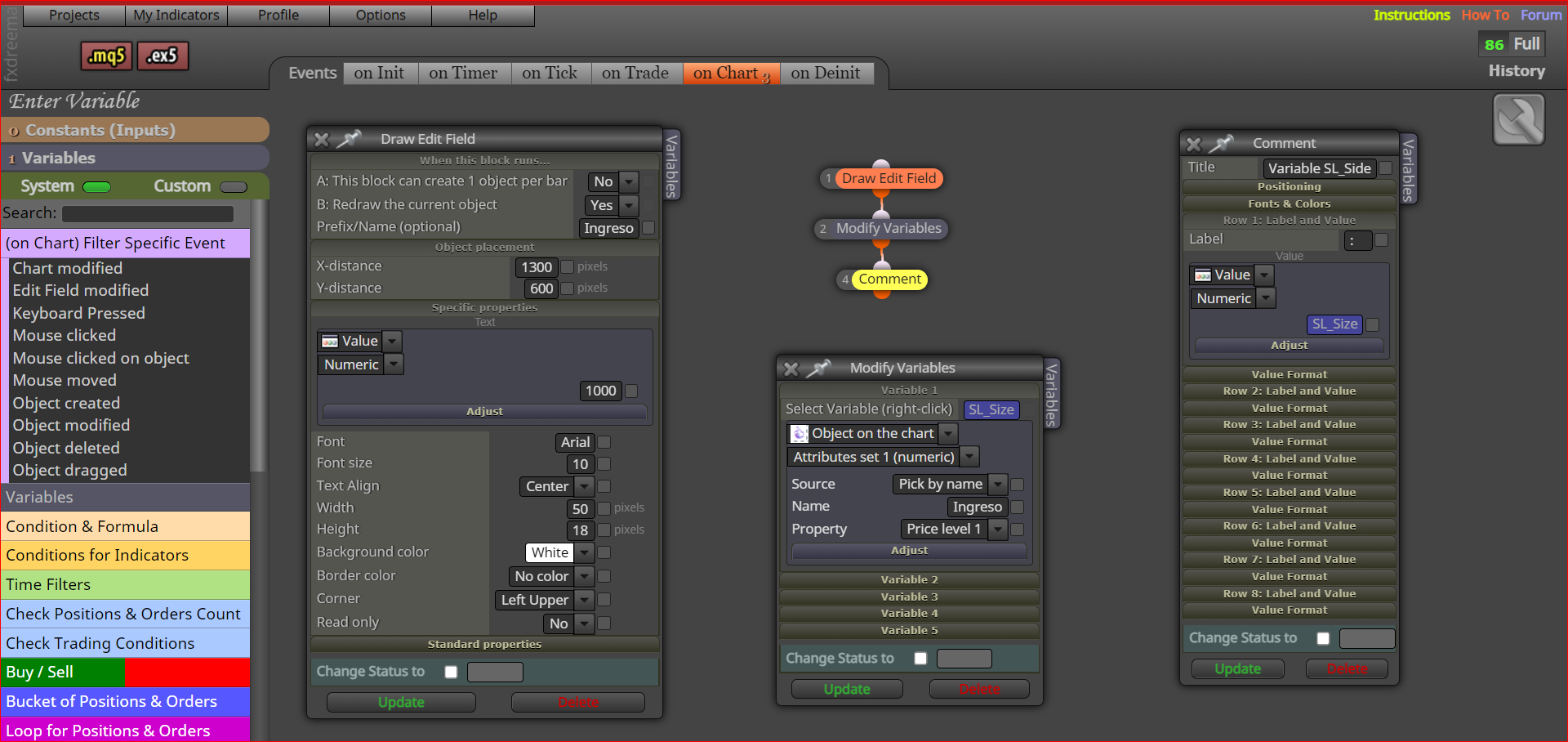
ok jstap, would it be something like this ?
https://fxdreema.com/shared/5Cn0ZqG5e
-
RE: Entering a number to a variable during active tradingposted in Questions & Answers
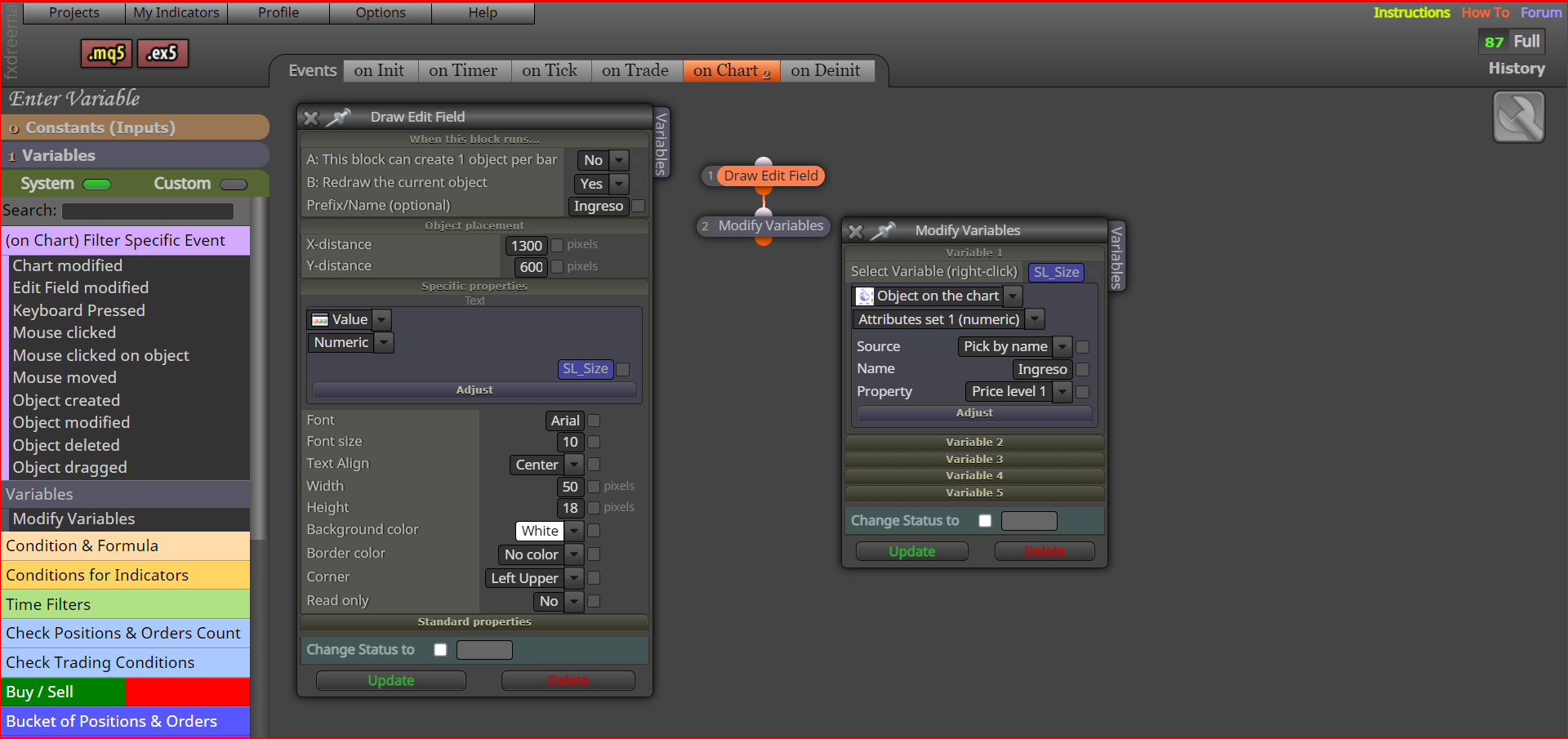
So I suppose and what do you mean by placing it in a comment ?
-
RE: Entering a number to a variable during active tradingposted in Questions & Answers
Thanks, I did not know this block, I have a variable "SL_Size" I have not been able to capture the value entered in with "Draw Edit Field" can you tell me how to correct this mistake of mine.
https://fxdreema.com/shared/XOOlvfUwe -
Entering a number to a variable during active tradingposted in Questions & Answers
Colleagues, is there any way to enter a number of a variable through Chart and change it during the EA is working, according to the trade. By means of a button or another way, I can't think of anything, someone can confirm. Thank you very much.