fxDreema

    • Register
    • Login
    • Search
    • Back to the main page
    • Categories
    • Recent
    • Tags
    • Popular
    • Search
    1. Home
    2. slimmz
    3. Posts
    • Profile
    • Following 2
    • Followers 1
    • Topics 6
    • Posts 78
    • Best 0
    • Controversial 0
    • Groups 0

    Posts made by slimmz

    • RE: Need Help With Open Trade

      Yes, that helps me,

      now comes the other, how do I make sure that the trade is only executed if the indicator CROSSING each other? only when they CROSSING. Because on my current settings, while I backtested it, the trade was continuously executed even when the indicator wasn't crossing.

      Whilst I only need them to be executed while only the indicator crossing

      Like, if I start the EA, it will only scan for the indicator. And if they cross each other, the trade will be executed, if not, just keep scanning

      and also, when trades are open, also do scan for indicator crossing, if happen, close current trades and open the new one, if not, just keep scanning.

      How do i map this?

      Update: https://fxdreema.com/shared/eIsw63aKd

      posted in Questions & Answers
      slimmz
      slimmz
    • Need Help With Open Trade

      Hello,
      So I manage to make my EA and it works as intended, but I don't seem to find any function to achieve this:

      Condition:

      1. The trade is open
      2. Check if the indicator has crossing
      3. Close trade and continue the algo

      which combination of blocks I could use to achieve this?

      Project: https://fxdreema.com/shared/CpXJ87DRb

      Thanks

      posted in Questions & Answers
      slimmz
      slimmz
    • RE: How to import and use custom indicator?

      I made a new project to make sure it's clean,
      https://fxdreema.com/shared/r5F44T8mc

      Can you also teach me how to use blocks? like mine is only containing 5 "things" on my project as you can see, but yours like 98, what even the hell is going on there i dont understand hahaha

      posted in Questions & Answers
      slimmz
      slimmz
    • RE: How to import and use custom indicator?

      Okay i just understand about the input, now i got no error by following you guy's suggestion.

      So i did a backtest using MT4 strategy tester, the indicator won't show and the trade is not made. What did i do wrong?

      Can i have more help? and also how to close existing trade if the indicator change color?

      posted in Questions & Answers
      slimmz
      slimmz
    • RE: How to import and use custom indicator?

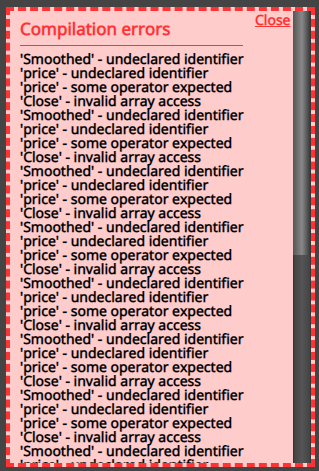
      0_1632317582913_b4c81cf2-29aa-4392-8ef5-6d5450043b3c-image.png
      i am still having this, no mater what i do

      how can i solve this?

      posted in Questions & Answers
      slimmz
      slimmz
    • RE: How to import and use custom indicator?

      appreciate it mate

      posted in Questions & Answers
      slimmz
      slimmz
    • RE: How to import and use custom indicator?

      @jstap can you be more clear? what should i do?

      posted in Questions & Answers
      slimmz
      slimmz
    • RE: How to import and use custom indicator?

      @line may you share the fix?

      posted in Questions & Answers
      slimmz
      slimmz
    • RE: How to import and use custom indicator?

      Sure @line yes it is MA-based indicator
      i used 24 period to be more accurate

      here is the indicator: https://1drv.ms/u/s!AkiKVSiT_YUIhtAhzYvAcidyKxeVmg?e=XPAQyI

      posted in Questions & Answers
      slimmz
      slimmz
    • RE: How to import and use custom indicator?

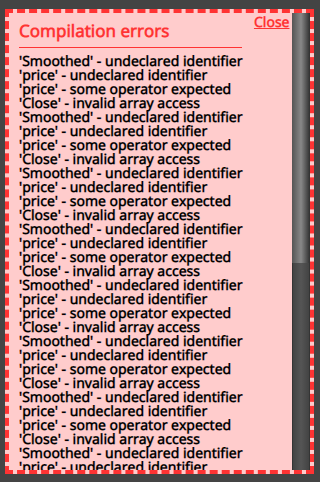
      0_1632027828610_58acb4ea-c0a8-4914-9a9f-51f84a039744-image.png

      Im still having compiler error @line

      posted in Questions & Answers
      slimmz
      slimmz
    • RE: How to import and use custom indicator?

      @l-andorrà iam pretty sure, the author said so and my back test proved it. No repaint

      posted in Questions & Answers
      slimmz
      slimmz
    • RE: How to import and use custom indicator?

      @line I will, update comming

      posted in Questions & Answers
      slimmz
      slimmz
    • RE: How to import and use custom indicator?

      Okay, so based on @l-andorrà guides, I found myself understand a lot about the process, thanks

      and now i think i built myself one, but now im stuck here

      https://ibb.co/xsv0P2K (compiling to ex.4 error)

      and here is the project link you could check: https://fxdreema.com/shared/0x0sPMwSb

      posted in Questions & Answers
      slimmz
      slimmz
    • RE: Tutorial : Working with ex4 & ex5 indicator file

      This topic is so gold,

      But i need some assistance here,
      https://ibb.co/xsv0P2K

      How should i fix this problem?

      posted in Tutorials by Users
      slimmz
      slimmz
    • RE: How to import and use custom indicator?

      @l-andorrà sure, i will try them

      posted in Questions & Answers
      slimmz
      slimmz
    • RE: How to import and use custom indicator?

      @line
      I did what you said and this is the output

      Data window: https://ibb.co/93MMLGy
      Indicator input value: https://ibb.co/Qf499ss
      Color: https://ibb.co/T471Thz
      CornflowerBlue line (buy indicator): https://ibb.co/kKLSysh
      Salmon line (sell indicator): https://ibb.co/2KhbWMD

      now what do i do in the builder to make the ea run based on that?

      posted in Questions & Answers
      slimmz
      slimmz
    • RE: How to import and use custom indicator?

      That is the case @jstap the one I'm trying to import is .ex4 which in action will give a colored line signal
      alt text

      It has 2 colors (Salmon and CornflowerBlue)

      how can I make the algorithm to work like when the indicator gives me one of the colors, open a position based on the color itself

      Is it possible?

      posted in Questions & Answers
      slimmz
      slimmz
    • How to import and use custom indicator?

      Hello, how do i import my custom indicator to the builder and get the indicator's signal (in case using color by the arrow) to decide if the ea must buy or sell.

      Regards,
      slimmz

      posted in Questions & Answers
      slimmz
      slimmz
    • 1
    • 2
    • 3
    • 4
    • 4 / 4