Ahhh... lightbulb on ..that easy?!
I was thinking way to complicated..
Thank you very very much for your help!
Ahhh... lightbulb on ..that easy?!
I was thinking way to complicated..
Thank you very very much for your help!
@josecortesllobat said in Please add "NormalizeDouble" block/function (or is there onboard solution?):
0.0009354757473274575e5 == 0.0009354757473274575e5 * 0.0001 (PointSize) = 9.354757473274575
You can try this:
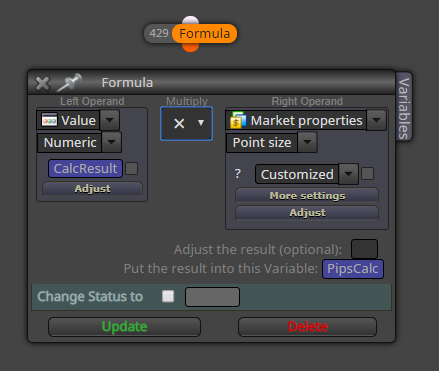
double CalcResult
double PipsCalcFormula block -> CalcResult * PointSize --> PipsCalc
(PointSize --> MarketProperties->PointSize [Customized or Original])
And display "PipsCalc".
You can add a "Custom MQL" block and apply the NormalizeDouble function to "PipsCalc".
Thank you very much for your reply.
I already tried with Pointsize (and also TickSize) .. but not working.
I also tried to set the Variable from "double" to "int" which was not working (expected.. but i took the chance..)
Would you be able to show me how to do/make that Custom MQL block with NormalizeDouble function?
I tried, but failed 
I tried for weeks to get my desired system running.. always failing at getting eg a fraction of indicator value as pips input.
Means eg calculating a fraction of bollinger bands.. then unsing this value as "GridSize" in grid pending orders.
The calculation outputs correct numbers for bollinger.. but with too many digits.
Hence it is displaying (output via comment block) something like 0.0009354757473274575e5 whereas the value would be 9 Pips.
I was able to transform 0.009xx into pips via "Ticksize" and/or "Pointsize" but the calc will result in zero. I guess because of not being able to normalize the value.
In best case i need a way to get from 0.0009xxx to 9 pips.
Or being able to normalize the value to eg 5 digits.
I tried to create custom block from this info:
https://docs.mql4.com/convert/normalizedouble
but failed.
I guess this affects all fxDreema users so i think this really would be great benefit in the core system.
What do you think?
How should i handle that numbers in a better way?
Further tested..
whenever there is an input variable used in pending grid orders block: it will work
If a variable (the blue one) is used: will not work (and giving strange results)
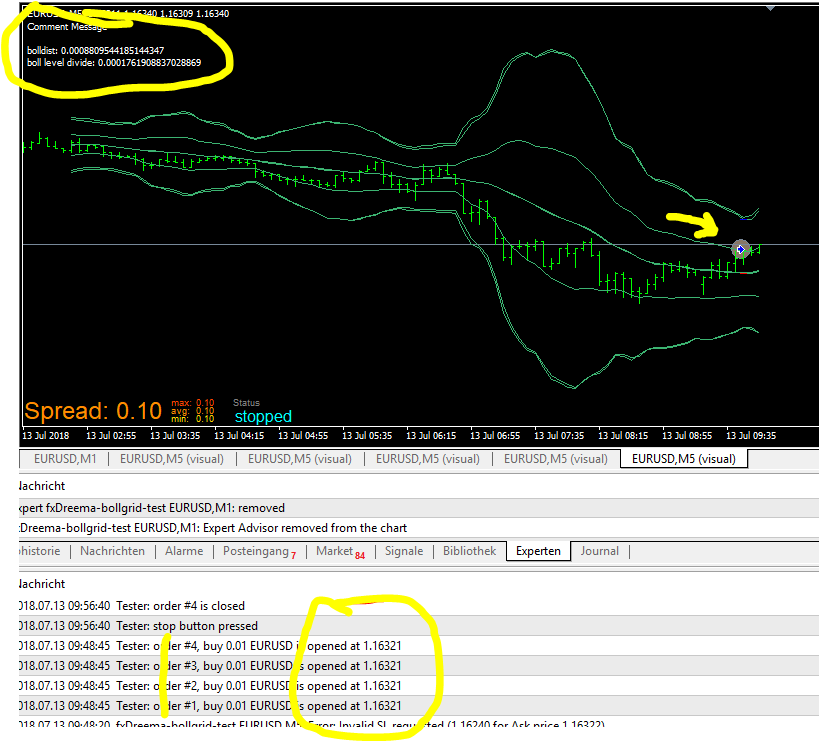
Is there something I´m not aware off?
Is it intended to (not) work this way?
Please help!
Thanks mates
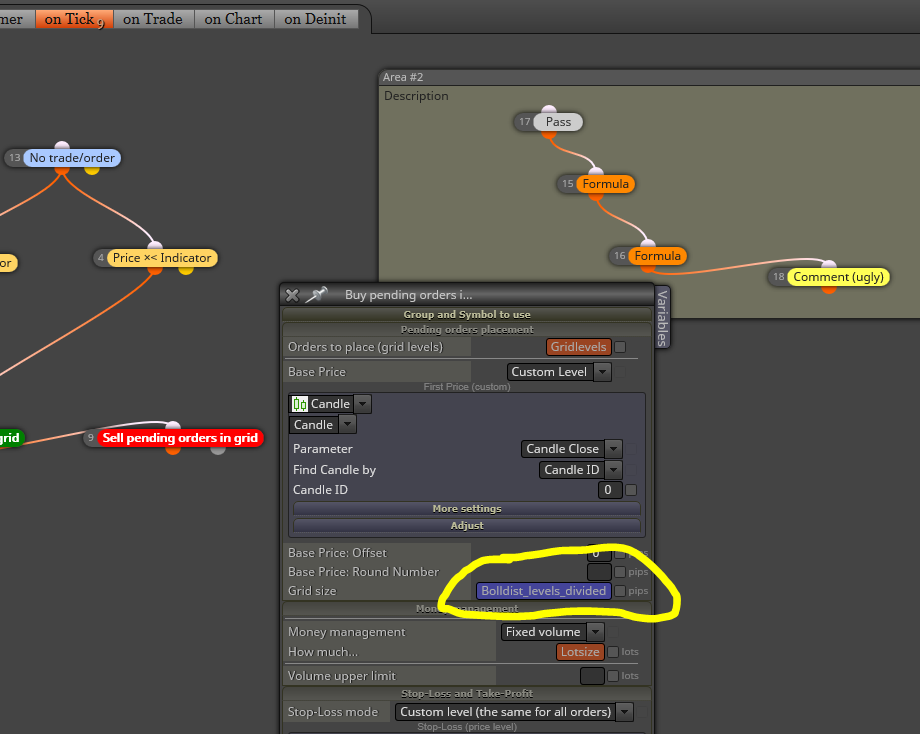
Add
It seems that whenever a
[Variable] and not a [Constant] Input
is used inside the
[buy/sell pending orders in grid] block (does not matter where, seems it´s not working in general)
-> it produces errors and/or strange results
(tried to get dynamic value for [Grid size] in the buy/sell grid order block.. when fixed values and/or input variable are used.. it works)
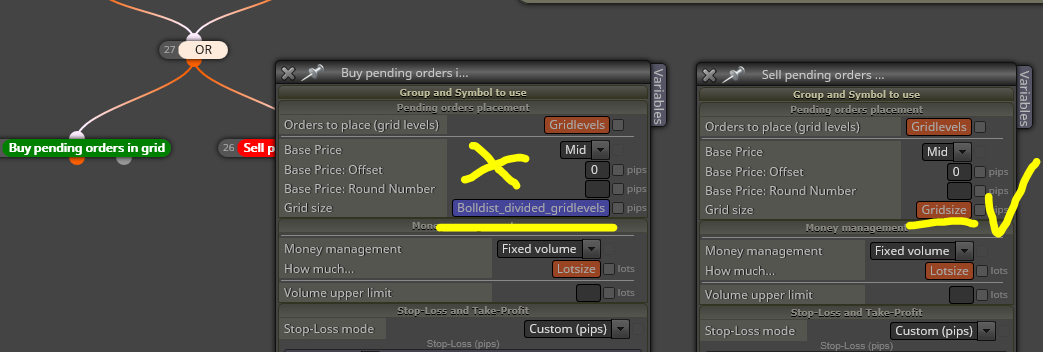
Initially i wanted to get a subscription.. but after trying for 16 hours to create a rather simple ea.. i don´t know what to do. It´s awesome that you let us play around before subscribing!
Any help with this is greatly appreciated!
https://fxdreema.com/shared/l7JlWr4te
Trying to setup a grid where the Gridspace (distance between orders) is the difference between Bollinger outerline minus midline.
Ideally it would be (Bollinger outerline - midline)/Levels
but i dont get it.
It either opens the
Right amount of pending orders, but all at the same Price
or
creates huge amount of orders
or
any other crazy thing
..
above link will get you to my latest stalling
I tried so many ways all with different outcome, it makes me wonder the correct one is still not found.
As a pitty most of the functionality is not explained anywhere.
I feel Dreema may be uber-powerful ..but as aimed to non-coders it´s very difficult to get it going.
For example:
On almost every block one can insert constants/variables under so many different conditions.. how do i know the correct way of getting the desired calc/output/whatever?
Other than that -> anwesome solution!