@miro1360 - Thanks Miro!
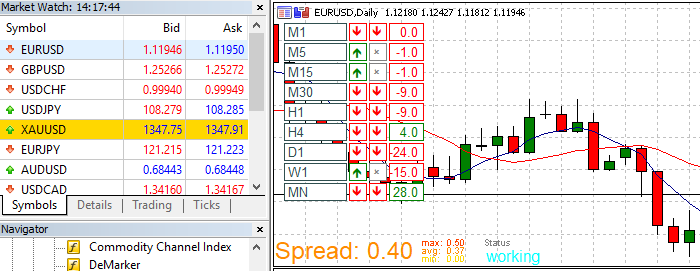
This task has been completed. If anybody wants to use this EA it is here:
https://fxdreema.com/shared/ZDWXV1bsb
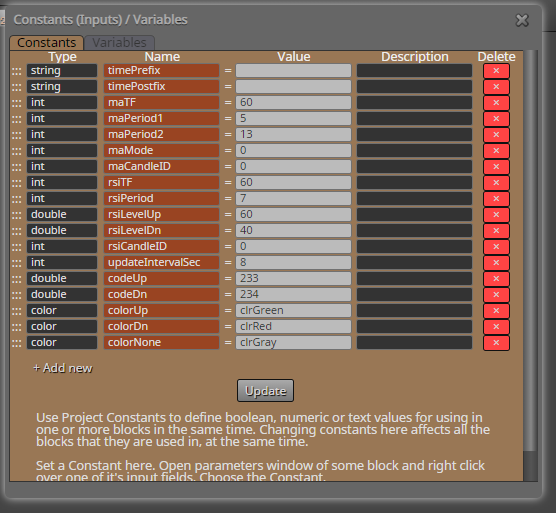
Constants:
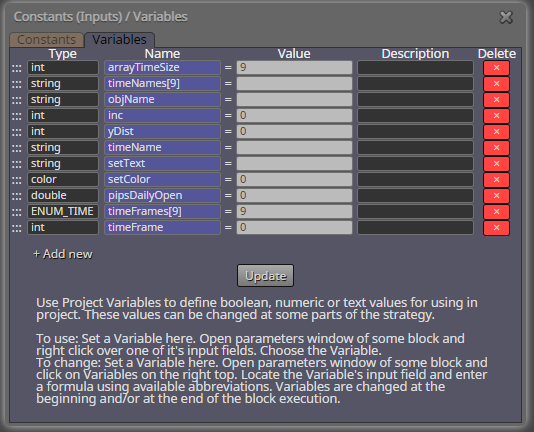
Variables:
Good Trading All!
Tom
@miro1360 - Thanks Miro!
This task has been completed. If anybody wants to use this EA it is here:
https://fxdreema.com/shared/ZDWXV1bsb
Constants:
Variables:
Good Trading All!
Tom
@roar - Gave your MT5 version a spin. I have a broker that uses hedge method , so I added a close positions block at the "if buy/sell" blocks and it works in test mode. I ran it on a demo account for the past 12 hours across 8 pairs and it failed to open a single trade.
What timeframe do you recommend. I ran it at M15. Any suggestions?
Thanks for the EA. I am going to marry it to...
I will modify the dashboard to use ADX and Bollinger and drop MA's to give a visual spin to the EA. I will share it when complete.
Thanks,
Thomas
@roar - Gave your MT5 version a spin. I have a broker that uses hedge method , so I added a close positions block at the "if buy/sell" blocks and it works in test mode. I ran it on a demo account for the past 12 hours across 8 pairs and it failed to open a single trade.
What timeframe do you recommend. I ran it at M15. Any suggestions?
Thanks for the EA. I am going to marry it to...
I will modify the dashboard to use ADX and Bollinger and drop MA's to give a visual spin to the EA. I will share it when complete.
Thanks,
Thomas
@miro1360 - Thanks Miro!
This task has been completed. If anybody wants to use this EA it is here:
https://fxdreema.com/shared/ZDWXV1bsb
Constants:
Variables:
Good Trading All!
Tom
Found it: Time Frames
https://www.mql5.com/en/docs/constants/chartconstants/enum_timeframes
Type: ENUM_TIMEFRAMES
Sample: PERIOD_M1 - one Minute
Again. Thanks for your assistance.
Thomas
@miro1360 - On second thought... I am wondering how to express timeFrame - in this application I have been using seconds. Is this the correct way or do I need to use another variable?
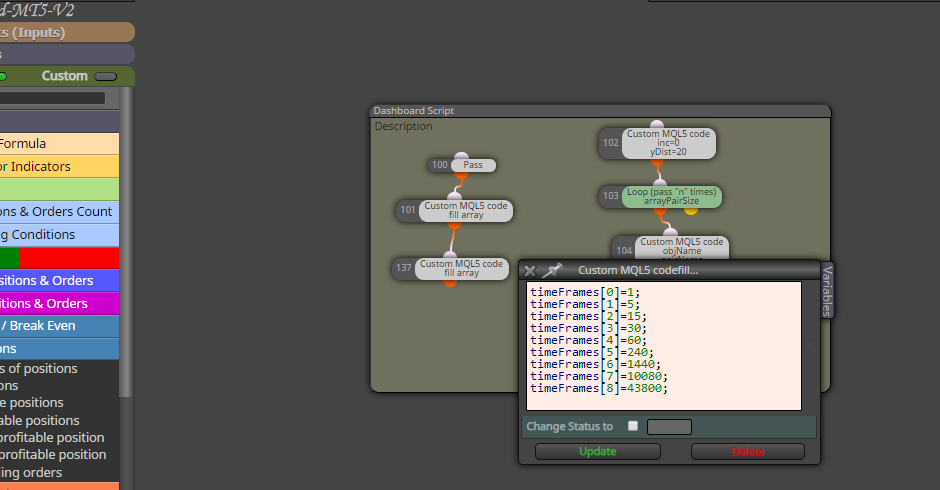
Thanks again,
Thomas
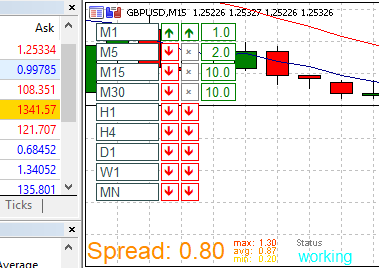
@miro1360 - Looks good now. I updated the timeFrame in seconds per period. As the system loops, it stops at 30 minutes. I looked and the time calculates Candle 0 - Candle 0 to get the pip size but stops at H1. Any ideas?
Current EA >>> https://fxdreema.com/shared/czlTvUN9c
Here are the results:
Again. Thanks for your assistance.
Tom
Re: Video Tutorial - Signals Dashboard EA [advanced] - looping Objects
@miro1360, I find this to be an excellent project and tutorial. I have created a new spin to this older tutorial and am having a bit of difficulty (as I am not a programmer by trade). I have been able to make some strides, using the existing code you have provided.
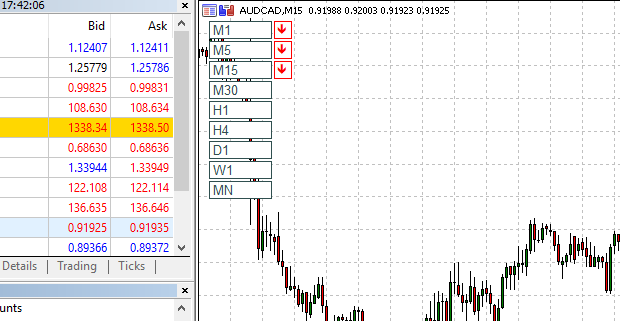
Instead of a Multi Pair dash board, I am looking to create a Multi Time dash board for a single pair. I have found that I need a 3 arrays to create the task but I am having difficulty making the EA loop properly to give the results.
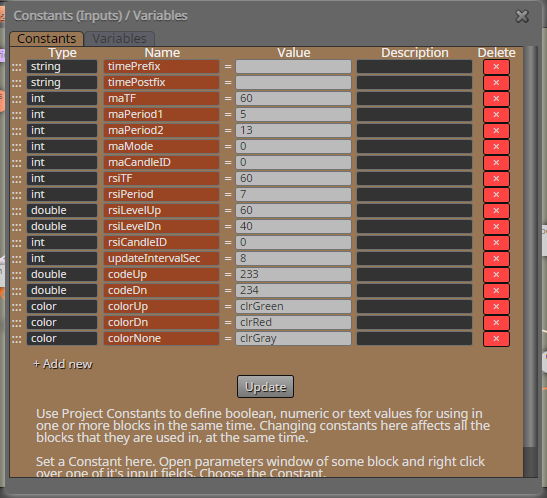
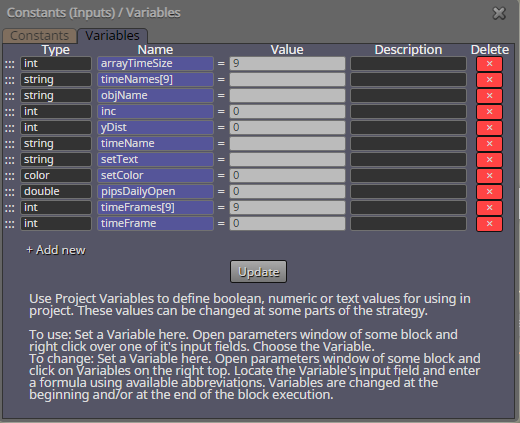
I have attached my modification and constant/variable changes. Your insight would be grateful to complete the task. Here is what I have so far.
Shared EA >>> https://fxdreema.com/shared/duB0geW7b
Results: (notice it only draws 3 MA - Stops at M15)
Constants:
Variables:
On-Init:
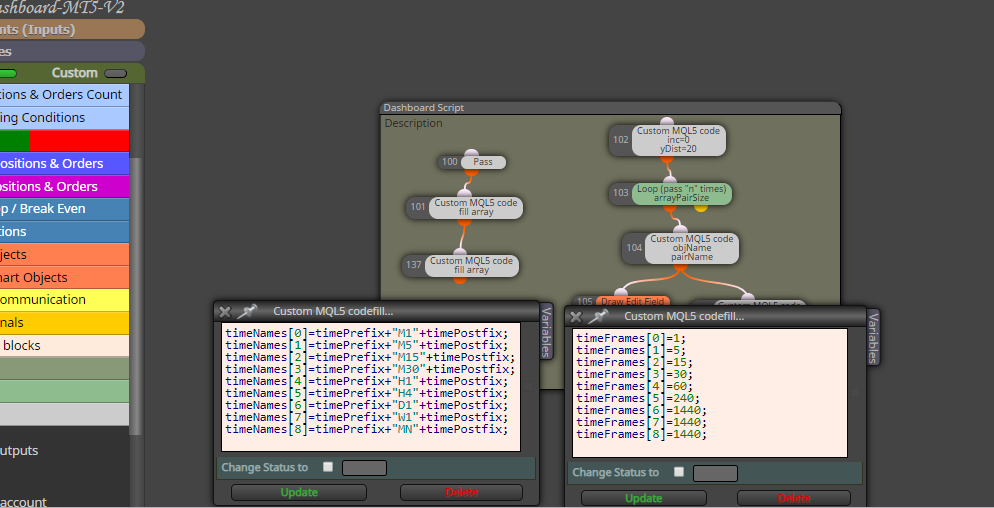
On-Timer:
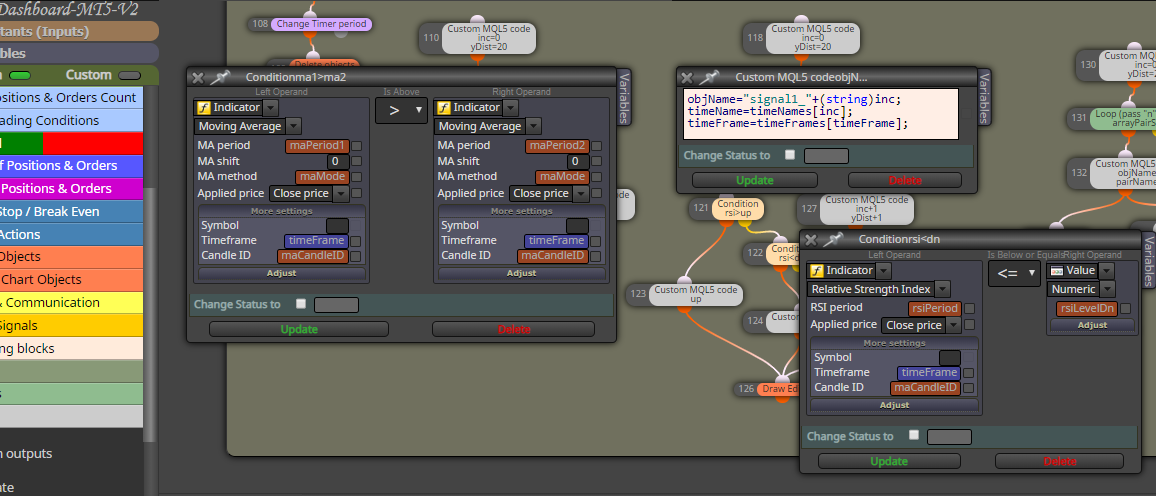
The result of this dash board is to provide a Multi-Time View of a pair.
Can you assist me with this?
Best,
Thomas
Good Day @fxdreema,
I have declared several variables.
TP = Take Profit
SL = Stop Loss
On trade > Formula > Condition > Close
Formula: Ask - 2 pips > V1
Condition: Ask < V1
Close
https://fxdreema.com/shared/EWXUh0uhd
Question: How do I access V1 in the condition block? Terminal Variables is not the answer.
Can you please assist?
Thanks in advance,
Thomas
Are virtual stops converted to market orders? My broker has a 5 pip SL minimum and 3 pip TP minimum to thwart scalping. Can you give more detail on virtual stops please?
Good Day,
Are there any scalpers in the crowd? It seems most brokers have SL and TP limits to thwart scalping. Does anybody have a code sequence to counter this behavior?
Mine appears to have a 5 pip SL and a 3 pip TP limit. Setting limits any close to the open price is rejected and defaults to the broker limits.
Any suggestions would be appreciated.