fxDreema

    • Register
    • Login
    • Search
    • Back to the main page
    • Categories
    • Recent
    • Tags
    • Popular
    • Search
    1. Home
    2. VanceDavid
    3. Posts
    V
    • Profile
    • Following 0
    • Followers 0
    • Topics 16
    • Posts 34
    • Best 5
    • Controversial 1
    • Groups 0

    Posts made by VanceDavid

    • RE: Fractal Creation - Errors will not compile

      @roar
      Thank you for the help roar. So appreciated.

      Now I have made changes as best as I could understand your instruction and many errors have been eliminated.

      Enclose is the new Shared project: https://fxdreema.com/shared/A1rMEPnL

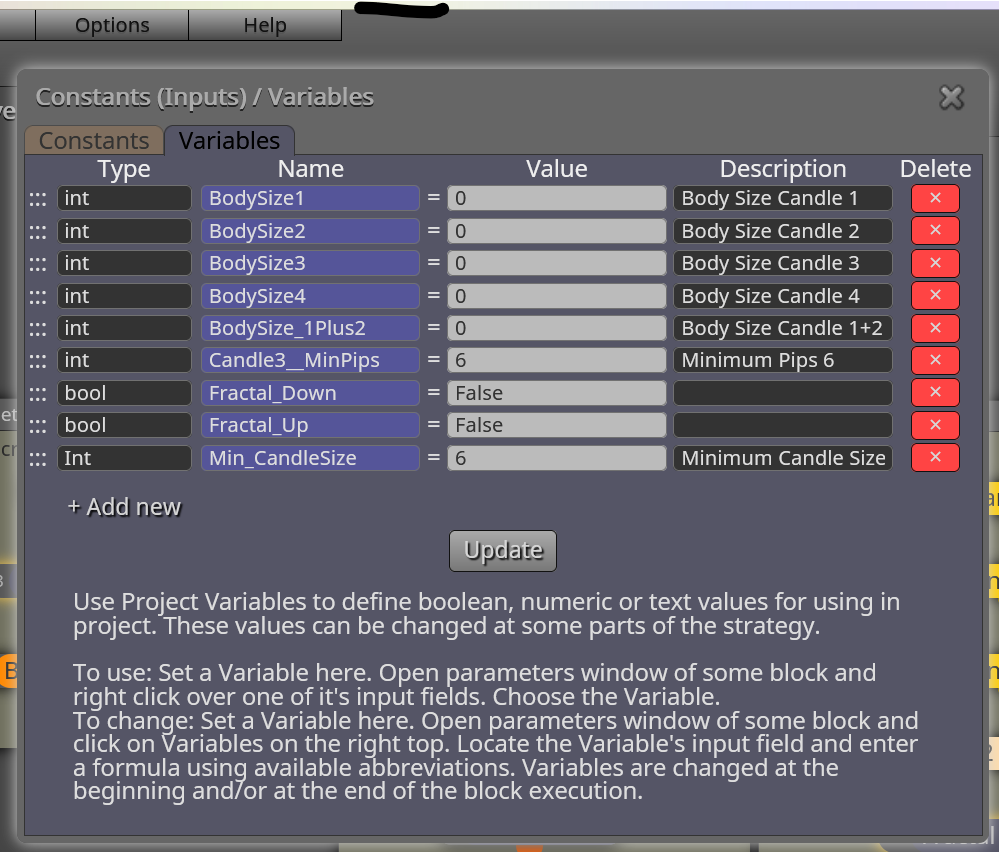
      I have updated the variables to:
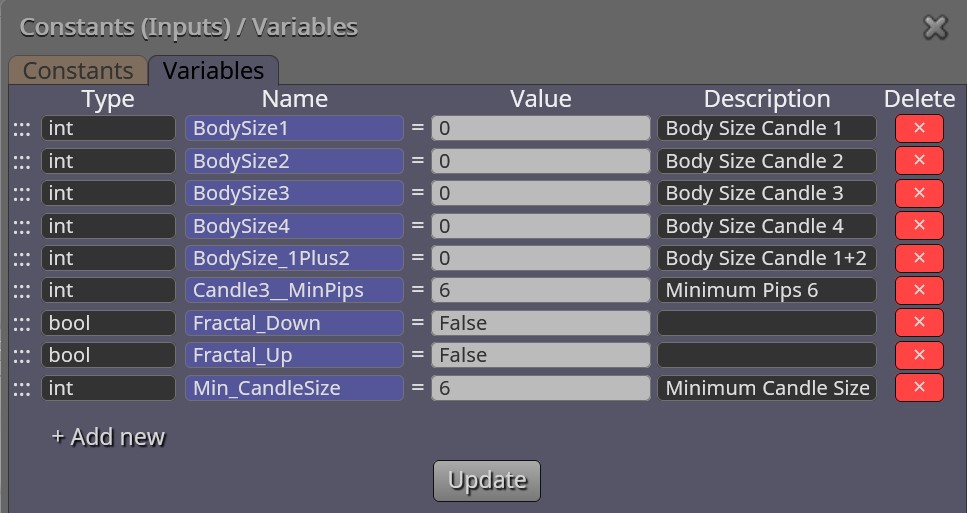
      0_1614887740199_80 -01 Variables - Fractals.jpg

      Min_CandleSize Types was changed from: Type: Int to ...Type: int

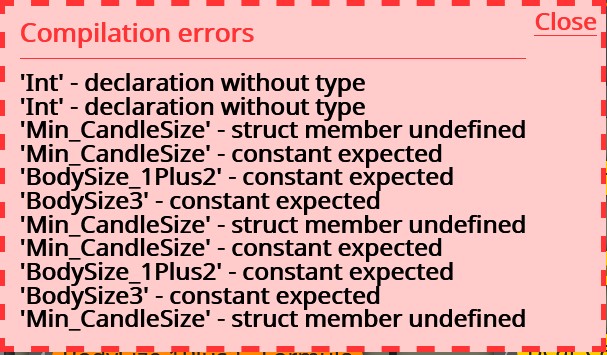
      An error still exist when attempting to compile:

      0_1614887925211_80-01 Compile errors - Fractals.jpg.

      This is much better, thanks to your help.

      Any idea's on how to fix this last error. I just cannot see the solution?

      Thanks for your help Roar.

      Further, I have added a single system supplied

      Update:
      posted in Questions & Answers
      V
      VanceDavid
    • Fractal Creation - Errors will not compile

      Compile on MT4
      Shared Project Link: https://fxdreema.com/shared/QjvK4jBnd

      Goal : Identify Up and Down Fractals

      I have created blocks to identify fractal patterns however there are compile errors. I don't know how to set the appropriate setting and I don't understand the compile errors. I believe the logic flow is straight forward.

      Enclose is a Pic of the variable (They do not seem to come up in Shared Project)
      0_1614882901266_4bf52538-9497-4d95-b264-7616171ebebf-image.png

      Enclosed is a Pic of Compile Errors
      0_1614883152409_80-01 Fractals - Compile Errorsjpg.jpg

      Please help fix this EA.

      posted in Questions & Answers
      V
      VanceDavid
    • RE: Variable declaration (Initial)

      Thank You Miki,
      I really appreciate your help.

      posted in Questions & Answers
      V
      VanceDavid
    • Variable declaration (Initial)
      1. When we declare and assign a variable initial value we have options double, bool, string etc.

      2. How would I initialize the value of 15 pips.

      ?... a double would be .0015 ( I think Yes);
      ? ... However can I simply assign a pip value in pips; of lets say 15 pips. If so how can I assign initial pip value ?

      ? What is the proper method for declaring and assigning initial pip value?

      posted in Questions & Answers
      V
      VanceDavid
    • RE: Draw Arrow does not draw. Nothing ever draws

      @roar

      Thank you. Roar.

      1 simple check on visual mode which I have never used or even knew existed. My over site. WOW. SO many days and hours of frustration all due to 1 little check mark.

      You are a good and kind person for your help. Thank you again.

      God Bless,
      VanceDavid

      posted in Questions & Answers
      V
      VanceDavid
    • RE: Draw Arrow does not draw. Nothing ever draws

      Thank you Roar, your time and effort is sincerely appreciated.

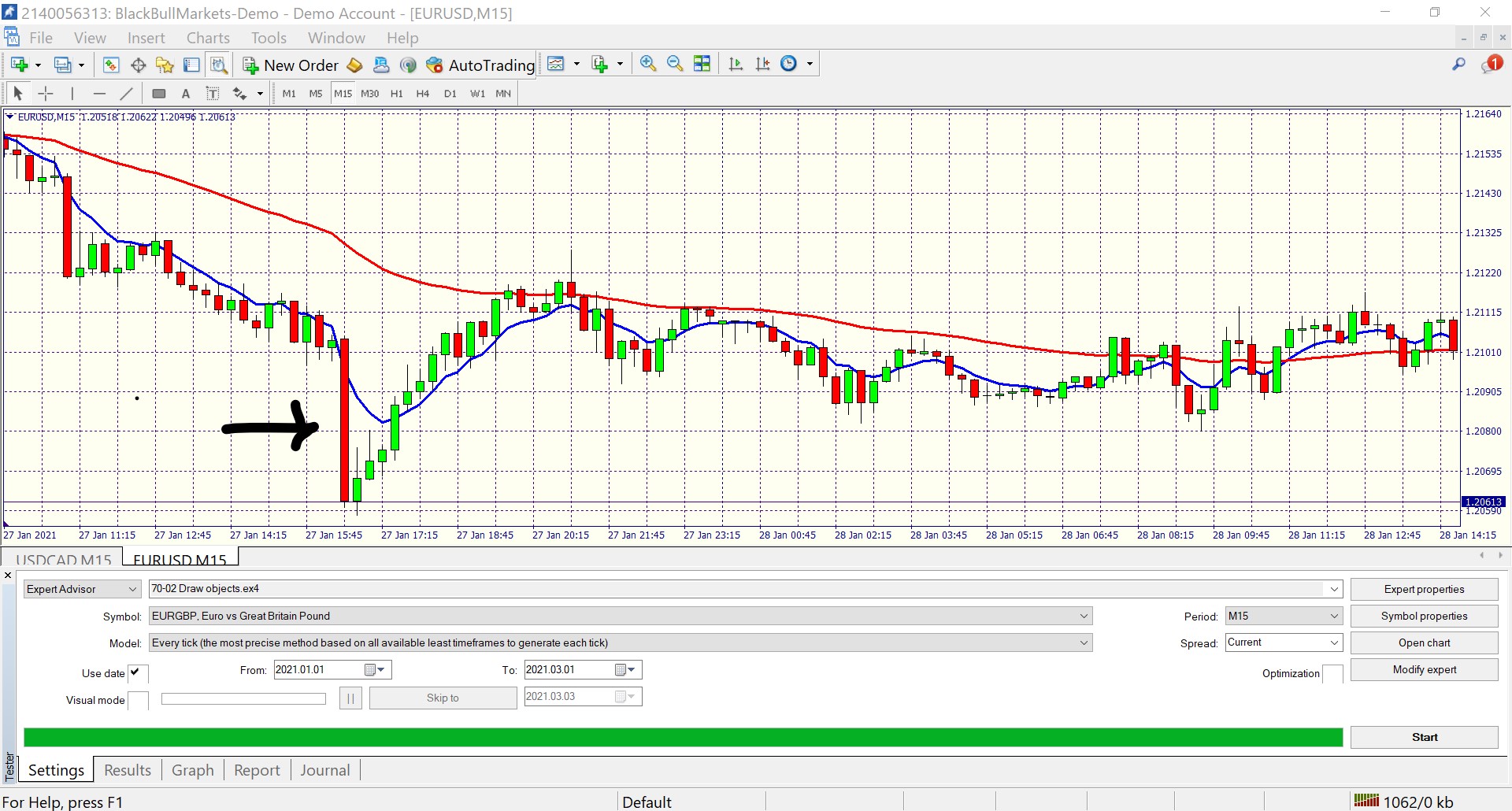
      When I add Ea 70-02 and back test; my test does not draw arrows. I am totally confused about why and how to get draw to work; especially when it works for you.

      0_1614786910435_Screenshot 2021-03-03 - 70- 02 draw objects .jpg

      Can you please help resolve this mystery?

      Thank you,
      VanceDavid

      posted in Questions & Answers
      V
      VanceDavid
    • RE: Draw Arrow does not draw. Nothing ever draws

      Here is the Actual Web Address of EA.

      https://fxdreema.com/shared/tldUhOltc

      posted in Questions & Answers
      V
      VanceDavid
    • RE: Draw Arrow does not draw. Nothing ever draws

      This is so sad. Even attempting to create a shared link doesn't seem to work when I click on shared link to review.

      posted in Questions & Answers
      V
      VanceDavid
    • Draw Arrow does not draw. Nothing ever draws

      Using EA4 (Have used EA5 with same results)
      Shared Link: shared/Jlkl6IIhd

      Please help, Problem is; I have reduced conditions to the simplest of test levels and still nothing draws.

      1. If the test results do not draw then the conditions blocks do not work and the program is useless.
      2. I test for body size of candle greater than 10 pips. If true.
      3. Draw up arrow. [ This should be simple right]
      4. Nothing draws when I back test this ea

      Summary: Absolutely nothing has worked with FxDreema for more than 3 months, so disappointed because I had such high hopes. I am making a 100% effort towards testing of fxDreema for the next few weeks. If it doesn't work, it is time to move on. Please help.

      posted in Questions & Answers
      V
      VanceDavid
    • RE: Draw Arrow Block doesn't draw arrow in ea

      @roar

      Thank you for responding roar.

      I am confused because I believe this condition block tells me
      Candle id 0
      Parameter : Candle body size (pips)

      So this should give me the candle body size (what ever that size is, 8 pips, 10 pips, 13 pips whatever)

      Then my comparison > Value 10 is evaluated.

      You tell me : if your tester runs open prices only, the candles have no body, and body size is always 0 pips. : (what in the world is open prices?)

      I'm confused because doesn't this condition block return the candle body size in pips on the first part of the comparison. If not what in the world does this candle body size generate?

      Finally how do I obtain the body size of a candle?

      posted in Questions & Answers
      V
      VanceDavid
    • Draw Arrow Block doesn't draw arrow in ea

      my Example : https://fxdreema.com/shared/MCizupXkc

      Nothing I have ever attempted to draw ever draws in EA back test. Nothing Draws. In the most basic of test no arrow draws ex4 (ea5 doesn't draw either. Whats up? If the EA won't perform a simple draw then how can I trust any calculation or comparison.

      Please clarify why nothing draws.

      posted in Questions & Answers
      V
      VanceDavid
    • Indicator Rise Block

      How does indicator Block work exactly

      posted in Questions & Answers
      V
      VanceDavid
    • RE: Chart and Object Blocks Do Not Work

      @l-andorrĂ  Thanks for helping. Project Info shared/gHRQA9WE.
      If the Output communication does not show results if creates a big question of trust for the fzdreama ea's. I am concerned.

      If I were using MT4 would the program fxdreama work better?

      posted in Questions & Answers
      V
      VanceDavid
    • Chart and Object Blocks Do Not Work

      All Chart and Object blocks do not work in the back test. How do I get Chart and object blocks to run.

      posted in Questions & Answers
      V
      VanceDavid
    • 1
    • 2
    • 2 / 2