Help with Automated Template Loading for Open Charts in MT4
-
Hi all,
Has anyone successfully automated the process of loading templates onto multiple open charts in MT4?
I've read through many suggestions on this forum and tried several approaches, but haven’t found a working solution. I had ChatGPT generate a script that opens three charts and applies a template to each, but the templates fail to load.
ChatGPT reviewed the code and confirmed it’s syntactically correct. However, it also pointed out that the issue may be due to the Templates folder being set to “read-only” (as seen via File -> Open Data Folder -> templates -> Properties). This could be preventing the templates from being applied.
Has anyone figured out a reliable method to open multiple charts and apply a specific template to each one successfully?
Here’s a simplified snippet of the code I’m using to apply the template:
mq4
Copy
Edit
#property strictvoid OnStart()
{
string templateName = "MarkO";
string path = TerminalInfoString(TERMINAL_DATA_PATH) + "\templates\" + templateName + ".tpl";if (!FileIsExist(path))
{
Print("Template not found at: ", path);
return;
}if (!ChartApplyTemplate(ChartID(), templateName))
Print("Failed to apply template to current chart.");
else
Print("Template applied to current chart.");
}
Any ideas or working examples would be much appreciated.Thanks,
MarkO -
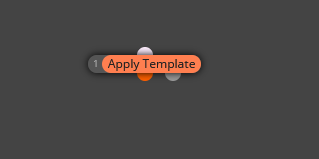
@mlnaumann You can use this block.
-
"Thanks for your reply. I’ve tried using 'Apply Template' in many different ways, as well as all the other forum suggestions — still no luck. I’m wondering if it’s a folder property issue. If anyone has a simple working process, I’d like to test it on my PC to pinpoint where the problem is."
Thanks,
MarkO -
That's weird. That block always work for me. Could you please share the link to your project?
-
It doesn't work on backtest
-
Hey there,
I had the same issue a while back and totally understand the frustration. I wanted every chart I opened in MetaTrader 4 to automatically load my custom template (with indicators, colors, etc.) instead of the default black chart. After some trial and error, here's what worked for me.
How I Got MT4 to Load My Template Automatically
A few months ago, I was running multiple EAs on different pairs, and each time I opened a new chart, I had to manually load my template. It was tedious and inefficient. So, I dug into a few solutions and finally cracked it.
Step 1: Save Your Template with the Right Name
First, set up your chart exactly how you want it — indicators, colors, everything.Then go to the chart, right-click > Template > Save Template.
Important: Save the template with the exact name: default.tpl
This template should be saved in:
MQL4 > Templates folder (usually inside your MT4 installation directory).When you name the template default.tpl, MT4 will automatically apply it to new charts opened via the Market Watch or script.
Step 2: Reopen Charts
Close any open charts, then reopen them from the Market Watch list by right-clicking and selecting "Chart Window." Now, your default.tpl template should load automatically.
If you're managing many charts, consider using a chart manager EA or script to apply templates in bulk. It saved me a ton of time.
Hope this helps someone the way it helped me.