fxDreema

    • Register
    • Login
    • Search
    • Back to the main page
    • Categories
    • Recent
    • Tags
    • Popular
    • Search

    Help with Automated Template Loading for Open Charts in MT4

    General Discussions
    4
    6
    379
    Loading More Posts
    • Oldest to Newest
    • Newest to Oldest
    • Most Votes
    Reply
    • Reply as topic
    Log in to reply
    This topic has been deleted. Only users with topic management privileges can see it.
    • M
      mlnaumann last edited by

      Hi all,

      Has anyone successfully automated the process of loading templates onto multiple open charts in MT4?

      I've read through many suggestions on this forum and tried several approaches, but haven’t found a working solution. I had ChatGPT generate a script that opens three charts and applies a template to each, but the templates fail to load.

      ChatGPT reviewed the code and confirmed it’s syntactically correct. However, it also pointed out that the issue may be due to the Templates folder being set to “read-only” (as seen via File -> Open Data Folder -> templates -> Properties). This could be preventing the templates from being applied.

      Has anyone figured out a reliable method to open multiple charts and apply a specific template to each one successfully?

      Here’s a simplified snippet of the code I’m using to apply the template:

      mq4
      Copy
      Edit
      #property strict

      void OnStart()
      {
      string templateName = "MarkO";
      string path = TerminalInfoString(TERMINAL_DATA_PATH) + "\templates\" + templateName + ".tpl";

      if (!FileIsExist(path))
      {
      Print("Template not found at: ", path);
      return;
      }

      if (!ChartApplyTemplate(ChartID(), templateName))
      Print("Failed to apply template to current chart.");
      else
      Print("Template applied to current chart.");
      }
      Any ideas or working examples would be much appreciated.

      Thanks,
      MarkO

      l'andorrà 1 Reply Last reply Reply Quote 0
      • l'andorrà
        l'andorrà @mlnaumann last edited by

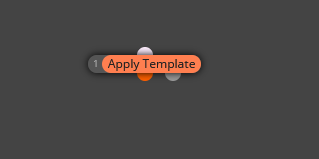
        @mlnaumann You can use this block.

        01.png

        (English) I will try to help everyone in these fxDreema forums. But if you want to learn how to use the platform in depth or more quickly, I can help you with my introductory fxDreema course in English at https://www.theandorraninvestor.eu.

        (Català) Miraré d’ajudar tothom en aquests fòrums d’fxDreema. Tanmateix, si vols aprendre a fer servir la plataforma amb més profunditat o més de pressa, t’hi puc ajudar amb el meu curs d’introducció a fxDeema en català a https://www.theandorraninvestor.eu/ca.

        (Español) Intentaré ayudar a todo el mundo en estos foros de fxDreema. Sin embargo, si quieres aprender a usar la plataforma en profundidad o más deprisa, te puedo ayudar con mi curso de introducción a fxDreema en español en https://www.theandorraninvestor.eu/es.

        1 Reply Last reply Reply Quote 1
        • M
          mlnaumann last edited by

          "Thanks for your reply. I’ve tried using 'Apply Template' in many different ways, as well as all the other forum suggestions — still no luck. I’m wondering if it’s a folder property issue. If anyone has a simple working process, I’d like to test it on my PC to pinpoint where the problem is."
          Thanks,
          MarkO

          1 Reply Last reply Reply Quote 0
          • l'andorrà
            l'andorrà last edited by l'andorrà

            That's weird. That block always work for me. Could you please share the link to your project?

            (English) I will try to help everyone in these fxDreema forums. But if you want to learn how to use the platform in depth or more quickly, I can help you with my introductory fxDreema course in English at https://www.theandorraninvestor.eu.

            (Català) Miraré d’ajudar tothom en aquests fòrums d’fxDreema. Tanmateix, si vols aprendre a fer servir la plataforma amb més profunditat o més de pressa, t’hi puc ajudar amb el meu curs d’introducció a fxDeema en català a https://www.theandorraninvestor.eu/ca.

            (Español) Intentaré ayudar a todo el mundo en estos foros de fxDreema. Sin embargo, si quieres aprender a usar la plataforma en profundidad o más deprisa, te puedo ayudar con mi curso de introducción a fxDreema en español en https://www.theandorraninvestor.eu/es.

            1 Reply Last reply Reply Quote 0
            • jstap
              jstap last edited by

              It doesn't work on backtest

              Learn fxDreema Without the Wait!

              My comprehensive book, available on Amazon, is packed with examples and invaluable insights to help you fast-track your learning journey.

              The paperback and hardback editions include MT4 & MT5 QR codes for easy access to all prebuilt projects and robots, including my latest gold trading robot!

              Don’t miss out

              Click here➡️ https://mybook.to/fxDreema to get your copy today!

              Enjoy! 😊

              1 Reply Last reply Reply Quote 0
              • Miksen5Andrstq
                Miksen5Andrstq last edited by Miksen5Andrstq

                Hey there,

                I had the same issue a while back and totally understand the frustration. I wanted every chart I opened in MetaTrader 4 to automatically load my custom template (with indicators, colors, etc.) instead of the default black chart. After some trial and error, here's what worked for me.

                How I Got MT4 to Load My Template Automatically

                A few months ago, I was running multiple EAs on different pairs, and each time I opened a new chart, I had to manually load my template. It was tedious and inefficient. So, I dug into a few solutions and finally cracked it.

                Step 1: Save Your Template with the Right Name
                First, set up your chart exactly how you want it — indicators, colors, everything.

                Then go to the chart, right-click > Template > Save Template.

                Important: Save the template with the exact name: default.tpl

                This template should be saved in:
                MQL4 > Templates folder (usually inside your MT4 installation directory).

                When you name the template default.tpl, MT4 will automatically apply it to new charts opened via the Market Watch or script.

                Step 2: Reopen Charts

                Close any open charts, then reopen them from the Market Watch list by right-clicking and selecting "Chart Window." Now, your default.tpl template should load automatically.

                If you're managing many charts, consider using a chart manager EA or script to apply templates in bulk. It saved me a ton of time.

                Hope this helps someone the way it helped me.

                1 Reply Last reply Reply Quote 0
                • 1 / 1
                • First post
                  Last post

                Online Users

                N
                O
                M
                D
                A

                13
                Online

                146.7k
                Users

                22.4k
                Topics

                122.6k
                Posts

                Powered by NodeBB Forums | Contributors