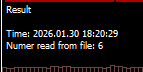
EA control from CSV
-
I try to control EA with CSV files in MQL/Files/settings.csv
The file contains only one value 0 or 1. If the value is 1 = sell trades enabled, 0 = sell trades disabled.
Now it is in a research mode that's why the csv filed is read each tick.
How to set the 'custom MQL code'? I did something with GPT but not works. My variable is: 'sell_yn_var'
This an example project - https://fxdreema.com/shared/Q8uwhrIY
Thank you
-
if you want to use AI for MQL4/5 coding i advice you to use Claude AI
-
Coding is not my best. Even with Claude the result will be the same. For my problem there are several solutions but the question is how to implement it in Fxdreema?
-
the code you have looks like it would almost work, does the number change in your comment when you change in the CSV?
-
In the comment Yes, but does not affect the IF statement
-
That kind of makes no real sense, the comment shows the variable value, your condition checks the variable, which you visibly check, then passes to the check block onto the sell block. So everything should work as expected. The best thing to do now is enact a process of elimination, link out blocks until while backtesting you find the block that is causing the trouble. Sometimes (but rarely) you have to recreate the EA from scratch.
-
I have experience in Fxdreema since 2016 and it is the one of the times I fell.... The flow is so simple... nothing to remove.
Maybe somebody could exchange some other ideas. -
@nikolay_s
The code seems straightforward and should work. I have tried it with codes similar to you. Try this one: https://fxdreema.com/shared/K9SXQIxKIf in your case still not working, it might be the csv file problem. The csv file in above demo is created with path fxDreema\positionAllowed.csv in the File folder. I have tested with or without delimiter, space, line feed, ... and they are all working. By the way, how do you edit and save the file ? Have you debug and check file_handle has been valid ?
My code is simple:
string InpFileName="positionAllowed.csv" ;
string InpDirectoryName="fxDreema" ;
//--- reset the error value
ResetLastError();
//--- open the file for reading (if the file does not exist, the error will occur)
int file_handle=FileOpen(InpDirectoryName+"//"+InpFileName,FILE_READ|FILE_CSV|FILE_ANSI);
if(file_handle!=INVALID_HANDLE)
{
v::positionRead = (int)FileReadNumber(file_handle);
//--- close the file
FileClose(file_handle);
}