The "Adjust" button input
-
Hello,
What is the better way of adjusting forex quotes with "pip" value in the "Adjust" button? I tried to adjust the open (and other) prices using +1pip, but the EA could not run, MT4 said it does not recognise the word "pip" as used. Pls check the "adjust" buttons of block 17, 18, 21, 30...and tell me the word to use instead. https://fxdreema.com/shared/YLbfvjV2b .Previous versions of the builder recognised "pip". -
not "pip" but try "pips"

-
Thank you, Miro1360, It's Ok now
-
Hello Miro1360,
Thanks for your assistance so far. This project has helped me a lot. But there is a little problem. Please refer to the previous link on this page. How do I specify (lock) a particular H4 (or D1) candle for all (R4 through S4) pivot trading trades/pending orders? Timestamp or Candle ID is used to specify candles, but what if trades get prolonged and a few new candles have formed (by which time the EA setting of candle ID 1 now refers to a new candle), how do I set new trades/pending orders based on the initial candle ID?
As a concrete example, I place a pending order at R1 for a daily candle; when R1 trade triggers, the EA sets pending order at R2 (based on the same prevous candle); when R2 triggers, another pending order is set at R3 (based on the same daily (ID 1) candle, and so on up to R4 (final trade). If, for example, by the time trade R2 triggers we are in the 3rd day (candle ID 1 now becomes candle ID 3 by EA), how do I make the EA set R3 (and even R4) pending order since the R1 to R4 trades were initially set to be based on the previous day (Id 1) candle? Is there a way to specify a particular candle (regardless of if new candles have formed)? -
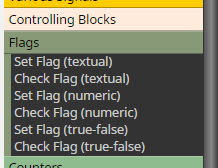
I think, this need a lot of Flags and other comparison stuffs to "memory state" where EA is now and what to do next
-
Thanks for understanding my question! But "Flags"?, I've never used them. So, when setting pending orders, the flags can be used to memorise candles? That's exactly what I'm talking about! But does that mean every single candle will have a flag set for it for all trades/pending orders about the said candle? I'm sure you could help with a simple example, even with my project? Sorry to bother you, but I got no choice.
-
flag is for memorize state
... for memorize candles counting you can use variables ...
... I dont know how to explain to you this problem because for it you need know more stuffs ... for completing your project 100% take hours ... but here is simple example how to count candles:
this opens buy trade every 5 hours (every 5 hour candles):https://fxdreema.com/shared/pYx0Q2TOd
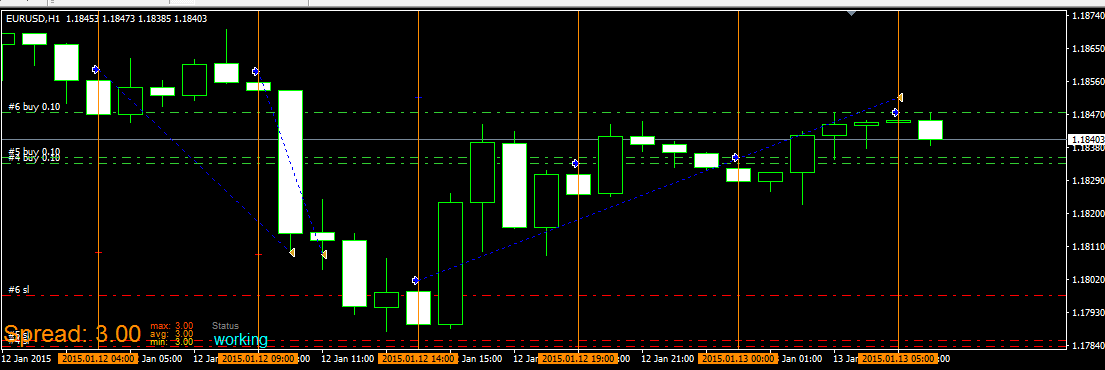
this is variable:
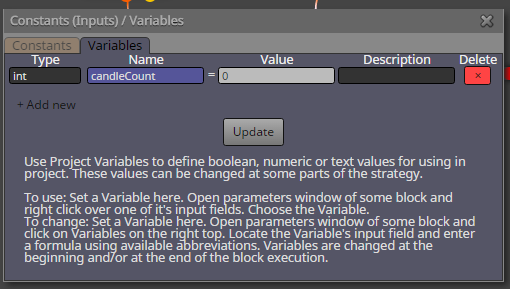
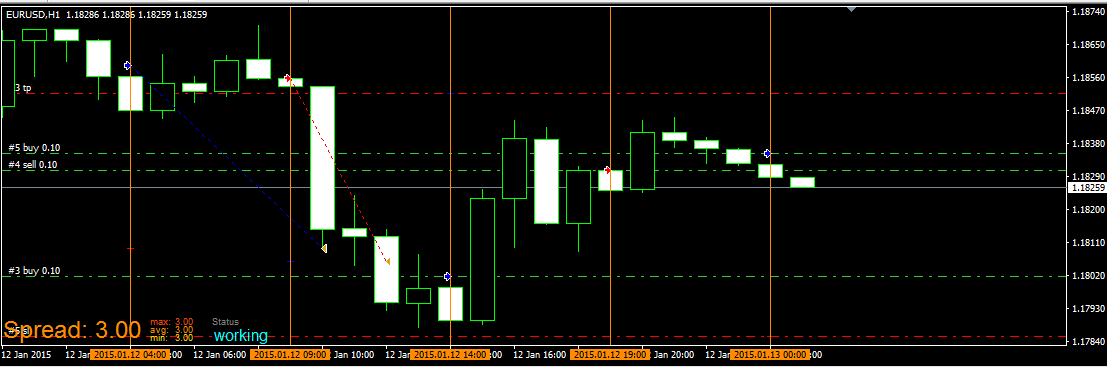
and this one is the same, but alternate between buy and sell using flags:
https://fxdreema.com/shared/32oc3KFab
-
Thank you, it's a good way to start. Let me try.
-
@miro1360 said in The "Adjust" button input:
flag is for memorize state
... for memorize candles counting you can use variables ...
... I dont know how to explain to you this problem because for it you need know more stuffs ... for completing your project 100% take hours ... but here is simple example how to count candles:
this opens buy trade every 5 hours (every 5 hour candles):https://fxdreema.com/shared/pYx0Q2TOd
this is variable:
and this one is the same, but alternate between buy and sell using flags:
https://fxdreema.com/shared/32oc3KFab
Honestly, I've tried my best, but I can't get it. Kindly help me out with my project, openable in the Fxdreema builder. Chat me privately for your reward please.
-
try this:
https://fxdreema.com/shared/IKUAWTgNd
maybe it is little different as you want but I tried made it as close as possible to your wishes
note, both sections are used (on Tick and on Trade) -
Thank you so much! I guess I need to make some important adjustments. If you check out https://fxdreema.com/shared/8KgVRugCc, then I should change the parameters of the Block (Modify variables High, low, open, close) to reflect your Modify variables blocks of 106 and 107. I should also include the variables varR1 to varS4 in the blocks 106 and 107, and candlescount as variables.
Please refer to your final three blocks of 206, 207, and 208. Does that mean that for every new change in Day, older pending orders (of the previous Day) should be deleted?
Now where exactly should I "insert" your blocks in my project?
-
take my project as example where you can learn block after block what I did ... dont forget to look into on Trade section because it is important ...
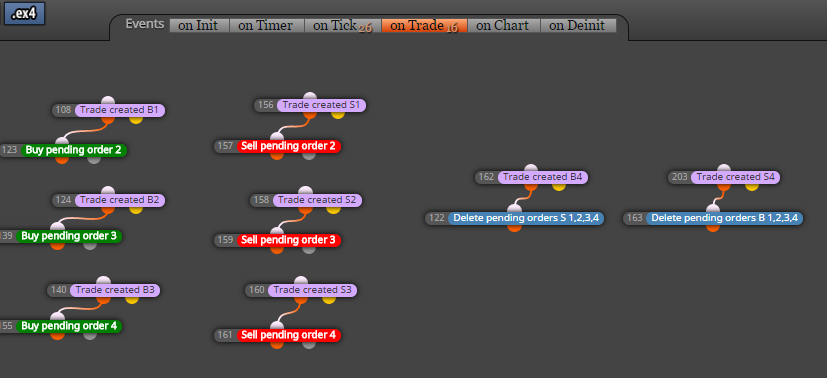
on Trade means, that this section is triggered once when something with trade happens (is opened, closed, etc.,, here are violet blocks to work with specific situation) ...and my blocks 206,207,208 are working together with blocks 204,205 ... see, that blocks 204+205 are counter, once per bar (once per day in this situation) is variable candleCount increased with +1 ... next goes to comparison with block 206 .. when comparison is true (when candleCount>resetPendingsDays) pending orders are deleted and candleCount is reseted to 0 (and waiting for next loop) ... result is, that pending orders are deleted in some "day" interval which is given by number in resetPendingDays (input parameter) ... you can enrich this counter with next check conditions (like only when pending 4 exist, or no Trade exist, etc) ... you can reset candlesCount to null also in other situations (e.g. in on Trade when trade is opened) ...
-
@miro1360 said in The "Adjust" button input:
and my blocks 206,207,208 are working together with blocks 204,205 ... see, that blocks 204+205 are counter, once per bar (once per day in this situation) is variable candleCount increased with +1 ... next goes to comparison with block 206 .. when comparison is true (when candleCount>resetPendingsDays) pending orders are deleted and candleCount is reseted to 0 (and waiting for next loop) ... result is, that pending orders are deleted in some "day" interval which is given by number in resetPendingDays (input parameter) ... you can enrich this counter with next check conditions (like only when pending 4 exist, or no Trade exist, etc) ... you can reset candlesCount to null also in other situations (e.g. in on Trade when trade is opened) ...
I actually do not want the previous Day H4 trades and/or pending orders to be deleted on the change of bar. The trades and pending orders of the previous bar should run independently of the new bar's trades and/or pending orders. Will your current guide do this? I have learnt a few things from your guide (and thanks a million for reminding me of the "On Trade" stuff, I didn't even look at that initially!), but my latest post is what I want to really achieve; where the previous Day's pivot levels are used for orders up till S4 or R4, irrespective of new Day/Bar's reset pivots.
-
your project is not easy, it takes a lot of time testing and looking what is wrong etc ... I am sure you can do it, just do it with smaller parts (not with whole project) and these smaller parts (when are tested and ok) apply into bigger project + test it ... -
I use "candlescount" as a variable; for the current Day the value of the variable is 0, and (value) increases by one every new day. Now I know I can specify Group # (variable "candlescount") as the group number for trades and orders. Is it possible that, instead of just using "candlescount" as an input variable to identify trades and orders, I can use the perceived numerical value of the "candlescount" variable?
In other words, can I use the numerical value of a variable as input parameter to identify trades, instead of using the name ("candlescount") of the variable?
-
probably yes, try it

-
I don't really understand the question. A variable name is just a pointer to a value in the RAM that can change. That variable name is the way to reach the actual value. Otherwise, if you just write 1 or 2 or 3, this will be another thing, not the variable itself.
But if you are asking whether or not you can use numbers into the Adjust field - yes, you can.
-
I have not been able to find solutions to this problem! ALL I NEED is what to do to make the EA MEMORIZE a particular candle pivot parameters of R4 to S4, and use these pivot numbers for trades.
-
create few variables and save values into these variables:
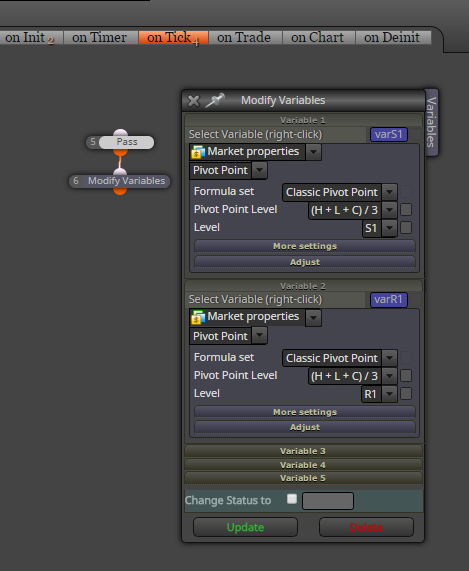
than with Condition blocks you can compare these variables, or use them as price levels for pending orders, SL TP levels, etc ...

