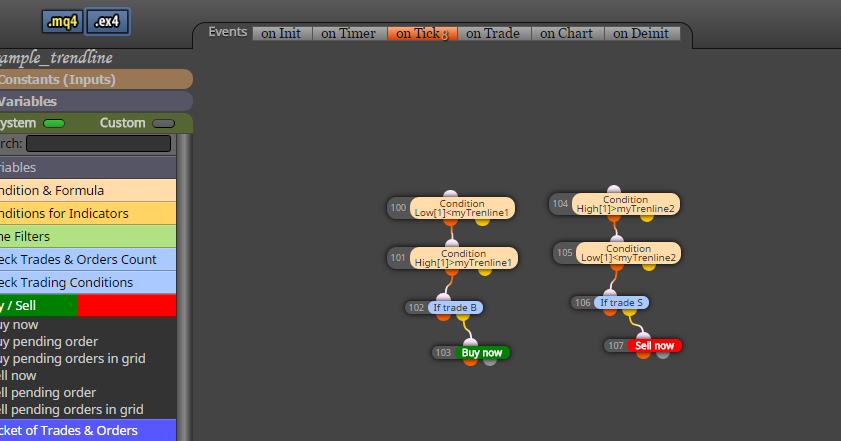
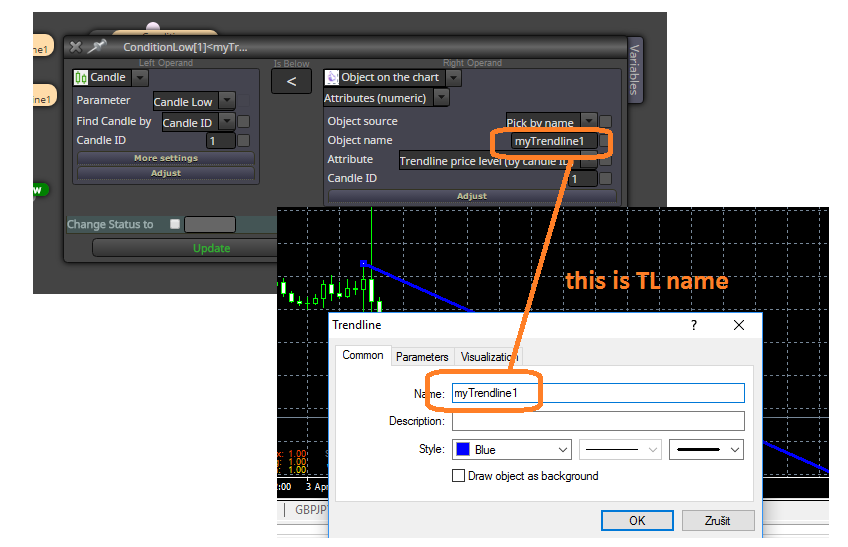
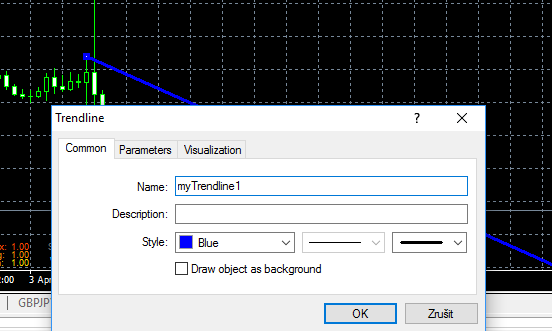
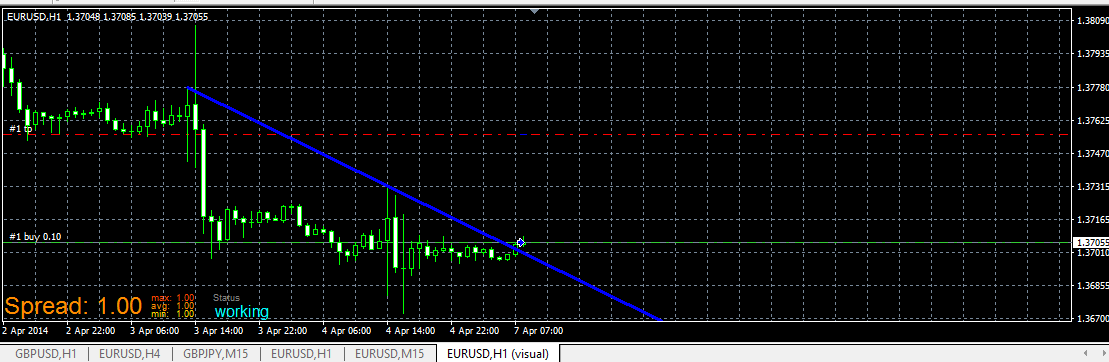
We are going read values from Objects on the chart which are controlled by indicator, not values from buffers, that means, we dont need indicator in My Indicators because we are not going work with indicator directly.
Indicator must be inserted into chart manually (into same chart with EA).
here is indicator (note, is renamed, you can rename it as you wish)
0_1480901745242_Shved Supply and Demand (e600) length.ex4
and here is shared link to this strategy:
https://fxdreema.com/shared/JyxzKfdwd
now look how is this indicator working:
-
is ploting dynamic zones:
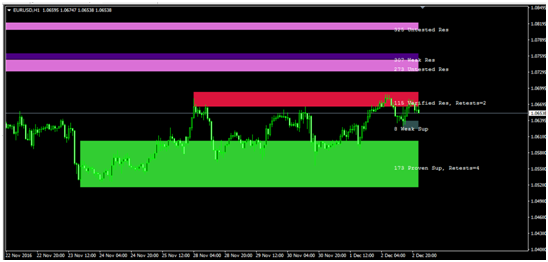
-
these zones are not from buffers, but from objects, so look how they are named:
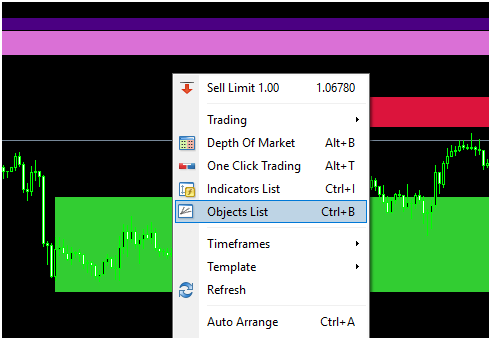
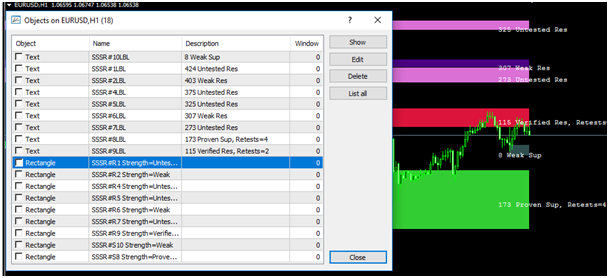
See, Rectangle type with name begins as "SSSR" and than some incrementation with "R" or "S" and next info like "Weak", "Proven" ...
Our strategy can be (you can create another):
- when candle 1 closed inside zone, we leave EA waiting for next conditions
- when price go outside (next candle 1 closed outside) zone Up, EA open Buy, when outside zone Dn, EA open Sell
- zone width must be at least 1xATR
- SL and TP is some multiplicator from ATR indicator
- Lot size is risk percento from balance depending on SL
First we need 2 blocks which are selecting objects (rectangles) based on criteria:
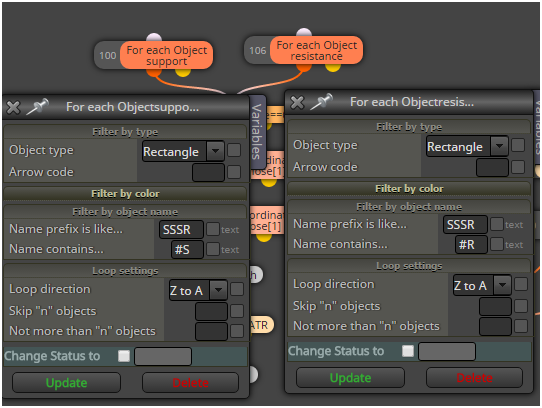
next is switch which control if was price inside rectangle before and if EA is waiting for trade
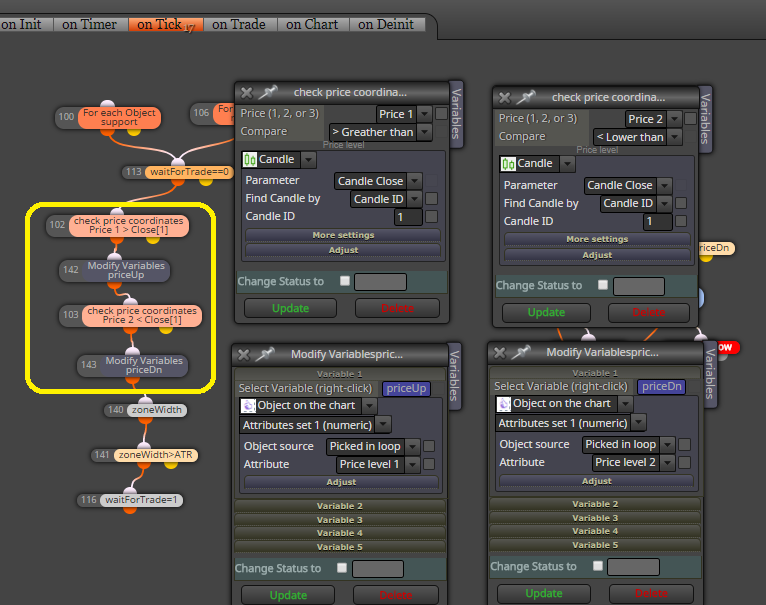
after this are blocks which are working with selected rectangles
these blocks make some comparison with candle price and variable blocks save price from selected object into variables priceUp and price Dn for next comparison:
here are all blocks together needed for this strategy:
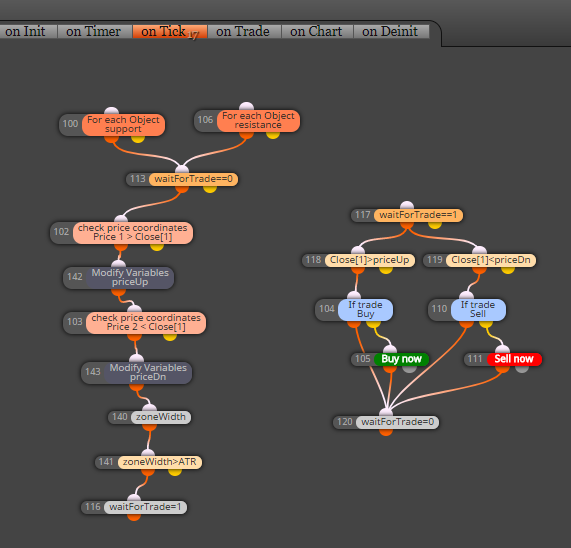
and this is result:
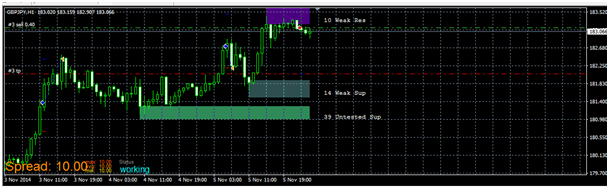
note: this is not profitable EA and is not for your real account, this tutorial shows only way, how to work with object from some indicators
note:
- with this way you can working with any object on the chart, also with own objects placed manually
- better if you give them name in chart and for selecting object you use block: "Select Object by Name"
- or you can read or compare values from objects also with other blocks:

that is all ...