How Define Distance From Object
-
Hello Experts. A little help here.
I need to open/close trades within a distance from the object.
Please guide. Thank you.- For close Sell is purple line.
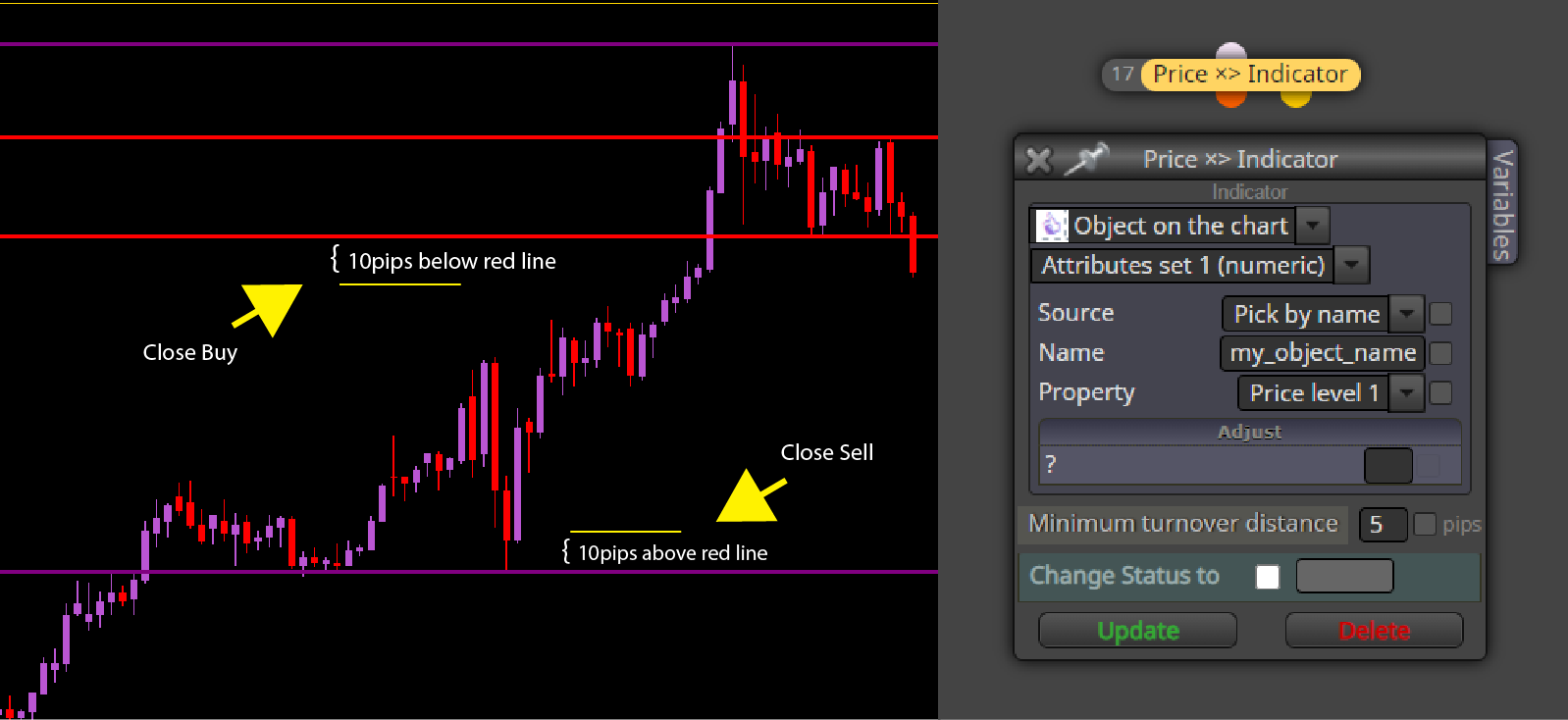
-
@biztet I think what you ask is this (look at this post)
-
Thanks @XYON126 . I'll have a look.
-
Hi @XYON126 ,
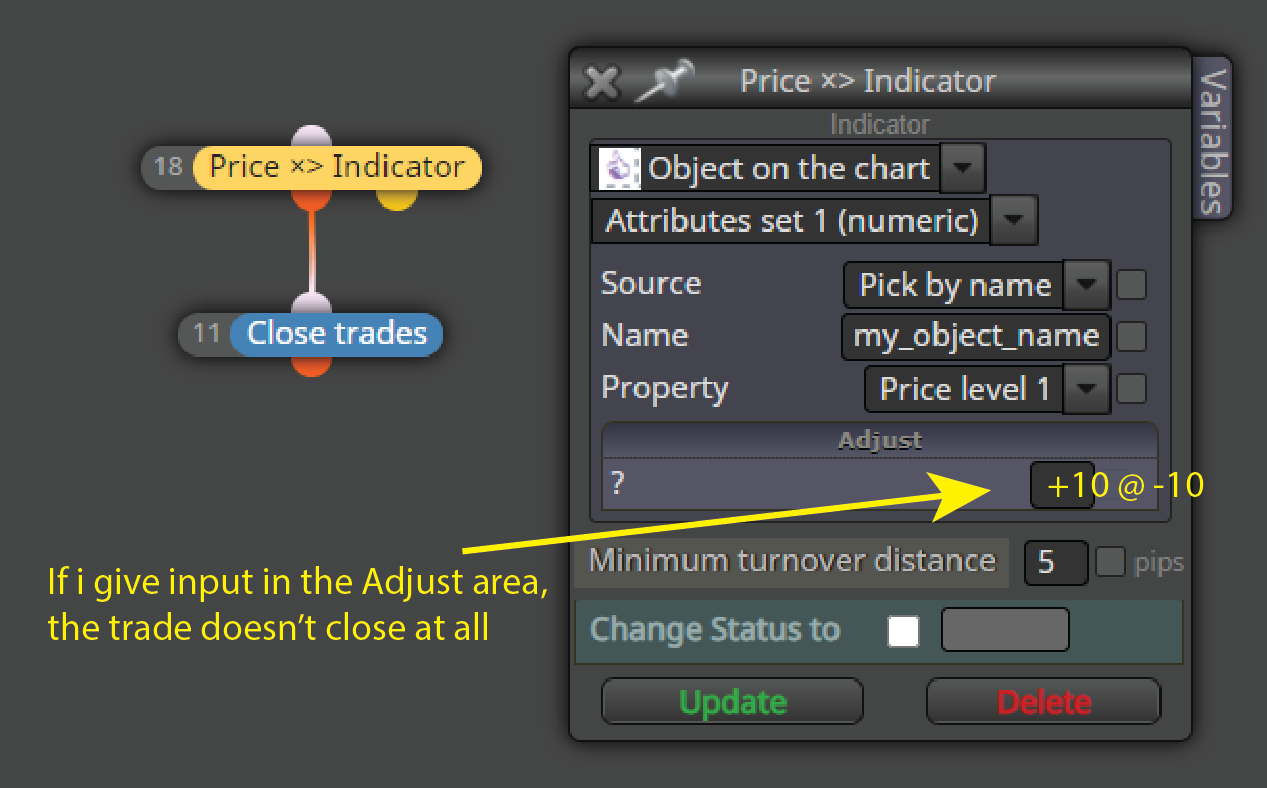
Ok i've tried this just now but in my situation i'll be using object on chart for closing trade.
Unfortunately it doesn't take it. I can use the object in other block, but not in Buy Now / Sell Now block. Any idea? -
-
@biztet That's because you selected a 'Price x> Indicator' block. Yo do that you need a normal 'condition' block.
-
Oh, okay. Now i understand. Thanks @l-andorrà .
-
@biztet You're welcome.
-
@l-andorrà , if i use object on chart to trigger, will if do the same if i use Current Market block to make it trade multipair?
-
@biztet I'm afraid I don't fully understand the question. Can you please give some more details?
-
Ok @l-andorrà , i'm using an object to close trade. So if i use the Current Market block, to trade other pair i just need to put the EA on a singe chart only. You get this part right?
For example, i put the EA on EURUSD chart, and also trade all other pair from this single chart, will other pair read the object like from their own chart also? Will each pair close trade like when the price hit the object?Really hope you can understand this.

-
@biztet Well, it depends. You can always separate your EA conditions into two parts. One part is including the conditions that are taken from the current chart WITHOUT using the 'Set current market' block and leading to a boolean variable when true. Then the second part of the EA is headed by the 'Set current market' block and there you can list all symbols to be traded, but there you will just have the variable condition block and the buy/sell now blocks only.
-
hahaha...thanks @l-andorrà . Actually i'm trying to just find a way not needing to attach to so many chart. I'm too lazy for that.
-
@biztet Ok.