How to repeat pending trades until TP hit
-
How to repeat pending trades until TP hit? and if TP is hit, stop the EA from trading for the rest of the day.
How to close trades a minute before next trading day?
How do I create a switch for the EA to buy or sell? -
@kailykail Let's move step by step. Can you please provide more details about what you exactly mean for your first question? If I understand you correctly, when you say 'repeat' you mean programming the same pending order over and over if stop loss is hit only?
-
@kailykail I understand that as a switch it refers to a button, is that so?
-
@l-andorrà said in How to repeat pending trades until TP hit:
@kailykail Let's move step by step. Can you please provide more details about what you exactly mean for your first question? If I understand you correctly, when you say 'repeat' you mean programming the same pending order over and over if stop loss is hit only?
Yes, exactly correct, I want to order another stop order at the previous trade price
-
@xyon126 said in How to repeat pending trades until TP hit:
@kailykail I understand that as a switch it refers to a button, is that so?
it can be a button or I can use a true or false as an Input for buy and sell.
-
@kailykail If you want to make a button and you do not know, comment it and I will help you, you have a second option, this option is when you want to open an operation because something has been accomplished in your EA, set an alarm so you will not be pending, since when it jumps the alarm you will only have to press the appropriate button.
-
@xyon126 said in How to repeat pending trades until TP hit:
@kailykail If you want to make a button and you do not know, comment it and I will help you, you have a second option, this option is when you want to open an operation because something has been accomplished in your EA, set an alarm so you will not be pending, since when it jumps the alarm you will only have to press the appropriate button.
Yes any help would be appreciated. I want to have a button or input for the EA to buy or sell. and after I choose a direction a trade will open at the daily opening using the 5 min chart. this would be the first trade of the day starting a new cycle in the EA
-
@kailykail Here you have a panel that opens operations in SELL and BUY and with another button that closes all those of the pair. You also get two fixed information buttons that inform you of the current total profit of all the operations of all the pairs that you have open, in gray it is with a profit of "0" zero, red profit in losses and green in profits. The operations that he opens are with a risk of 1% of the gross balance with 20 pips of Stop Loss and a Take Profit of 70 pips, if the resulting lot (depends on the account) is less than 0.02 lots, it will put a risk of 0.02 Minimum lots, naturally everything is configurable from the outside with the EA running or you can change it to your liking. When you open the Link, save the mt4 on your PC and so when you import it from your PC's fxDreema it will come with the variables. Automatically removes the colored texts that appear when loading EA in the lower left corner and when you close, you delete the EA from the MT4, it clears the screen.
I hope you like it, as a start and information it will be very useful. Here you have the link:
https://fxdreema.com/shared/XCc3yo7vb
Ah! Above all, TRY IT IN A DEMO ACCOUNT and once you are very sure you can try it in real but when you are very, very sure that it works for you and that you are doing well. I am not responsible for its use, it is only educational and informative.
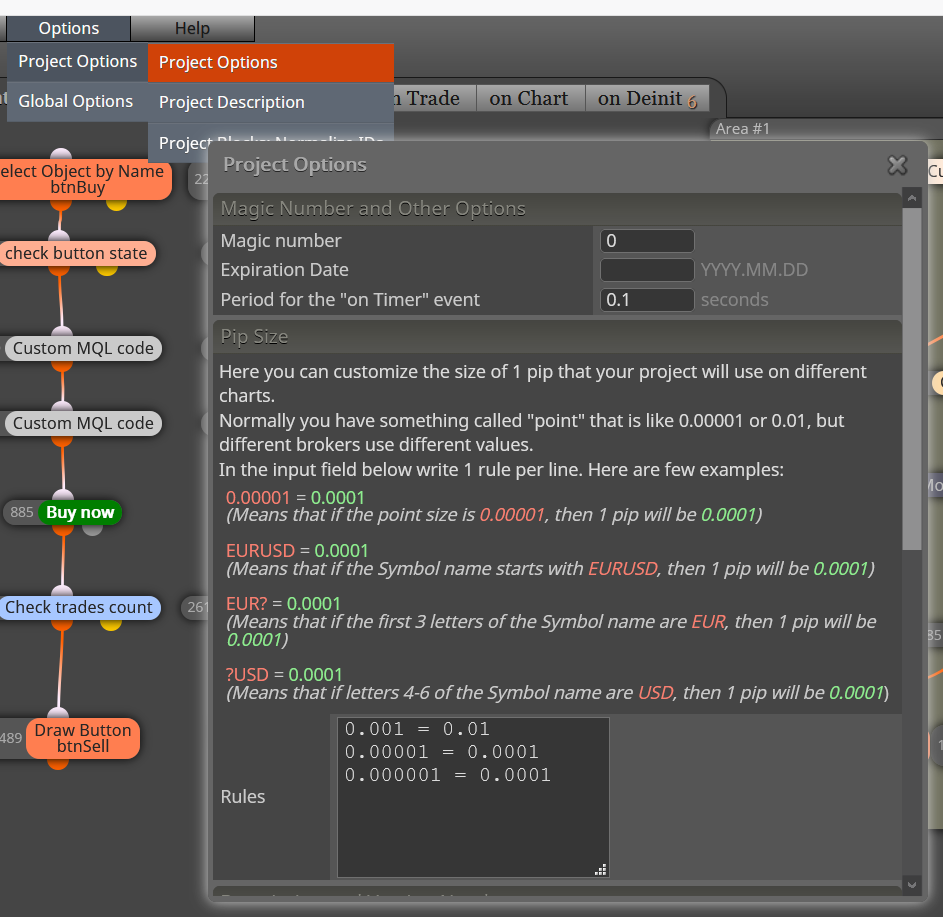
Very important! You will see that almost the entire tab is "on Timer", many will tell you that it is better in "on Tick" for strategy EA, yes, if it is better in "on Tick" but for panels if you want the response immediately you should have it in "On Timer" the constant "updateIntervalSec" must be 0.1 and in the other tab (photo) it must be the same period of time or it will take you a long time to answer since by default it is 60 seconds; if it were in "on Tick" you will be executed step by step for each tick and the tick is produced approx. every 60 sec. It depends on the Brocker so a panel in H1 can go slow but in M15, M5 and M1 what you want is a response as soon as possible and without delay.