Custom Indicator -- buffer not working as expected
-
Hello colleages,
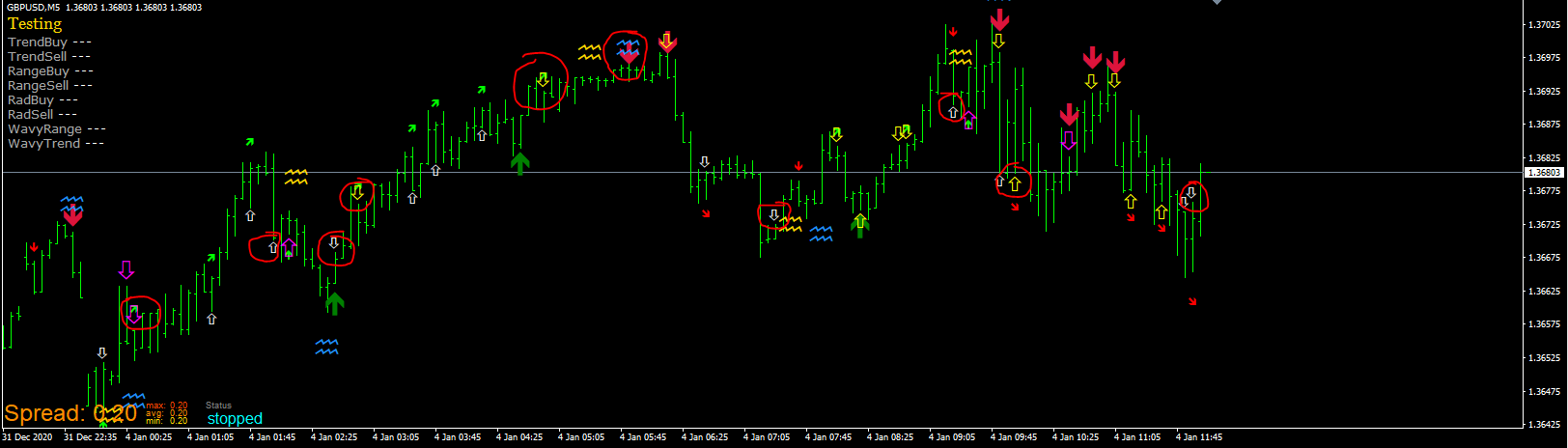
I have a problem with the implementation of a custom indicator. I used quite some already, but this one make me crazy. I replicate the signals with the EA in order to see if they fit, but they don't. Like in the picture below:
Here you can check the project:
https://fxdreema.com/shared/K19kc6vmbIt uses the HGI v17
I tried to use the condition value > 0 and indicator is visible block. Both don't work as expected.
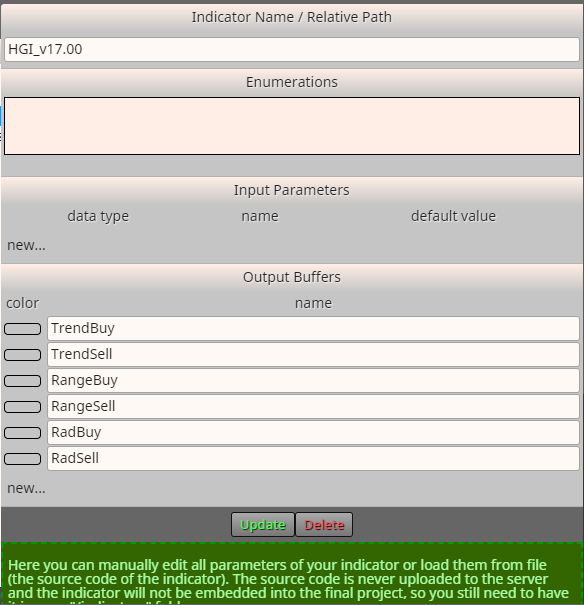
Here you can see the custom indicator implementation (buffer settings)
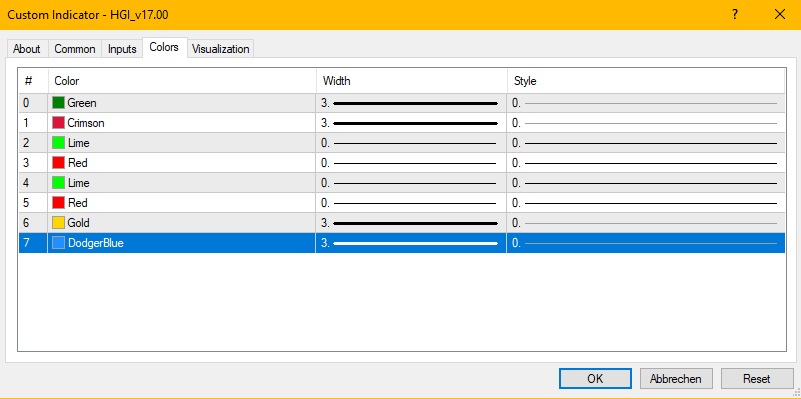
An this are the indicator settings:
I have no idea why the signals don't fit ... I happy for any ideas!
Thank you
-
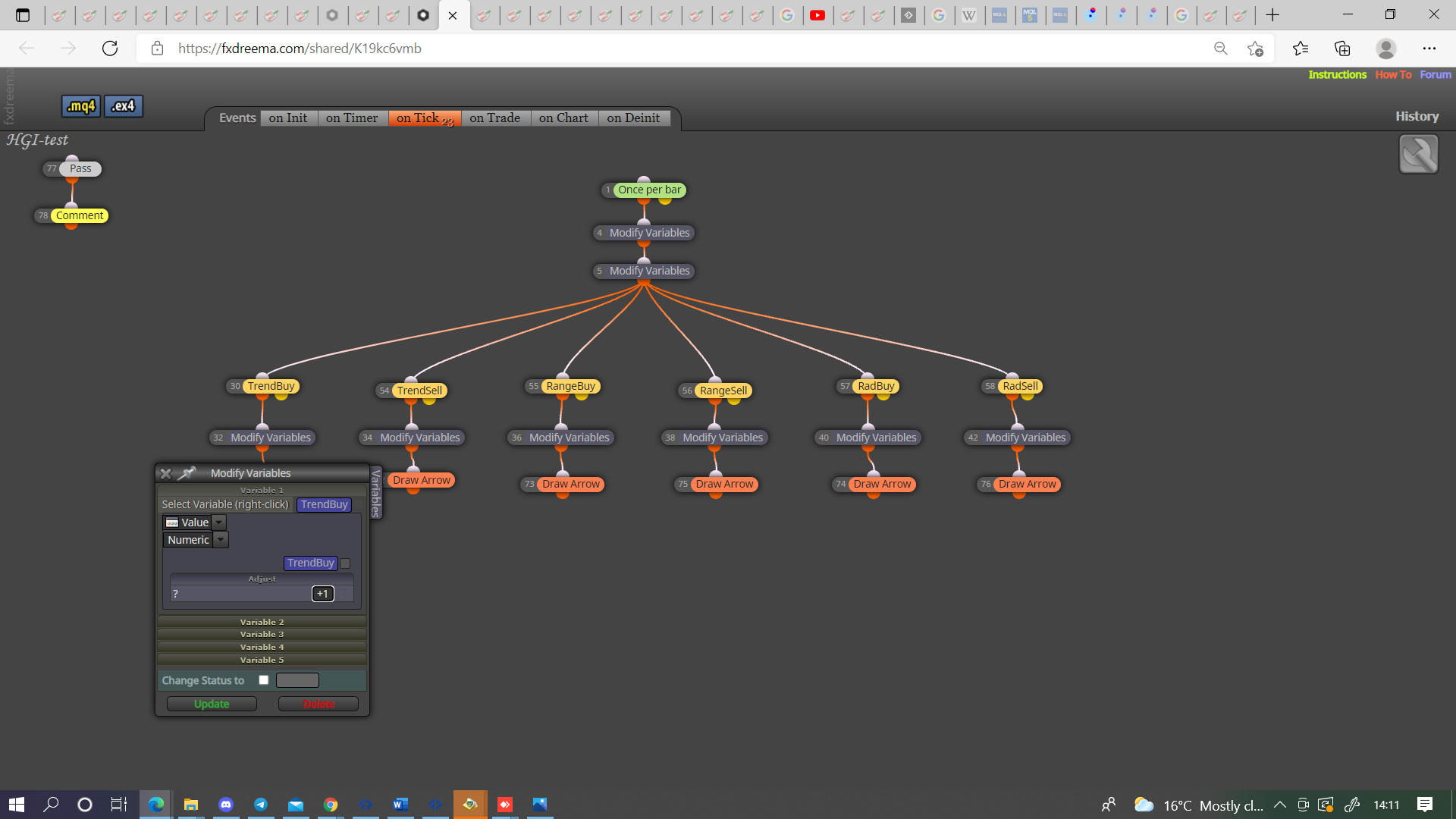
@mmbinvest Count every time the buffer changes, this will show you if can work, if not you may be able to use object on chart but is more difficult.
-
Hey jstap,
I changed the test accordingly, but to be honest I am not sure how it would help me now ;o)
https://fxdreema.com/shared/QvFKWuP2eThat is the result - same errors, but therefore it counts the EA signals... the yellow, purple and white arrow are the signals which the EA receives from the Indicator buffers, but the live signals are somehow different to some extend.
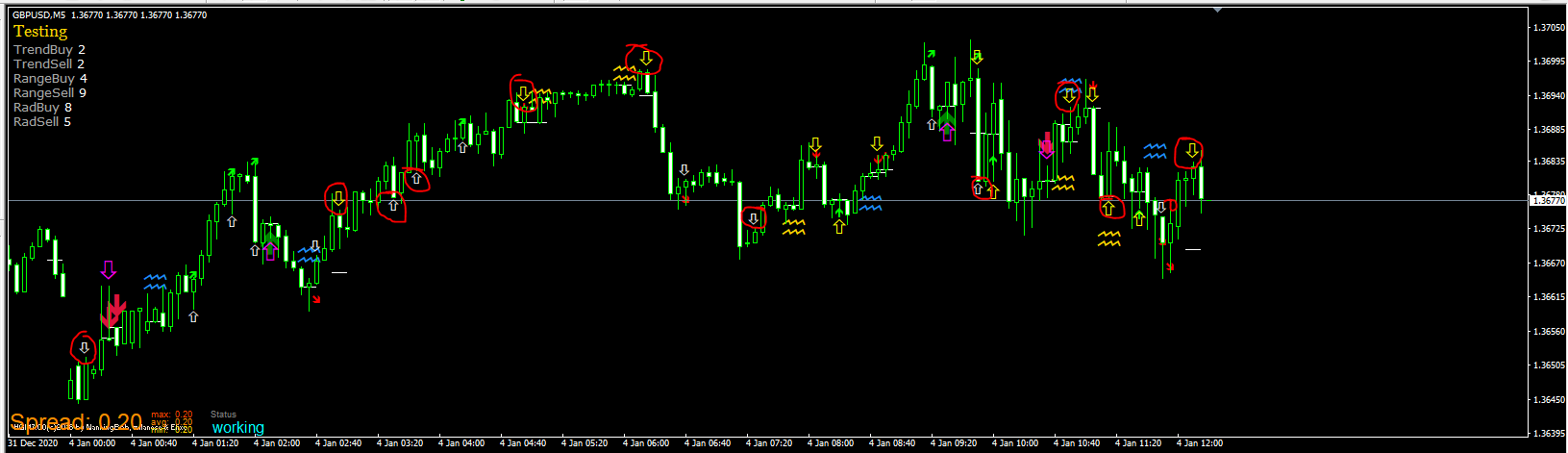
The picture above shows the backtest still active, but when I stop the backtest and the indicator appears, there are contradicting signals all of a sudden. As if it backpaints the whole history...
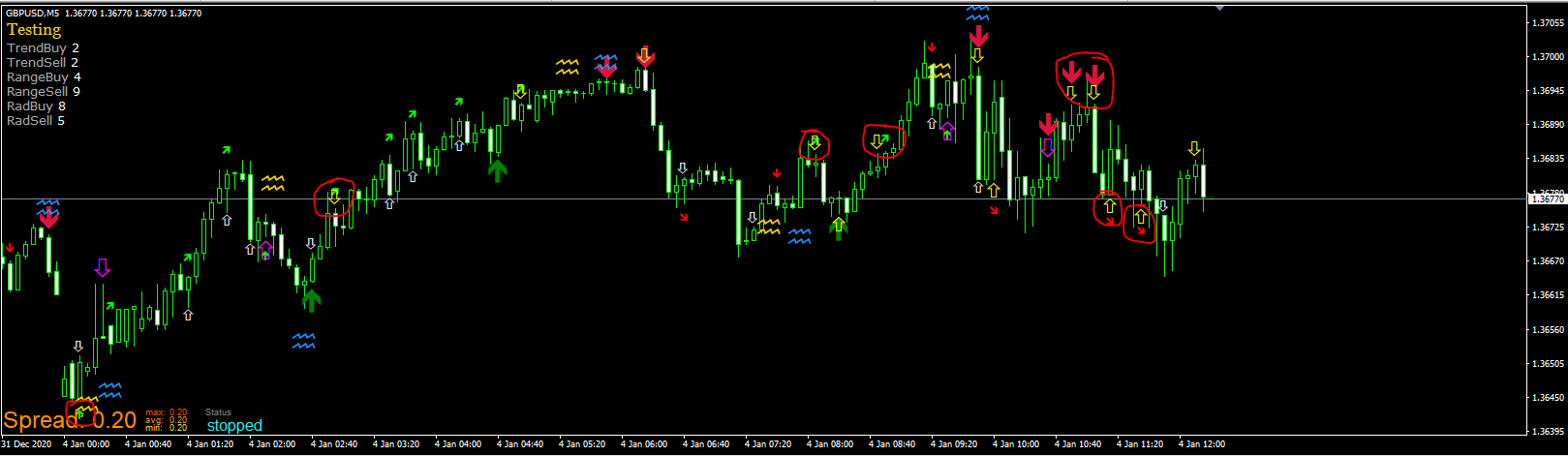
I am completely lost with that, but thank you very much for your reply already!!!
-
@jstap said in Custom Indicator -- buffer not working as expected:
object on chart
As the indicator is not visible - at least not completely - during the backtest or trading, the "object on chart" feature might not work as well - what do you think?
-
@mmbinvest The object on chart only works when the screen is active. The picture you have put shows that you can use indicator appear block because it's counting every time, now that you see this working use the count to double check the buffers and then use the same logic in EA to make it work as you like. For me back testing has always done the same as live chart.
Learn fxDreema Without the Wait!
My comprehensive book, available on Amazon, is packed with examples and invaluable insights to help you fast-track your learning journey.
The paperback and hardback editions include MT4 & MT5 QR codes for easy access to all prebuilt projects and robots, including my latest gold trading robot!
Don’t miss out
Click here➡️ https://mybook.to/fxDreema to get your copy today!
Enjoy! 😊
-
I see where you want to go. Let me take that to ask you another question. On the last picture you can see that the TrendBuy counted 2 signals while it shows three big green up arrows and it counted 2 times TrendSell while you can spot 6 big red down arrows. So somehow it get signals, but not all of them and not at the right spot. Did you use the HGI for an EA already? Thank you again!
-
@mmbinvest I have not used HGI before, were all these arrows drawn after the EA was started? Quite offten an indicator will draw pro a point in time before EA has started, EA needs to be able to see the change in number from the indicator buffer.
Learn fxDreema Without the Wait!
My comprehensive book, available on Amazon, is packed with examples and invaluable insights to help you fast-track your learning journey.
The paperback and hardback editions include MT4 & MT5 QR codes for easy access to all prebuilt projects and robots, including my latest gold trading robot!
Don’t miss out
Click here➡️ https://mybook.to/fxDreema to get your copy today!
Enjoy! 😊
-
Picture #1 shows what the indicator drew during the visual backtest. In addition it shows the EA captured signals (purple, white yellow not filled arrows created by the EA).
Picture #2 shows the status when you stop the visual backtest and the used indicator appear - as you have chosen in fxdreema project settings.
-
@mmbinvest Put you project here and the indicator, can't tell from a picture what is happening when, I'll have a look.
-
How can I put the project here? I only know how to provide the link.
https://fxdreema.com/shared/QvFKWuP2e
This would be the indicator:
0_1634146658502_HGI_v16.09.ex4Thank you!
-
Hi everyone. Before using any custom indicator, please backtest the indicator first. Or it will be just a waste of time. Like this HGI indicator, it is repaint. Better not use it to make an expert advisor. Unless you are a manual trader, then it might help.
-
@biztet Hey, how would you backtest it without EA? I create EA to backtest indicators over one year on different time frames and settings, I have no idea what other methods there are to do that automated... Thank you
-
Do backtest in your MT4, just like you backtest your EA. only change at the top left side, from Expert Advisor to Indicator.
-
@biztet Hey great, you know what ... I never realiized that function... and I now test EAs since years ;o) thanks for that! However, there is no chance to automate this indicator backtest right - e.g. by mapping a signal to a buy/sell trigger... there is also no way to trade manually in that indicator backtest function right? So you can only watch an indicator doing its thing ;o) thank you anyways!
-
@MMBInvest I'm just saying that the signal from this indicator is not good for making EA. But if you also into manual trading, it might help, but the signal will not be as expected.
-
@mmbinvest The link was what I meant by project, @biztet is correct this doesn't seem to give reliable signals, in HERE is a project that I put together so each element can be switched off to check, is quite often correct but not always.
-
just stopping in to let you know thats what my sons charts look like when he is reading them and annotating....he's 6. LOL! So many lines and squiggles!! haha
-
@mmbinvest
I think the reason is that this indicator repaints.
And your EA records the arrows when they appear and plots the corresponding arrow on the chart.
When the indicator arrows repaint aka disappear, the EA's arrow don't move.You know what? this indicator is tooo perfect, this is a sign of repainting like ZZ and tons of them.
-
@haoglueck just because it repaints doesn't necessarily mean its bad. you just have to change your thought process to work with it is all.
-
....for example.
If a ZZ indi gives me a new HH. I will set a pending buy order at that line, once price creates a new LL. That means, I'll need to keep in mind that when a new LL is created the ID of my initial HH is going to change, so before it does it I either need to have something set, or just just a line, I could "once a day" make that value a variable that only gets reset once a day....or only resets when a trade is executed.,,,something like that.
Small technicality, everything repaints. Price. MA's. Ichimoku. Bollingers....until C0 is closed, everything repaints.