TP following % of balance
-
Hello,
I need a last thing to close my EA.
How can I program a Take Profit following the % of balance. Example, I would like to place a TP which is 1% of balance.
If I have 1000 dollars, I would like to place a TP which give me 10 dollars if I decide to put 1% in the parameters.Thanks a lot!
-
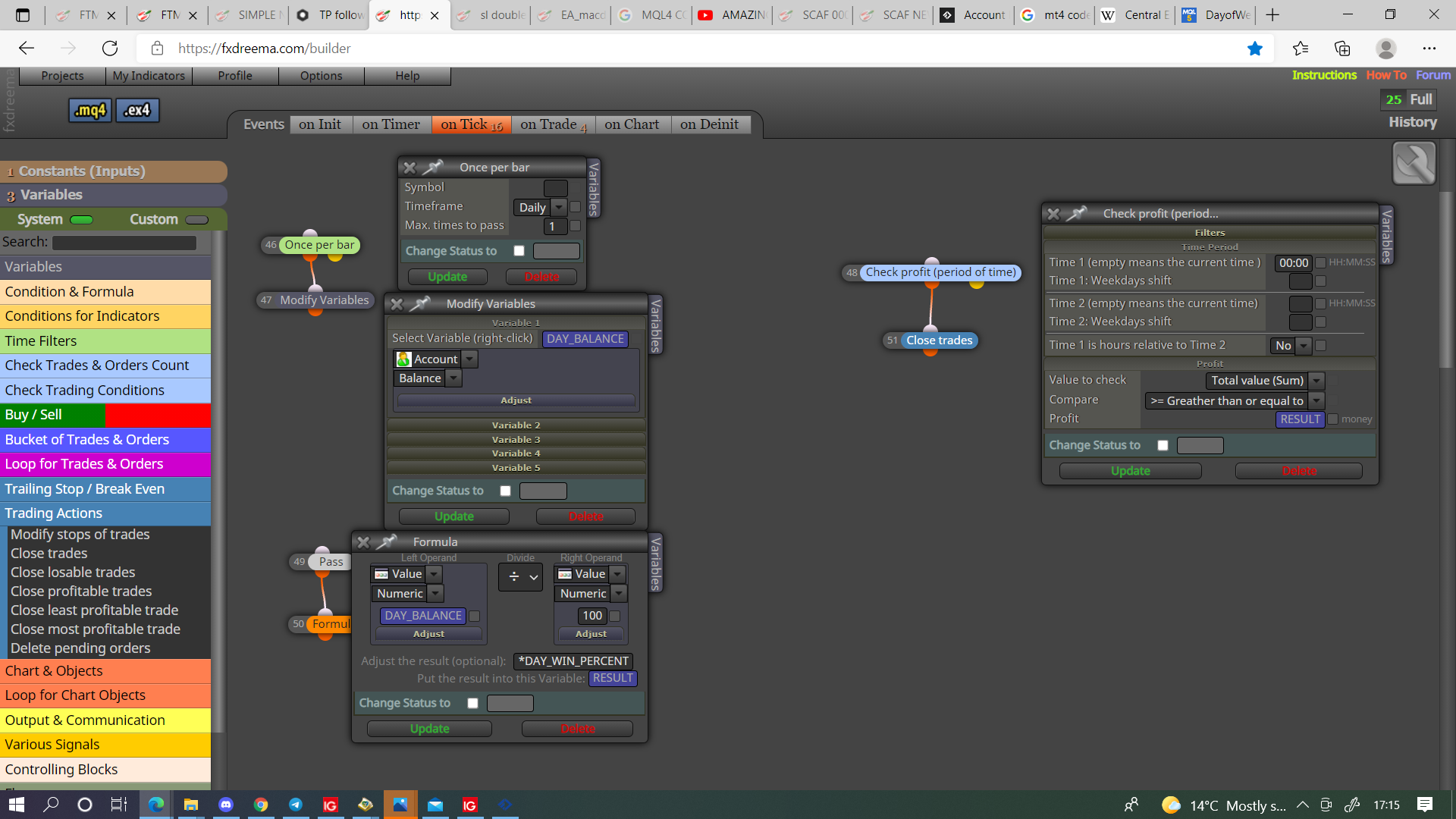
@bagheria You can do it like this, remember to stop EA placing new trades when percent met.
-
Thnaks. Which variables have you created? Can you show me please?
-
@bagheria Anything that's blue in the picture, there all doubles, and DAY_WIN_PERCENT is a constant.
-
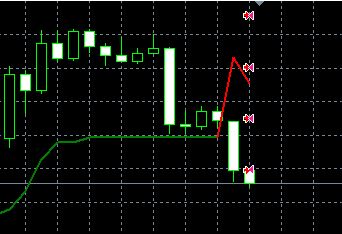
Thanks a lot. The problem is the positions are immediately closed. Why?
-
@bagheria Not sure put a shared link here and I'll have a look.
-
-
@bagheria You want to use indicator is visible, not appear, try this and let me know if your still having problems.
-
@jstap Nop. Same thing. Look at my entire project now
https://fxdreema.com/shared/mk064AgScAnd the screen
-
Not sure don't see why it would delete upon open, it could be because some trees don't have a if/no trade block above, with no trade it would only allow conditions to happen once, may be completing conditions in a fraction of a second.
-
@jstap Hello!
I managed to get the EA to work. However, I have a question:When a position is closed, the same day I can't take another one. I think it is because the EA have reached the % of balance I want in 1 day but I would like he reached at each position (1% of balance at each position), not just for the unique day. How can I do?
You wrote me "remember to stop EA placing new trades when percent met". How?Thanks!
-
-
@jstap said in TP following % of balance:
@bagheria In this link I think you will see all you need, have a look and let me know if you don't get sothing.
Thank you my friend but it doesn't work. Maybe I don't really understand.
I have created a Variable as this (TRADE)
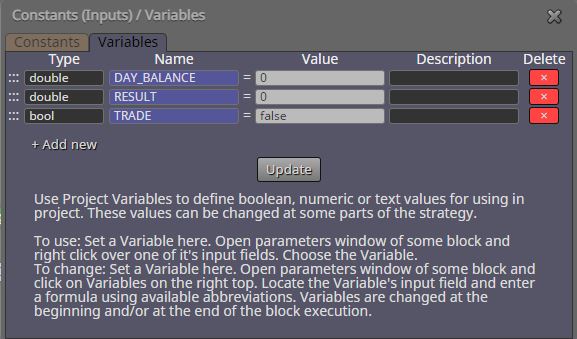
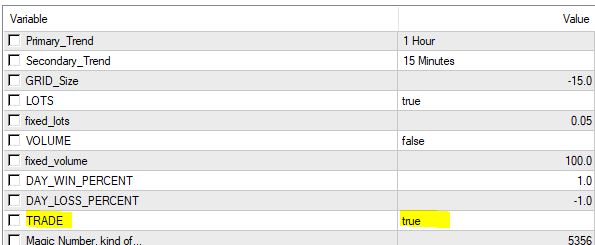
Then I created a Constant (TRADE)
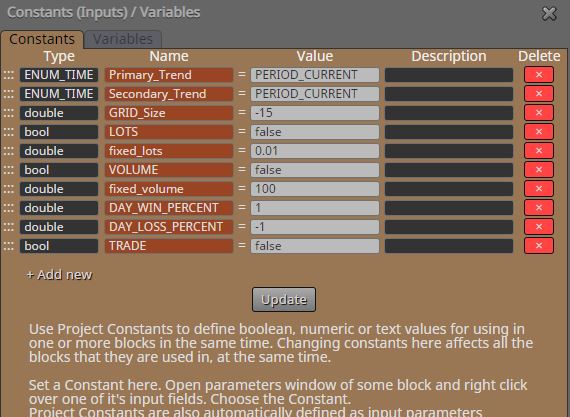
I added a new "Modify Variables"
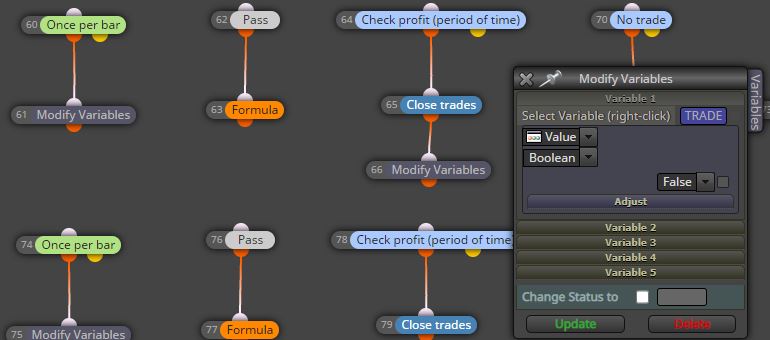
I added the following conditions (blocks 86 & 87)
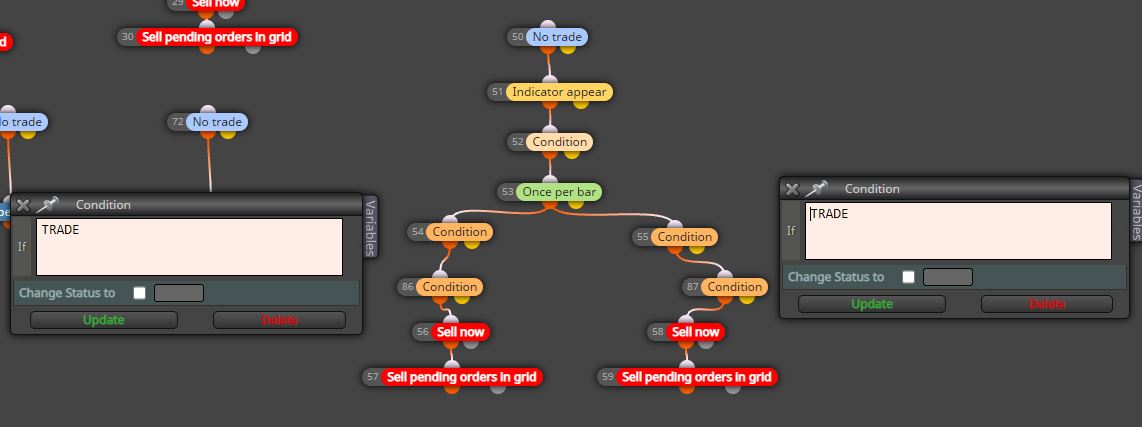
And I put TRUE value on my terminal
That's all. But maybe I forgot anything...
Thanks
-
@bagheria You can't have a variable named the same as a constant, will use the constant value above the variable value.
-
Ok, so what is your advice?
-
@bagheria If you need to switch trade on and off in inputs change the name, if not delete the constant.
-
@jstap said in TP following % of balance:
@bagheria If you need to switch trade on and off in inputs change the name, if not delete the constant.
So, if I delete the Constant, I can't add "Condition" with "TRADE" just to check before
-
@bagheria No the constant you change manually in your inputs, a variable is changed by the EA, this is why having a constant and variable named the same doesn't work.
-
@jstap Ok, but where can I put "TRUE" for my variable "TRADE"? I let "FALSE" on fxdreema and when I export to MT4, when I need to put to "TRUE"? Cause I have nothing in my INPUTS
-
@bagheria On init tab, pass block, under modify block, this will make true when EA added to chart, your other conditions will sort as needed.

