Thanks but I have not message on my chart...I just need to put a "Comment" block in my "On tick" tab?
B
Posts made by bagheria
-
RE: Indications dashboard on chartposted in Questions & Answers
-
Indications dashboard on chartposted in Questions & Answers
Hello!
Just to finalise my EA, I need to see informations on my chart where my EA is applied. Do you know how can I do that?
I need:- Total positions opened (count)
- Profit/loss (in real time)
Total lots opened
Thank you!
-
RE: MQL5 converterposted in Questions & Answers
After exporting your EA in your MT5 platform, close your platform and open it. Let's see
-
Grid systemposted in Questions & Answers
Hello,
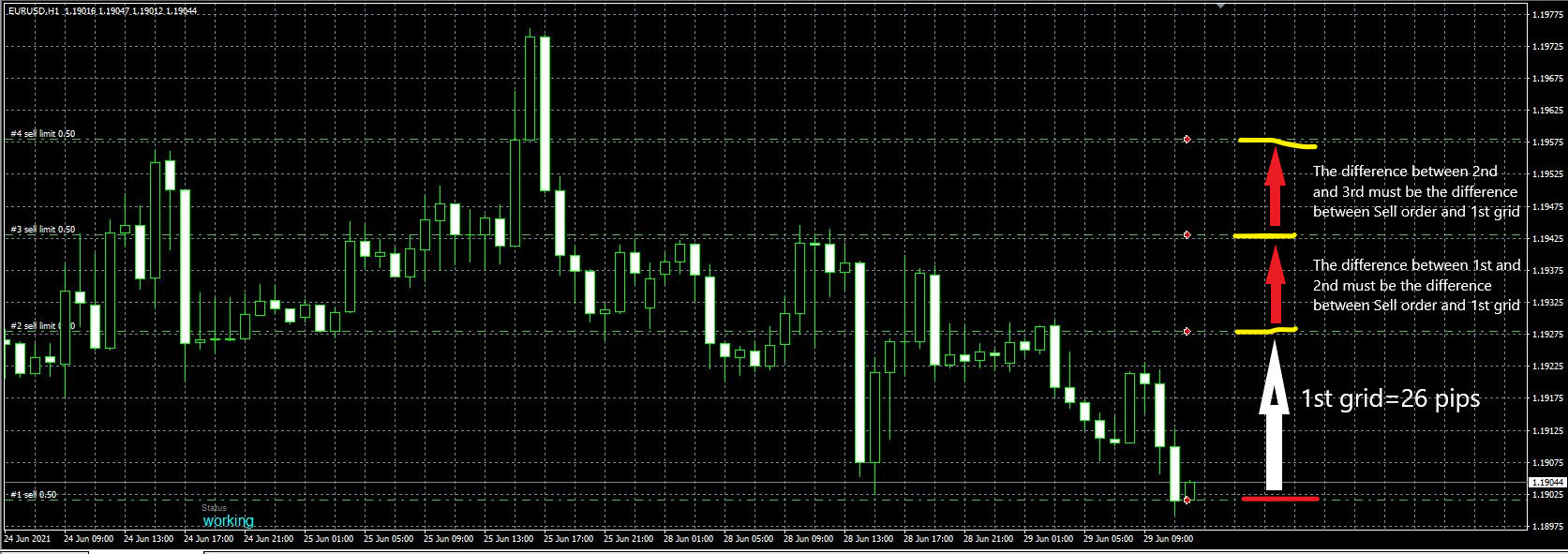
I need a little help with grid size. Actually I have custom pips between each level of grid. But I need to have the same level between the first trade and the grid system as follow. Just note that the first sell limit is based on an indicator.
-
RE: TP maxposted in Questions & Answers
@jstap Hello, Can you help me please. It doesn't work. I think I don't understand what do you mean about "condition block with trade sl".
Thanks my friend
-
RE: TP maxposted in Questions & Answers
@jstap Have you got a scheme please, just cause I am lost from "condition block with trade sl...". Thanks a lot
-
TP maxposted in Questions & Answers
Hello,
I need some help. I program a TP = MM200. At each candle, the TP evolved in function of the MM200. In the case of a LONG trade, I would like to block the TP at the higher value of the MM200. So if the MM200 decrease, the TP doesn't move and stay at the higher value of the MM200.
Thanks a lot
-
RE: TP following % of balanceposted in Questions & Answers
In reality, depending conditions blocks 50 to 59, the EA may open SHORT positions but this time I have nothing (before it opened and closed immedaitely). I think there is someting somewhere....
It is horrible, really... -
RE: TP following % of balanceposted in Questions & Answers
@jstap Ok, I didn't see in the On Init table. So sorry
See the project https://fxdreema.com/shared/qWkp7NxBb
This time no more trade opens after the first...You speak about "so true on bot addition", where is it?
-
RE: TP following % of balanceposted in Questions & Answers
@jstap Ok, but where can I put "TRUE" for my variable "TRADE"? I let "FALSE" on fxdreema and when I export to MT4, when I need to put to "TRUE"? Cause I have nothing in my INPUTS
-
RE: TP following % of balanceposted in Questions & Answers
@jstap said in TP following % of balance:
@bagheria If you need to switch trade on and off in inputs change the name, if not delete the constant.
So, if I delete the Constant, I can't add "Condition" with "TRADE" just to check before
-
RE: TP following % of balanceposted in Questions & Answers
@jstap said in TP following % of balance:
@bagheria In this link I think you will see all you need, have a look and let me know if you don't get sothing.
Thank you my friend but it doesn't work. Maybe I don't really understand.
I have created a Variable as this (TRADE)
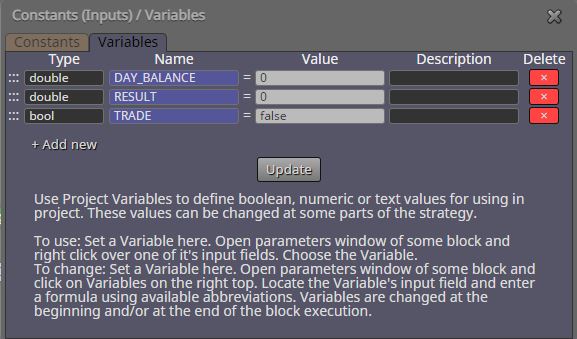
Then I created a Constant (TRADE)
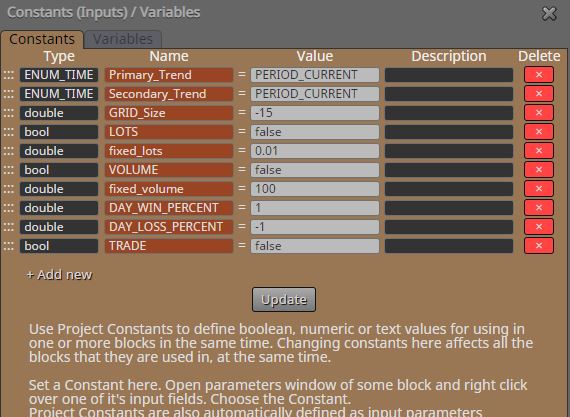
I added a new "Modify Variables"
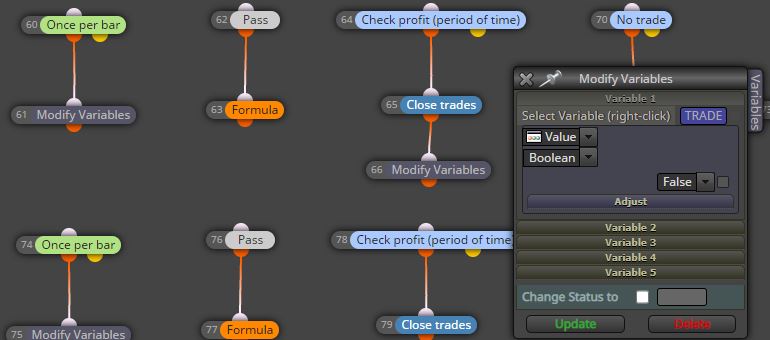
I added the following conditions (blocks 86 & 87)
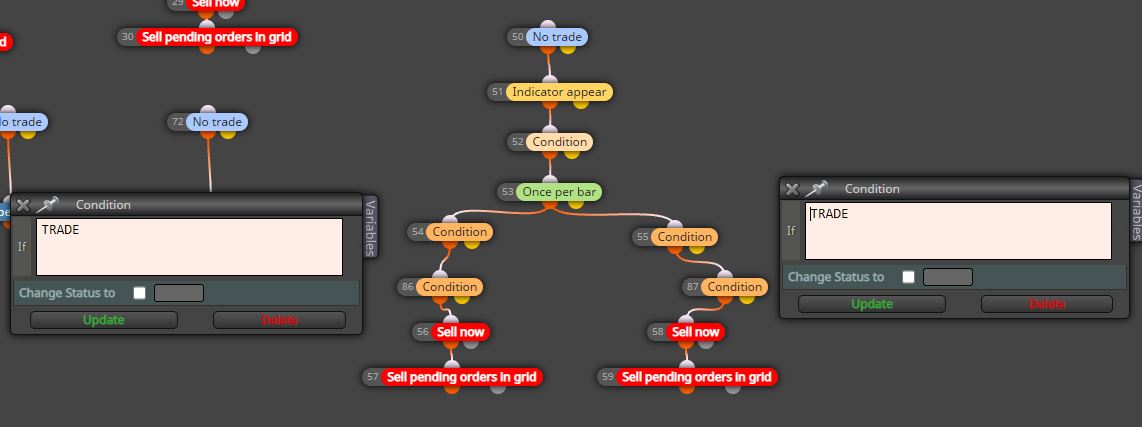
And I put TRUE value on my terminal
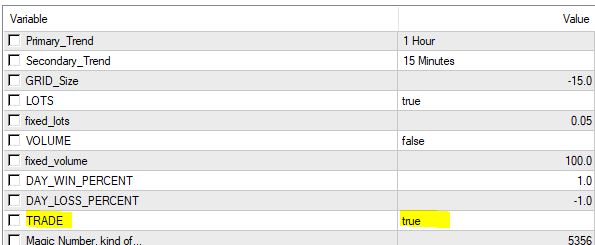
That's all. But maybe I forgot anything...
Thanks
-
RE: TP following % of balanceposted in Questions & Answers
@jstap Hello!
I managed to get the EA to work. However, I have a question:When a position is closed, the same day I can't take another one. I think it is because the EA have reached the % of balance I want in 1 day but I would like he reached at each position (1% of balance at each position), not just for the unique day. How can I do?
You wrote me "remember to stop EA placing new trades when percent met". How?Thanks!
-
RE: TP following % of balanceposted in Questions & Answers
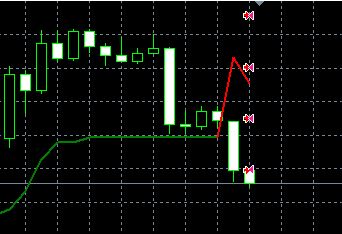
@jstap Nop. Same thing. Look at my entire project now
https://fxdreema.com/shared/mk064AgScAnd the screen
-
RE: TP following % of balanceposted in Questions & Answers
Thanks a lot. The problem is the positions are immediately closed. Why?
-
RE: TP following % of balanceposted in Questions & Answers
Thnaks. Which variables have you created? Can you show me please?