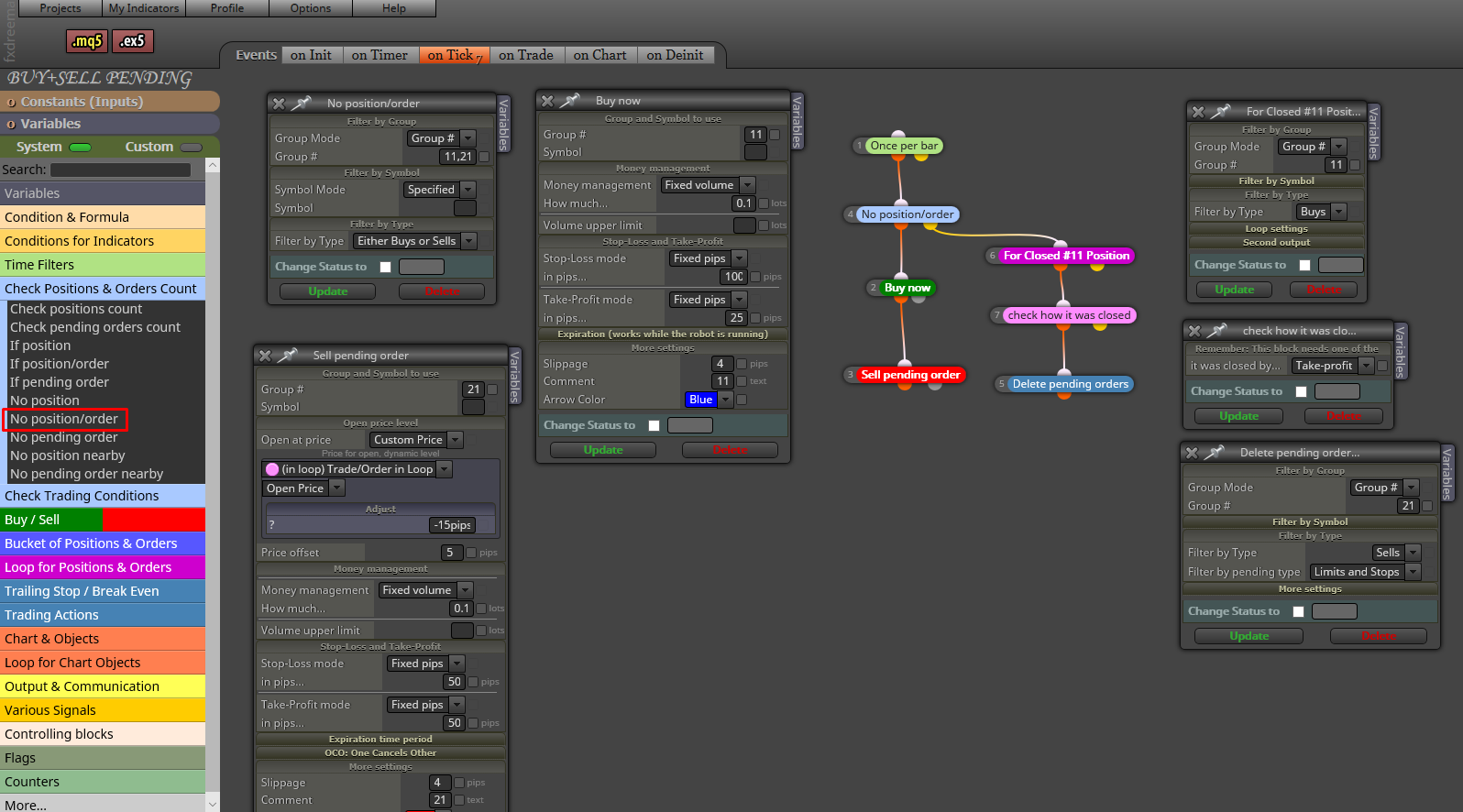
Look at this example
J
Posts made by josecortesllobat
-
RE: Problema para colocar el stop lossposted in Questions & Answers
ATR is an indicator that uses prices to calculate its value. Then, it returns a value as a "Price fraction".
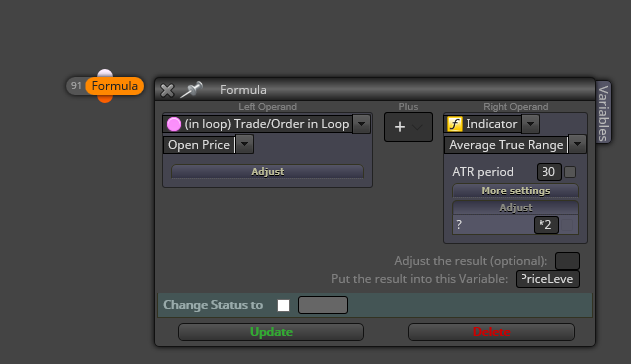
If you want to use a specific value of the ATR to place a Price level, you should use a formula like:
PriceLevel = OpenPrice + 2*ATR(30)
You can do that by using the "Formula" block
-
RE: engulfing candlestrategy EAposted in Questions & Answers
This is a pretty good starting point given by @miro1360
https://fxdreema.com/forum/topic/4321/tutorial-08-candle-formations
-
RE: Display variable values on MT4 data windowposted in Questions & Answers
Both are working well for me.
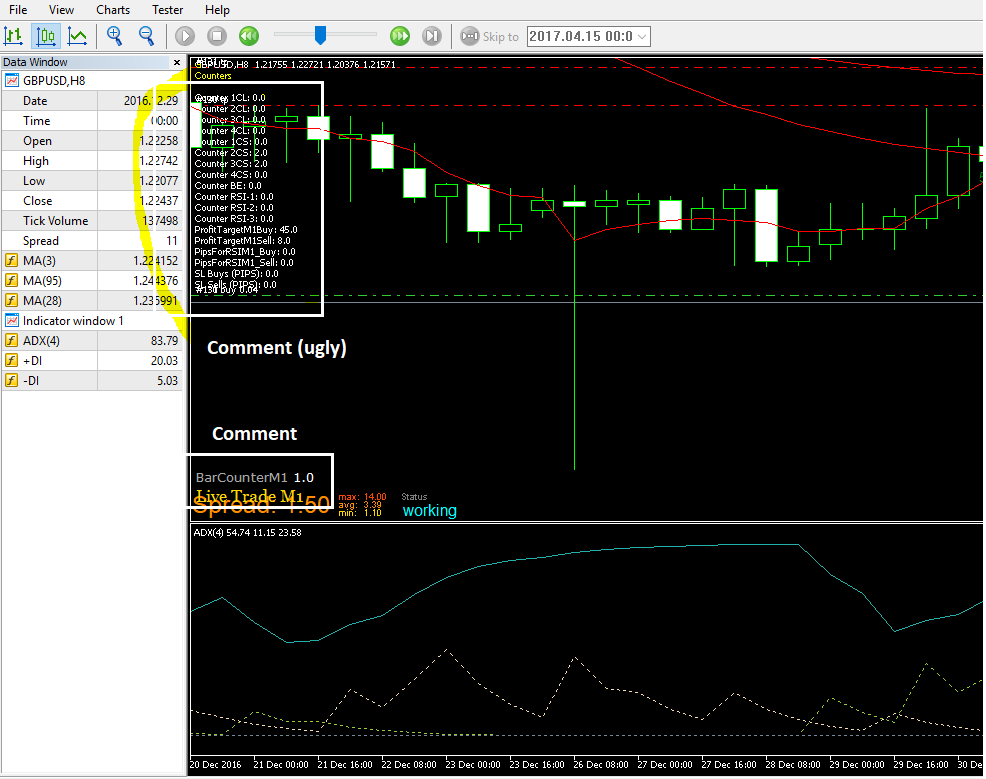
"Comment (ugly)" block placed after Sell or Buy block. It shows the values of some variables.
"Comment" block shows a variable being updated at the open of a new bar if there is any open trade. Like a barcounter.
-
RE: Open another operation followed by another.posted in Questions & Answers
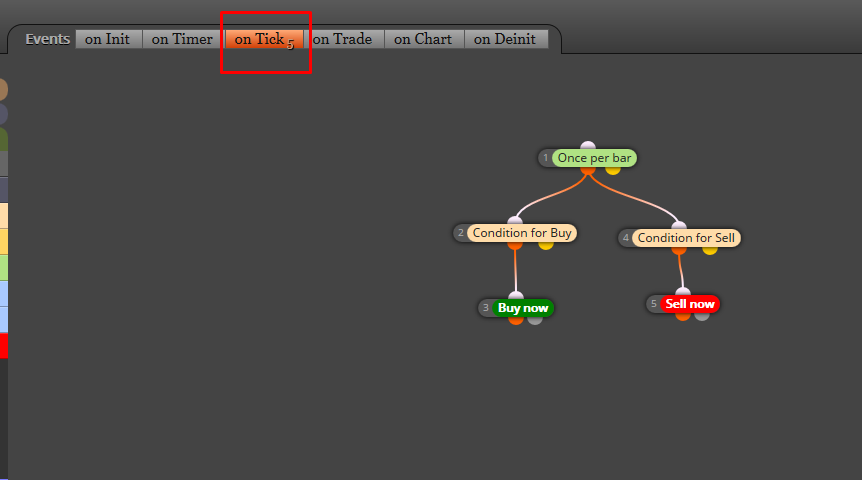
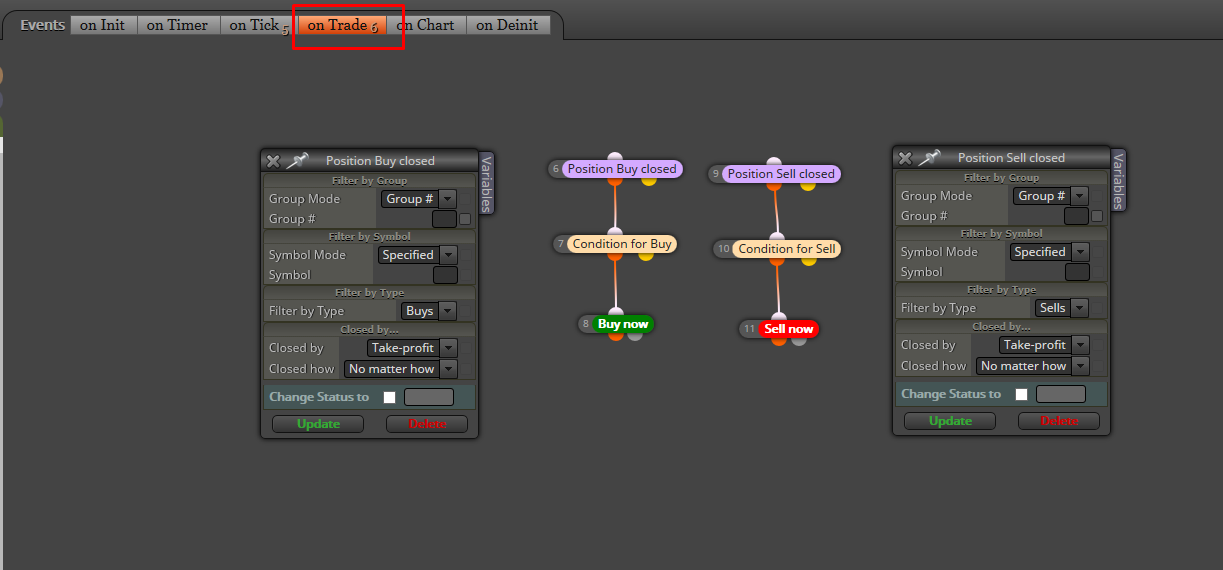
This might be a first approach. Not tested
-
RE: add volumen next trade when lost and maintain when winposted in Questions & Answers
Yes. Not so far away.
-
RE: Display variable values on MT4 data windowposted in Questions & Answers
You can use "Comment" block to display variable values on the chart

-
RE: add volumen next trade when lost and maintain when winposted in Questions & Answers
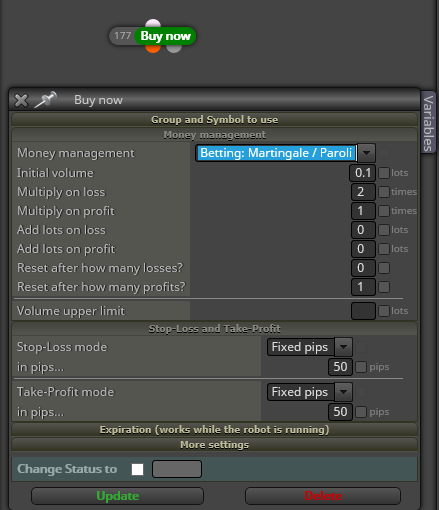
What you want it seems to be the undesirable "martingale" type betting
-
RE: Open another operation followed by another.posted in Questions & Answers
What does it mean "same conditions"?
-
RE: Cant Add Volume?!posted in Questions & Answers
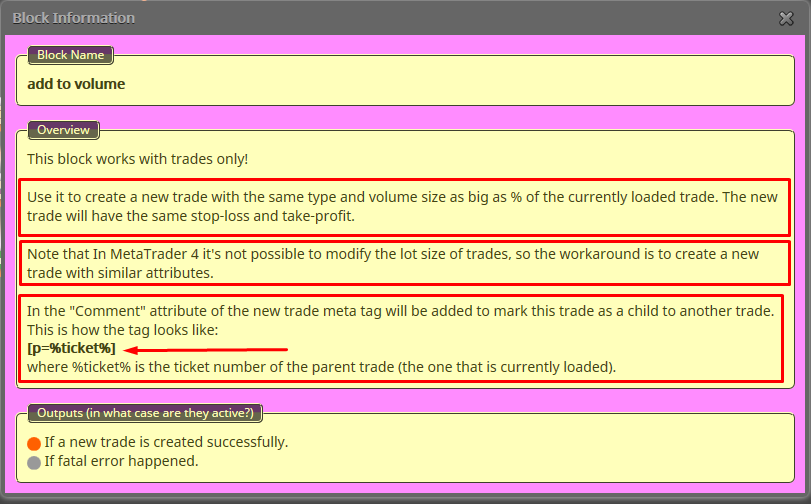
As the Information of "Add to Volume" explains
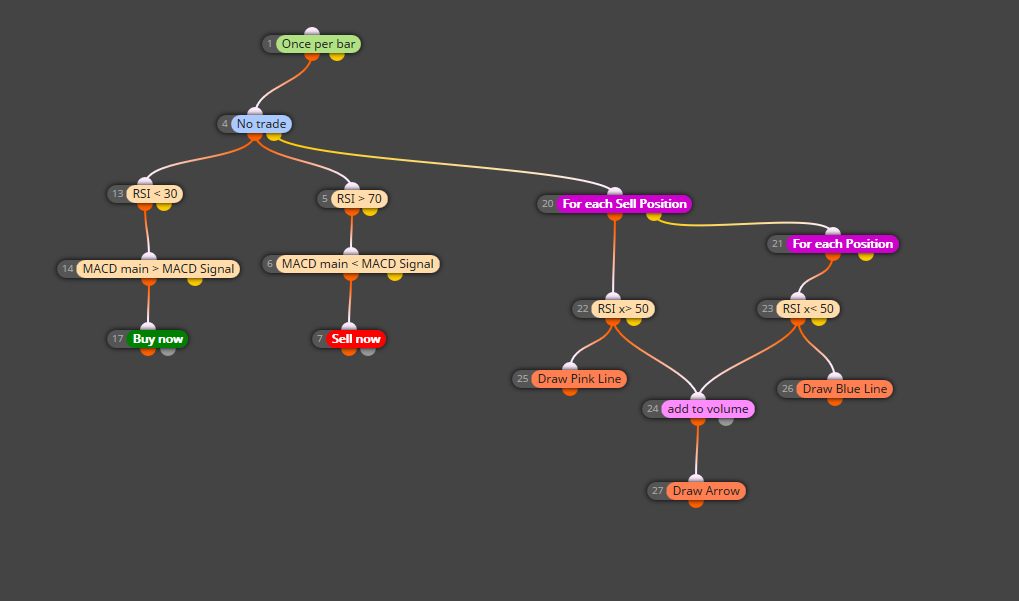
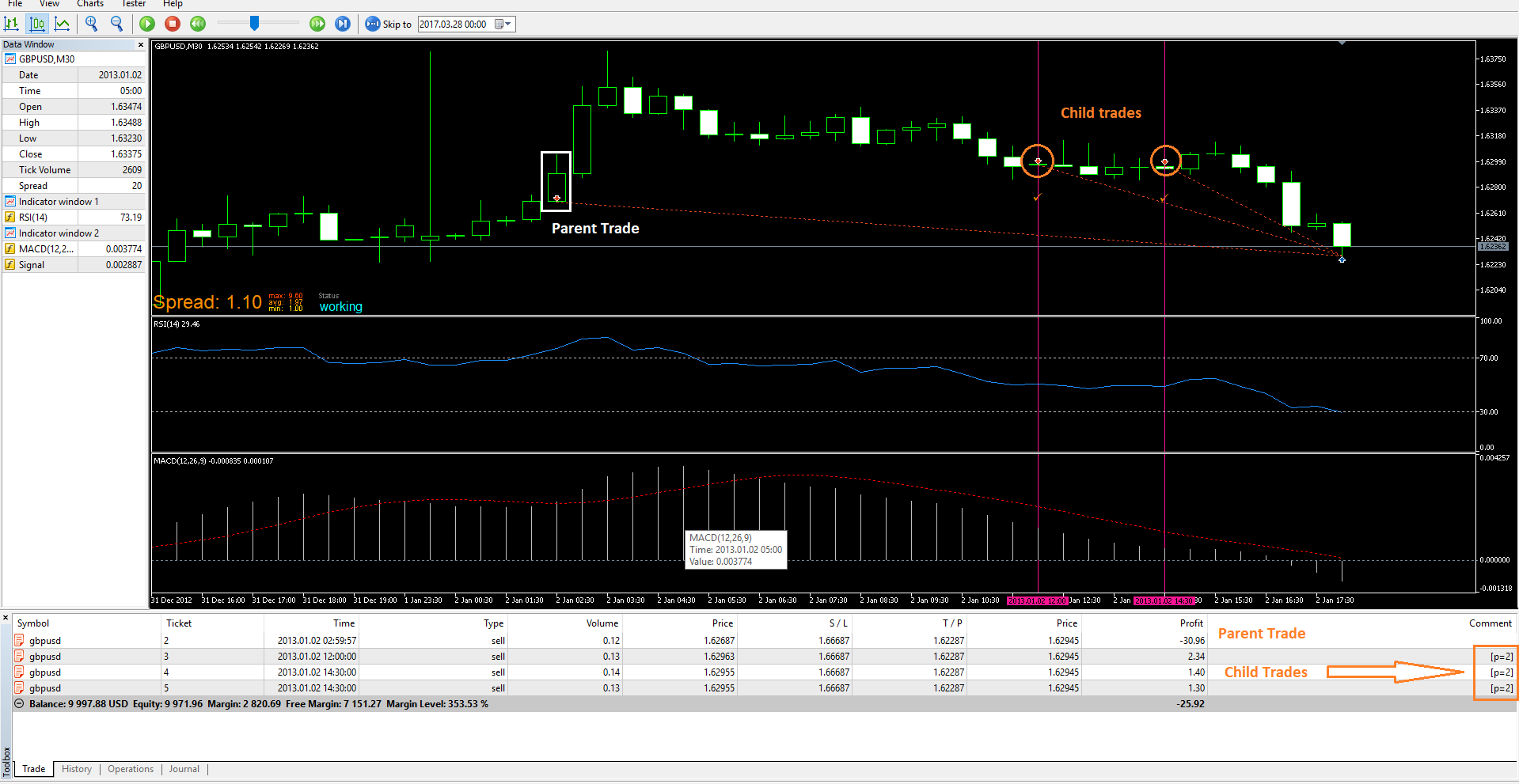
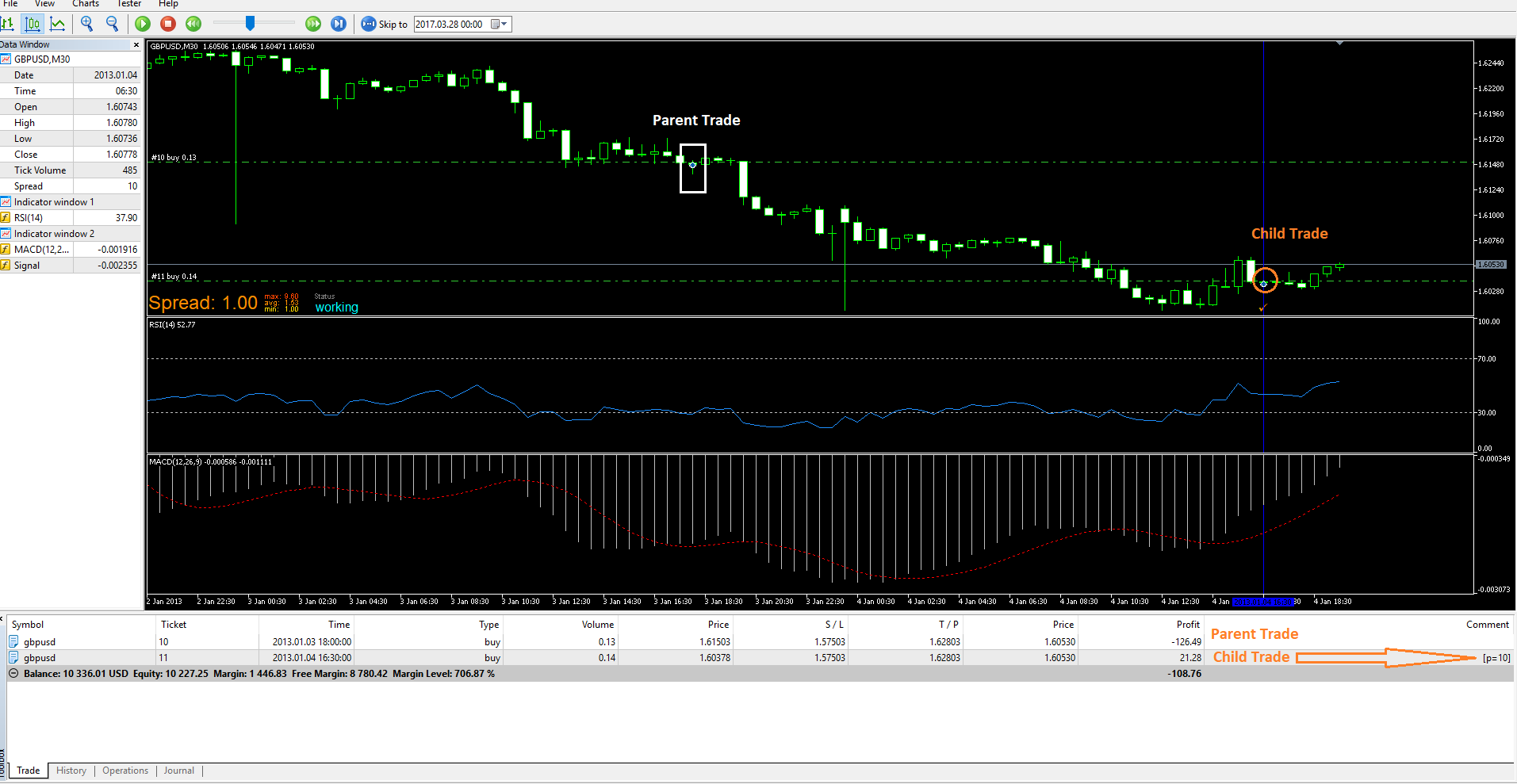
It Works well for me
-
RE: Cant Add Volume?!posted in Questions & Answers
Could you share which are the project's rules? Or, what do you want to achieve?
-
RE: Average over 5 candelsposted in Questions & Answers
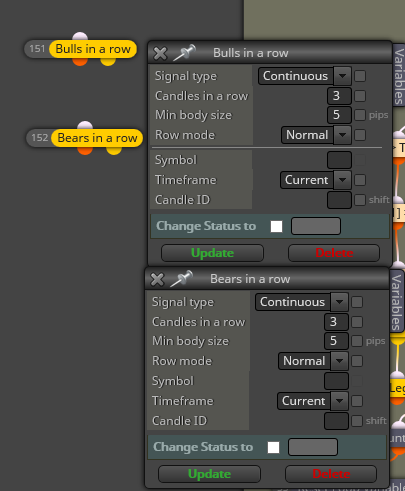
You can try something using the following blocks as a starting point
-
RE: Value Between Filter blockposted in Questions & Answers
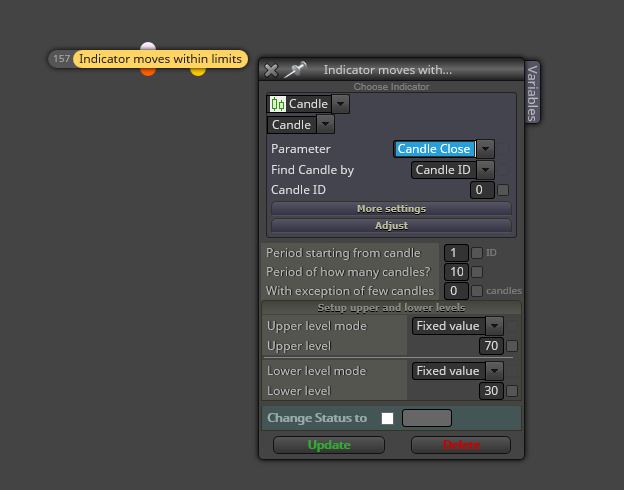
You can use different kind of indicators: MAs, PIPS, PRICES, etc...
-
RE: Cant Add Volume?!posted in Questions & Answers
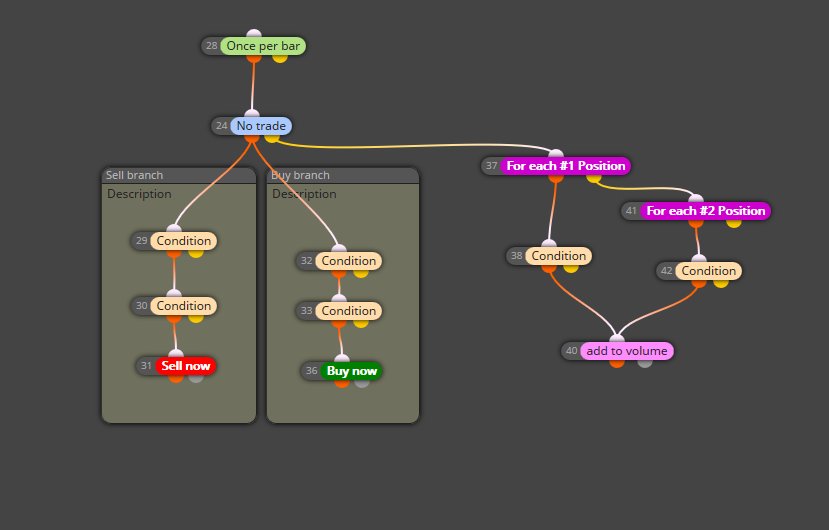
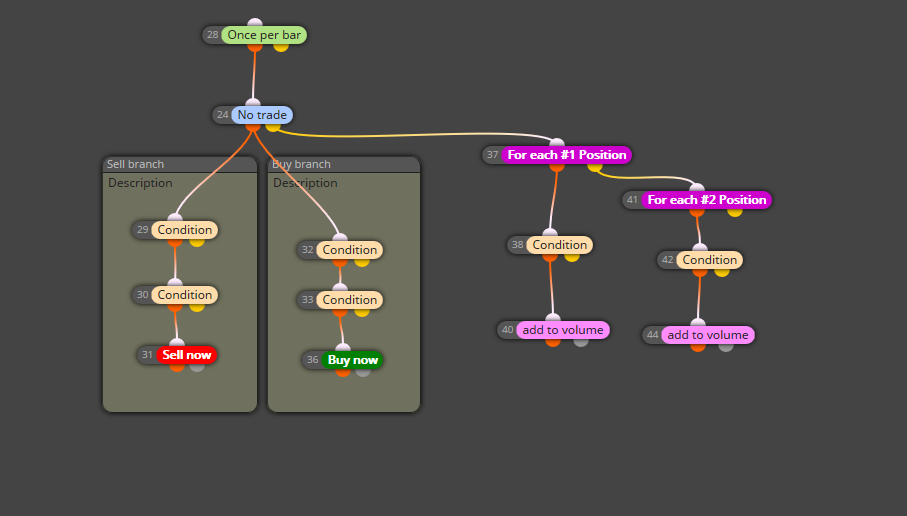
I suggest that you simplify the project because 2 "Once per bar" blocks do not make sense. You can start with "Once per bar" block at the top of the project and connect to it the "No trade" block. After this block, you can connect to the orange output (true) both branches to enter at market and connected to the yellow output the branches to increase the position volumen.
Like this
-
RE: Please helpposted in Questions & Answers
It is no so dificult to start with fxDreema. It is just required some time to know how the blocks work and how they have to used to build the logic.
Here you have some simple examples that are very useful to start with fxDreema
You will also find examples searching the forum posts.
If you know what your EA have to do, it is not a big deal to build the project using fxDreema. Nobody was born trained.
-
RE: Distance between EMAs in PIPposted in Questions & Answers
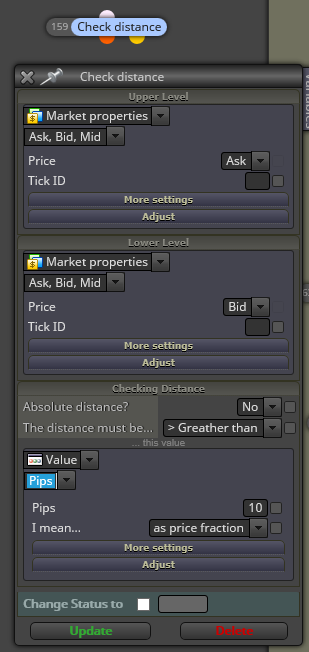
"Check distance" block is adressed to do that
-
RE: How to roundup numbersposted in Questions & Answers
The easiest way is by using a "Custom MQL code" block
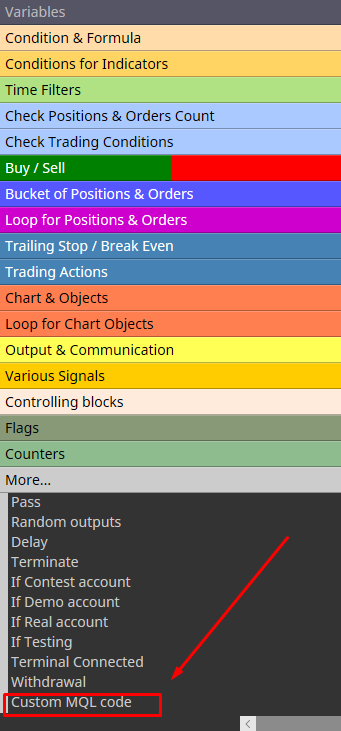
Add the MQL function inside the block
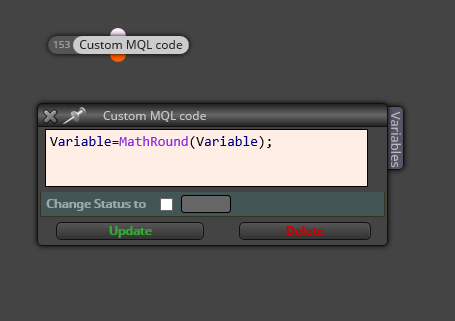
It is posible to add the MQL code in fields of some blocks but I think this is the simpliest way.
-
RE: Two conditions are met.posted in Questions & Answers
You can try this
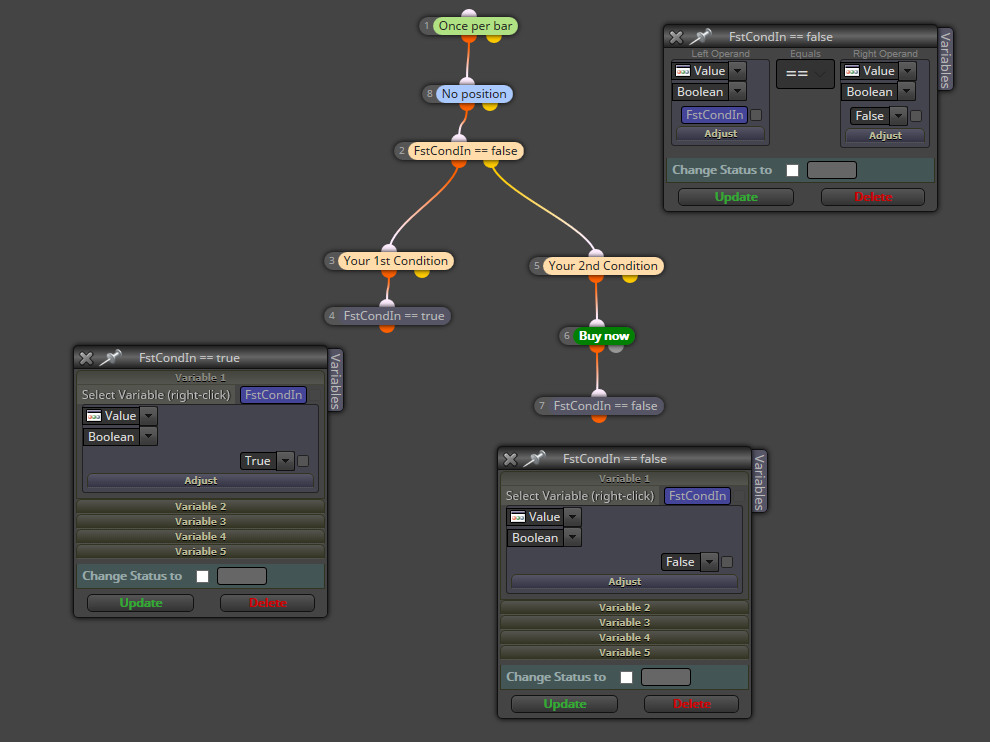
Define a variable like -> bool FirstCondIn == false
If FirstCondIn == false, the true block (2) output Will pass and the EA Will look for the 1st condition.
If the 1st condition is met, the true block (3) output Will pass and FirstCondIn == true
As the FirstCondIn == true, the yellow block (2) output Will pass and the EA Will look for the 2nd condition having the 1st as true. While FirstCondIn == true, the EA Will not look for the 1st condition until block (7) reset its value to false.