fxDreema

    • Register
    • Login
    • Search
    • Back to the main page
    • Categories
    • Recent
    • Tags
    • Popular
    • Search
    1. Home
    2. josecortesllobat
    3. Posts
    J
    • Profile
    • Following 2
    • Followers 20
    • Topics 34
    • Posts 507
    • Best 41
    • Controversial 1
    • Groups 0

    Posts made by josecortesllobat

    • Market Close Time

      Hello

      Usually the markets close on Friday about 23:00 depending on the server´s timezone. I would like to close any opened position before that time but as much closer as posible to the market´s closing time. Because my EA trades in high timeframes and it checks the project´s logic at the bar´s opening, I am not able to figure out how to close all opened trades if the bar´s open does not match with my condition.

      As an example: TimeFrame == H8 (bar´s open at 0:00, 8:00 & 16:00 each day)

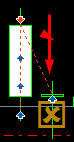
      If I set: OncePerBar (H8) -> If DayOfWeek == Friday && HoursFilter == 16:00 - 23:00 -> CloseAll, it Works pretty well.
      0_1539013615667_a90ac432-40e9-4d45-917f-2833ec9f1a21-image.png

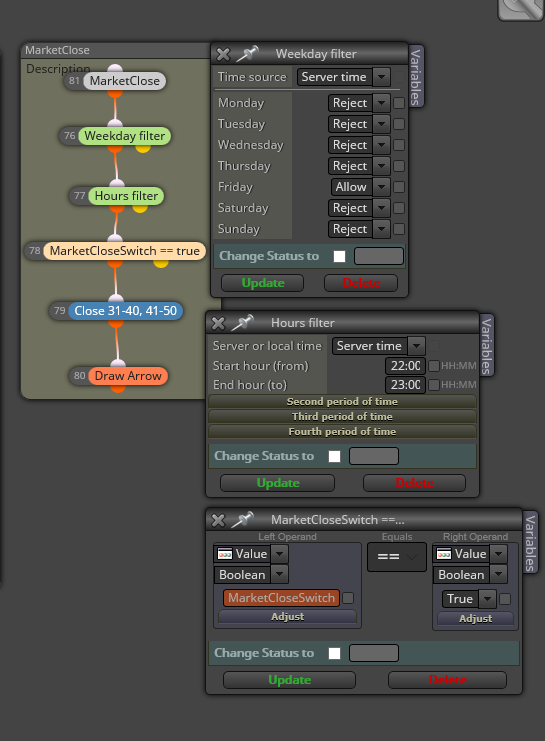
      But what I would like to set is like: OncePerBar (H8) -> If DayOfWeek == Friday && HoursFilter (or Time) == 22:00 - 23:00 -> CloseAll

      I tried
      0_1539013049728_3433f6dc-2eb2-41a9-92d3-dd27f4f798a1-image.png

      I have placed that block's group on the top´s Project to allow the ticks pass through it but it does not work. Block #81 is a "Pass" block.

      Any suggestion Will be very welcome.

      Thanks
      posted in Questions & Answers
      J
      josecortesllobat
    • RE: how to set Timeframe value at Condition block?

      Thanks @timmyhanke

      I Will try it.

      posted in Questions & Answers
      J
      josecortesllobat
    • RE: Eliminar orden pendiente

      Tienes que usar el bloque

      0_1538868940474_a5ab9472-5171-4a32-812e-798cb322f81c-image.png

      Para eliminar la orden pendiente que no ha entrado.

      posted in Questions & Answers
      J
      josecortesllobat
    • RE: how to set Timeframe value at Condition block?

      Hi @fxDreema

      I don't want to use the RightOperand as an external input (constant). I just want to pass the block if the TimeFrame matches the current TimeFrame.

      Then, which would be the right setup?

      0_1538841586690_4aca7947-6cf5-433d-8d79-a13ab01ab99b-image.png

      posted in Questions & Answers
      J
      josecortesllobat
    • RE: what is this many open position opened ?

      You should begin by taking a look at the help & examples section

      https://fxdreema.com/tutorial
      https://fxdreema.com/examples

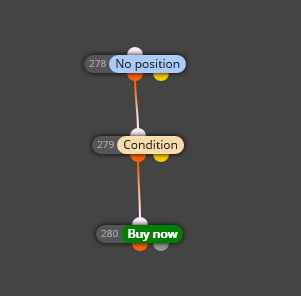
      A simple project´s logic should be: If NoPosition (Tick/Bar) and Condition is True -> Sell or Buy

      0_1538841250973_6f53bc93-b0e3-40b1-9bbb-5613b4e899e7-image.png

      posted in Questions & Answers
      J
      josecortesllobat
    • RE: Suggestions on terminating EA when it starts losing

      You can try the trade "expiration" time. It might be surprising the results you can get with this simple condition.

      posted in General Discussions
      J
      josecortesllobat
    • RE: operaciones de medias moviles

      Se recomienda empezar por los ejemplos disponibles en la web
      It is recommended to beging taking a look at the examples given by fxDreema

      https://fxdreema.com/examples#

      posted in General Discussions
      J
      josecortesllobat
    • RE: what is this many open position opened ?

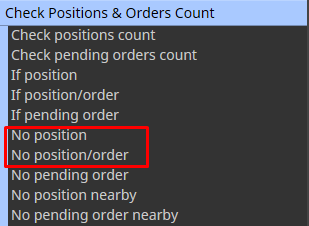
      Usually the problem is because you have not used the "No Trade/No Position" block

      0_1538827300036_b64c832c-042c-4be7-8ddf-b53ffe688578-image.png

      But if you share the Project or the idea you want to achieve is better to understand the issue.

      posted in Questions & Answers
      J
      josecortesllobat
    • RE: Fail to open block

      I would say that it is better to use the builder's web.

      posted in Bug Reports
      J
      josecortesllobat
    • RE: how to set Timeframe value at Condition block?

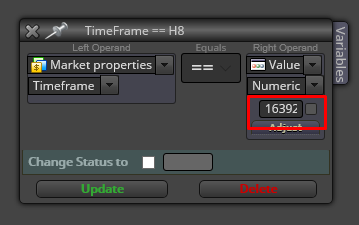
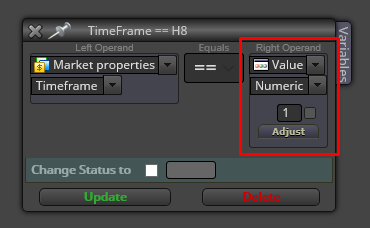
      I have found one way by searching the forum posts but it does not look very polite

      0_1538591977214_70ff4fec-a612-4e43-b2ca-35ff72ca4741-image.png

      0_1538591896294_44141812-c3e3-48d9-bec4-f60297be0a36-image.png

      Does anyone know if it is possible to use a string like the ENUM_TIMEFRAMES (PERIOD_H8) or H8 and so on?

      Thanks

      posted in Questions & Answers
      J
      josecortesllobat
    • how to set Timeframe value at Condition block?

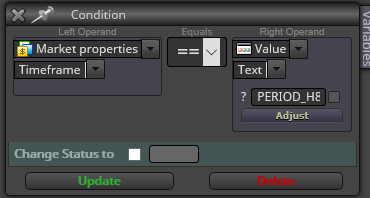
      I would like to set a specific TimeFrame at the Condition block to actívate the True exit

      0_1538589508896_1dd403b9-91d8-42af-8bcd-95f030c6015f-image.png

      Which is the right setting for the right operand? I tried PERIOD_H8 as input text but it does not work.

      Thanks

      posted in Questions & Answers
      J
      josecortesllobat
    • RE: Turn Off blocks

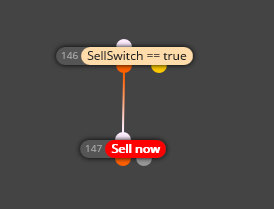
      Define a boolean (bool) variable like SellSwitch/BuySwitch and connect a condition block before the Sell/Buy block

      0_1538373022692_c9c22a58-1eb1-4eec-ad40-279783f2189b-image.png

      posted in Questions & Answers
      J
      josecortesllobat
    • RE: adaptive moving average

      Because they are the ones available in the platform by default.

      You can try to find it and add it to custom indicators.

      posted in Questions & Answers
      J
      josecortesllobat
    • RE: "Write to file" block

      Yes. It makes no sense that path.

      0_1538322659997_51422ad7-0342-4939-8fda-b9dbabb2a98f-image.png

      Thanks a lot @miro1360

      Your help make us better in fxDreema.

      0_1538322812408_daf2796f-fa9e-499b-affb-24509325ad81-image.png

      posted in Questions & Answers
      J
      josecortesllobat
    • RE: adaptive moving average

      Yes it is MT5.

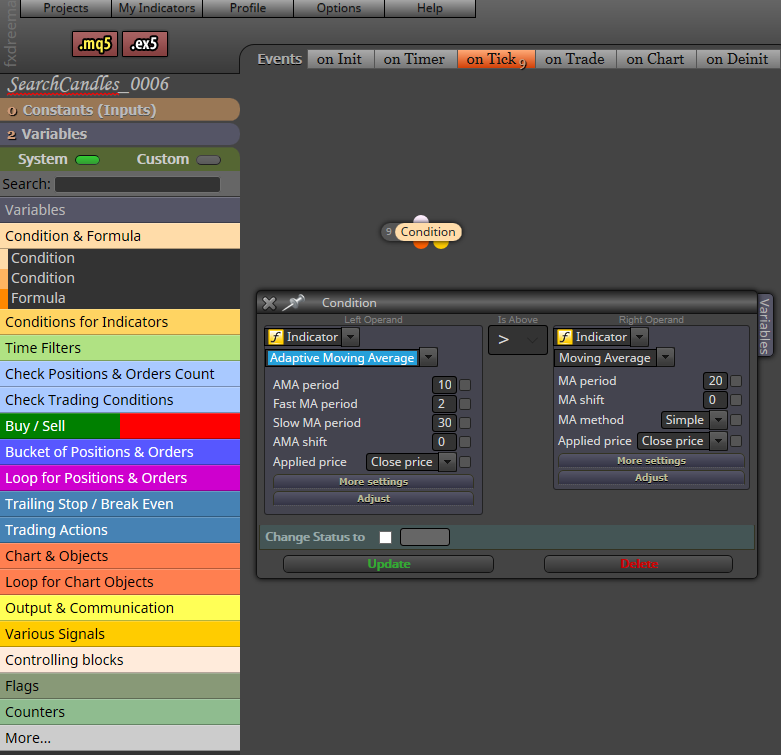
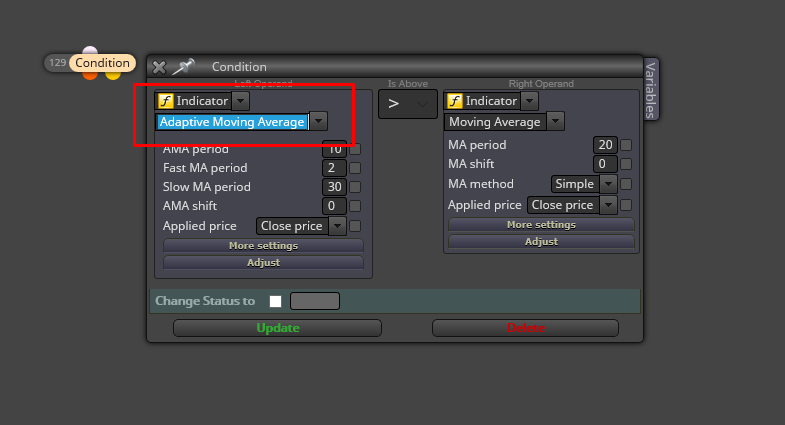
      0_1538290481569_9dbda6e0-f662-4cf8-b924-084a7f8104cc-image.png

      May be you can try to find the indicator you want in mql4 and added to your custom indicators.

      posted in Questions & Answers
      J
      josecortesllobat
    • RE: "Write to file" block

      Hello @miro1360

      Thanks for your help.

      It looks like that is not working for me (MT5). I have checked the paths you suggested but I am not getting the file.

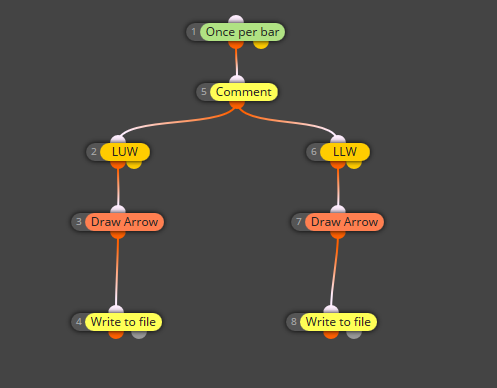
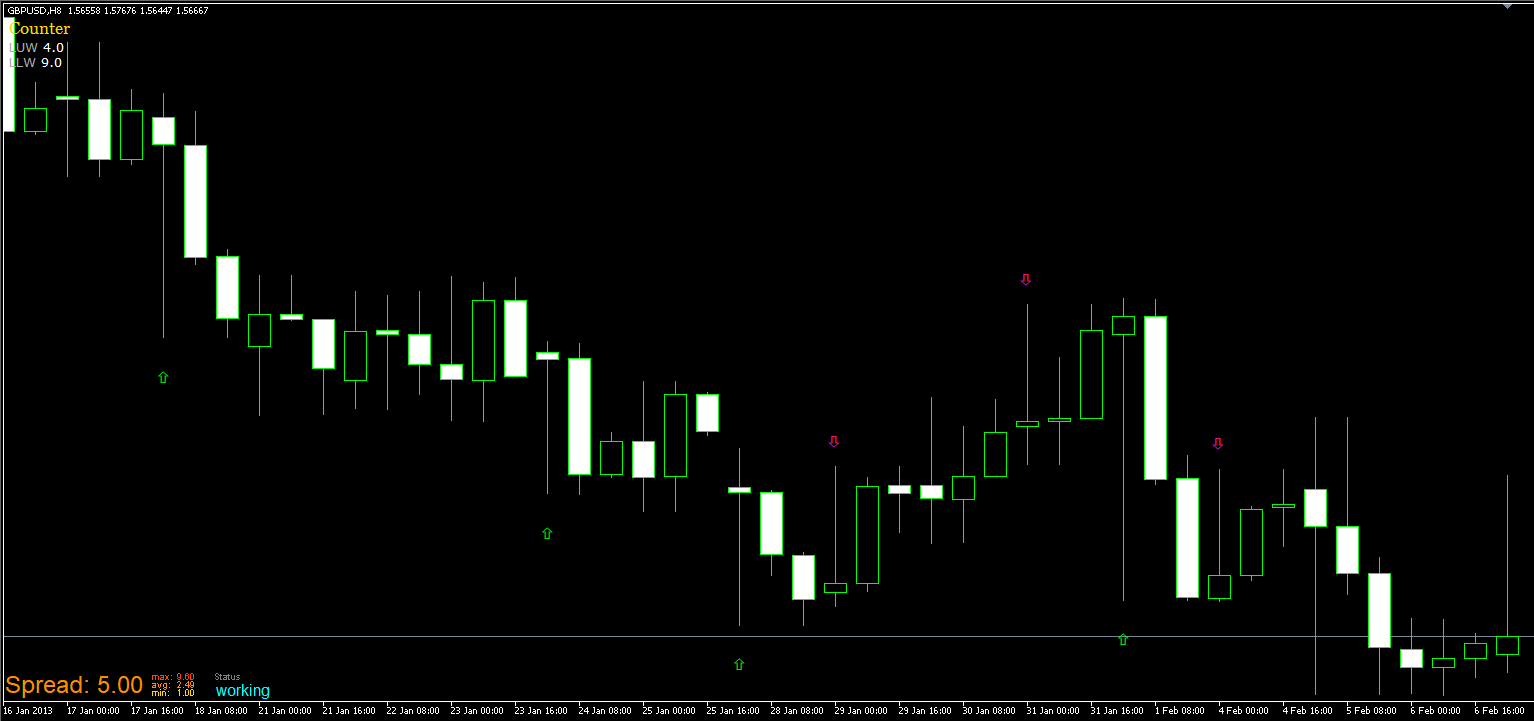
      My EA just looks for candles with a long upper o bottom wick. I have used your "candle formations" tutorial for the EA's search base. When it finds a candle, it should write some values to the file. The EA is working pretty well because it draws an arrow when it finds a candle.

      0_1538290023808_27587a5f-48c7-4b3a-985d-117e01e6b1d5-image.png

      0_1538290060977_b233c347-db25-4c81-847f-924da58ed3f5-image.png

      But I am not able to find the files that should be written if they are written.

      Could take a look and let me know what I am doing wrong?

      https://fxdreema.com/shared/YAUDRX5L

      Thanks

      posted in Questions & Answers
      J
      josecortesllobat
    • "Write to file" block

      Hello

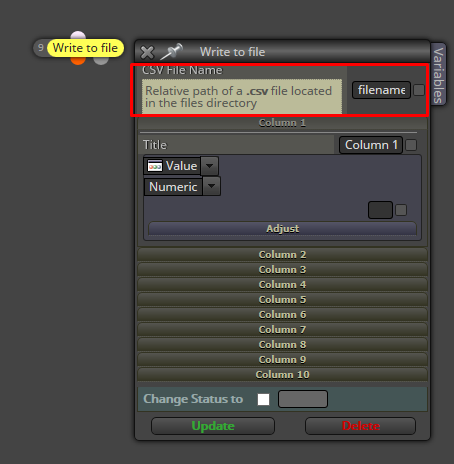
      Please, could anyone explain where is saved the csv file written by the "Write to file" block? Because I used the Desktop path but it looks like nothing is written.

      0_1538243810984_77aafbdb-d374-41a1-adb9-72b10be4dc5b-image.png

      Thanks

      posted in Questions & Answers
      J
      josecortesllobat
    • RE: .ex5 indicator to MyIndicator

      I think it is not possible. To add a custom indicator you need the mq5 file which contains the code.

      posted in Questions & Answers
      J
      josecortesllobat
    • RE: Help

      https://www.mql5.com/en/docs/convert/normalizedouble

      Add the code into a "Custom MQL block"

      posted in Questions & Answers
      J
      josecortesllobat
    • RE: adaptive moving average

      0_1538157419445_09d30f4d-08a3-4d97-bf08-f2867e548c5c-image.png

      MT5

      posted in Questions & Answers
      J
      josecortesllobat
    • 1
    • 2
    • 13
    • 14
    • 15
    • 16
    • 17
    • 25
    • 26
    • 15 / 26