Sí, hablo español.
J
Posts made by josecortesllobat
-
RE: Laguerre RSIposted in Questions & Answers
Hi @avrahambr
You just need the mq4/mq5 file to be imported into fxDreema.
-
RE: On Trade issueposted in Questions & Answers
Thanks @fxDreema
I will compile again the EAs to check out their behavior.
Working with Partial Close works pretty well and I am getting similar results than using "OnTrade" conditions to move the SL.
Go on with your hard work improving the builder.
-
RE: Traderposted in Questions & Answers
Does "Total result" mean the P/L of the current running trades?
-
RE: Compiling?posted in Bug Reports
You are welcome.
Don't hesitate to ask anything in the forum because we are learning together.
-
RE: Compiling?posted in Bug Reports
- Check out if the constant/variable you want is set as "boolean" in the Constant/Variables menu
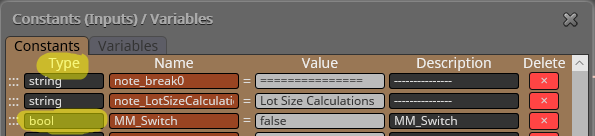
- Might be related to 1 if it is the same constant/variable as you want as boolean
-
RE: Compiling?posted in Bug Reports
@SydneyFox Most probably is what you are saying.
I suggest a workaround:
- Open the MT4 platform you want the EA compiled be used
- "Open Data Folder" from File menu
- Navigate to \MQL4\Experts and copy the mq4 file inside that folder
- Open the file from there (double click over it)
After you get the EA compiled file, you should find it in that folder.
-
RE: Compiling?posted in Bug Reports
If you double click over the mql4 file, the metaeditor will open up and you will be able to compile the EA.

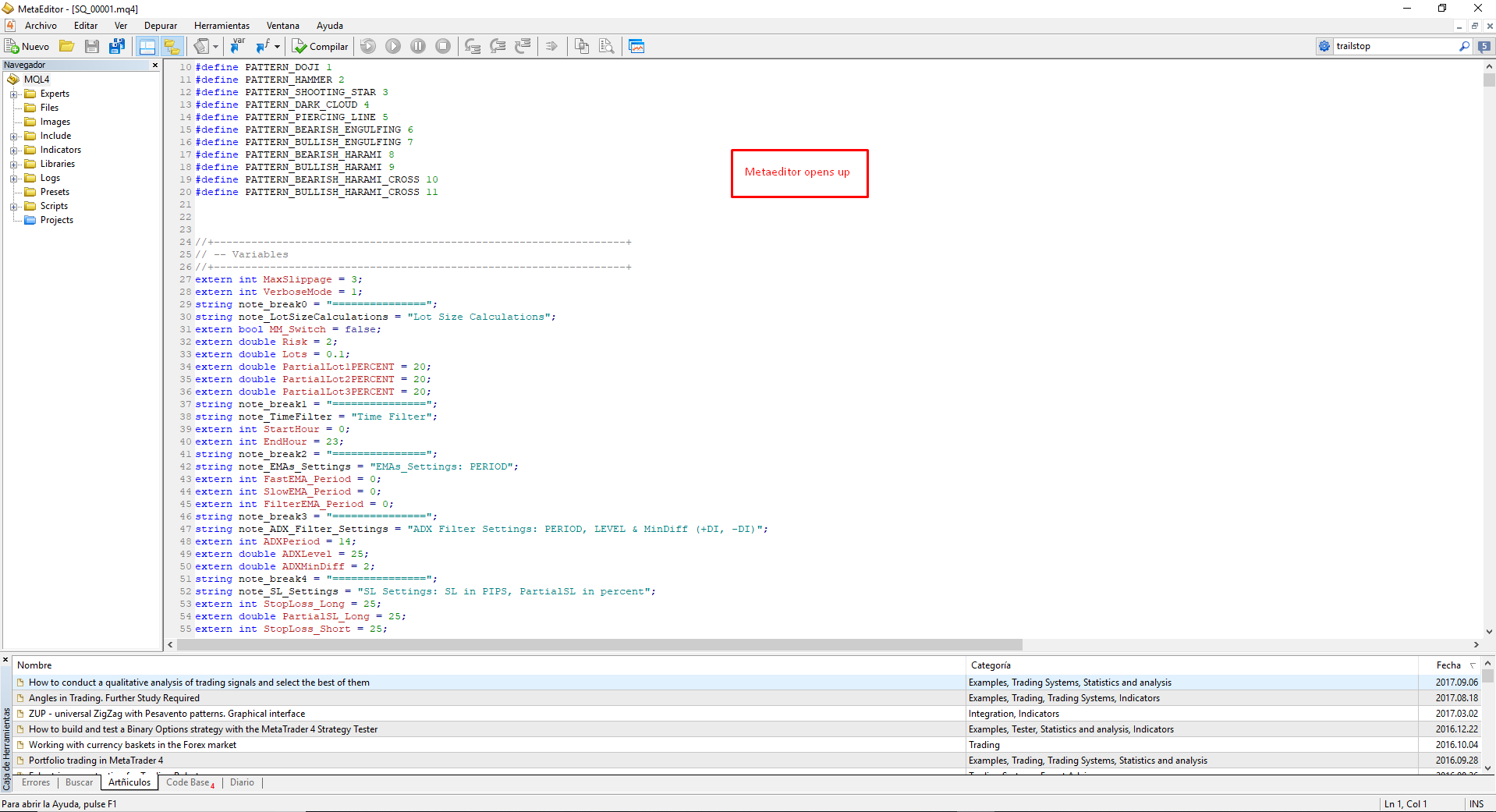

When the job has done, you will get some info about the compiled job.

Warnings (in yellow) are not a problem but Errors (in Red) yes.
-
RE: Compiling?posted in Bug Reports
What you can do is to compile the mql4 file using metaeditor. If there is some error, it will be shown.
-
RE: Compiling?posted in Bug Reports
Hi @SydneyFox
Could you share a screenshot showing the error that gives you when you try to compile the Project?
-
RE: Using time in formulaposted in Questions & Answers
Hi @avrahambr
You have some blocks that can help you in what you are trying to get on the "TimeFilter" pane
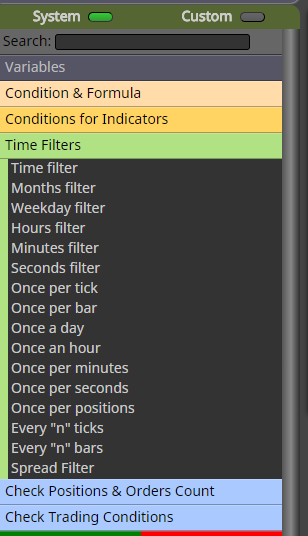
If you are looking for a TimeFilter that allows or not the EA to run on that time period, this is how I am doing that
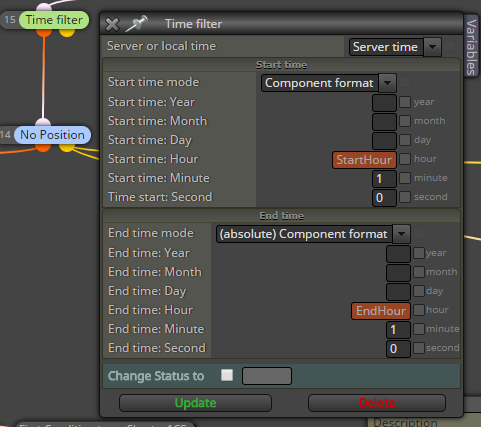
It works well for my purpose.
You have time options in the "Condition block" as well
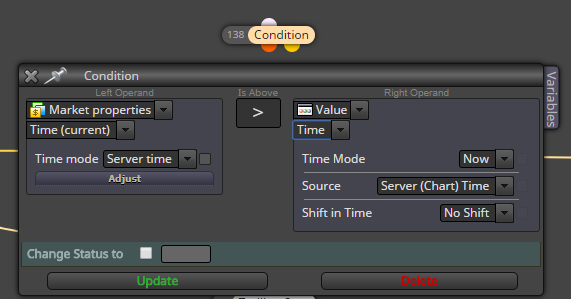
There are many ways to do the same in fxDreema. If you share more detailed info of what you are trying to get, there are many people that will be glad to help giving you some guides/suggestions or sharing a simple EA for you. You don't have to give the whole logic of your project, of course. Just explain as much as possible what you need to achieve.
-
RE: Using time in formulaposted in Questions & Answers
You have the "check age" block
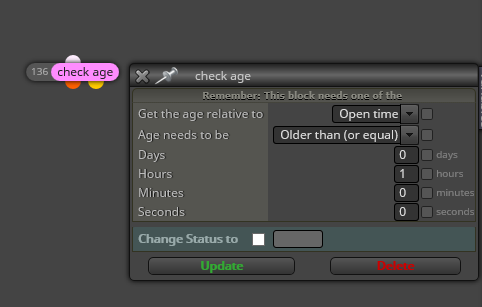
Might be what you are looking for.
-
RE: Adquisición programaposted in Questions & Answers
Es sin duda de los mejores builders y más fáciles de usar. La gente del foro ayuda mucho y hay mucha información disponible en los diferentes posts. fxDreema ayuda mucho con los problemas que surgen a los usuarios.
No doubts. It is one of the best builders and easy to use. Forum users help a lot with the questions and the forum is plenty of info and examples. @fxDreema helps a lot with the issues,
-
RE: On Trade issueposted in Questions & Answers
Hi @fxDreema
Thanks for helping.
I will compile again the EAs in order to check if the behavior is the same with the updates and I will let you know.
Yes, I do. I am working in building a similar EA with the partial close.
I encourage you to continue investigating the issue because I found very useful and easy to work with "OnTrade" section of the builder.
-
RE: COMPRAposted in Questions & Answers
I am able to choose the annual payment and go through Paypal.
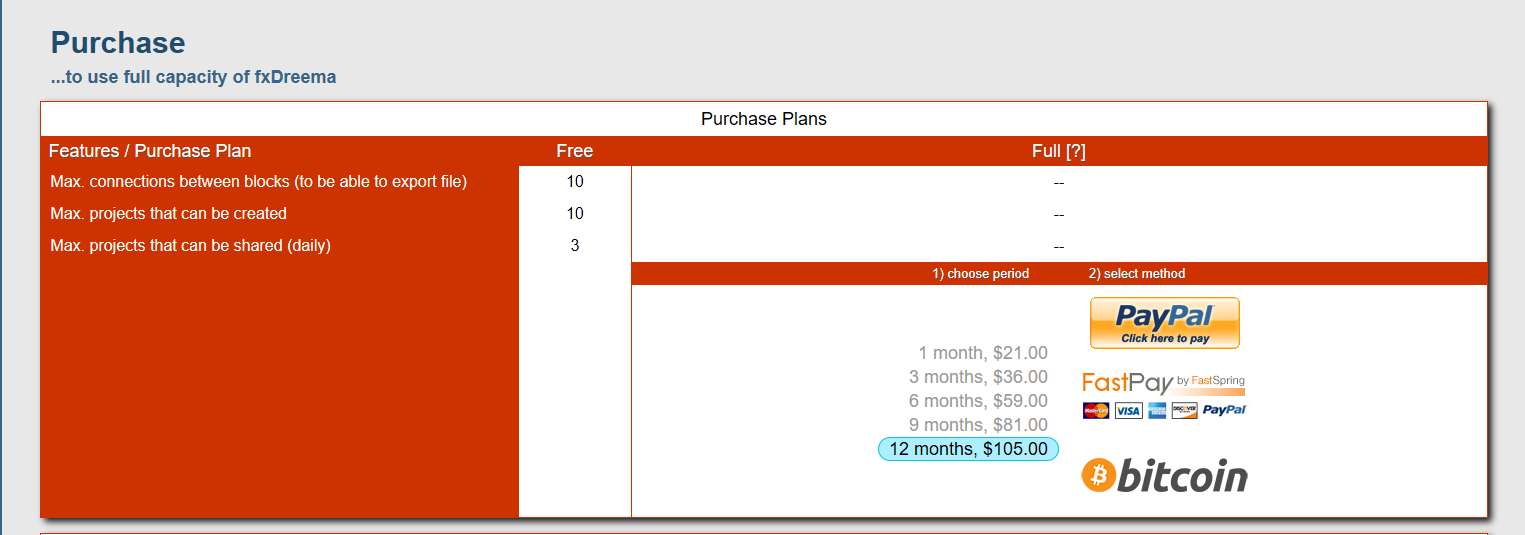
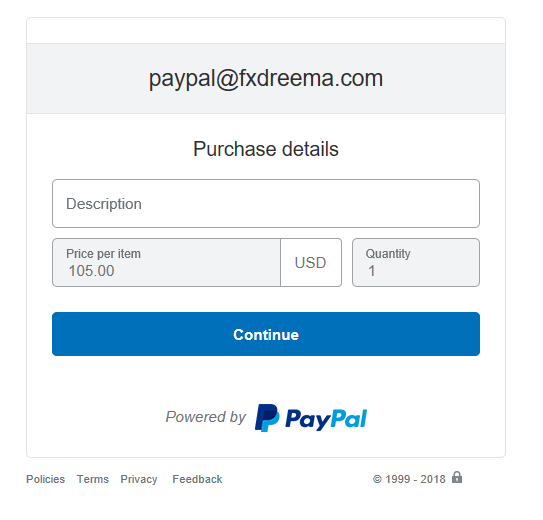
Might be a browser issue? I am using Microsoft EDGE
-
RE: On Trade issueposted in Questions & Answers
Hi @fxDreema
Here you have a new example with a behavior not as expected
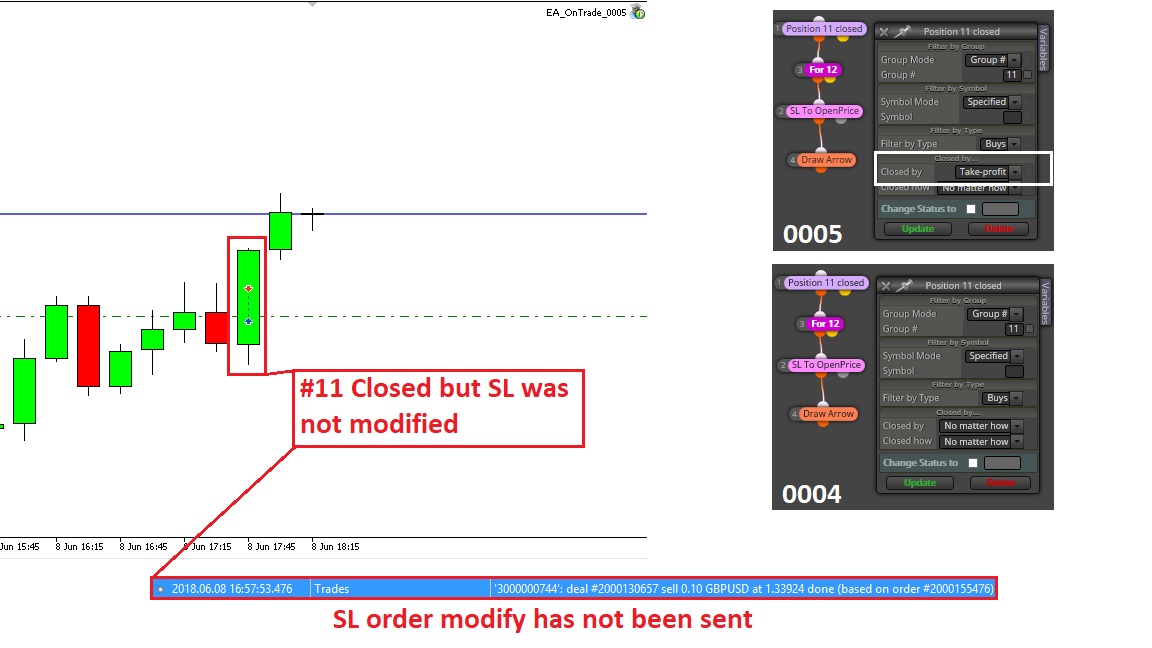
Then, while you get the result of your investigation, it seems that the issue might be related to the broker &/or the platform because it seems as if the order to modify the SL after "Position closed" detection was not sent.
Thanks
-
RE: On Trade issueposted in Questions & Answers
Hi @fxDreema
Here you have another example with different result
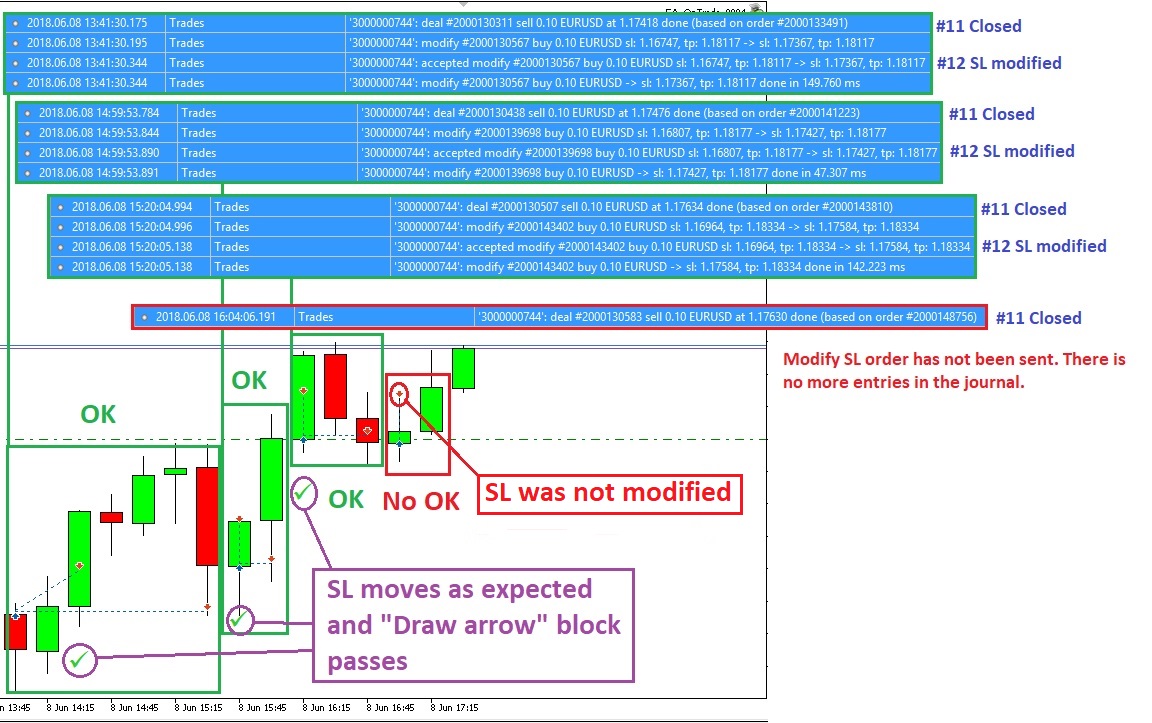
In this case the EA is running in a demo account of the same broker. It is not the same account than the one of the example above but it is supposed that both should have the same behavior.
It seems that the EA behavior was as expected in three trades but not in the lastest one. I am running the EA alone. In the example above, the EA was added to an EAs portfolio in the same client. This could mean that the issue might be related to the broker or the platform. Because the code is the same in both cases but now we are getting better behavior.
Anyway, it is good that @fxDreema is investigating the issue.
Thanks
-
RE: On Trade issueposted in Questions & Answers
Hello @fxDreema
I am running your simple EA with one of my MT5 demo accounts and the behavior is the same as I got. When the #11 is closed, there is no SL move and the TP of the #12 has been changed to 0.00000. Take a loot at the picture
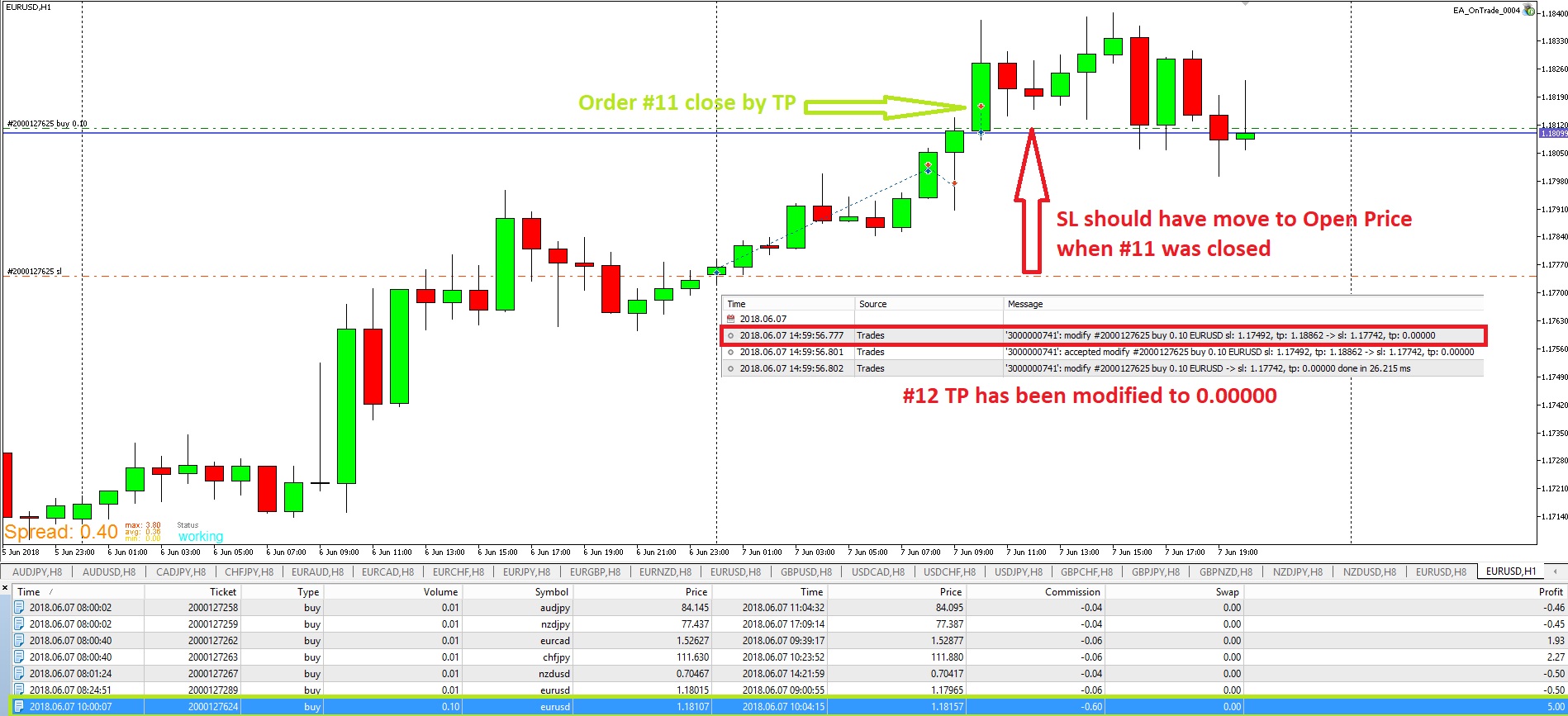
Then, we have different issues:
-
SL has not been modified as expected. There is no error logged in the journal. TP1 is 5 pips away from the OpenPrice and the broker does not have a minimum SL.
-
TP has been modified to 0.00000 as I got sometimes when "No change" option is set for "modify stops" block. For this reason I was using a variable to keep the TP of the trades unchanged.
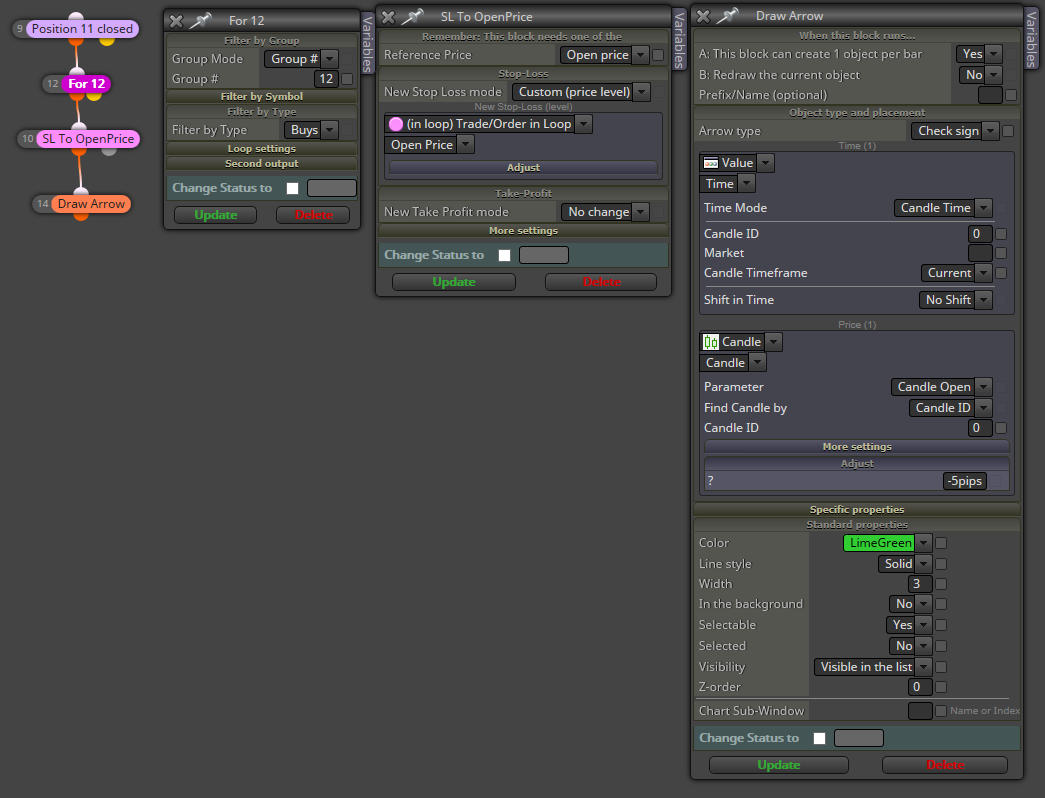
Thanks for your support on this issue.
-