mq is a lot easier as all buffers are already in the file, ex works but can be difficult. input all input parameters (I make sure all names are identical, just to eliminate a possible problem), then check if the indicator has relevant buffers, load to your MT terminal and view your data window, this will show you the available buffers, they be be in an order starting with 0, the value shown is what FX can retrieve, put in the buffer list on FX all the relevant buffers, call them what you want. Once loaded onto FX you should see all the indicator can do and the buffers in the my indicators section.

Best posts made by jstap
-
RE: Indicator Buffer dataposted in Questions & Answers
-
RE: heikin ashi bear to bull find low sizeposted in Questions & Answers
You'll have to say if it does/doesn't, not recently I have tried to use HA this way, but didn't show the right candle, why I used ChatGPT and it said:
Why the lines appear on the wrong candle
Your logic is correct, but the visual mismatch happens because of how MT4 handles:- Heikin‑Ashi indexing
- Shift timing
- Bar completion
- Redrawing on every tick
Two things cause the lines to appear on the 3rd candle instead of the 1st:
- Heikin‑Ashi is not aligned with the chart candles
You’re drawing lines on the real chart, but your logic is detecting HA candles, which do not line up 1:1 with the visible candles.
So:
- HA shift 1 ≠ real chart shift 1
- HA shift 2 ≠ real chart shift 2
This alone can move your line forward by 1–2 candles.
- Your code uses Time[1], but the HA candle you detected may actually correspond to Time[2] or Time[3]
Because HA candles are synthetic, the “bullish HA candle at shift 1” might visually appear on the chart two candles later.
So the line is drawn correctly according to your logic, but not where your eyes expect it.
so good luck relying on the standard blocks... as in your picture above it looks like this is the problem you are facing.
-
RE: Problem generating Oninit code?posted in Questions & Answers
Ask AI:
Looking at the code, I can spot a few issues:
- static variable won't work in a Custom Block
static ulong last_logged_deal = 0; — Static variables inside FXDreema custom blocks don't persist between calls the way they would in a native MQL5 function. This means last_logged_deal will reset every tick, so the duplicate-deal guard will never actually work.
Fix: Use a Global Variable instead:
mql5ulong last_logged_deal = (ulong)GlobalVariableGet("LastLoggedDeal");
And after updating it:
mql5GlobalVariableSet("LastLoggedDeal", (double)deal_ticket); - No HistorySelect call before accessing history
HistoryDealsTotal() and HistoryDealGetTicket() require history to be loaded first. Without this, you may get 0 deals even when history exists.
Fix: Add before your history calls:
mql5HistorySelect(0, TimeCurrent()); - Missing CSV header row
The file is opened in append mode (SEEK_END) every time, so there's no header written. This makes the CSV harder to work with in Excel etc. You'd want to check if the file is new/empty and conditionally write a header row first. - _Digits used for spread
Spread is typically displayed as points, not price digits. Using _Digits gives you a raw price difference like 0.00010 rather than the more readable 1.0 (in points). Consider:
mql5DoubleToString(spread / SymbolInfoDouble(symbol, SYMBOL_POINT), 1) - FILE_SHARE_WRITE without FILE_SHARE_READ
If anything else tries to read the file while it's open, it'll be blocked. Adding FILE_SHARE_READ is safer:
mql5FILE_READ|FILE_WRITE|FILE_CSV|FILE_SHARE_READ|FILE_SHARE_WRITE|FILE_COMMON
The most critical of these is #2 (missing HistorySelect) and #1 (the static variable not persisting) — both could cause the logger to silently log nothing or log duplicates.
- static variable won't work in a Custom Block
-
RE: About the Chrome extension to download filesposted in Questions & Answers
Start a new question for this, only ex files created on FX can be used (except indicators, they can be used in a FX EA)
-
RE: Problem generating Oninit code?posted in Questions & Answers
Yes (possibly) you could generate a custom block, but this gets quite difficult, but if you understand how you may manage it, the easiest way is to ask AI a few questions, on trade may go into here, in here you will see how the sections work, for this I think you need to treat the setting section as on trade which is where you would use the block, ask ai what code should go in what section. Save and use the block in a project, any errors that come up will be from what is written in "create custom blocks, keep changing/saving/refreshing project.
-
RE: Re-open trade at Double the lot size after stop loss is hitposted in Questions & Answers
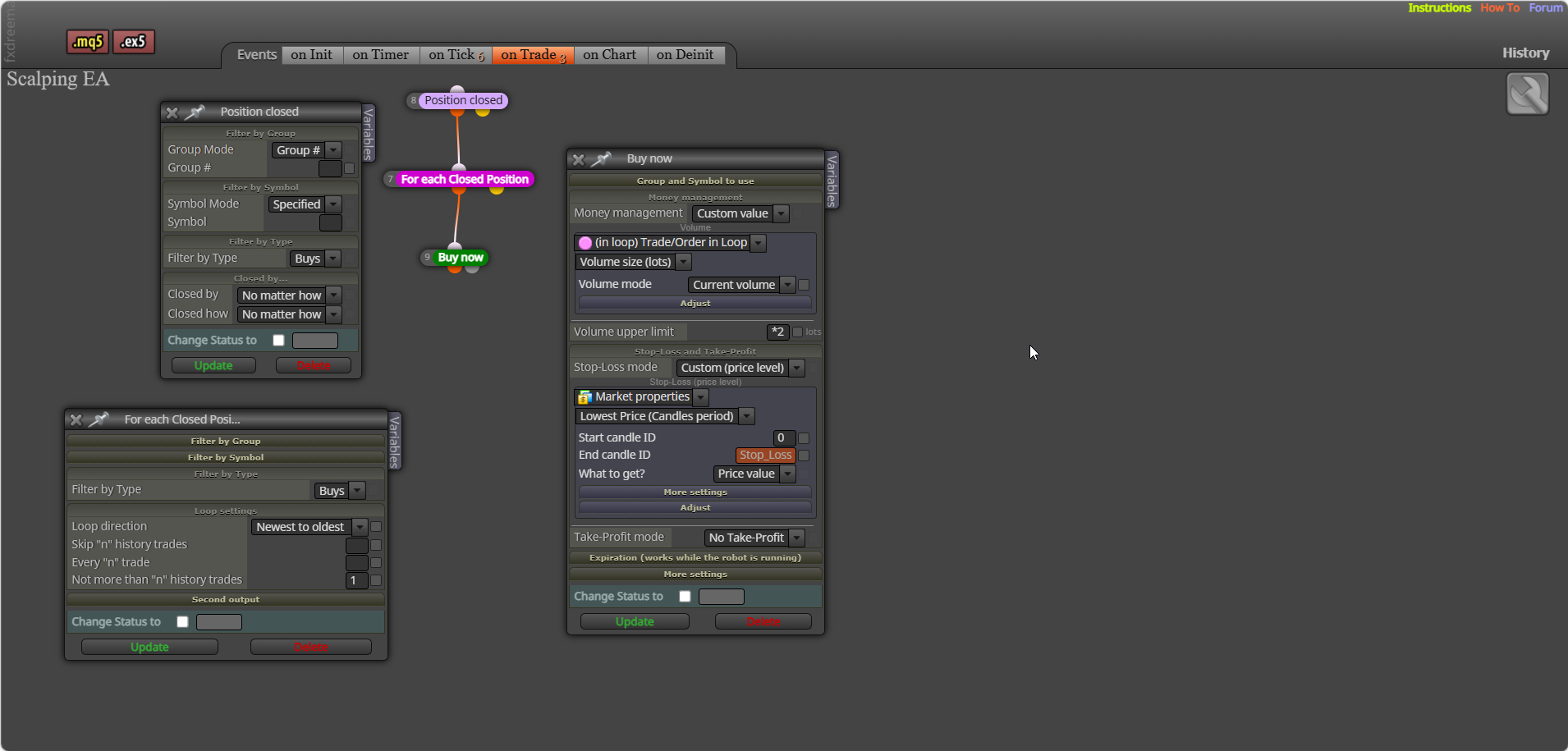
trade signal - (pink) for each closed trade - buy/sell (lot selected in a loop adjusted to *2)
-
RE: Re-open trade at Double the lot size after stop loss is hitposted in Questions & Answers
This is only buys and is done on the on trade tab to separate the first trade from multiply lot trade.

-
RE: Does anyone know how to check distance between current price and the ema line?posted in Questions & Answers
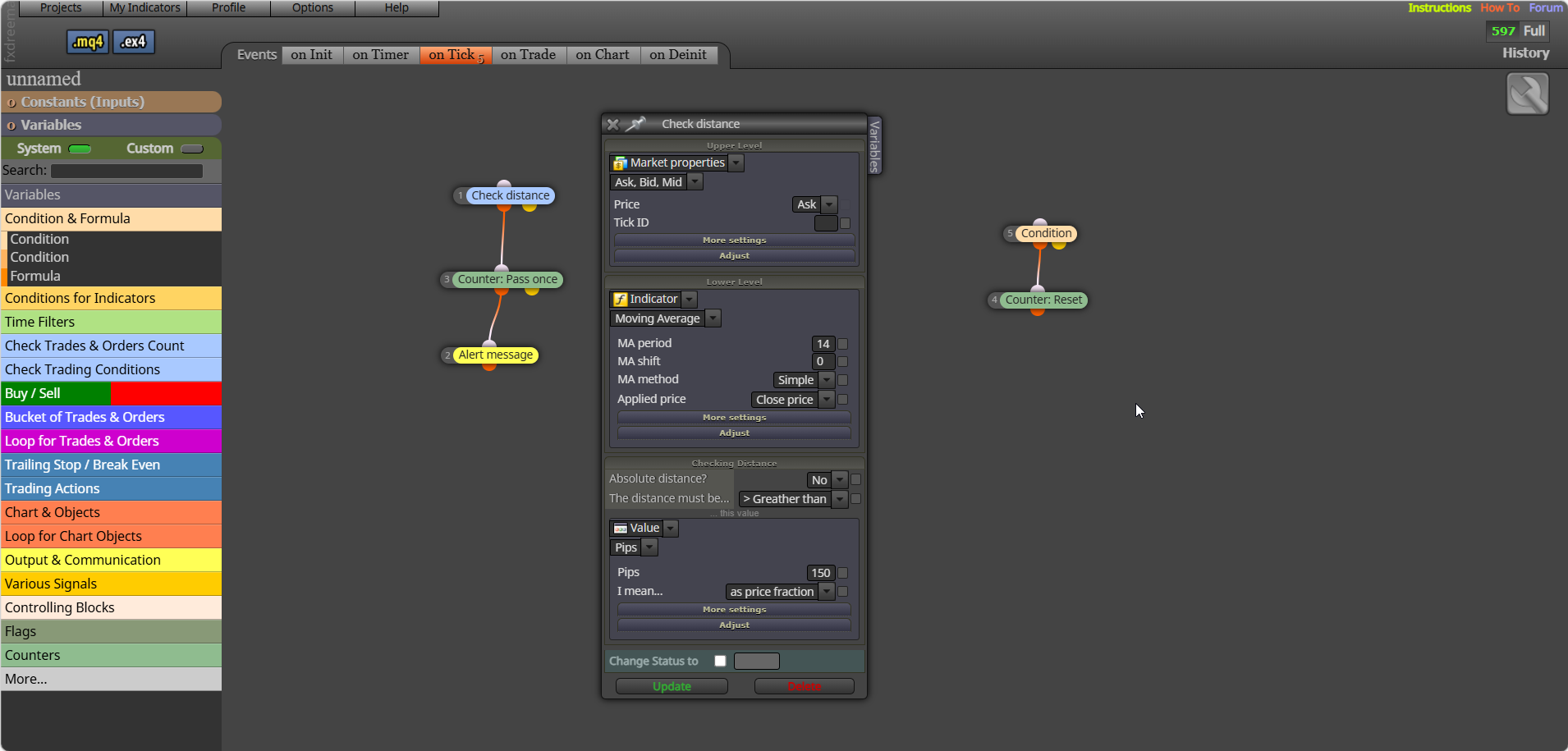
Like the picture, in the condition choose a to reset (to stop multiple notifications):

-
RE: Does anyone know how to check distance between current price and the ema line?posted in Questions & Answers
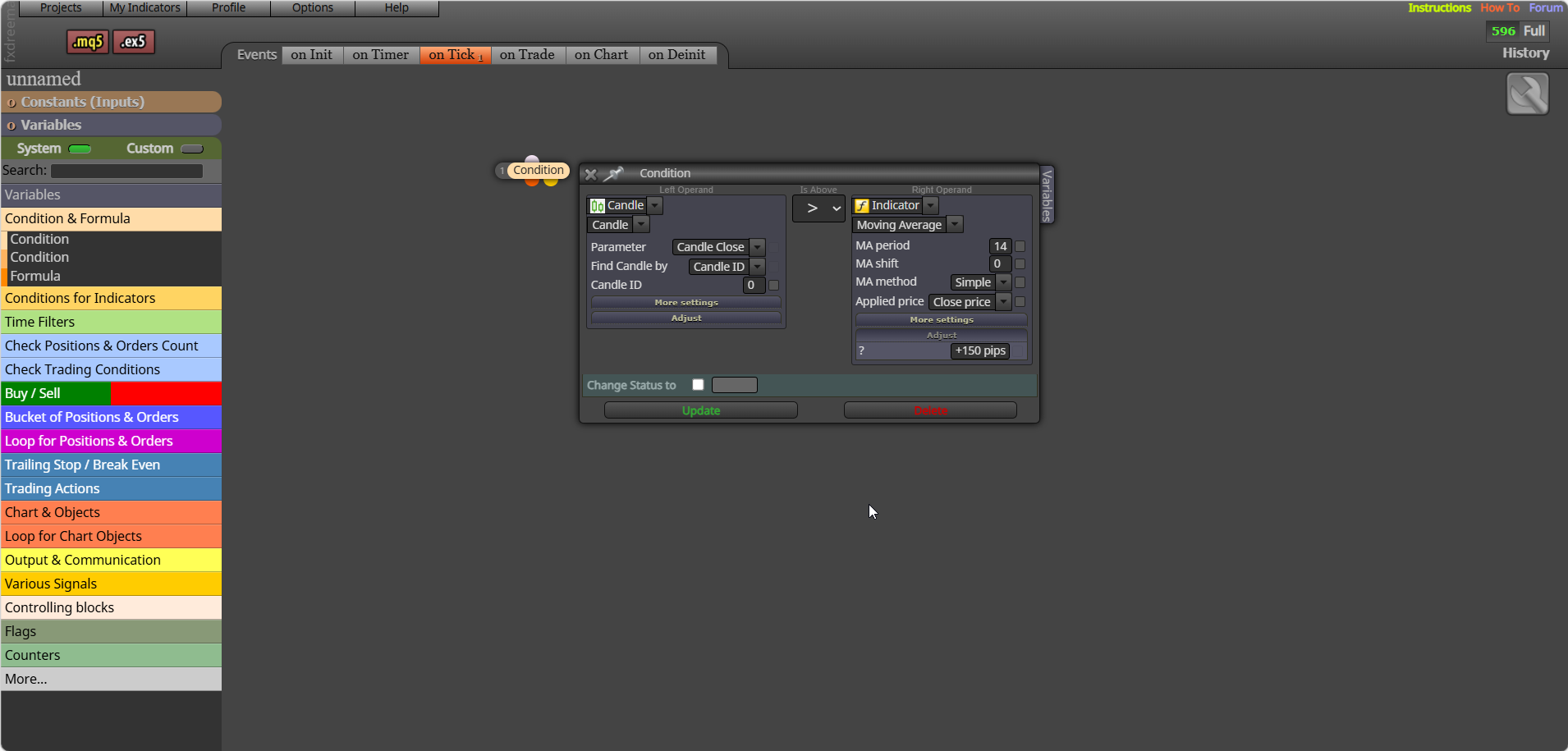
Yes and more, the best way to work things out even when you have what to do, is put the values in a comment, or draw objects to show what is visibly happening in backtest, you can then use this to check what you want/think is happening... You can try this, connect off yellow what to do when distance is true:

-
RE: Profit per session then stopposted in Questions & Answers
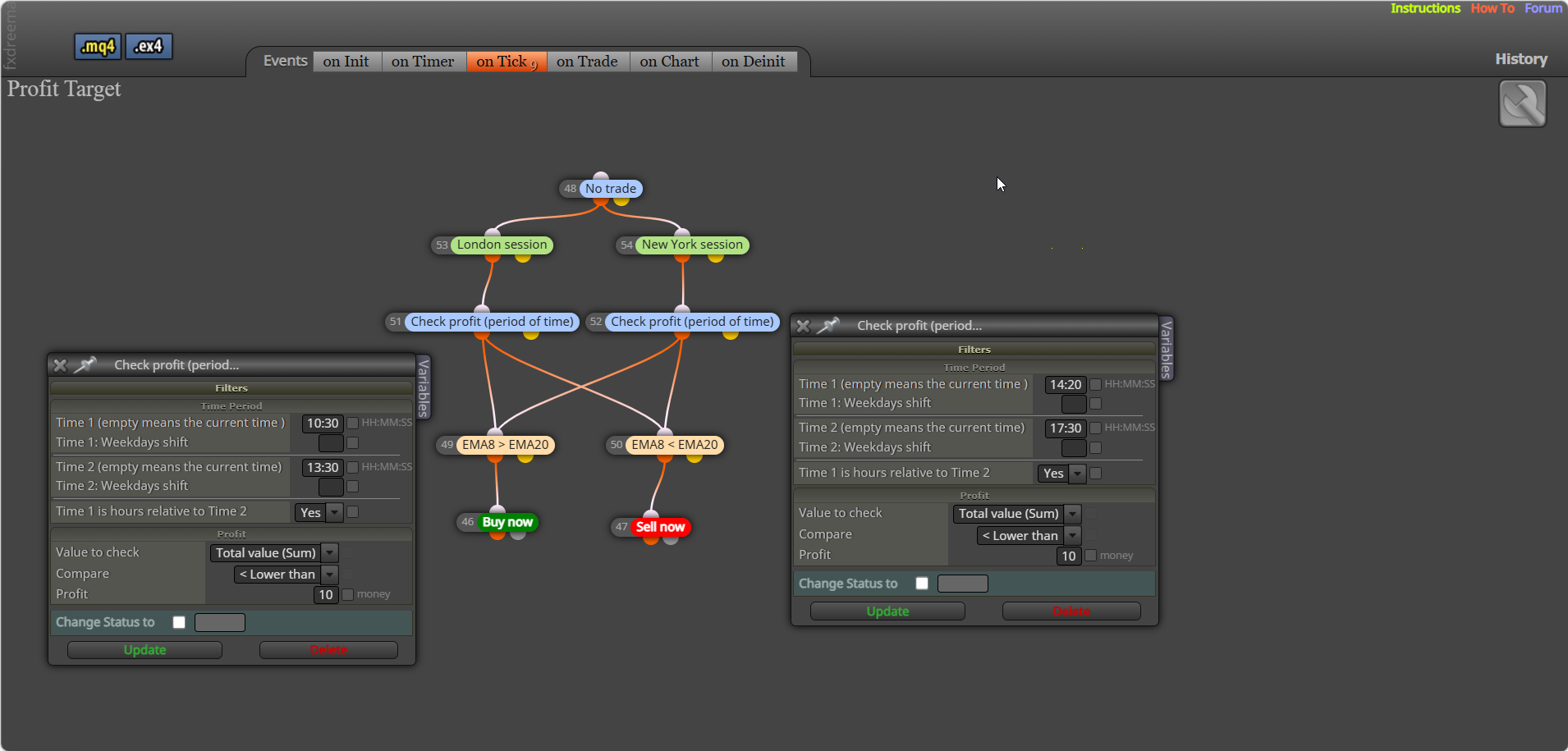
Try this, be careful GMT is actually reading GMT time, I have set (period of time) +2 as this block doesn't use GMT, set to your server offset, the only way to stop trading is to put a block in that prevents it.

-
RE: How to keep a fixed reference balance per trade in FxDreema (multi-EA issue)posted in Questions & Answers
This should do it, there is code on two tabs: https://fxdreema.com/shared/UPExIp7D
-
RE: One Trade Cycle Per Candle (No Re-Entry After TP/SL in Same Candle)posted in Questions & Answers
On tick tab your logic allows the trades put this under a flag - on trade tab trade closed set the flag (so no more trades can be placed) - on tick once per bar (reset the flag (so trades can be placed).
-
RE: How to Allow Only One Order Per 4H Candleposted in Questions & Answers
What don't you understand? after all your place a trade conditions, use a once per bar (candle) set to how you want, then place the trade you want placed...
-
RE: Library Studioposted in Questions & Answers
the calculatedlot that is saved into the calculatedlot variable in the function is then used from the variable in the project EA
-
RE: Library Studioposted in Questions & Answers
how is your global variable set? If it's not it can't return true.
-
RE: how to integrate an external EA in fx dreema made EA?posted in Questions & Answers
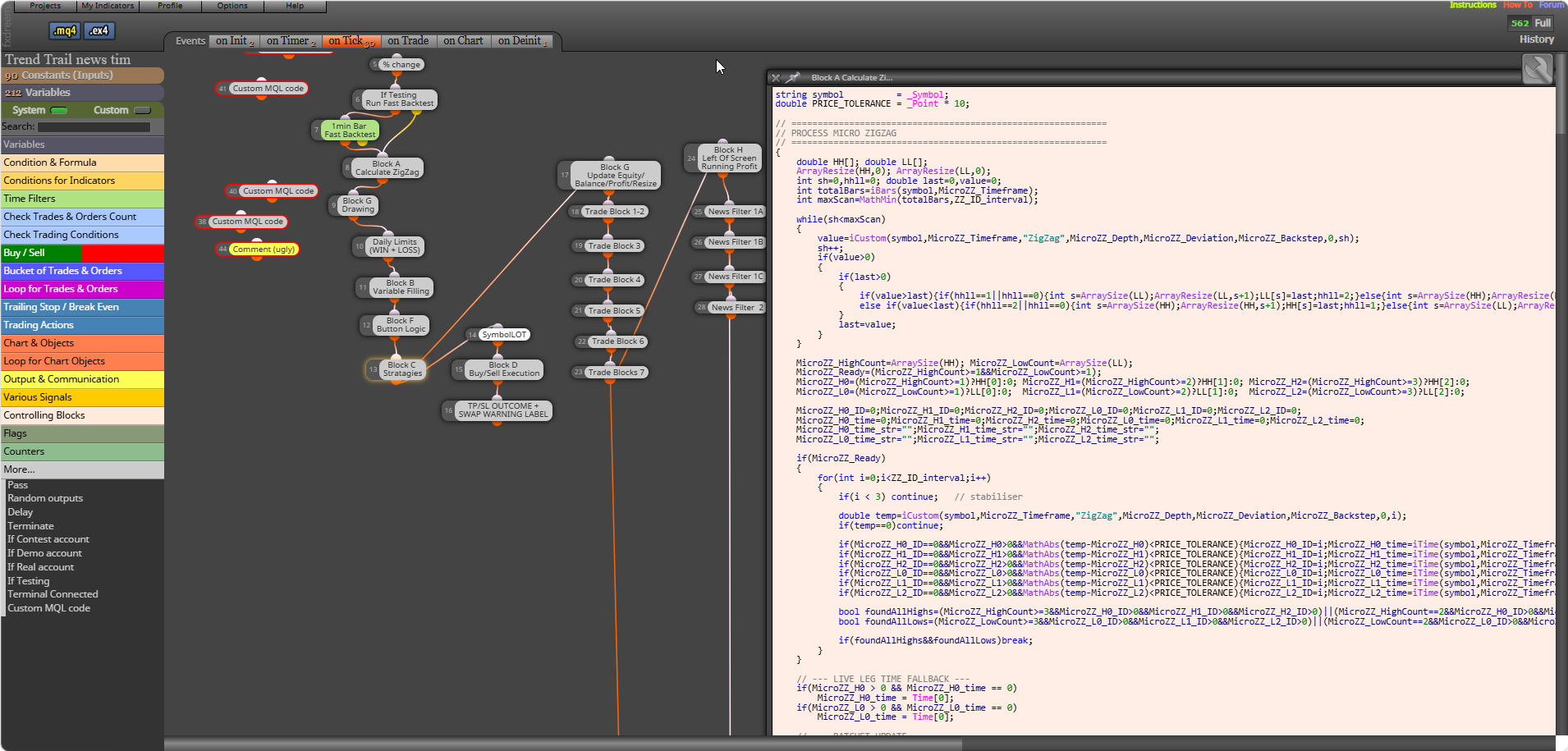
@sktsec @bacharchoura1 I disagree with that FX has a lot of very useful blocks, AI can be smart but sometimes too smart. Mixing custom code blocks, indicators, FX blocks can all work together well. This picture shows the amount of AI generated, checked and perfected blocks I am currently using.

-
RE: Lot size limit.posted in Questions & Answers
@Chen-7 I guess you mean if you click the place trade button in the top left... if so you will need to create buttons that place a trade when clicked buy using FX blocks.
-
RE: EA won't backtest but works liveposted in Questions & Answers
Backtest, although close on MT5 compared to MT4 it is still a simulated environment, is likely your custom indicator, you have to remove to test what happens...
-
RE: Lot size limit.posted in Questions & Answers
Did not mention too bigger lot, That is your choice, just mentioned how to limit it when you trade.
-
RE: highest and lowest price between two time stampsposted in Questions & Answers
You can add this into the block time stamp box: TimeToString(xxxxxxxxx,TIME_DATE | TIME_MINUTES);