I can't help you, this doesn't happen to me, but maybe it is the lot sizes I seem to use

I can't help you, this doesn't happen to me, but maybe it is the lot sizes I seem to use
The yellow no position is if position so the multiple blocks are pointless. The purple on trade (event data) in your condition can only work on the on trade tab:
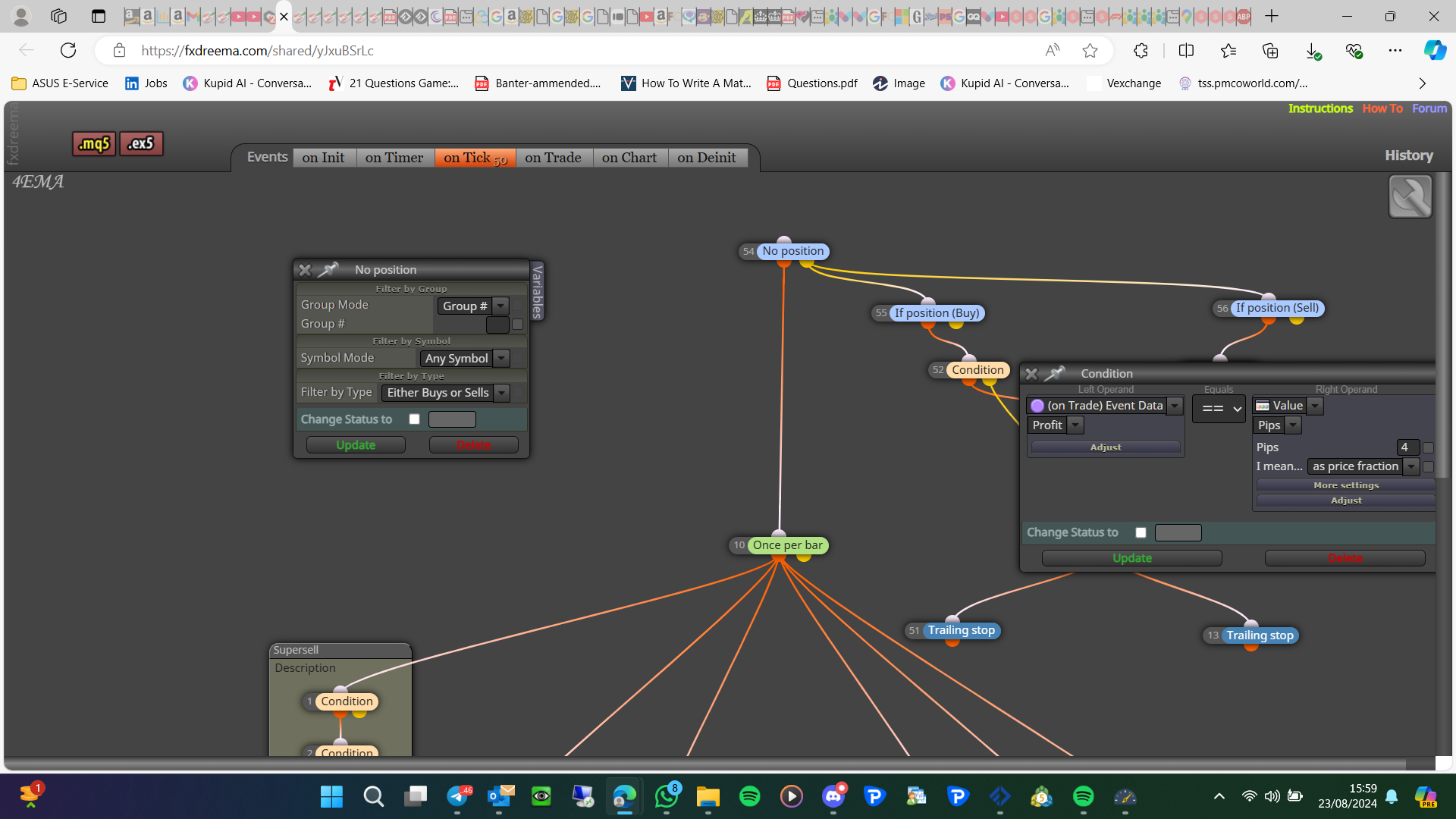
Once per bar is normally better underneath conditions, if 1 is false for a second the once per bar will stop EA from working until the next candle.
The bacic logic of the project you posted should work...as a start, if you back test you can watch how it works
Also your once per bar probably needs to go under your conditions, because the cross will likely happen after once per bar has been activated, for now just remove it.
In this link is what I meant, put your indicator in the blocks and see if it's doing as needed: https://fxdreema.com/shared/5saCua1G
FX code does contain a lot of a lot of unused lines that's not used in your project, but this should work with all brokers.
You want it more like this:
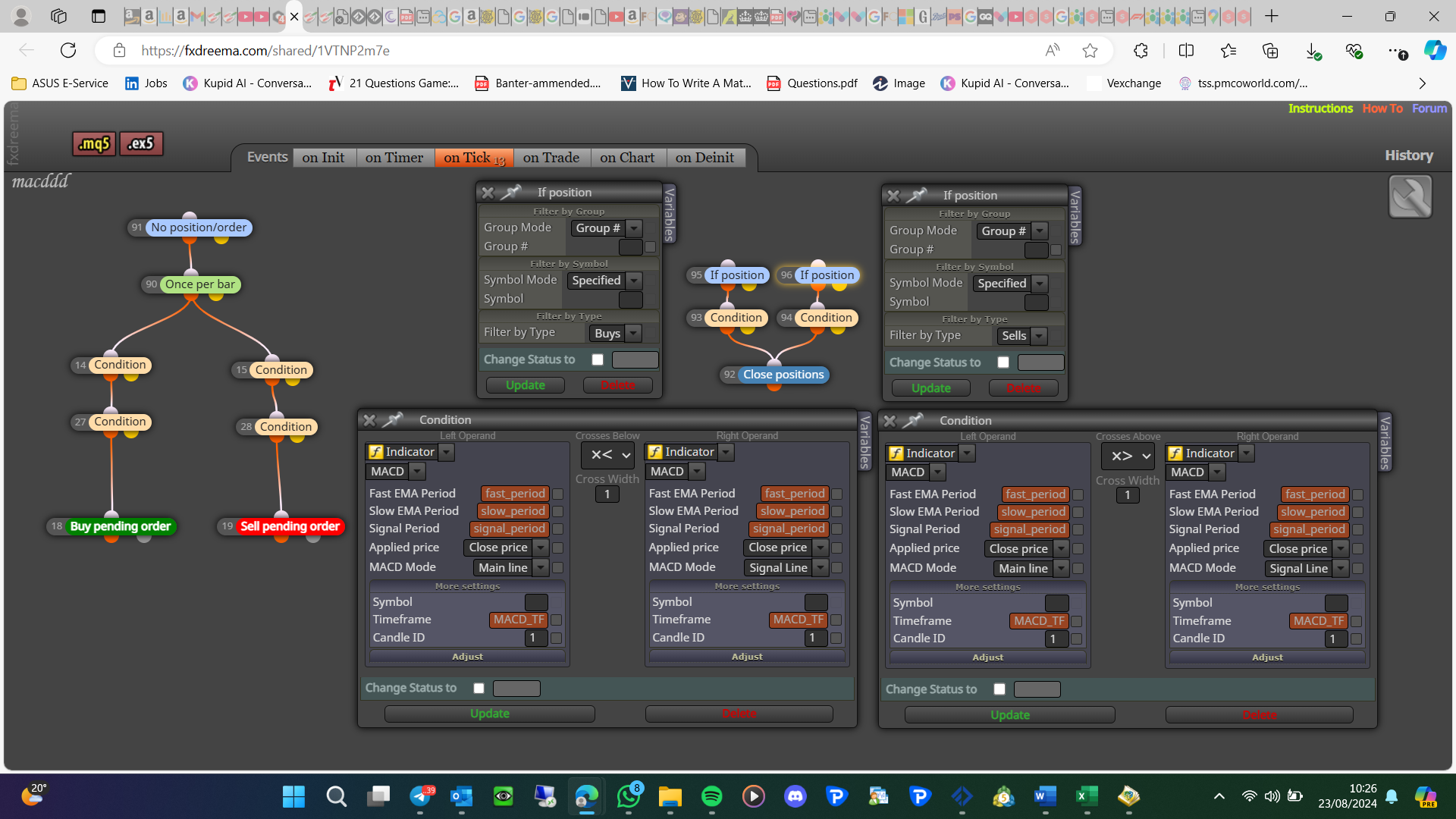
no position order just put's 2 blocks into 1, backtest with this and see if it is doing as you want
If you click back to main page at the top of this page you can contact from the support link
This is something the admin will probably not add.
It is impossible to tell from a picture if this is right to work. add a shared link: project page - projects - create a shared link - open in web page - copy address bar and place here
You are welcome, I am glad you got it working. 31536027 is the number of seconds in something, but I am not sure what it was
I don't think this is an EA problem, I think from what you say your broker doesn't have the data, maybe try another broker and see if this resolves the problem
This has been shown recently, are you using the new build on MT4, with win10? apparently win11 fixes this
I know trying to show how you might be able to change to 0 when necessary
This looks like it would do as your list, be careful with a cross as these can happen when other blocks are false, I would put two above buy/sell just in case, I do not know if DevSt_Molt will work so you will have to test to find out. Let me know if something doesn't work
Create a project doing this, add a shared link to look at: project screen - projects - create shard link - open in web page - copy and paste address bar here
Use a different group number, 1 for 1st 2 for 2nd 3 for third etc, set all blocks to look for this, and maybe use 1,2,3 to select all groups. The loop break does work but won't be needed and if a block above is reactivating it's pointless, add a no trade with a set group number at the top of all trees
I am a little lost but, you have close losable positions in trading actions, which will close individual trades. Or in check trading conditions you can check all at once, so maybe check the amount running before closing, 3 should close very quickly.
The check loss block should be under a for each trade block looking at the relevant trade
But auto trading unfortunately doesn't work that way (as far as I know), it will send the close order, and then your broker will complete the action, if only a few trades depending on timing (volatility) it will close all quickly with minimal slippage, but it could take a minute with lots of slippage. When you press the x you force the broker to act quickly