As this is what's placing the trade? it should not be able to place a trade until it's started, explain a little more about what you mean...

As this is what's placing the trade? it should not be able to place a trade until it's started, explain a little more about what you mean...
I don't know if done correctly it works for me
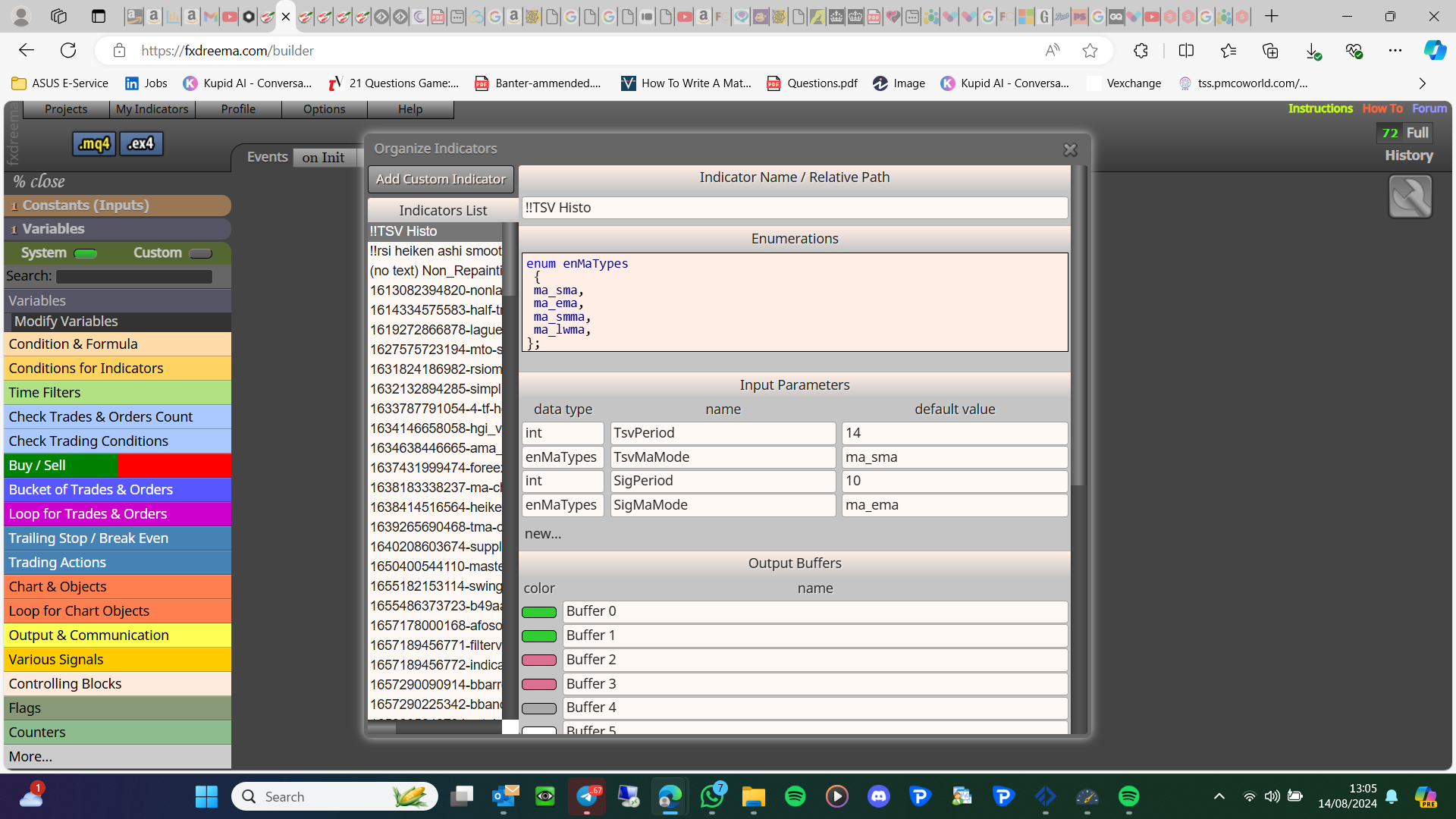
these are enum
Follow the picture I sent like this
enum Time frame
{
Current time frame,
1 minute,
2 minute,
continue this until you have covered all
};
If you have the MQ file this will be added automatically
looks like it but maybe an enum, if enum you will need to add information at the top, with the same words from your inputs, looking like this picture:
your list is
int
string
int
int
int
bool
double
int
By looking at your picture they are in as an int, this can and will be a number 1-2-3-4-5-6-7-8-9-10-11 etc
Yes and it is not written as a number, may need to be as it is in the indicator input, or possibly how it is on the MQ forum
You have a picture with 1/2 of what you need: your
1st input is int Time frame Current time frame
2nd input is string Button unique ID averageb1
complete all like this
That list needs to be identical to the indicator inputs, spelt the same in the same order
Not exactly, but if that is set in the EA inputs, then the EA can use this value to know what the EA is using, MT5 has other timeframes to MT4, but both can only use the pre set values
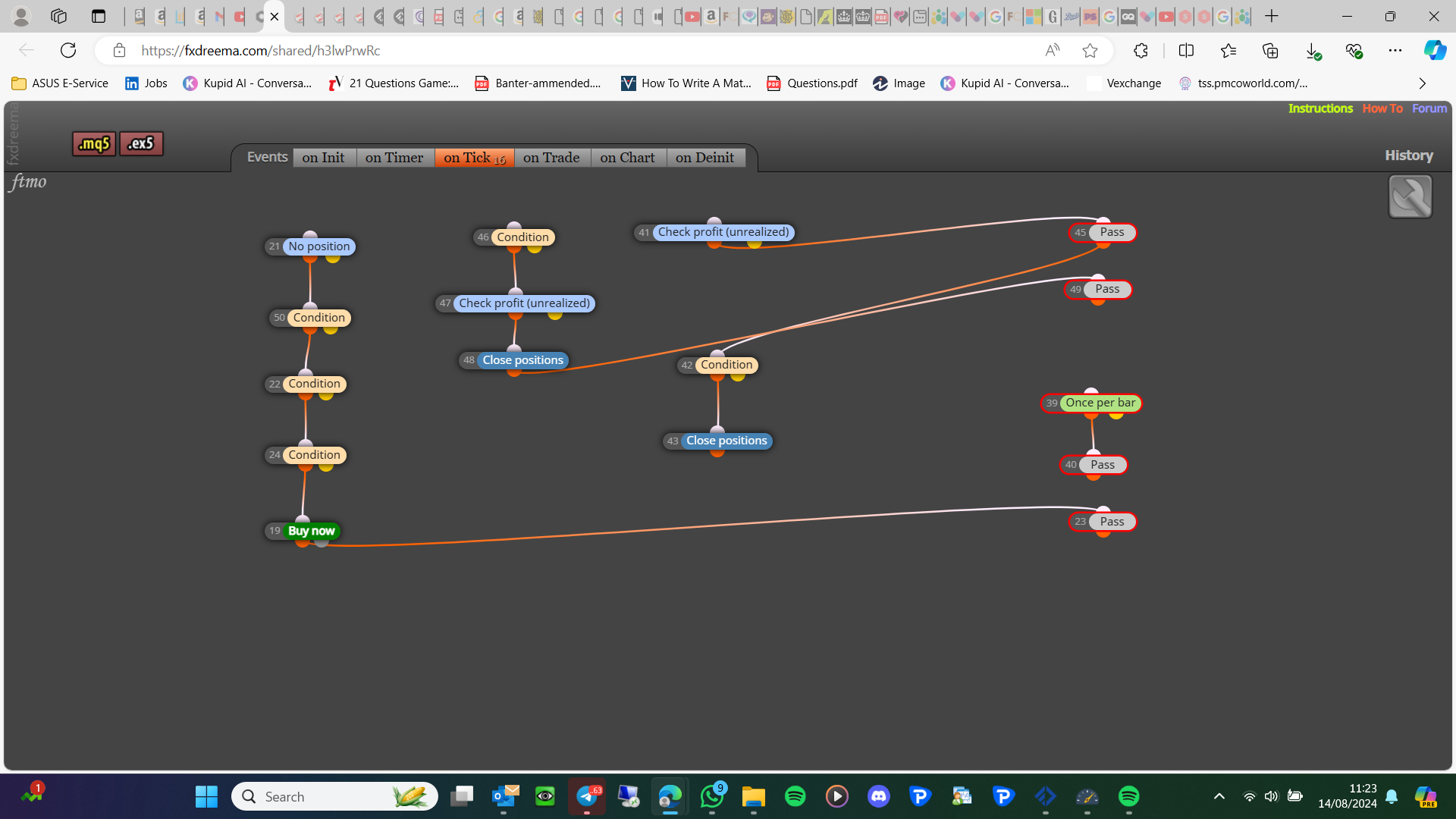
I will add this, every red block in the picture is pointless or used incorrectly:
I don't know...test...remove global variables, add a new shared link if still now working
The period is likely simple, create an int constant insert into the indicator block by right-clicking, then while optimising loop through the numbers.
The principle is likely the same for Ma method but, you will need to use the MQ lines:
https://docs.mql4.com/constants/chartconstants/enum_timeframes
type = ENUM_TIMEFRAMES
name = anything you want
value = PERIOD_CURRENT (you can choose this and it will create a drop-down in your inputs)
I don't know if you can optimize through this dropdown
Are you setting the global variables before trying to use them? Generally, as global variables are a more advanced concept, you are better at getting things working before switching to a global variable.
Above the buy/sell block, something like this: if trade - orange dot - pink for each trade - buy/sell with SL/TP in a loop - yellow dot - buy/sell
This is rough if you struggle add to a project and add the shared link
No, the easiest way is to take the running trade value in the buy/sell block and use this while placing new
This does sound good, but I doubt MQL code could activate these options...
If closed by you you can just push the x in your terminal. On the on trade tab, trade closed (purple block) - close/delete will delete if trade action has happened