fxDreema

    • Register
    • Login
    • Search
    • Back to the main page
    • Categories
    • Recent
    • Tags
    • Popular
    • Search
    1. Home
    2. jstap
    3. Posts
    • Profile
    • Following 2
    • Followers 222
    • Topics 37
    • Posts 9382
    • Best 1086
    • Controversial 23
    • Groups 0

    Posts made by jstap

    • RE: How do i setup this custom indicator?

      The name shouldn't matter, put all 4 into a comment and see if any return a value

      posted in Questions & Answers
      jstap
      jstap
    • RE: limitation losing money in a day

      Did you change in all blocks?

      posted in Questions & Answers
      jstap
      jstap
    • RE: AO osillator

      He is not asking for your general use of it, he is asking for what you specifically want to do with it.

      posted in Questions & Answers
      jstap
      jstap
    • RE: change the color of cloud ichimoku

      Don't know if it will help, but you could trace the line in a different colour when needed

      posted in Questions & Answers
      jstap
      jstap
    • RE: Pending order Stop Loss changes when it fills

      Share your project to see what's happening and why.

      posted in Questions & Answers
      jstap
      jstap
    • RE: ONE EA TWO CHARTS

      Create a shared link and I'll check what you have done

      posted in Questions & Answers
      jstap
      jstap
    • RE: How do i setup this custom indicator?

      My guess is that this setup doesn't recognise that buffer signal, does it as buffer appears? It might help to put buffer in a comment and watch the value change

      posted in Questions & Answers
      jstap
      jstap
    • RE: SL TP Problem

      Set it in the buy/sell blocks

      posted in Questions & Answers
      jstap
      jstap
    • RE: limitation losing money in a day

      What is placing these trades? According to this, this EA is placing, but it's not
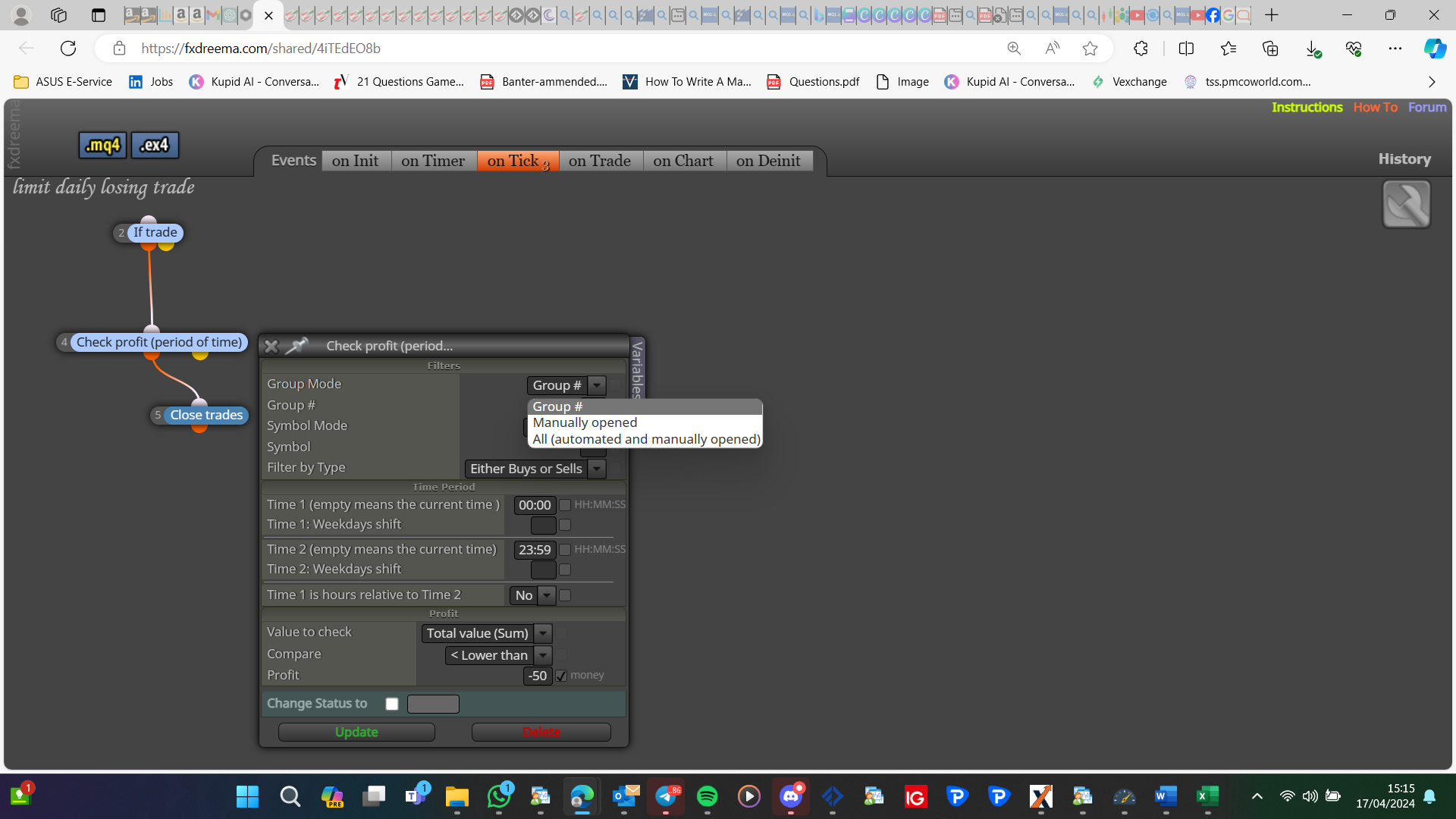
      image.png

      posted in Questions & Answers
      jstap
      jstap
    • RE: Trade at the beggining of each candle

      So the period() will return the minutes of the current chart, oi on the same chart you want something to happen every 15 minute candle open, then in separate block add 15 for the minutes

      posted in Questions & Answers
      jstap
      jstap
    • RE: ONE EA TWO CHARTS

      there are blocks that do it, in most blocks you can get the value, there is a yellow terminal block to set a value

      posted in Questions & Answers
      jstap
      jstap
    • RE: change the color of cloud ichimoku

      You can't, you could possibly change the template, but why, and this won't work on backtest...

      posted in Questions & Answers
      jstap
      jstap
    • RE: ONE EA TWO CHARTS

      If both are for 1 currency pair, then the difference is TF, you can probably use on one, if not you can pass information via global variables

      posted in Questions & Answers
      jstap
      jstap
    • RE: Trade at the beggining of each candle

      The period() just returns the current chart time frame

      posted in Questions & Answers
      jstap
      jstap
    • RE: How to check profitable trades and close them

      Close profitable trades (there is a blue block)

      posted in Questions & Answers
      jstap
      jstap
    • RE: MT5 STRATEGY TESTER INPUT VARIABLES

      If you create a constant instead of a variable they can be optimised, you can set a variable from a constant,

      posted in Questions & Answers
      jstap
      jstap
    • RE: Consecutive Status Check of the Last Position

      On chart tab, purple trade closed block-blue check profit (last closed)-modify variable or something to save the result. You could also just use the blue check profit (last closed) block on tick, anywhere and this will activate when needed <0 is a loss

      posted in Questions & Answers
      jstap
      jstap
    • RE: Screenshot when Button Pressed

      No, timeframe is in market properties:
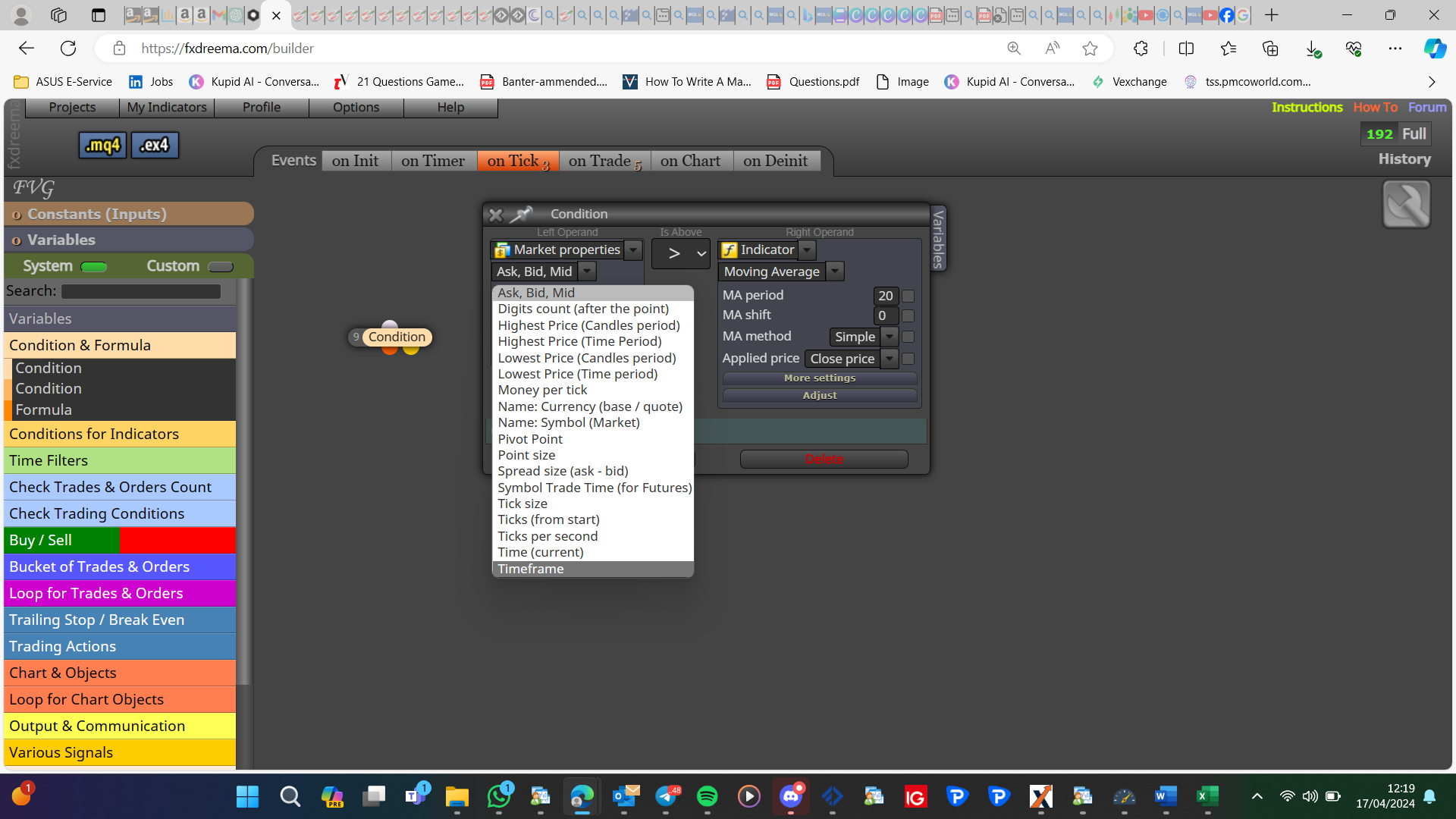
      image.png

      posted in Questions & Answers
      jstap
      jstap
    • RE: Screenshot when Button Pressed

      I think you will need a set of blocks and a variable to do this, something like condition block (chart TF != variable TF)-print screen-set variable to current TF. To start you will need to check if the variable contains a number <1 (or=0)

      posted in Questions & Answers
      jstap
      jstap
    • RE: Screenshot when Button Pressed

      I would select object by name, and sub window -1 means an indicator window:
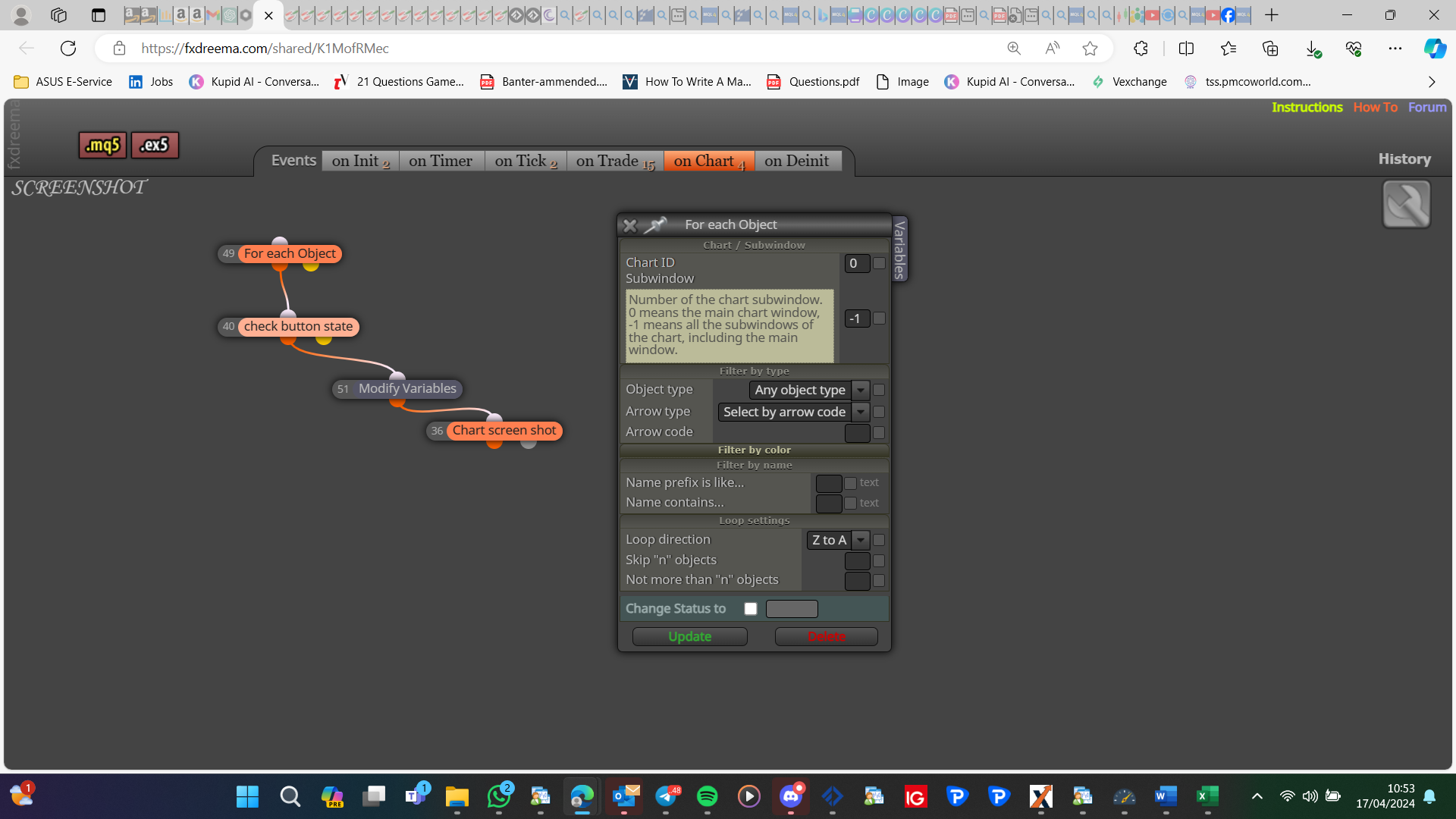
      image.png

      posted in Questions & Answers
      jstap
      jstap
    • 1
    • 2
    • 168
    • 169
    • 170
    • 171
    • 172
    • 469
    • 470
    • 170 / 470