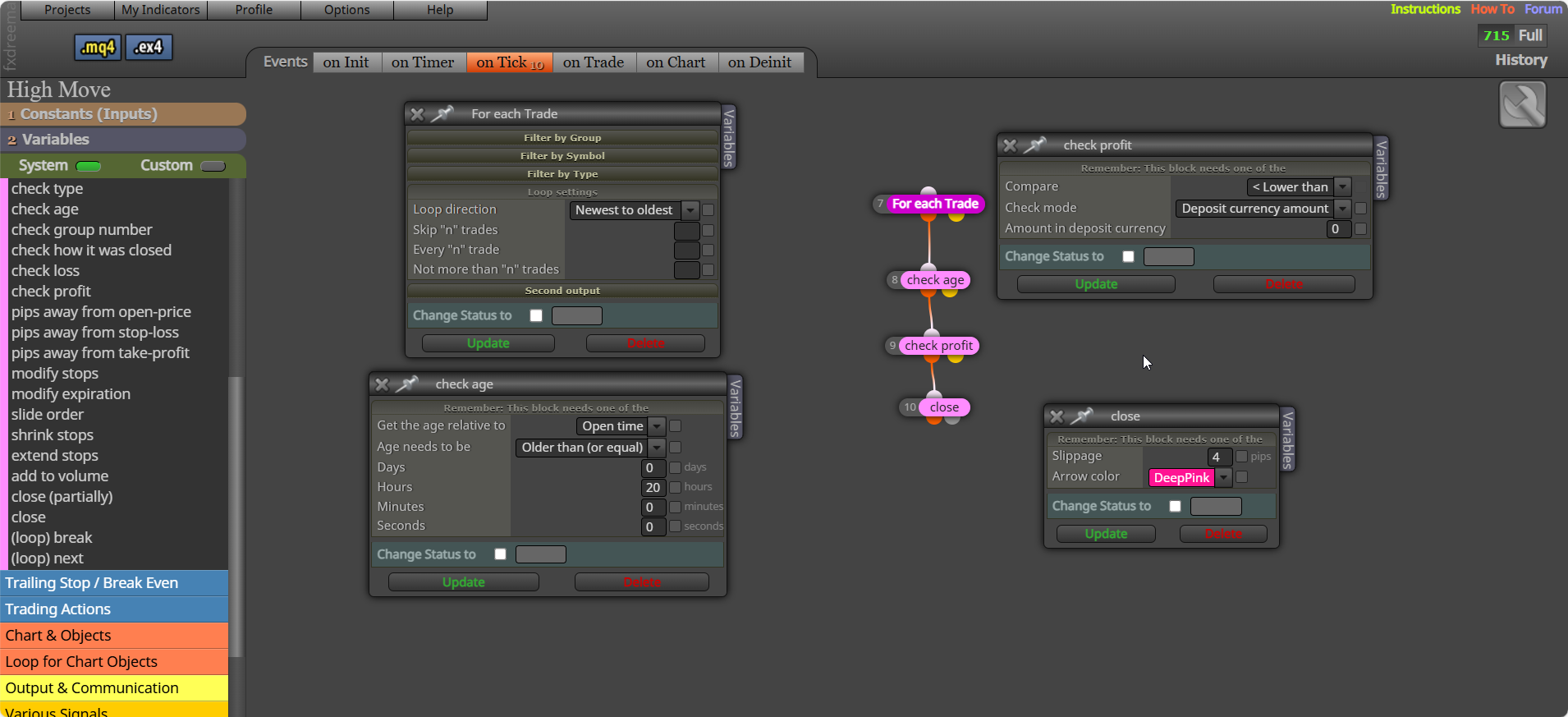
Light pink need a dark pink for each block first, put your once per bar under blocks that check for something, if position will look for running trades, not pending orders, maybe add another light pink "once per position"

Light pink need a dark pink for each block first, put your once per bar under blocks that check for something, if position will look for running trades, not pending orders, maybe add another light pink "once per position"
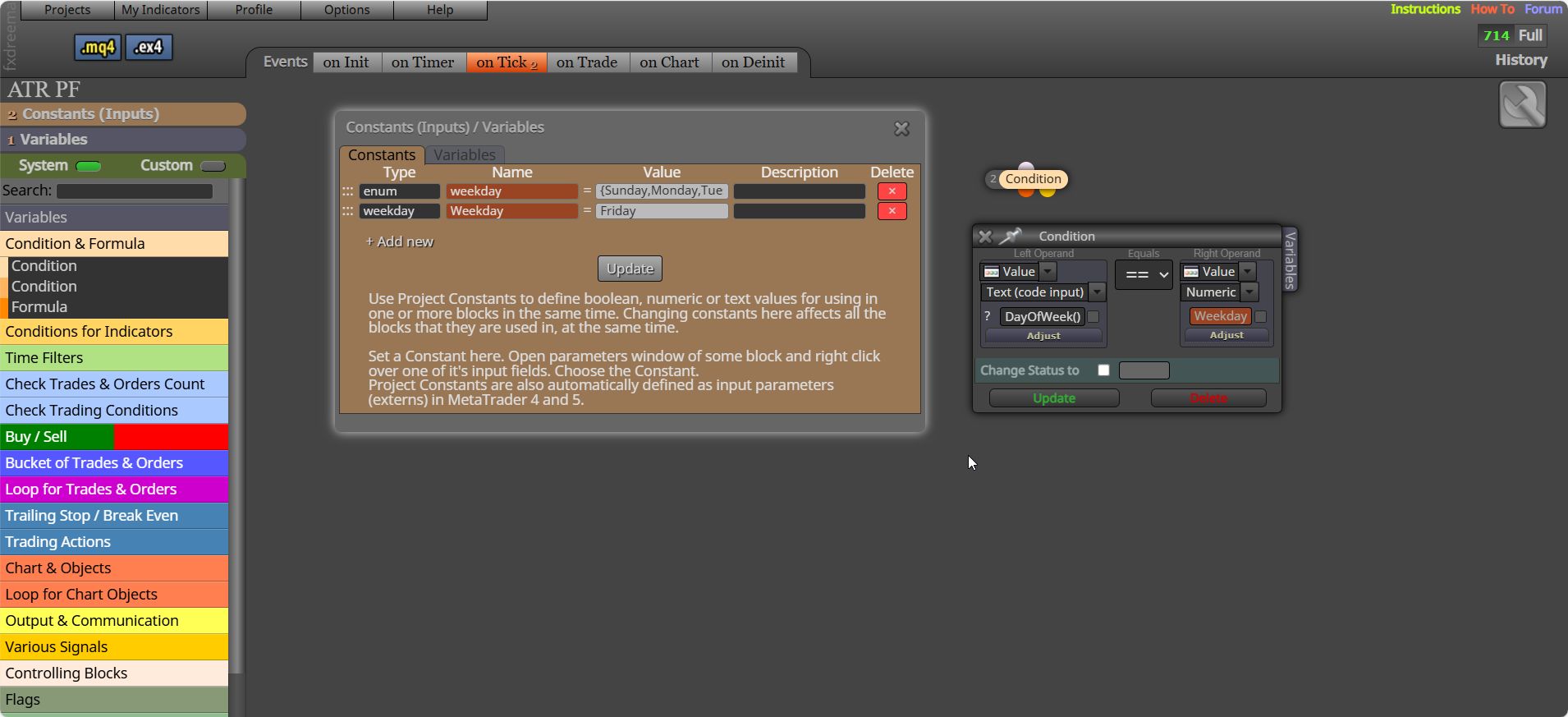
You could also create an enum and select it that way, have a good weekend:
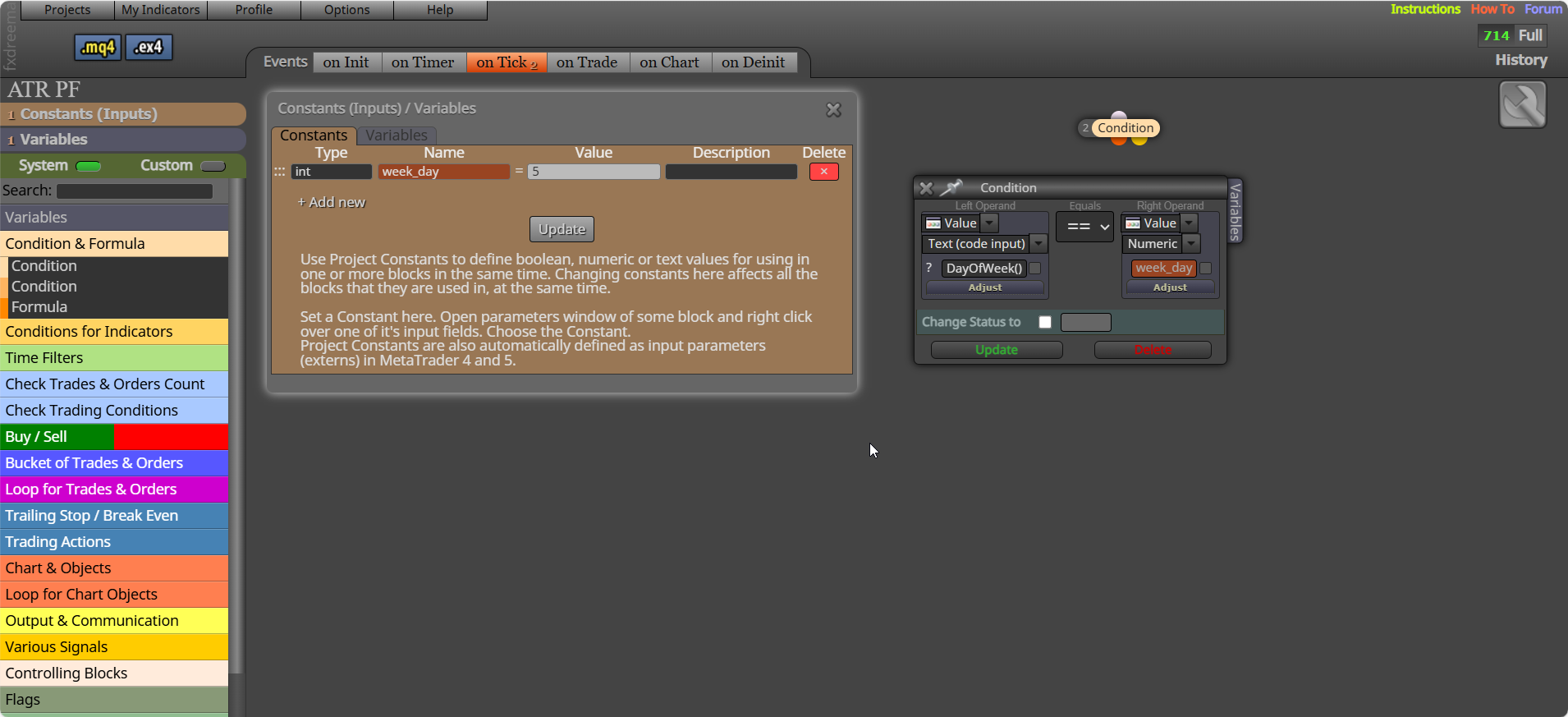
Constant should be an int, and call the full function in code input:
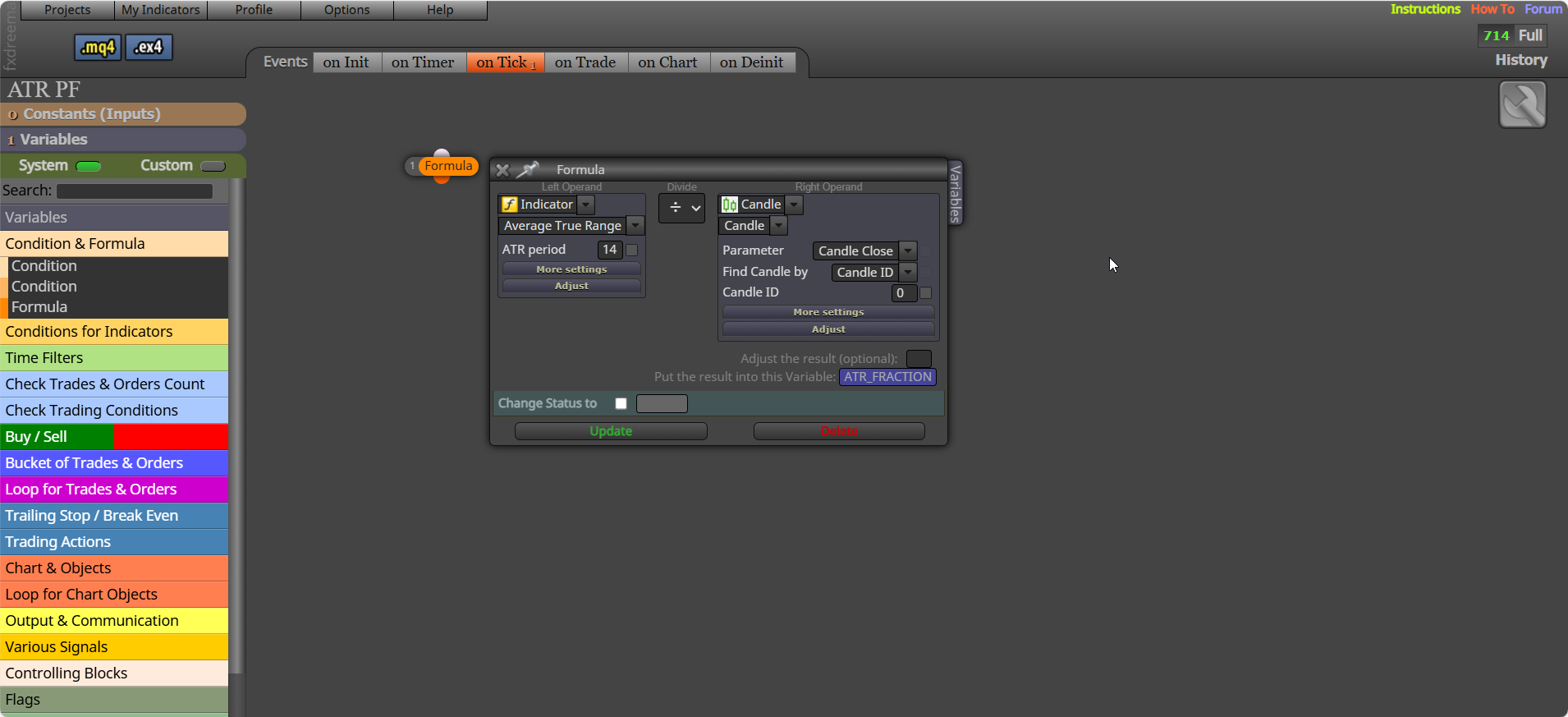
It is ATR divided by price:
Add a shared link to see what you are doing, any once per bar needs to go under the conditions that create a trade, if 1st then once per bar will activate before the conditions to create the trade are checked to see if they are right.
NormalizeDouble() is a standard metatrader function, all can be used in FX, google or any AI platform will show you these, this will link you to a conversation talking about using the side of FX that is not so obvious...
Well in keep this updated, messed about with this a long time ago, don't really have time at the minute (and was never vary good) but, in there you can add different options for the block, in this something like, limit by magic, or limit by symbol, etc, like what is in other standard FX, blocks. also
According to ChatGPT this is also used in FX custom code, but I wouldn't trust it all, some I have see used over the years of looking though. AI didn't know this when I was originally working with this code but now...
Commonly Used Tokens in FX Dreema
| | |
| ~next~ | | Refers to the next block in the execution chain
| ~prev~ | | Refers to the previous block
| ~value~ | | Used to fetch the current value of a variable or indicator
| ~custom~ | | Placeholder for user-defined values or expression
| ~time~ | | Refers to the current time or timestamp of a candle
| ~price~ | | Gets the current price (can be open, close, high, low depending on context)
| ~index~ | | Used in loops or array-like structures to refer to the current iteration index
| ~symbol~ | | Refers to the current trading symbol
| ~magic~ | | Refers to the magic number assigned to trades
| ~spread~ | | Gets the current spread value
These tokens are often used inside blocks like:
 ️ Why They're Useful
If you're building session-aware or event-driven logic (like your NY session breakout detection), these tokens can help you create reusable, adaptive structures. Want to see how to use ~index~ or ~value~ in a looped candle scan or variable comparison? I can mock up a block chain or walk through a use case.
miro hasn't been on these forums for years, he likely got this function from the .mq code you can get from project screen, then red and searched. There is no file/place containing this information, that I am aware of.
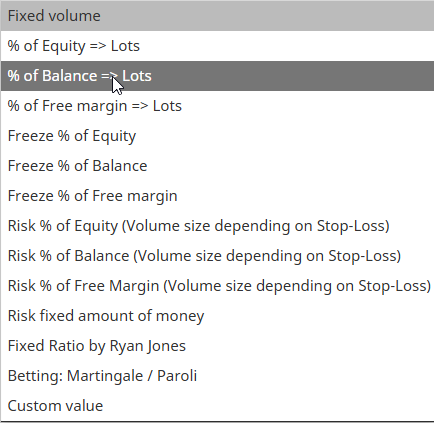
Never done this so I can't really help you with this, I always use a stop, there is an option in FX blocks as picture, test with bigger numbers, to risk 1% of account you will need to use a number more like 100 or even 1000.
@KLG Well in mate, good to see code changed and put out for the community to use. 
My bad || means or and && means and..
Not sure, never happened to me, maybe your browser, try switching off and back on
FX uses a int variable called "MagicStart" this contains your current project magic number, check magic == MagicStart in the function code, symbol() will show the current chart symbol, so check this in the code as well, both of these should mean the code will only use current chart and EA magic number. If you paste this code into AI (like chat GPT) and ask to add all this it should give you the correct code. && is the code for and.
You don't, you add indicators to PC, you can then view on a mobile, but only what PC is running.
Not sure what you are asking, but yes to 100, (high + low)/2