Of cause, made a start? draw button on init, wen pressed turn a flag from true to false, check flag above you buy sell trees.

Of cause, made a start? draw button on init, wen pressed turn a flag from true to false, check flag above you buy sell trees.
Made a start? Add a shared link
As I said, it can't work if you do not have a trade to start, for testing porpoises, place a trade on init.
Didn't change any, just put in the order I would use to test.
No mate it is your project, try and change, then add a shared link if not working.
What is your question? And put this in questions, not tutorials.
Light pink only work under dark, and before result is used, for you're logic to work correctly, you need a trade placed as a start, you're trail block was wrong. Test this leaving pink blocks aside, when working you can add the pink back in. 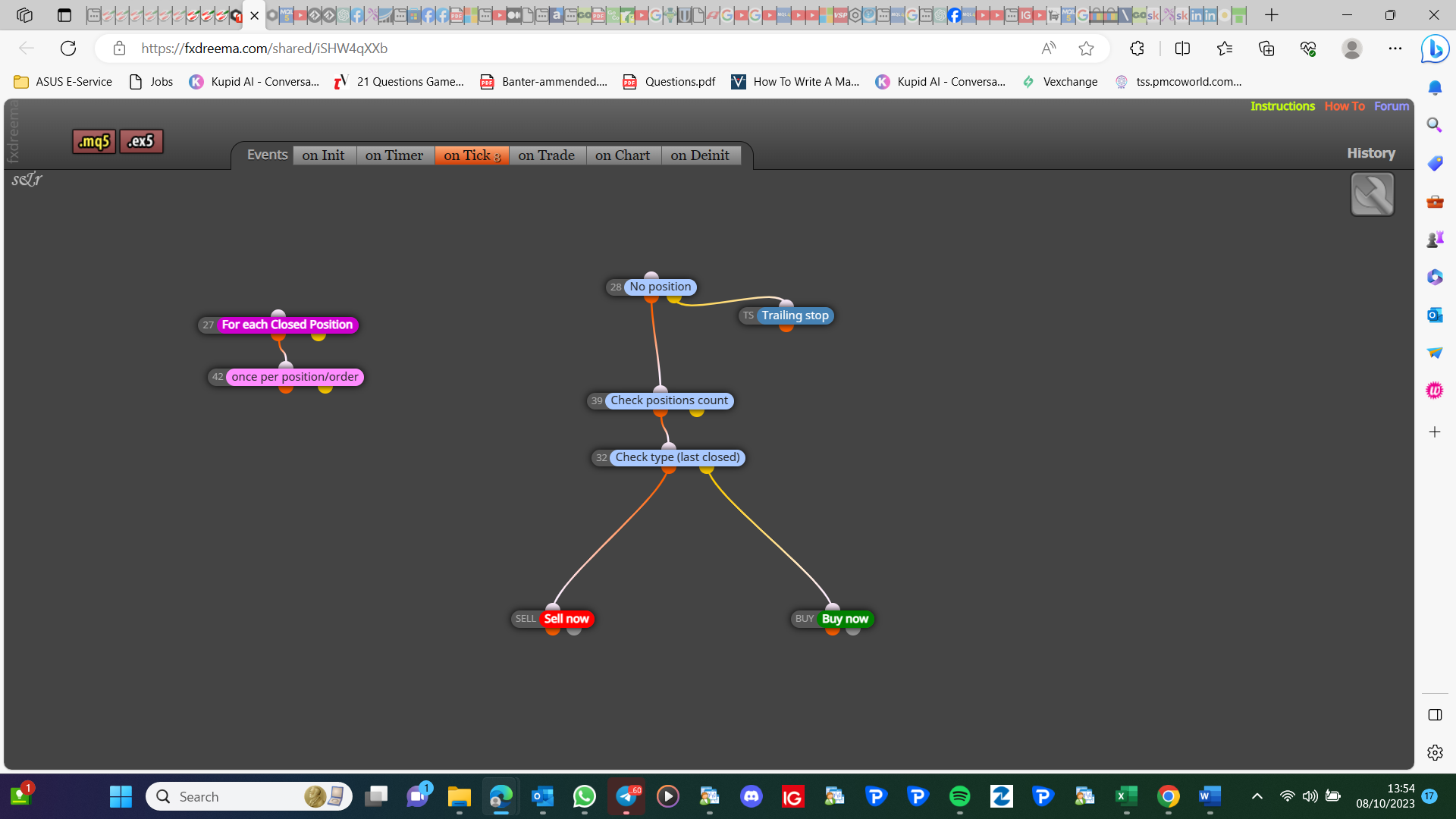
Over the years I have read people not being able to use more than a single time filter, this is one of the few situations when a and block is needed. In the link is an example of how this would work. Hope some find it useful, depending on you're use you may need to use an or block: https://fxdreema.com/shared/DyohV6wbd
For each trade use another group.
These are fairly simple to implement, lets look at not placing a trade unless above minimum R-R set in a variable, TP= 30, SL=10 (pips). then anything under 3 is out of spec (if 3-1 is minimum R-R), easiest way on FX is to create a variable, one that constantly saves TP/SL, then check this in a constant above buy/sell, variable => minimum R-R (can set this in a constant). If you struggle to add constants/variables, try then add a shared link, saying what's not working.
Good luck, most people learn and do themselves. Try @roar he may be able to help.
This is relatively simple, have you made a start project? If not a tart one and add a shared link.
To do this you would have to define what you class as a stop hunt, then make ea react when area taken.
This should work, I would correct the crazy block numbers, why use yellow? This means every time filter will only work outside of the time you set.
Not sure how to display that box, but you can do like attached, put your conditions in for placing a trade, and for what SL etc, use the same principle for placing a trade as for delete. https://fxdreema.com/shared/T69mlH4Gd
If you right click on the arrow, go to properties, you will get the arrow code, in FX, use any object, selected by arrow code.
You do it on the ontrade tab, purple trade closed-buy/sell.
You can add else code to a custom block, alternatively though, this is what using orange and yellow does in a condition.