When a pending has been triggered it become a trade, the only way is to work with trades.

When a pending has been triggered it become a trade, the only way is to work with trades.
Add a shared link no the MQ file
I am unsure what you have here, this can only contain a Boolean true/false
What counters? To me any blocks under 1 that's switched off won't work? I may be wrong but would stay away from doing so.
Tee off from the block that placed the trade, in the offset in the pending block put 10 or -10
@jayesh125 It looks ok, try removing the stock for now.
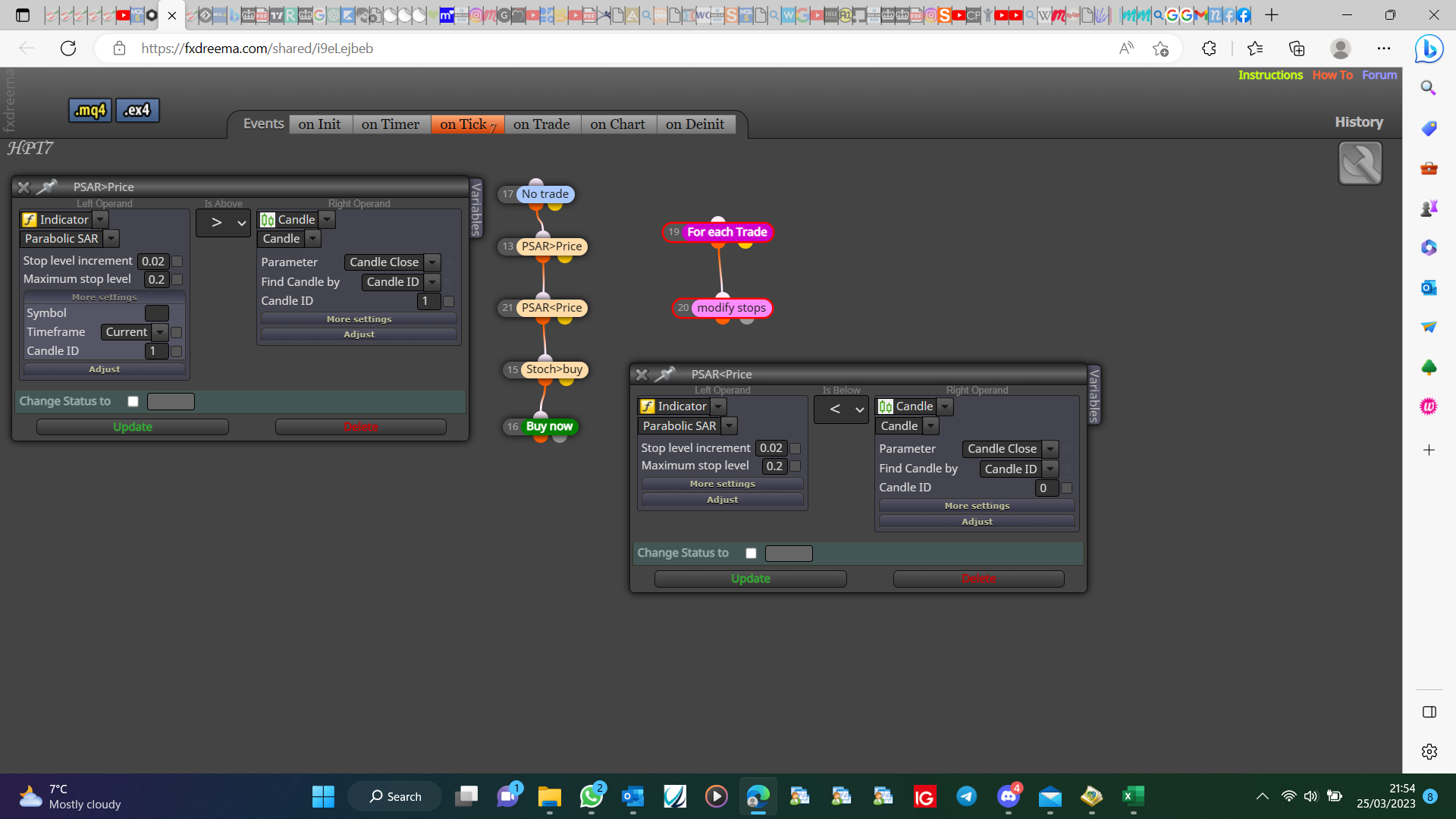
@jayesh125 @Probibly want to connect like picture, try back testing with a single condition first, you can then add others once it's working:
Sounds like you said you created on here so they decided to be difficult, the MQL button will give you the source code you can change this so it doesn't say FxDreema
@bb-2 Your constants in your condition blocks don't work like that, would be more like this +ema_offset_sell pips, don't right click and insert, just type, use+ or - to instruct what you want to happen, use pips after to convert constant value into pips.
Make a start, 1 condition at a time and back test, any problems ask here and add a shared link, you'll soon work out what you need to do.
name a constant adjust (for example) and put this in the adjust box *adjust%
@sktsec You need to add a shared project to look at, this will only work with some blocks.
By DST I assume you mean daylight saving time, your broker will adjust for this, use server time, I think.
You should be modifying the variable on tick, with no position closed block above
Create a constant in the upper right, whatever you have called it write this in the custom code block
Am not sure what you are asking, generally buy/sell blocks shouldn't be connected to each other, you also need at a minimum a condition block to activate the buy/sell
@priyaavatar create a string constant, where it says "eurusd.tpl" replace with the name of the constant.
Add shared link to look at.
Because you have it on top, needs to be in the middle, when action passes through it, it stops any other actions from passing through it, then when reset another action can pass.